
Cal Import - CSV/ICS Schedule
Import CSV & ICS to Calendar
Designed for iPhone, iPod touch
Free · In-app purchases
- Age rating4+
- CategoryProductivity
- DeveloperZhihao Yang
- LanguagesEnglish
- Size27.8 MB
Links to the official App Store page
Download.org hosts no file of Cal Import - CSV/ICS Schedule. The button opens its official App Store page, published by Zhihao Yang. Listing last checked on Nov 16, 2026.
Screenshots
About
Cal Import — Import CSV/ICS calendar events to your iPhone in seconds.
Effortlessly import calendar events from CSV or ICS files directly into your iPhone's system calendar. Whether you're migrating from another app, syncing work schedules, or organizing events from spreadsheets, Cal Import makes it simple.
CORE FEATURES
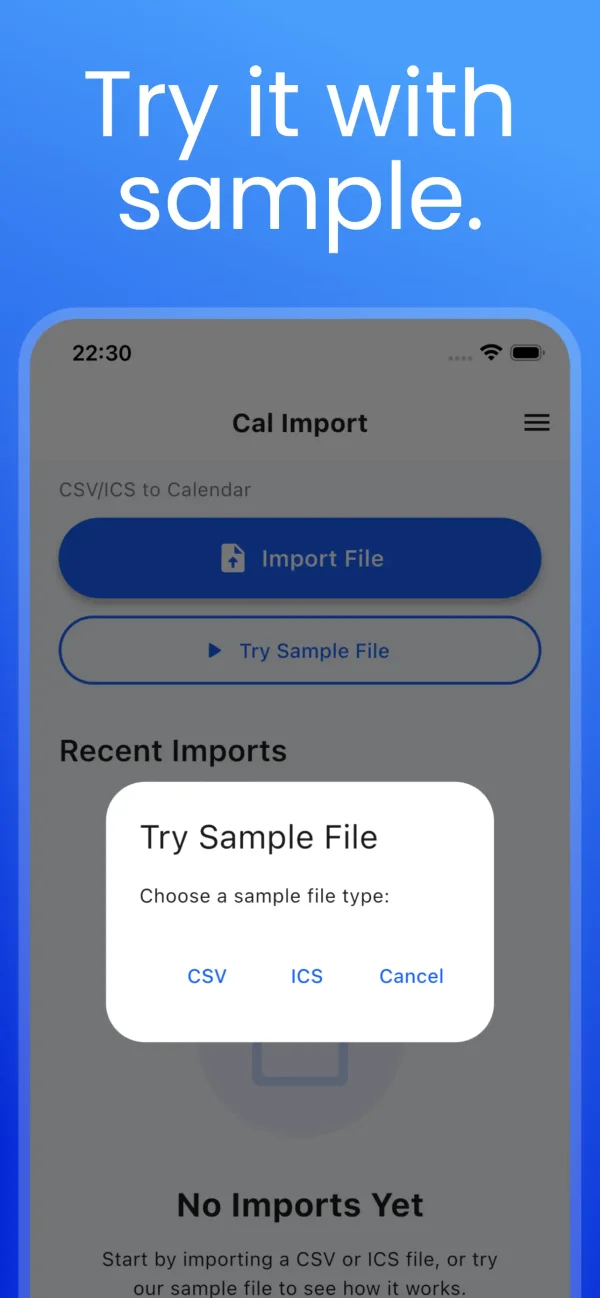
• File Import — Support for CSV and ICS file formats. Simply select a file from your device and start importing.
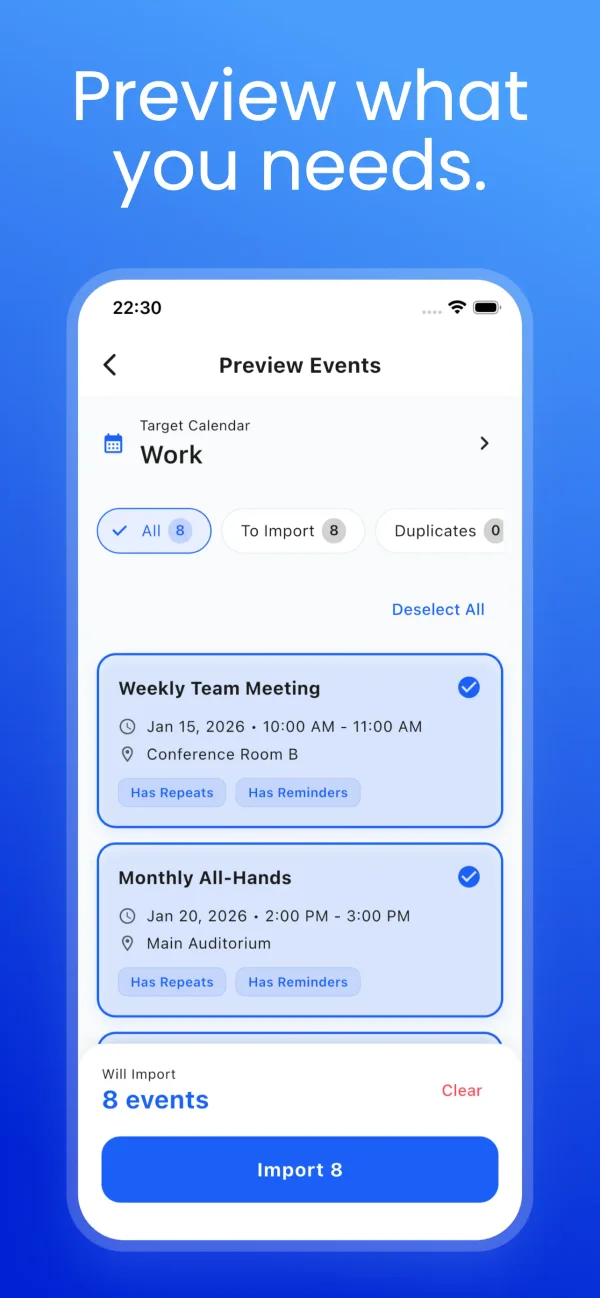
• Smart Preview — Review all events before they're added to your calendar. See title, date/time, location, notes, and more at a glance.
• Field Mapping (CSV) — Automatically match CSV columns to calendar fields. The app intelligently detects titles, dates, locations, and notes. Customizable mappings let you control exactly how data is imported.
• Duplicate Detection — Skip duplicate events across imports. Choose from multiple deduplication strategies: strict mode (UID or content match), UID-only, or content fingerprint matching.
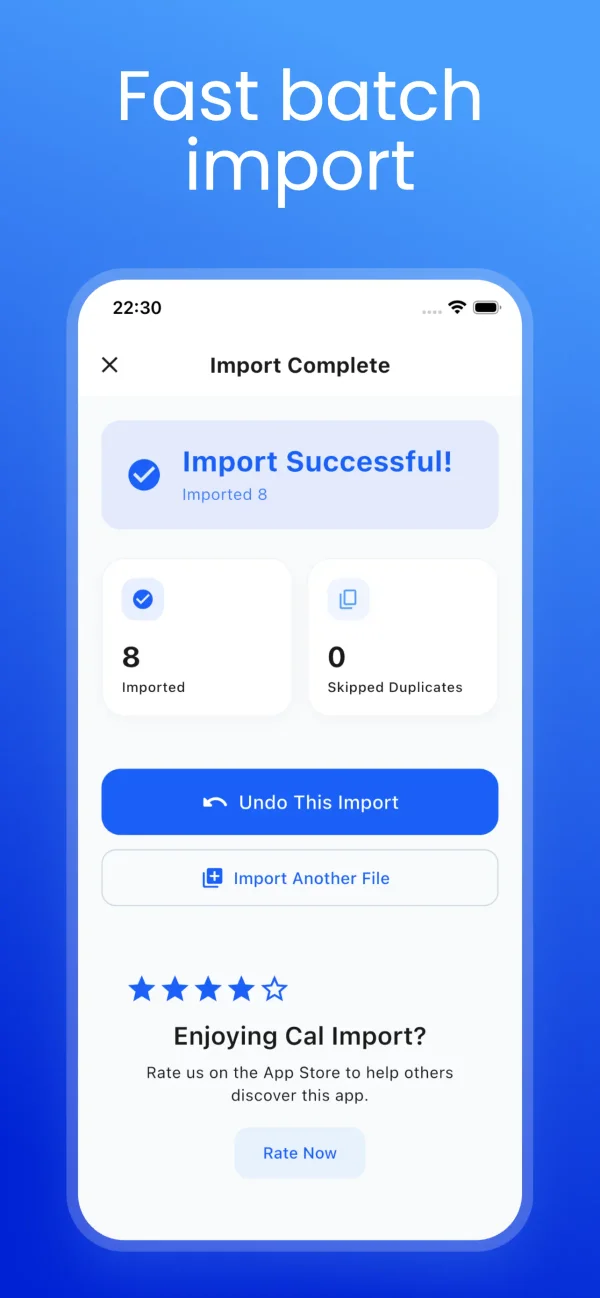
• Undo Import — Made a mistake? One tap undoes any import batch, removing all events from that import instantly.
• Repeat Support — Handle complex recurring events with support for iCalendar RRULE repeat patterns.
• Reminders — Map and import event alarms and reminders.
• Timezone Handling — Keep original timezones or convert to your device timezone. Perfect for international event imports.
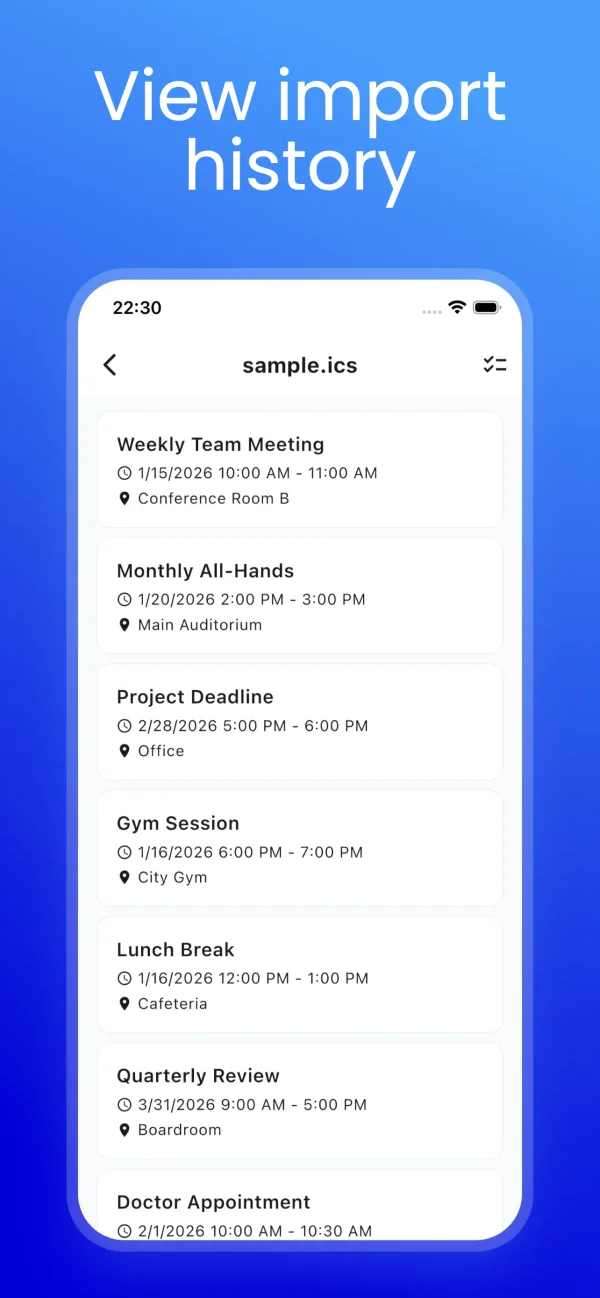
• Import History — Track all your imports with detailed statistics. View, manage, or undo any past import.
• Batch Processing — Large files are processed efficiently in batches for reliable performance.
PRIVACY FIRST
• 100% Offline — All file parsing and event processing happens on your device. Your data is never uploaded to external servers.
• No Data Collection — We don't collect, store, or transmit your calendar events, personal information, or usage data to any third party.
• Local Storage — Import history and settings are stored locally on your device only.
• Transparent Permissions — Calendar access is required only to write events. File access is required only to read your chosen files. Nothing is modified or shared.
PRO FEATURES (One-Time Purchase)
Upgrade to Pro to unlock unlimited imports and advanced features:
• Unlimited Events — Import as many events as you need. No 10-event free tier limit.
• Advanced Deduplication — Smart duplicate detection across all imports.
• Full Undo Support — Undo any import anytime.
• Complex Repeat Rules — Support for sophisticated recurring event patterns.
• Reminder Mapping — Import event alarms and notifications.
• Timezone Support — Handle timezone conversions and preserve original timezones.
• Large File Handling — Optimized processing for files with hundreds or thousands of events.
FREE VS PRO
Free: Import up to 10 events per file with core features.
Pro: Unlimited events, advanced deduplication, undo, repeat rules, reminders, timezone handling, and large file support.
WHO IS THIS FOR?
• Professionals importing work schedules and meeting calendars
• Students organizing class schedules and assignment deadlines
• Event planners managing events from spreadsheets
• Anyone migrating from another calendar app or platform
• Users needing to bulk-import events from exported data
SUPPORTED FORMATS
• CSV — Comma-separated values with customizable field mapping
• ICS — iCalendar format standard for calendar data exchange
LANGUAGES
English, Spanish, French, German, Chinese (Simplified)
Get started with Cal Import today — the easiest way to bulk import calendar events to your iPhone.
What’s new
Version 1.0.2 · Feb 12, 2026
Bug fixes and performance improvements for a better experience.
App privacy
What Zhihao Yang declares on the App Store about how this app handles data.
-
Data not collected
The developer does not collect any data from this app.
Privacy practices may vary, for example with the features you use or your age.
Information
- Seller
- Zhihao Yang
- Category
- Productivity
- Version
- 1.0.2
- Updated
- Feb 12, 2026
- Released
- Jan 27, 2026
- Size
- 27.8 MB
- Requires
- iOS 13.0 or later
- Age rating
- 4+
- Price
- Free
- In-app purchases
- Yes
- Languages
- English
- Copyright
- © 2026 Gear Toolkit Studio.
You might also like
-
 CalActionEasily Import Calendar Events
-
 Catendar: Import ICSQuick .ics to Calendar
-
 ICS2CalendarImport ICS events to calendar
-
 xCalendar ToolkitImport, Export & PDF Reports
-
 Import ContactsTurn spreadsheets to contacts
-
 Calendar2XL: Excel CSV ExportWork Hours Timesheet Reporting
-
 Backup CalendarSave & restore calendar events
-
 PDF to Calendar ConverterSchedule & Timetable to ICS
-
 CSV file Create Editer & ViewText to CSV Converter
-
 Phonebook Contacts ManagerSync, Backup & Organize Groups