
xCalendar Toolkit
Import, Export & PDF Reports
Designed for iPhone, iPad
Free · In-app purchases
- Age rating4+
- CategoryProductivity
- DeveloperShenZhen SamApp Technology Development Co., Ltd
- LanguagesEnglish+ 1 more
- Size7.0 MB
Links to the official App Store page
Download.org hosts no file of xCalendar Toolkit. The button opens its official App Store page, published by ShenZhen SamApp Technology Development Co., Ltd. Listing last checked on Nov 16, 2026.
Screenshots


About
Work with your calendar data in xCalendar Toolkit. Import events from spreadsheets, export selected events, check calendar data, and turn schedules into useful reports.
IMPORT AND EXPORT
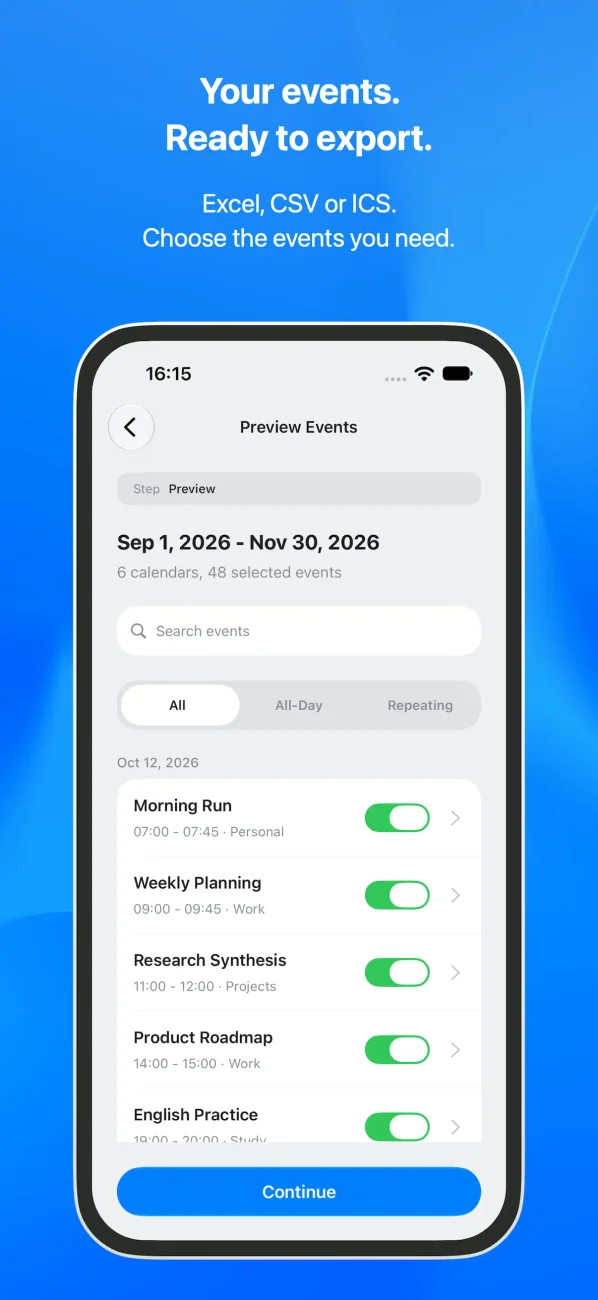
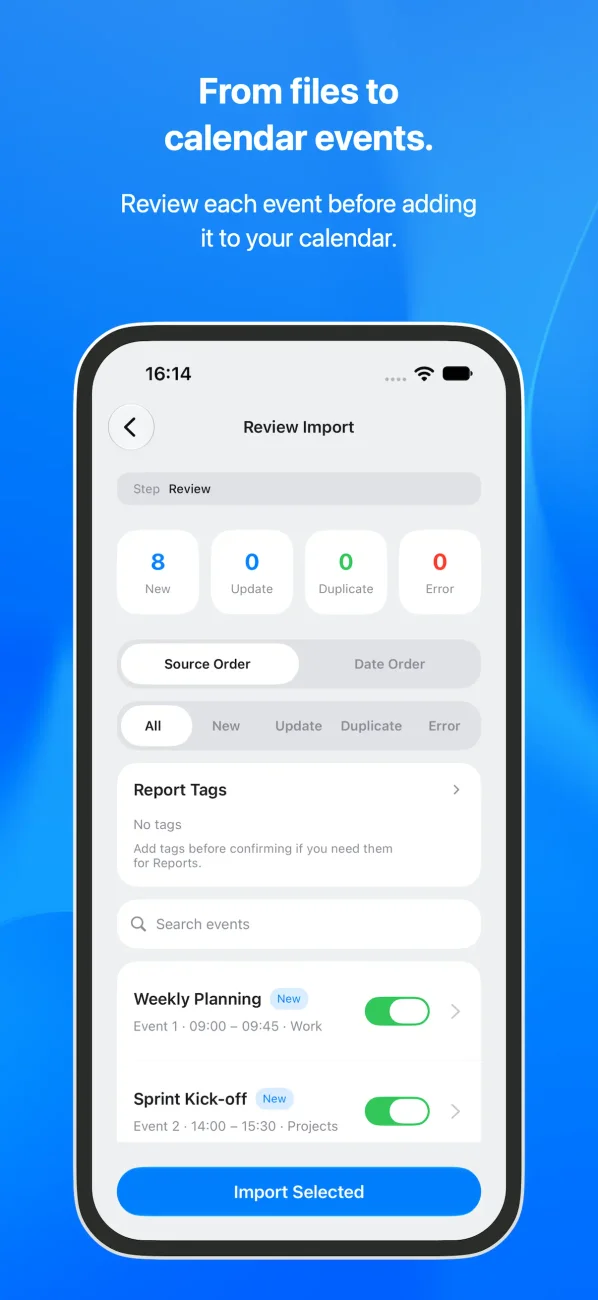
Import events from Excel (.xlsx), CSV and ICS files. Preview records, map spreadsheet columns, choose target calendars, and review issues before importing. Export events from selected calendars and date ranges to Excel, CSV or ICS.
CHECK YOUR CALENDARS
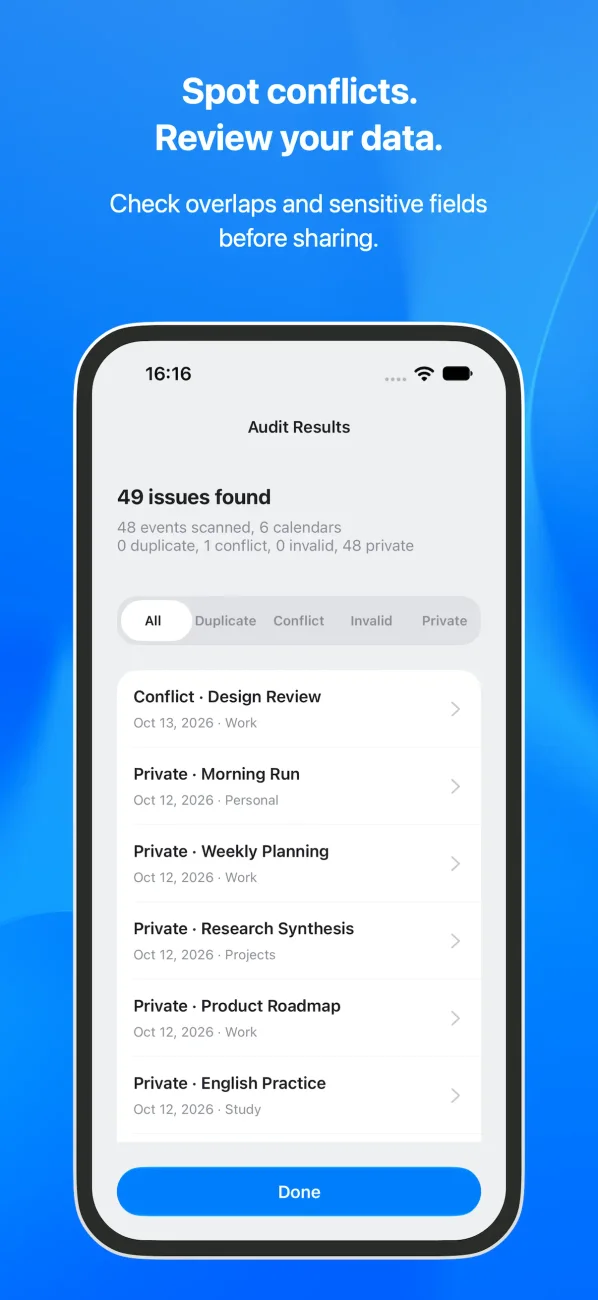
Review potential duplicates, overlapping events, invalid event times and sensitive fields. Inspect the results before deciding what to change or share.
BACK UP AND RESTORE
Create backup files for selected calendars. Preview backup contents and choose how to restore events to writable calendars.
CREATE REPORTS
Explore event counts, scheduled durations and grouped summaries. With Pro, generate PDF and Excel reports for sharing or archiving. Reports summarize calendar entries; they do not verify attendance or completed work.
START WITH TEMPLATES
Generate Excel import templates with a field guide and optional sample rows. Fill in your events, then return to the import workflow.
FREE AND PRO
The free version lets you import or export up to 50 events per operation. Calendar checks, backup and restore, templates, and report previews are available free.
Pro is an optional one-time in-app purchase. It removes the 50-event import and export limit and unlocks PDF and Excel report generation. There is no subscription. Restore your Pro purchase using the same App Store account.
LANGUAGES AND PRIVACY
The app interface supports English and Simplified Chinese. No xCalendar account is required. Calendar files are processed on your device. Your selected calendar provider may sync events, and you choose when to share exported files.
What’s new
Version 3.1.0 · Nov 4, 2026
Version 3.1.0 refreshes the interface with updated layouts and visual styling, so screens are easier to read and use.
Import and export, calendar checks, backup and restore, reports, and Pro work the same way as before.
App privacy
What ShenZhen SamApp Technology Development Co., Ltd declares on the App Store about how this app handles data.
-
Data not collected
The developer does not collect any data from this app.
Privacy practices may vary, for example with the features you use or your age.
Information
- Seller
- ShenZhen SamApp Technology Development Co., Ltd
- Category
- Productivity
- Version
- 3.1.0
- Updated
- Nov 4, 2026
- Released
- Sep 7, 2012
- Size
- 7.0 MB
- Requires
- iOS 16.0 or later
- Age rating
- 4+
- Price
- Free
- In-app purchases
- Yes
- Languages
- English, Simplified Chinese
- Copyright
- © 2012-2026 SamApp
You might also like
-
 Cal2CSV — Calendar to CSV/ICSExport Calendar Events Quickly
-
 Calendar2XL: Excel CSV ExportWork Hours Timesheet Reporting
-
 Print Calendar PDF & PlannerPrintable Schedules & Agendas
-
 Cal Import - CSV/ICS ScheduleImport CSV & ICS to Calendar
-
 ECC Export Contacts-CalendarsOffline Backup Made Easy
-
 Backup CalendarSave & restore calendar events
-
 Text2Cal: Calendar AIMulti-event AI, any calendar
-
 Timeview - Calendar StatisticsInsights, Statistics, Planning
-
 Catendar: Import ICSQuick .ics to Calendar
-
 CalActionEasily Import Calendar Events