CamPage Scanner, PDF & OCR
Private Scanner, Pay Once
Designed for iPhone, iPad
Free · In-app purchases
- Age rating4+
- CategoryUtilities
- DeveloperHiwaas
- LanguagesEnglish
- Size57.4 MB
Links to the official App Store page
Download.org hosts no file of CamPage Scanner, PDF & OCR. The button opens its official App Store page, published by Hiwaas. Listing last checked on Nov 20, 2026.
Screenshots



About
CamPage turns your phone into a fast, private document scanner and PDF maker. Scan receipts, contracts, notes, and ID cards, then export them as a clean, multi-page PDF — all processed and stored on your device. No account, no uploads, no ads.
HIGHLIGHTS
• Scan to PDF — capture single or multi-page documents and export them as one polished PDF.
• On-device privacy — your scans, images, and recognized text never leave your phone. Nothing is uploaded.
• Organize with ease — sort documents into categories, rename them, and reopen them anytime.
• Reorder & edit pages — drag pages into order, crop, rotate, and annotate before you export.
• Import & share — bring in photos and PDFs, and share finished files anywhere.
CAMPAGE PRO (one-time purchase — no subscription)
• HD & original-quality export for razor-sharp text and detail.
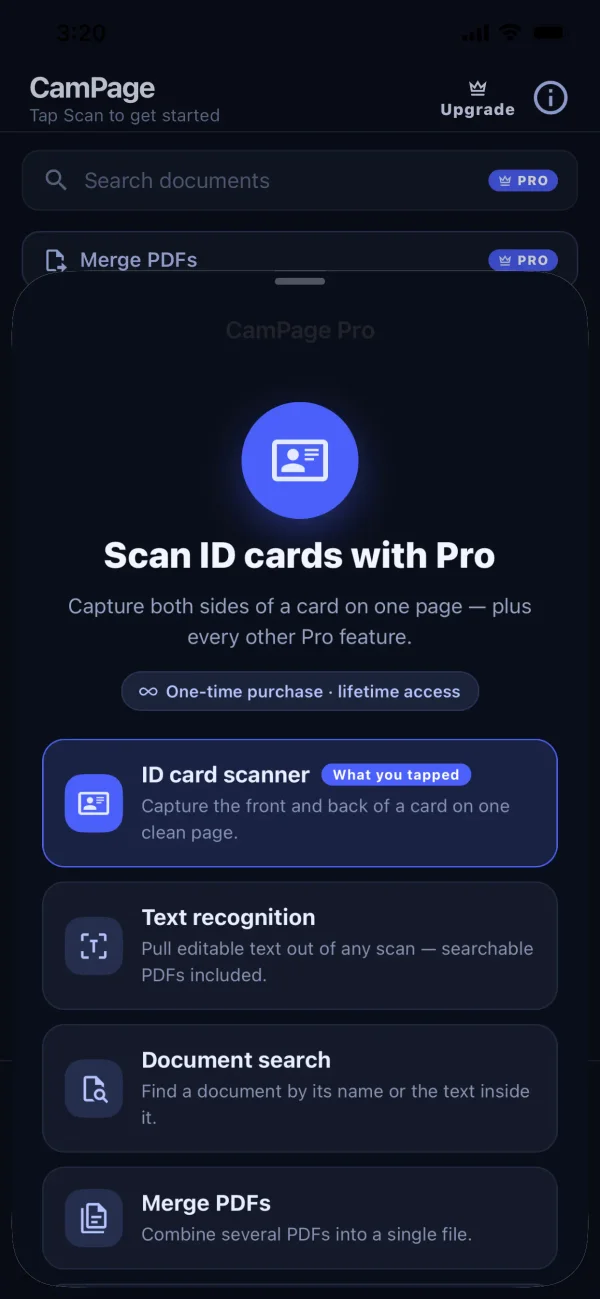
• ID card scanner — capture the front and back of a card on a single page.
• Text recognition (OCR) — pull selectable, searchable text out of any scan and build searchable PDFs.
• Document search — find any file by its name or the text inside it.
• Merge & extract — combine PDFs or pull out just the pages you need.
• Annotate & sign — mark up and add your signature to any page.
• Scan filters — color, grayscale, and crisp black-and-white enhancement.
• Password protection — encrypt sensitive PDFs with a password.
• Text export — save recognized text as a .txt or Markdown file.
Why CamPage?
Everything happens on your device, so your documents stay yours. Unlock Pro once and keep every feature for good — no subscriptions, no ads, no sign-up.
What’s new
Version 1.0.5 · Nov 11, 2026
This update makes CamPage faster and easier to use.
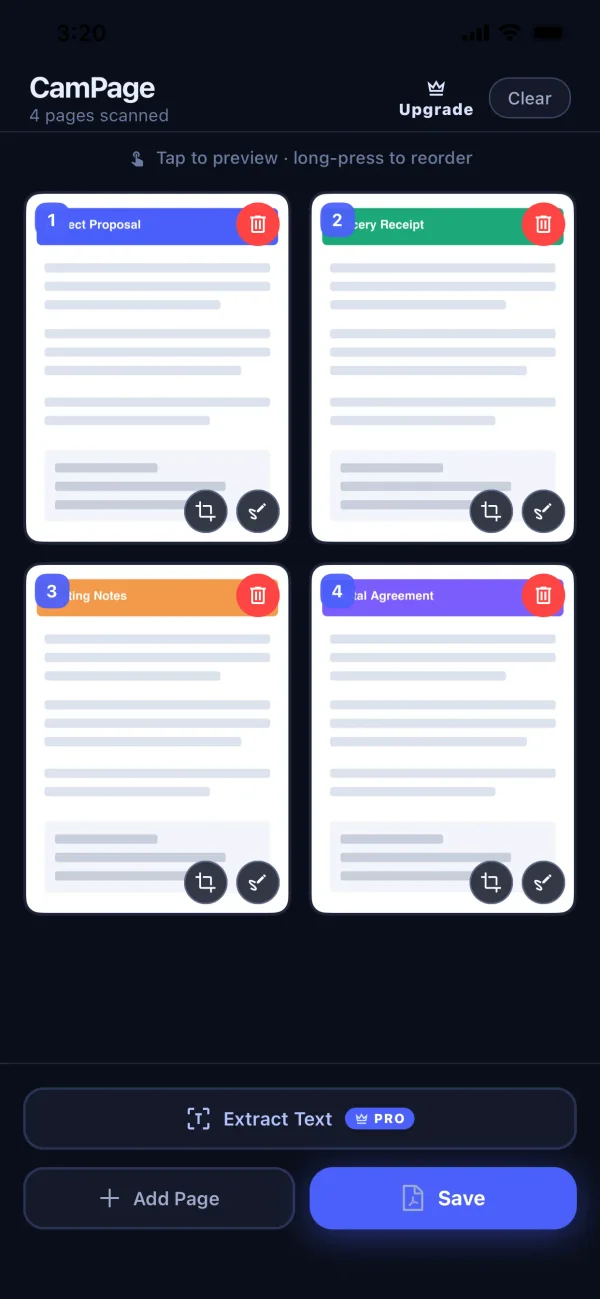
• New page grid — see all your scanned pages at once, drag to reorder, and tap any page for a full-screen preview.
• One-tap save — name and save your PDF right away, with export options tucked into a tidy, optional panel.
• Document thumbnails — your saved files now show a preview of the first page, so they're easy to spot at a glance.
• Clearer PDF viewer — a loading indicator and a page counter while you read.
• A refreshed upgrade screen that shows exactly what Pro unlocks.
• Fixes and performance improvements.
As always, everything stays on your device — no accounts, no uploads.
App privacy
What Hiwaas declares on the App Store about how this app handles data.
-
Data not linked to you
May be collected but is not linked to your identity.
- Identifiers
Privacy practices may vary, for example with the features you use or your age.
Information
- Seller
- Hiwaas
- Category
- Utilities
- Version
- 1.0.5
- Updated
- Nov 11, 2026
- Released
- Jun 23, 2026
- Size
- 57.4 MB
- Requires
- iOS 16.4 or later
- Age rating
- 4+
- Price
- Free
- In-app purchases
- Yes
- Languages
- English
- Copyright
- © Bircube 2026
You might also like
-
 Heightly: LiDAR 3D ScannerLiDAR Height & 3D Scanner
-
 Mirror: Control Your MacControl your Mac over Wi-Fi
-
 MashCraft ProDistilling Recipes & Tools
-
 Time Cast - Shared StopwatchUtilities
-
 Deadlinr - Expiry TrackerSubs, Pantry, Docs & Warranty
-
 DART Sim Pro RemoteRemote app for DART Sim Pro
-
 Brumi : Photo&Storage CleanerFree up iPhone & iCloud space
-
 RondoriUtilities
-
 PGPony: PGP & GPG EncryptionSecure Messages, Email, Files
-
 Code2WalletCreate passes for your wallet