
CardFlow: Photo Workflow
Organize,cull and send photos
Designed for iPad, Mac
$49.99
- Age rating4+
- CategoryPhoto & Video
- Developer3PM Studios
- LanguagesEnglish
- Size7.4 MB
Links to the official App Store page
Download.org hosts no file of CardFlow: Photo Workflow. The button opens its official App Store page, published by 3PM Studios. Listing last checked on Nov 17, 2026.
Screenshots




About
CardFlow for iPad is a deadline photo workflow you can take into the field.
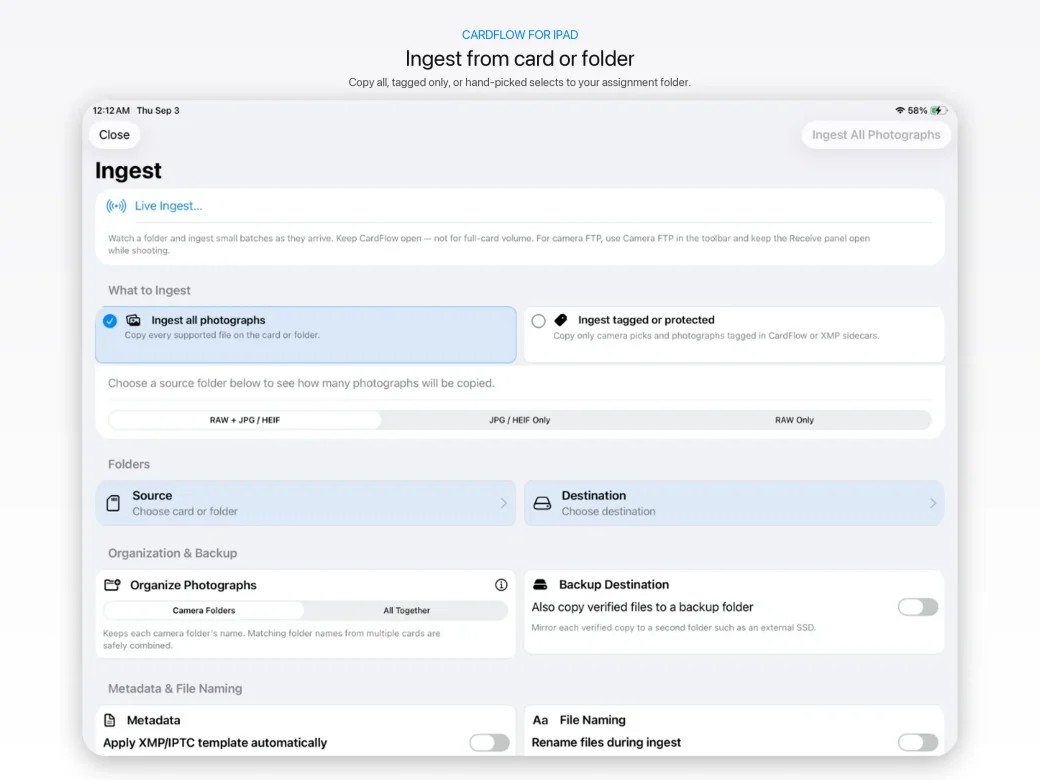
Ingest from a card reader, receive photographs live from the camera over FTP, cull on a contact sheet, caption with the same professional IPTC tools as Mac, rename, Quick Edit, and deliver—without a laptop on the sideline.
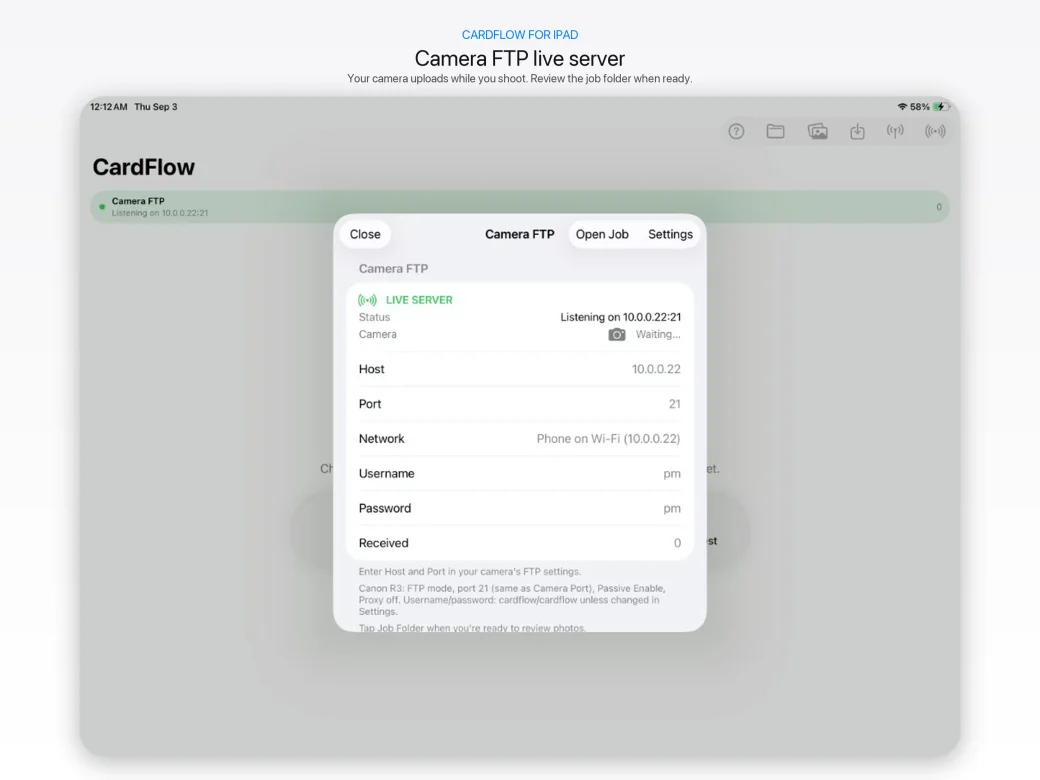
CAMERA FTP — LIVE SERVER
• Start an FTP server on iPad from the toolbar
• Choose a job folder, refresh the IP address, and point the camera at the host
• Photographs land in the folder as they transmit; the contact sheet updates as files arrive
• Built for travel-router and Ethernet setups used on assignment
• Help → Walkthroughs covers Camera FTP, card ingest, and Live Ingest
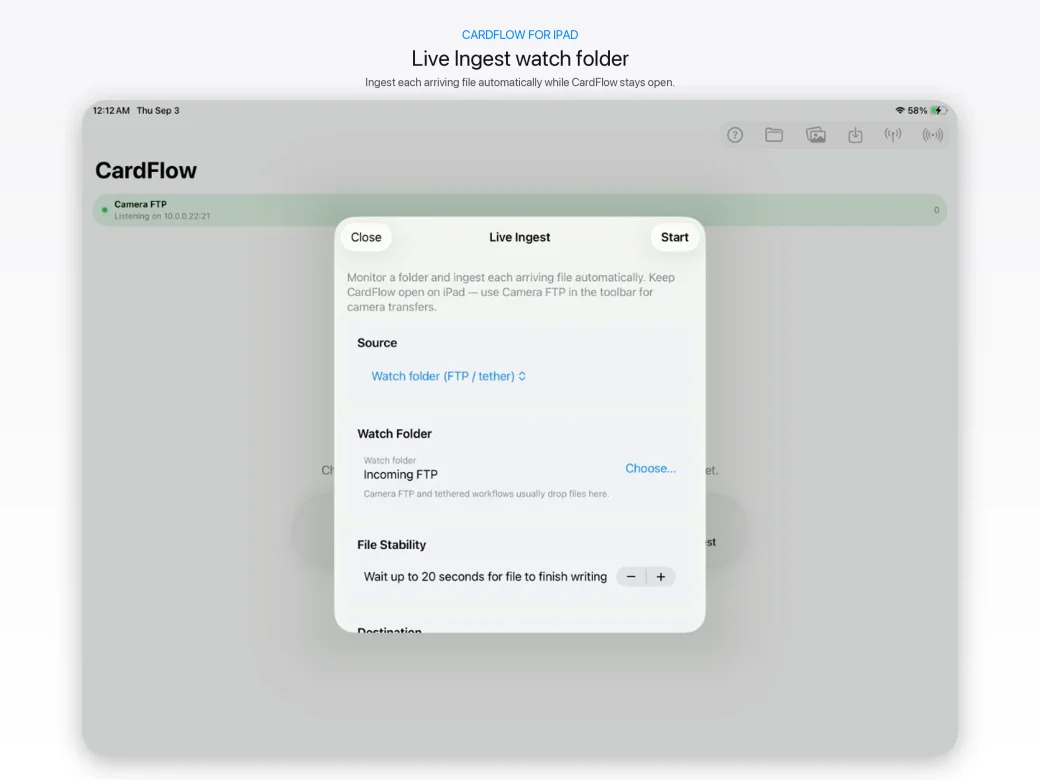
INGEST AND LIVE INGEST
• Ingest from SD and CFexpress readers, external drives, Files, or Photos
• Verify copies and keep RAW+JPG+XMP together
• Live Ingest from a watch folder or Photos album for Camera Port and similar workflows
• Apply XMP/IPTC templates during ingest
• Optional backup destination for a second verified copy
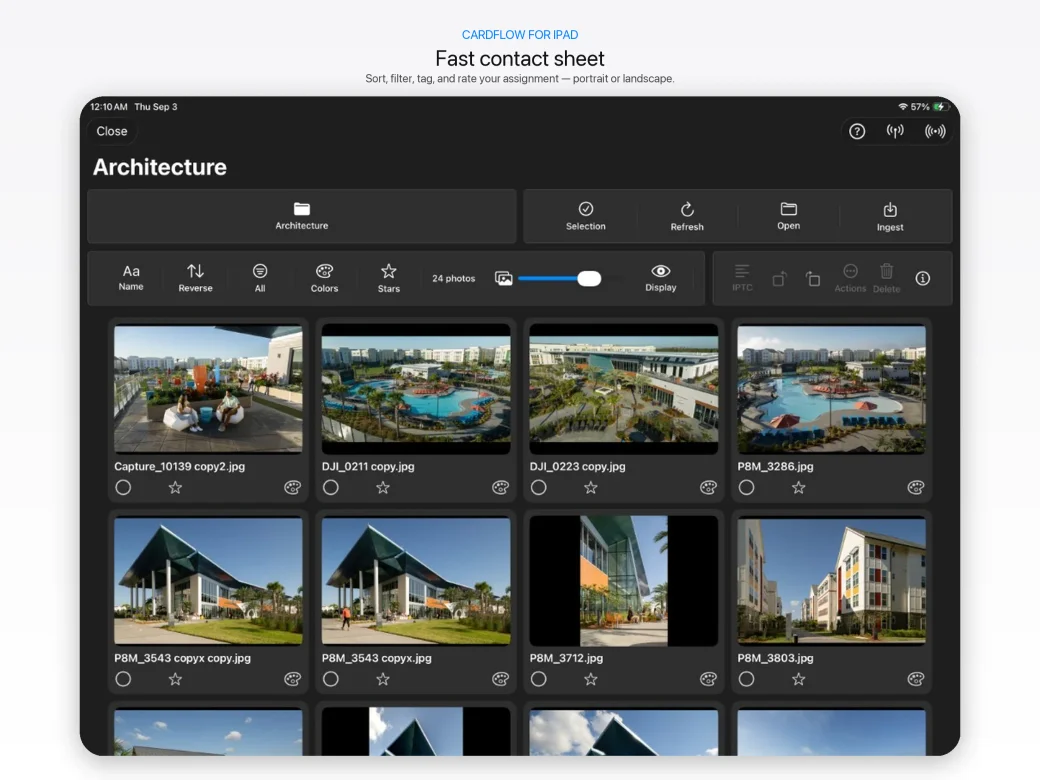
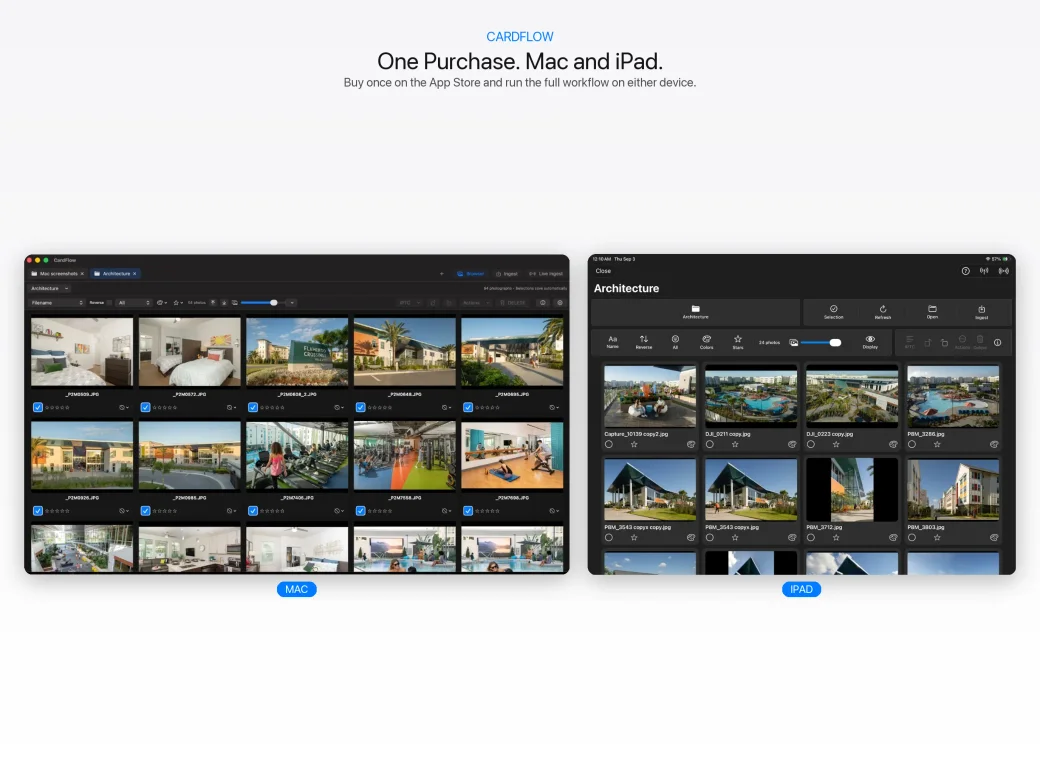
CONTACT SHEET AND QUICK EDIT
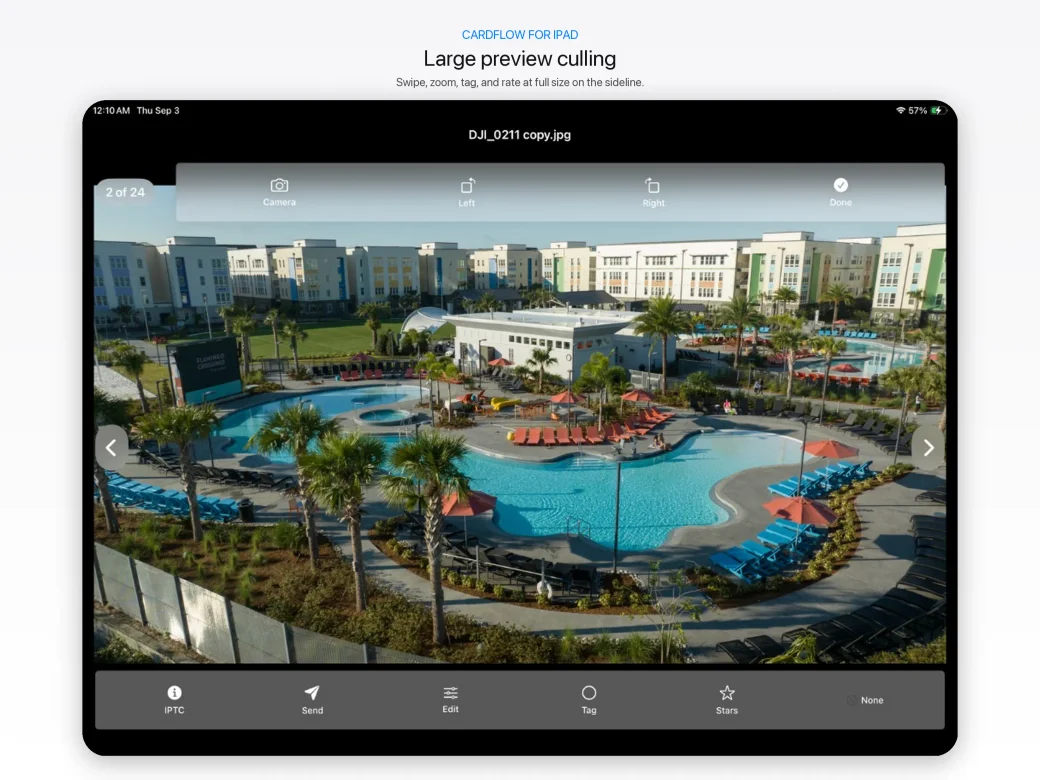
• Touch-first culling: tag, rate, color class, filter, and sort
• Large preview with zoom and pan
• Quick Edit for exposure, color, crop, and straighten, with locked crop ratios
• HEIF/HEIC alongside JPG and RAW
PROFESSIONAL IPTC
• Full IPTC editor with TEMPLATE, SNAP, AUTO, and CODE in the toolbar
• Reusable XMP templates for agency and personal caption sets
• IPTC snapshot — take a finished caption and paste it onto the next frames
• Autocomplete while you type; Return and Tab accept the suggestion
• Code replacement inserts roster names and codes at the cursor
• Embed IPTC in JPG; write XMP sidecars for RAW
RENAME AND DELIVER
• Pattern-based rename with remembered settings
• Send/Export with saved FTP destinations, file size limits, and resize options
• Share through AirDrop, Mail, Messages, and Files
One purchase includes CardFlow for Mac as well.
What’s new
Version 1.0.16 · Oct 15, 2026
In-camera stars show up as tags. Camera-locked frames are tagged on the copied folder. A large card finishes and the sheet opens. Dark frames stay visible. Tagging a JPEG no longer turns the frame black. A folder copied by an older TestFlight build needs a fresh ingest for those locks to become tags.
Ingest starts and finishes without the long pause before and after the copy. Original crop stays locked to the photograph.
Use copies of assignment files. Feedback: 3PMStudios@protonmail.com
App privacy
What 3PM Studios declares on the App Store about how this app handles data.
-
Data not collected
The developer does not collect any data from this app.
Privacy practices may vary, for example with the features you use or your age.
Information
- Seller
- 3PM Studios
- Category
- Photo & Video
- Version
- 1.0.16
- Updated
- Oct 15, 2026
- Released
- Aug 6, 2026
- Size
- 7.4 MB
- Requires
- iOS 18.0 or later
- Age rating
- 4+
- Price
- $49.99
- Languages
- English
- Copyright
- © 2026 Preston Mack, Inc.
You might also like
-
 PIXLpathProfessional Photo Cataloging
-
 Camera Port - Background FTPBackground FTP & PTP server
-
 PicPortalPhoto & Video
-
 CamPlot Creator - Plot ToolDirector's multicam diagrams
-
 Fotra - Tethered ShootingFTP Camera Transfer
-
 Tilt Shift Camera MiniatureBlur Photo Editor & 4K Video
-
 Nitro PhotoPro Photo Editor & Manager
-
 Safety Photo+Video ProPrivate Vault: Hide & Lock
-
 ShutterSnitchPhoto & Video
-
 Phocus for X1D/H SystemPhoto & Video