- Age rating4+
- CategoryUtilities
- DeveloperSamrat Mazumdar
- LanguagesEnglish
- Size3.4 MB
Links to the official App Store page
Download.org hosts no file of CellGet. The button opens its official App Store page, published by Samrat Mazumdar. Listing last checked on Nov 7, 2026.
Screenshots

About
YOUR DATA, AT A GLANCE.
CellGet turns spreadsheet data into clean, customizable widgets for your iPhone.
Instead of opening a spreadsheet every time you want to check a number, put the information you care about right on your Home Screen or Lock Screen.
FROM SPREADSHEET TO WIDGET
Getting started is simple:
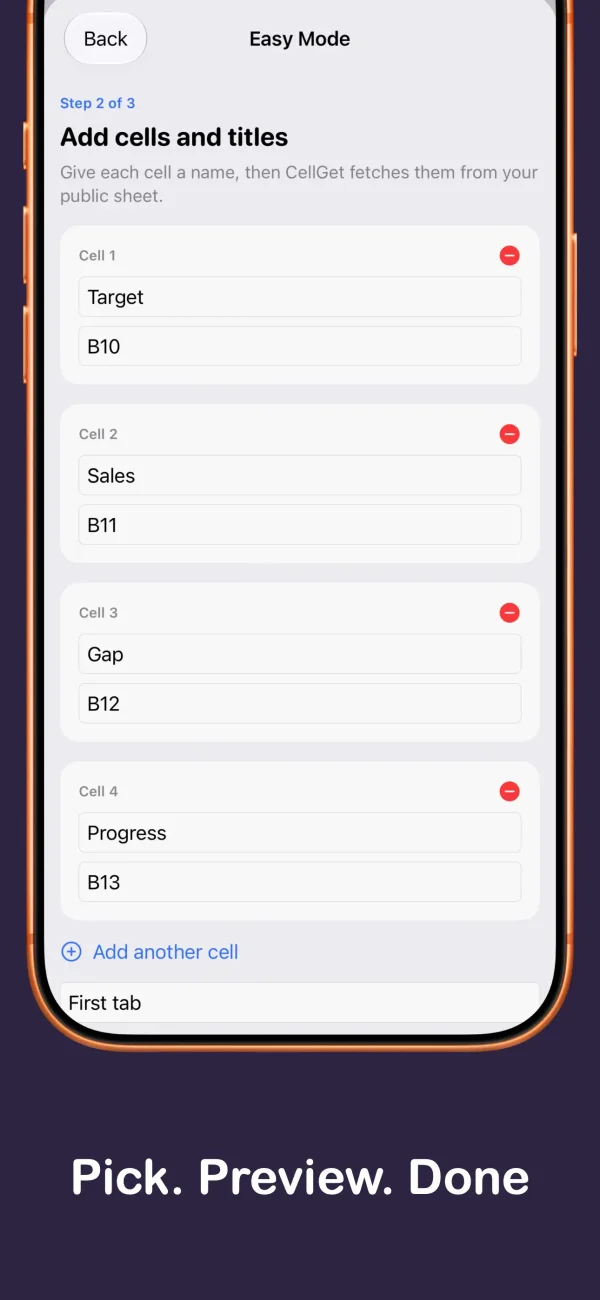
• Add a publicly accessible Google Sheet
• Choose the sheet you want to use
• Select a cell or range
• Choose a widget style
• Customize it with the Widget Builder
• Add it to your Home Screen or Lock Screen
AUTOMATICALLY UPDATED
Your spreadsheet can change throughout the day. CellGet automatically refreshes your widgets and fetches updated data from your connected spreadsheet.
You don't need to recreate your widget every time the data changes.
BUILD IT YOUR WAY
Create widgets for the information you check regularly:
• Sales
• Prices
• Targets
• Orders
• Inventory
• Expenses
• KPIs
• Production numbers
• Stock levels
• And much more
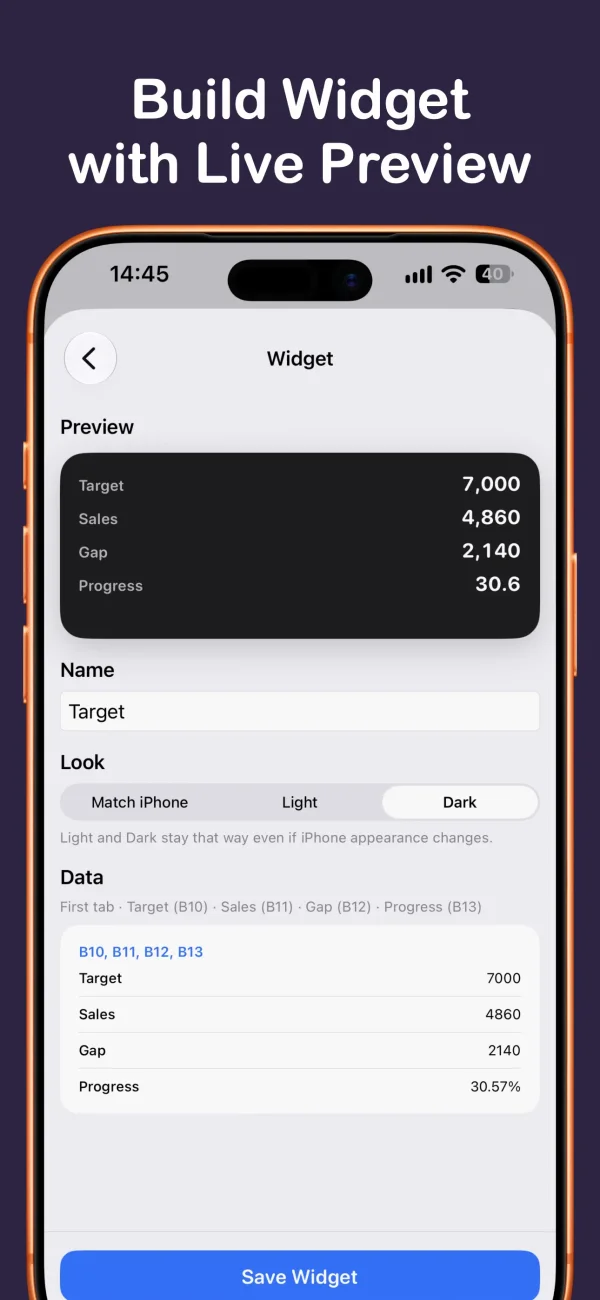
LIVE WIDGET PREVIEW
Build your widget and see the result instantly.
Change the layout, labels, formatting and appearance while viewing a live preview before adding it to your iPhone.
MULTIPLE WIDGET STYLES
Choose the format that works best for your data:
• Single-value widgets
• Multi-value widgets
• Tables
• Trends
• Progress widgets
• Minimal layouts
• Custom widgets
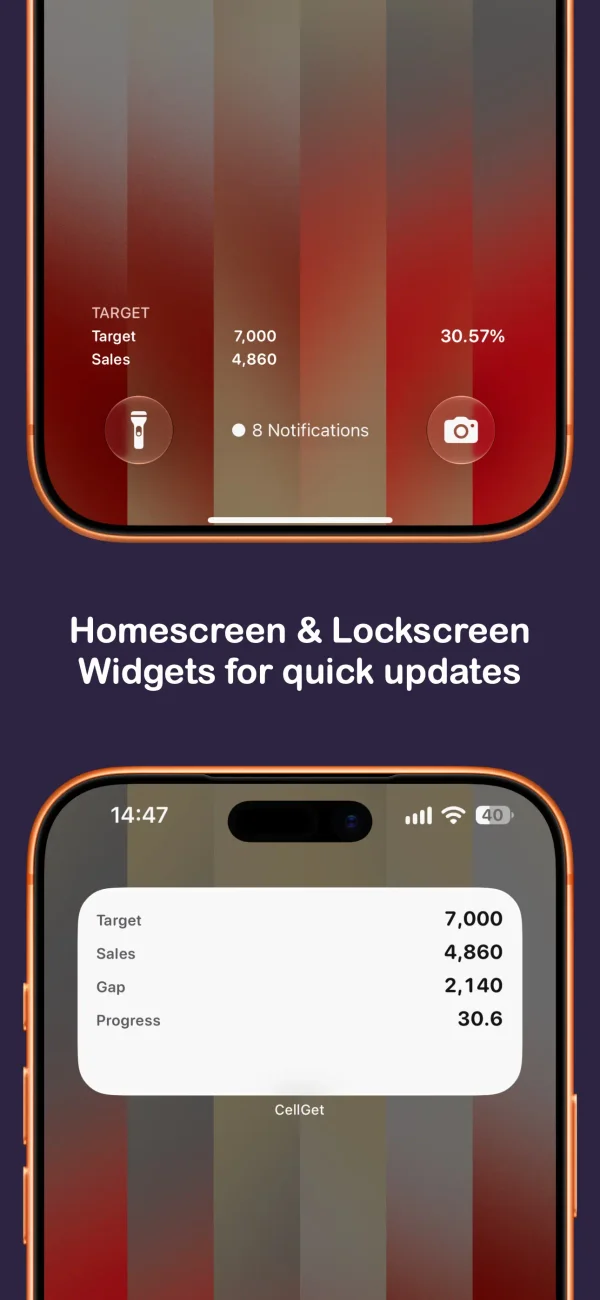
HOME SCREEN & LOCK SCREEN
Keep important information where you can see it.
Add CellGet widgets to:
• Small, Medium and Large Home Screen layouts
• Lock Screen widgets
MADE FOR YOUR DATA
Format numbers the way you want them with support for:
• Currency
• Percentages
• Decimals
• Custom prefixes and suffixes
• Trend indicators
• Progress toward targets
Whether you're checking today's sales, a product price, a monthly target, an order count or a single important number, CellGet keeps it just a glance away.
WORKS WITH GOOGLE SHEETS
CellGet works with publicly accessible Google Sheets. Simply provide your spreadsheet and choose the information you want to display.
CellGet is an independent application and is not affiliated with, endorsed by, or sponsored by Google LLC. Google Sheets is a trademark of Google LLC.
FREE. AND STAYING FREE.
CellGet is free to use and will always be free.
No subscriptions.
No in-app purchases.
No premium tier.
We believe a simple utility should stay simple.
CELLGET
Your spreadsheet data. Right where you need it.
App privacy
What Samrat Mazumdar declares on the App Store about how this app handles data.
-
Data not collected
The developer does not collect any data from this app.
Privacy practices may vary, for example with the features you use or your age.
Information
- Seller
- Samrat Mazumdar
- Category
- Utilities
- Version
- 1.0
- Updated
- Oct 7, 2026
- Released
- Oct 7, 2026
- Size
- 3.4 MB
- Requires
- iOS 17.0 or later
- Age rating
- 4+
- Price
- Free
- Languages
- English
- Copyright
- © Samrat Mazumdar
You might also like
-
 SheetWidget: SpreadsheetsTables on Home & Lock Screens
-
 ShwidgetShow Sheets data in a widget!
-
 Widget for SheetsWidget for Home Screen
-
 OrgroMobile Org Mode viewer, editor
-
 RedirectWeb: Smart URL RouterAutomate Your Browsing
-
 Wider - Fullscreen BrowsingMore room for the internet
-
 Hidden Camera: Spy DetectorDetect WiFi, Bluetooth Camera
-
 KYFL OdishaUtilities
-
 Red Panic ButtonUtilities
-
 Counter Widget 27Tally Count Widget and Clicker