
Shwidget
Show Sheets data in a widget!
Designed for iPhone, iPad
Free · In-app purchases
- Age rating4+
- CategoryUtilities
- DeveloperAppsipaja Oy
- LanguagesEnglish
- Size8.9 MB
Links to the official App Store page
Download.org hosts no file of Shwidget. The button opens its official App Store page, published by Appsipaja Oy. Listing last checked on Nov 23, 2026.
Screenshots
About
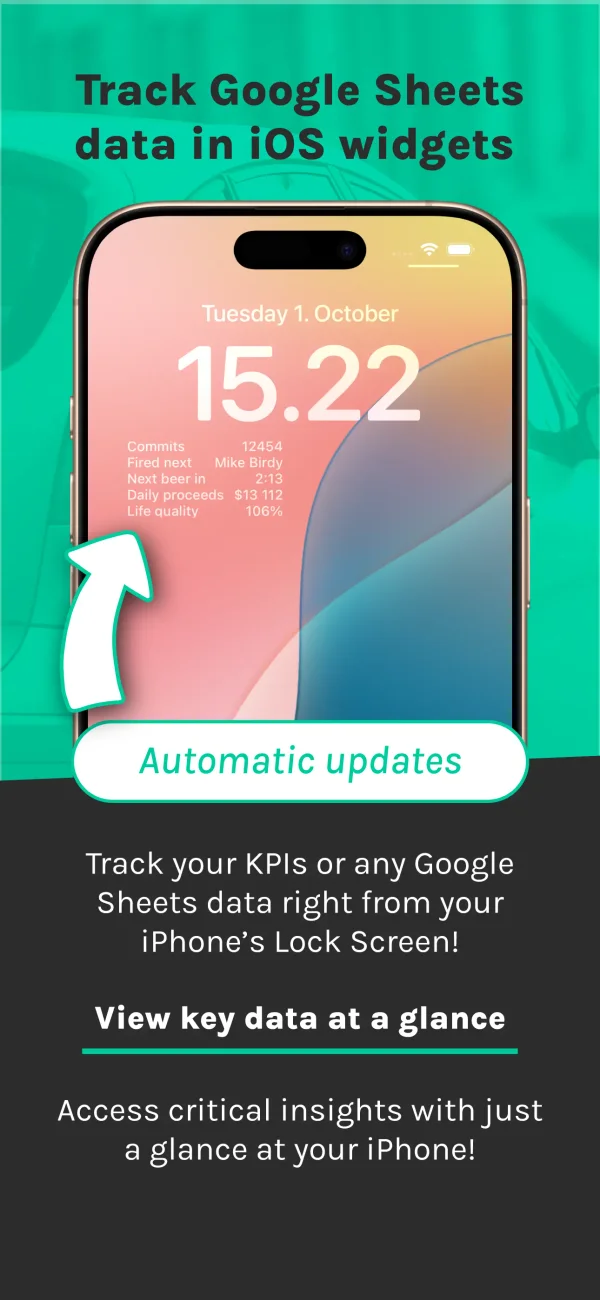
Keep your important Google Sheets values on your Home Screen, Lock Screen, or Apple Watch.
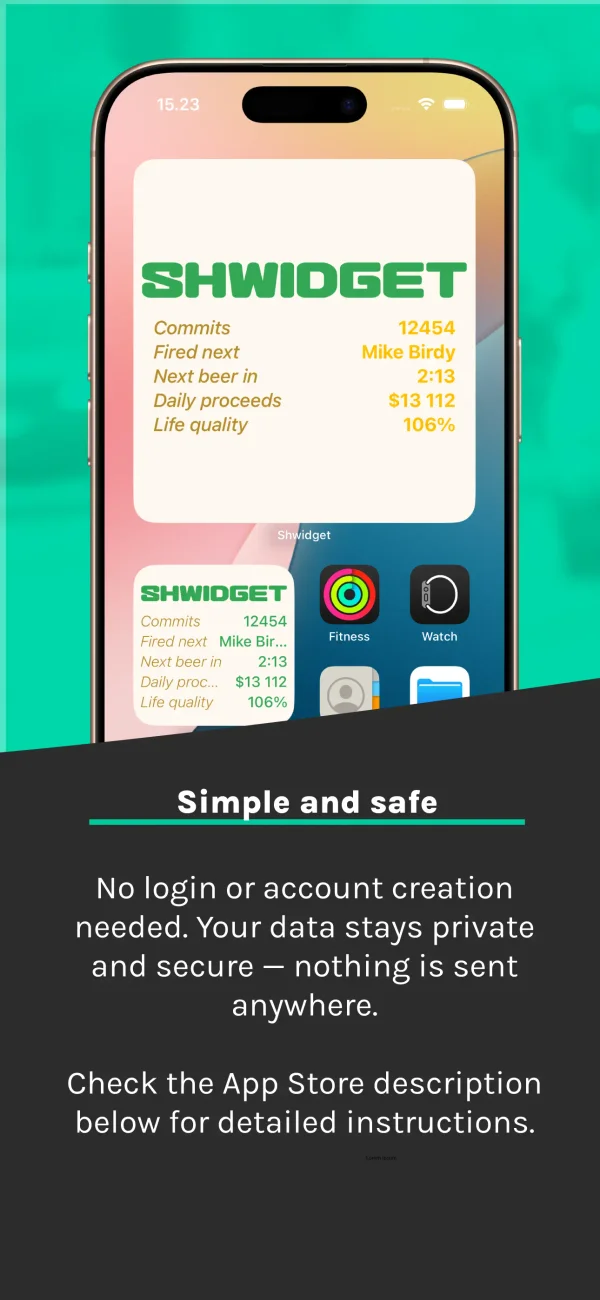
Shwidget displays values from your Google Sheets cells in widgets and Apple Watch complications. Follow KPIs, sales figures, project progress, or any other values without opening the Sheets app.
KEY FEATURES
• Home Screen widgets in multiple sizes.
• Lock Screen widgets for a quick glance at your data.
• Apple Watch complications to display values on your watch face.
• Apple Watch Smart Stack widgets.
• Automatic refreshes managed by iOS and watchOS.
• Optional titles to make your values easy to identify.
• No Shwidget account required.
Refresh timing is controlled by iOS and watchOS. Updates are periodic, and changes in your spreadsheet may not appear immediately.
GETTING STARTED
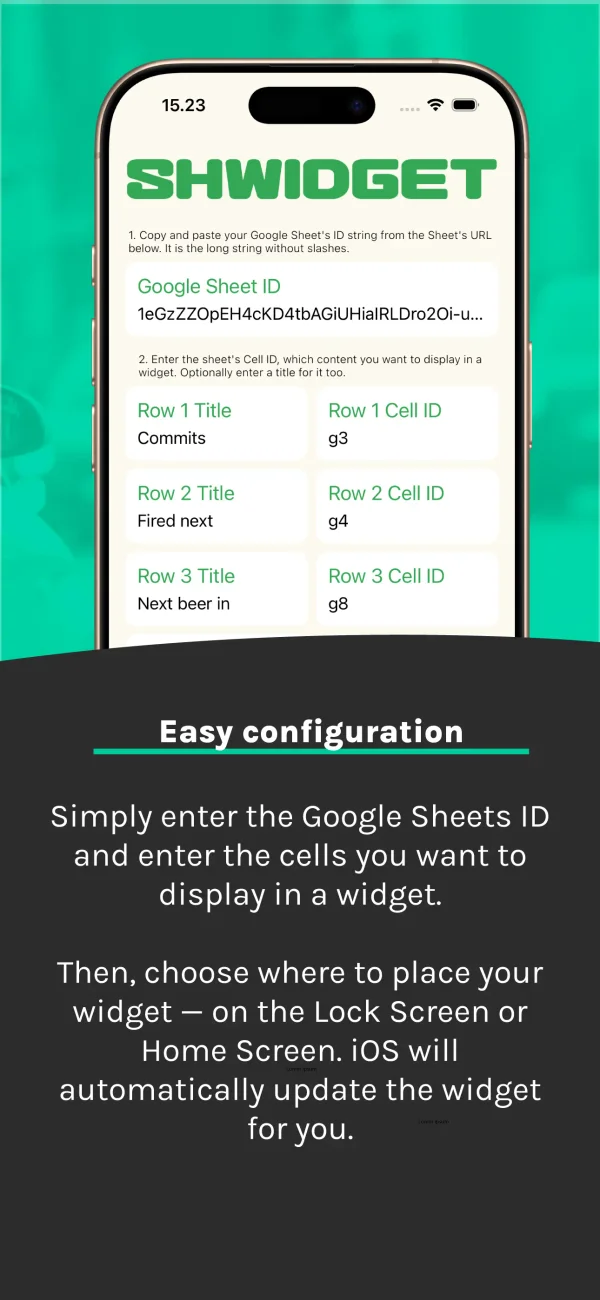
1. Open your Google spreadsheet and copy its spreadsheet ID from the URL. This is the text between “/d/” and the next slash. Keep all characters, including hyphens and underscores.
2. In the spreadsheet’s sharing settings, set General access to “Anyone with the link” and the role to “Viewer”.
3. Enter the spreadsheet ID and the cell references you want to display, such as D1 or D2, in Shwidget. Add optional titles for your values.
4. Add a Shwidget widget to your Home Screen or Lock Screen, or use Shwidget on your Apple Watch.
FINDING YOUR SPREADSHEET ID
For this URL:
https://docs.google.com/spreadsheets/d/1CMvaCWBAsrAftZjT5nXlntTUsnmkkZDlxMkXhAd_sBs/
The spreadsheet ID is:
1CMvaCWBAsrAftZjT5nXlntTUsnmkkZDlxMkXhAd_sBs
Paste only the ID into Shwidget, not the entire URL.
TROUBLESHOOTING
If your widget displays “ERROR empty cell?”, check that:
• The selected cell contains a value.
• The spreadsheet is shared with “Anyone with the link” as a Viewer.
• The spreadsheet ID and cell reference are correct.
SHARING AND SENSITIVE DATA
Anyone with your spreadsheet’s link can view it when this sharing setting is enabled. Avoid using it for spreadsheets containing confidential information.
To share only selected values, create a separate spreadsheet and use Google Sheets’ IMPORTRANGE function to bring in the cells you want to display. Use that separate spreadsheet with Shwidget and enable link sharing only for that spreadsheet.
TRY AN EXAMPLE
Use this spreadsheet ID:
1CMvaCWBAsrAftZjT5nXlntTUsnmkkZDlxMkXhAd_sBs
Try individual cell references such as D1, D2, D3, or E1 through E7. Open the example spreadsheet to compare the values with your widget.
FREE AND PRO
The free version lets you display one data field per widget.
The KPI Lover subscription unlocks additional rows per widget and lets you remove the Shwidget logo from Home Screen widgets and the branding text from Lock Screen widgets.
Questions or feedback? Contact me at mikko_a_appsipaja.fi.
Cheers,
Mikko
Terms of Use — Apple’s Standard EULA:
https://www.apple.com/legal/internet-services/itunes/dev/stdeula/
What’s new
Version 1.4 · Nov 18, 2026
Support for Apple Watch Complications and Stacks.
App privacy
What Appsipaja Oy declares on the App Store about how this app handles data.
-
Data not linked to you
May be collected but is not linked to your identity.
- Identifiers
- Diagnostics
Privacy practices may vary, for example with the features you use or your age.
Information
- Seller
- Appsipaja Oy
- Category
- Utilities
- Version
- 1.4
- Updated
- Nov 18, 2026
- Released
- Sep 27, 2023
- Size
- 8.9 MB
- Requires
- iOS 16.1 or later
- Age rating
- 4+
- Price
- Free
- In-app purchases
- Yes
- Languages
- English
- Copyright
- © Appsipaja Oy
You might also like
-
 Widget for SheetsWidget for Home Screen
-
 SheetWidget: SpreadsheetsTables on Home & Lock Screens
-
 Tally • Quick CounterHabit Tracking • Scorekeeping
-
 Screens 5: VNC Remote DesktopFast & Secure Computer Access
-
 ntfyPush notifications via REST
-
 Sticky WidgetsHome & Lock Screen notepad
-
 Desktop Browserswitch to desktop-website
-
 Pushcut: Shortcuts AutomationNotifications and Widgets
-
 Countdown - Pretty ProgressWidget, day counter & tracker
-
 Sticky Notes WidgetNote Widget & Remind App