SheetWidget: Spreadsheets
Tables on Home & Lock Screens
Designed for iPhone, iPad
Free · In-app purchases
- Age rating4+
- CategoryUtilities
- DeveloperKazuki Kuraya
- LanguagesEnglish+ 43 more
- Size12.3 MB
Links to the official App Store page
Download.org hosts no file of SheetWidget: Spreadsheets. The button opens its official App Store page, published by Kazuki Kuraya. Listing last checked on Nov 21, 2026.
Screenshots

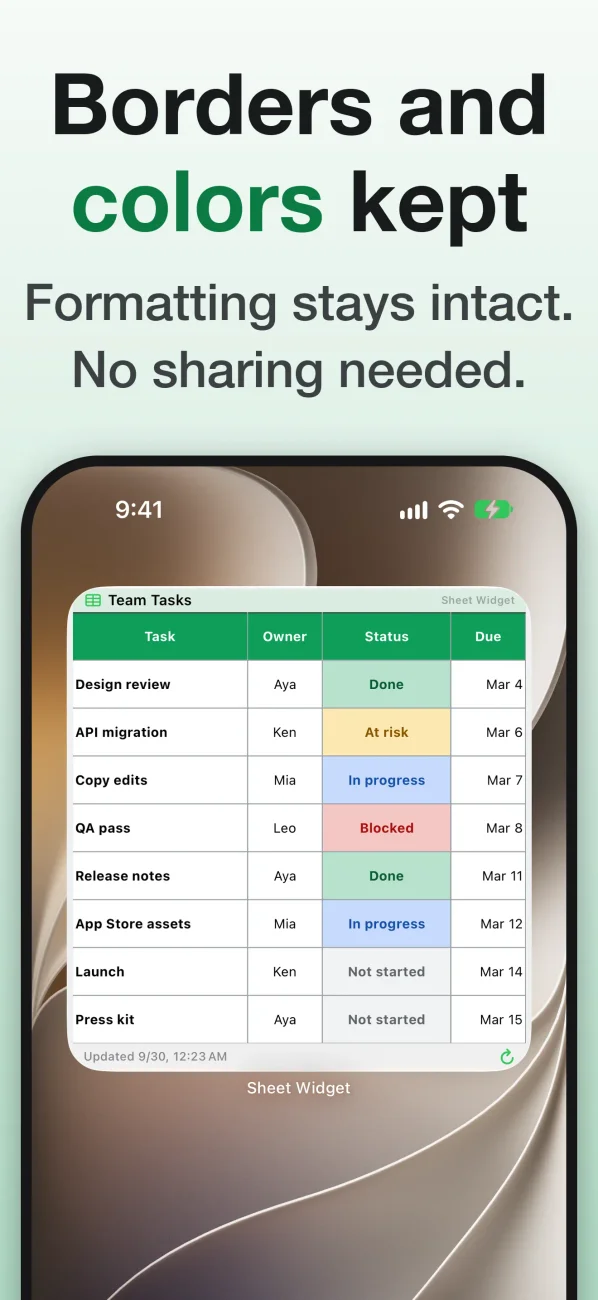


About
Turn Google Sheets into widgets for your iPhone Home Screen and Lock Screen.
Check budgets, work shifts, schedules, sales, stock and project progress without opening your spreadsheet.
Sheet Widget displays the cell ranges you choose, preserving borders, background and text colors, bold text and merged cells.
HOME SCREEN
Choose small, medium, large or extra-large widgets. Display tables, formula results and images from supported IMAGE formulas. Available sizes depend on your device and iOS version.
LOCK SCREEN
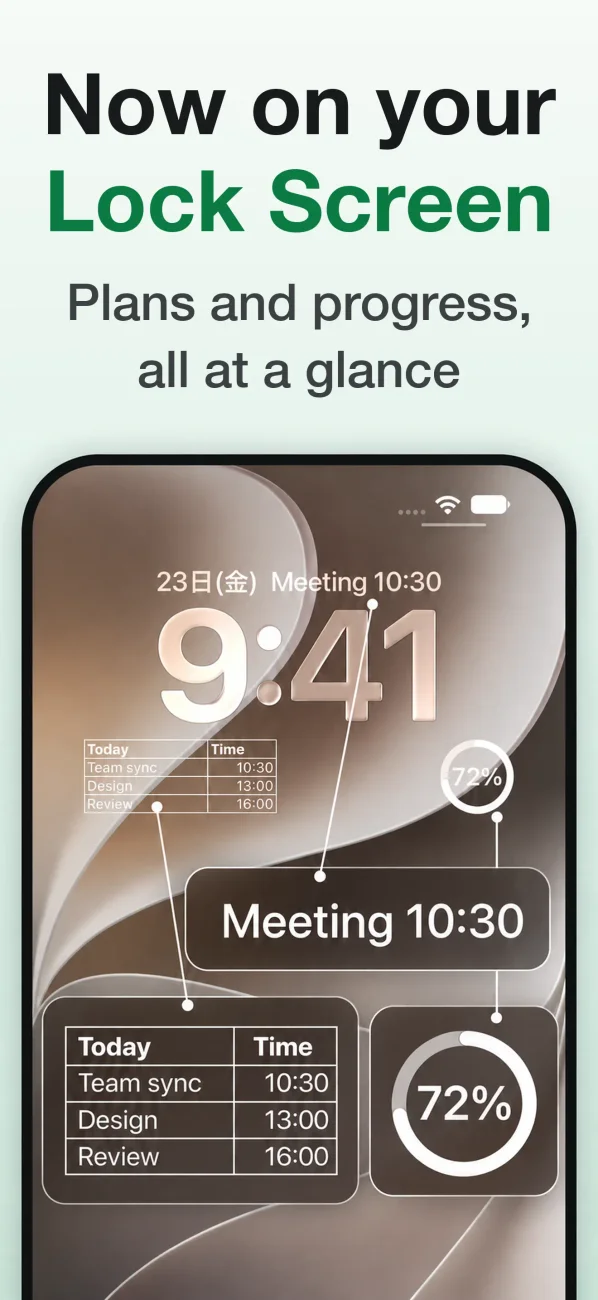
• Above the clock: show a single cell, such as your next appointment.
• Circular: show one cell, with a gauge for percentage values.
• Rectangular: display a table from your selected range.
Create configurations in the app and choose which one each widget displays. Multiple configurations require Pro.
NO PUBLIC SHARING REQUIRED
Keep your spreadsheet private. You do not need to publish it to the web, create a sharing link or write scripts.
Sign in with Google, select a spreadsheet and sheet, choose your cells or range, then add a widget. Tap a widget to open the spreadsheet or app.
FREE FEATURES
• One Home Screen configuration and one Lock Screen configuration.
• Tables with borders, colors, bold text and merged cells.
• Preserve cell proportions.
• Formula results and supported IMAGE pictures.
• Automatic updates and tap-to-open actions.
MORE WITH PRO
• Unlimited widget configurations.
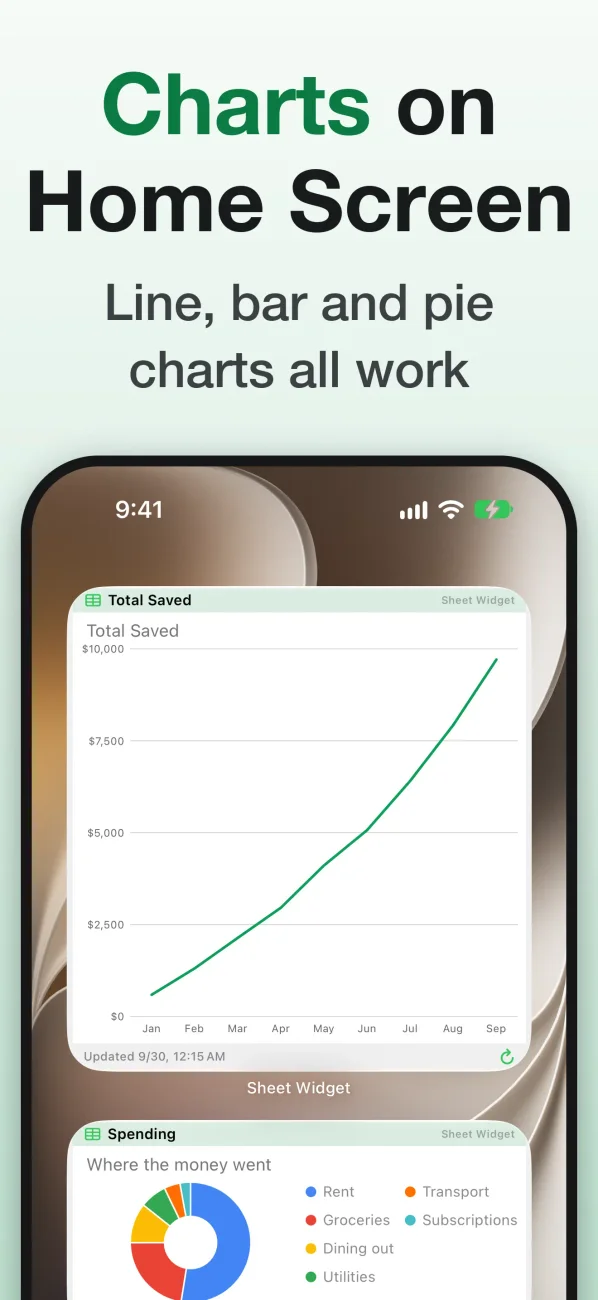
• Supported line, bar, pie and other charts.
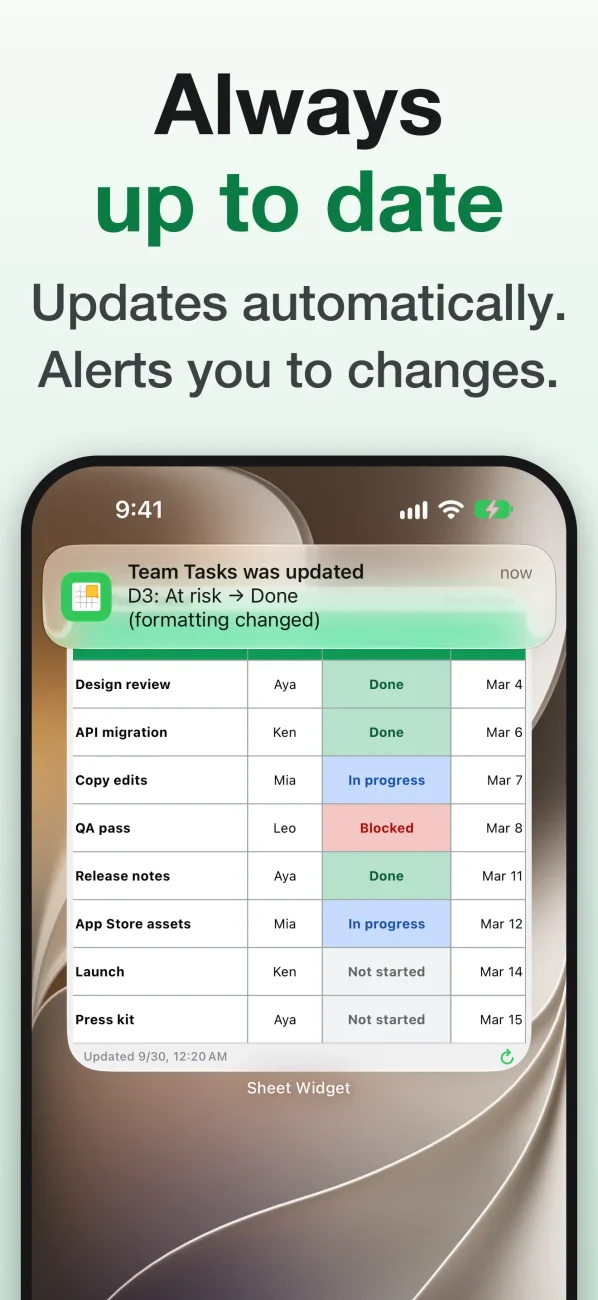
• Notifications when values, formatting or borders change in the displayed range.
• Switch between multiple Google accounts.
• Copy a tapped cell’s value, then open your chosen destination.
• Nine theme colors plus custom colors.
• Nine background presets plus custom RGB colors.
• Request fresh data with the refresh button.
• Hide the Sheet Widget watermark.
• Show or hide the header and footer.
Choose a monthly, yearly or lifetime plan. Eligible customers can try the yearly plan free for 7 days. Prices and trial eligibility are shown on the purchase screen.
PRIVACY
We do not use our own server to store your sheet contents. Authentication credentials are protected on your device using Keychain. No ads or tracking.
UPDATES AND NOTIFICATIONS
iOS manages automatic widget updates, so refresh intervals vary. Changes and notifications may take time to appear. Real-time updates are not guaranteed.
Keep the spreadsheet you check every day where you can see it at a glance.
Terms: https://sheetwidget.com/terms/
Privacy: https://sheetwidget.com/privacy/
Support: sheetwidget@gmail.com
What’s new
Version 1.3.1 · Nov 9, 2026
Sheet Widget now supports iPad. View spreadsheets and charts in widgets, including the wide extra-large widget on the Home Screen.
App privacy
What Kazuki Kuraya declares on the App Store about how this app handles data.
-
Data not collected
The developer does not collect any data from this app.
Privacy practices may vary, for example with the features you use or your age.
Information
- Seller
- Kazuki Kuraya
- Category
- Utilities
- Version
- 1.3.1
- Updated
- Nov 9, 2026
- Released
- Aug 31, 2026
- Size
- 12.3 MB
- Requires
- iOS 17.0 or later
- Age rating
- 4+
- Price
- Free
- In-app purchases
- Yes
- Languages
- English, Arabic, Bengali, Catalan, Croatian, Czech, Danish, Dutch, Finnish, French, German, Greek + 32 more
- Copyright
- © 2026 Sheet Widget
You might also like
-
 Widget for SheetsWidget for Home Screen
-
 ShwidgetShow Sheets data in a widget!
-
 BatteryBar: All Your BatteriesBattery levels for all devices
-
 CellGetTurn Sheets Into Widgets
-
 Deflector ◇Shortcuts Everywhere
-
 Swipon - Photo & Video CleanerSay Goodbye to Storage Full
-
 MozcCo - サイズ調整できる日本語キーボードUtilities
-
 Remindify - Lock Screen TODOTask List, Reminders & Notes
-
 KumiKey: 自由に配置できるフリックキーボードUtilities
-
 FlickMe: One-Hand KeyboardJapanese flick input