Character Counter
Word, letter & text count tool
Designed for iPhone, iPad, Mac
$2.99
- Age rating4+
- CategoryProductivity
- DeveloperThomas Coomer
- LanguagesEnglish
- Size4.5 MB
Links to the official App Store page
Download.org hosts no file of Character Counter. The button opens its official App Store page, published by Thomas Coomer. Listing last checked on Nov 17, 2026.
Screenshots



About
Character Counter — Count characters, words, and more as you type!
Character Counter is the fast, beautiful way to count characters, words, sentences, and paragraphs in real time. Whether you're trimming a social post to fit a limit, hitting an essay word count, or polishing a caption, your totals update live as you write — no buttons, no waiting.
Just start typing or paste your text, and everything is counted instantly in a clean, full-screen writing area designed to keep you focused.
Know your writing inside out
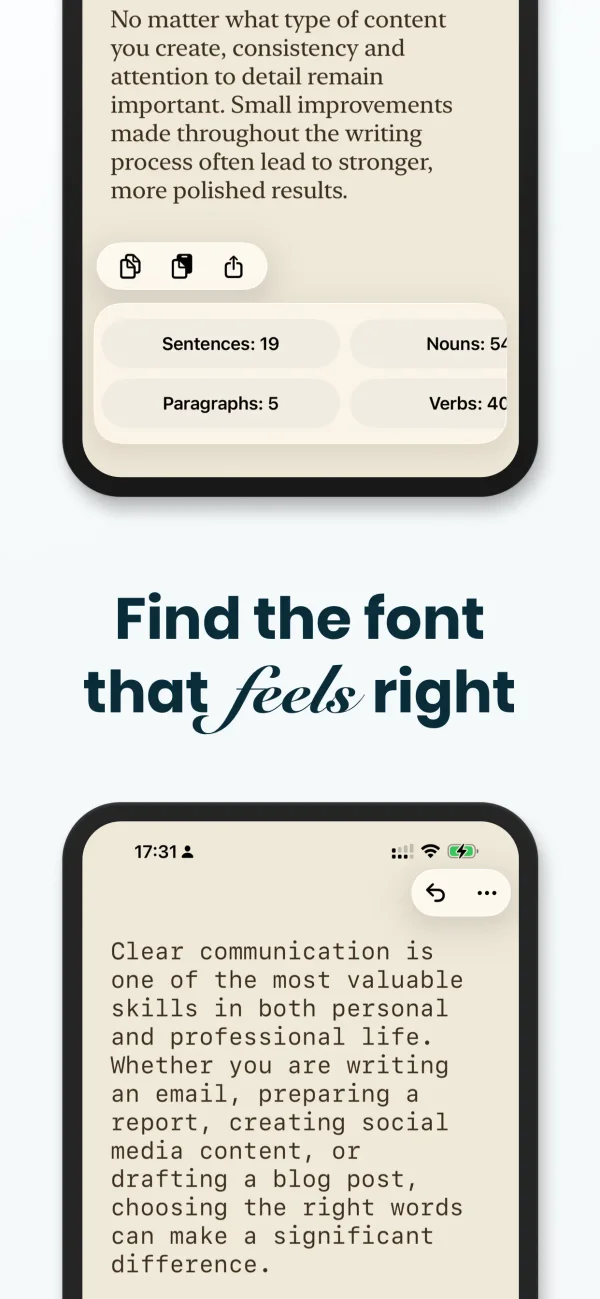
Go beyond the basics with live English part-of-speech counts — nouns, verbs, adjectives, adverbs, prepositions, and pronouns — so you can understand the shape of your writing, not just its length.
Never lose a draft
Version History automatically snapshots your text as it changes, so you can always go back. Gone off track? Rewind. Save important drafts manually, then preview, restore, or delete any version whenever you like.
Write your way
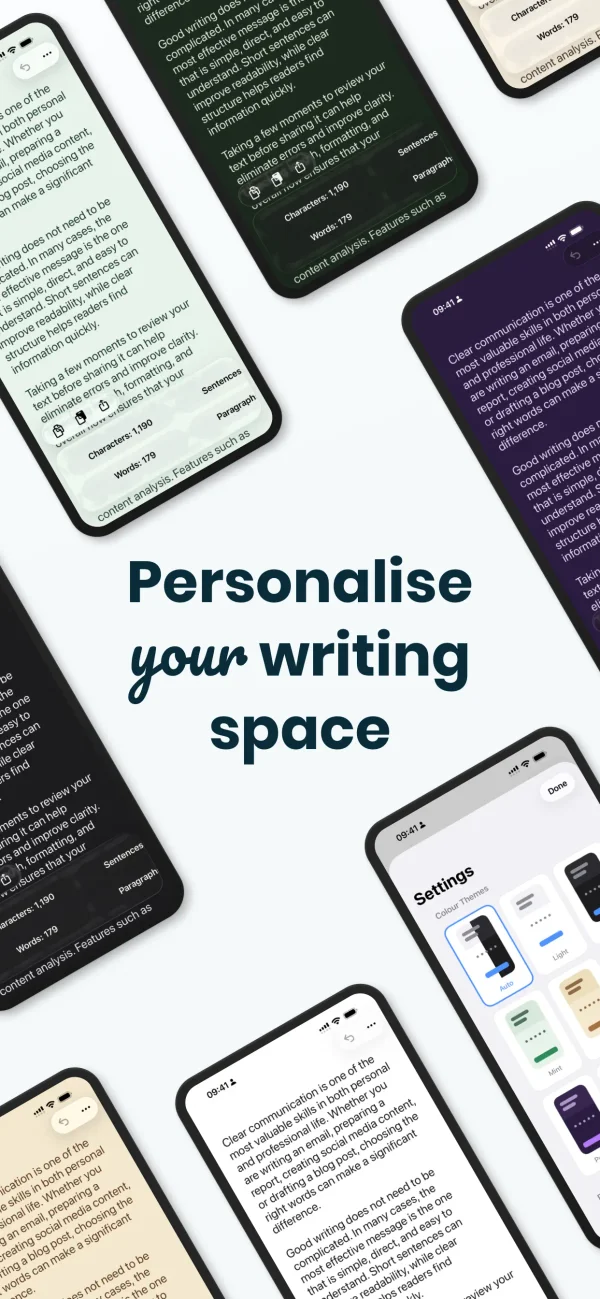
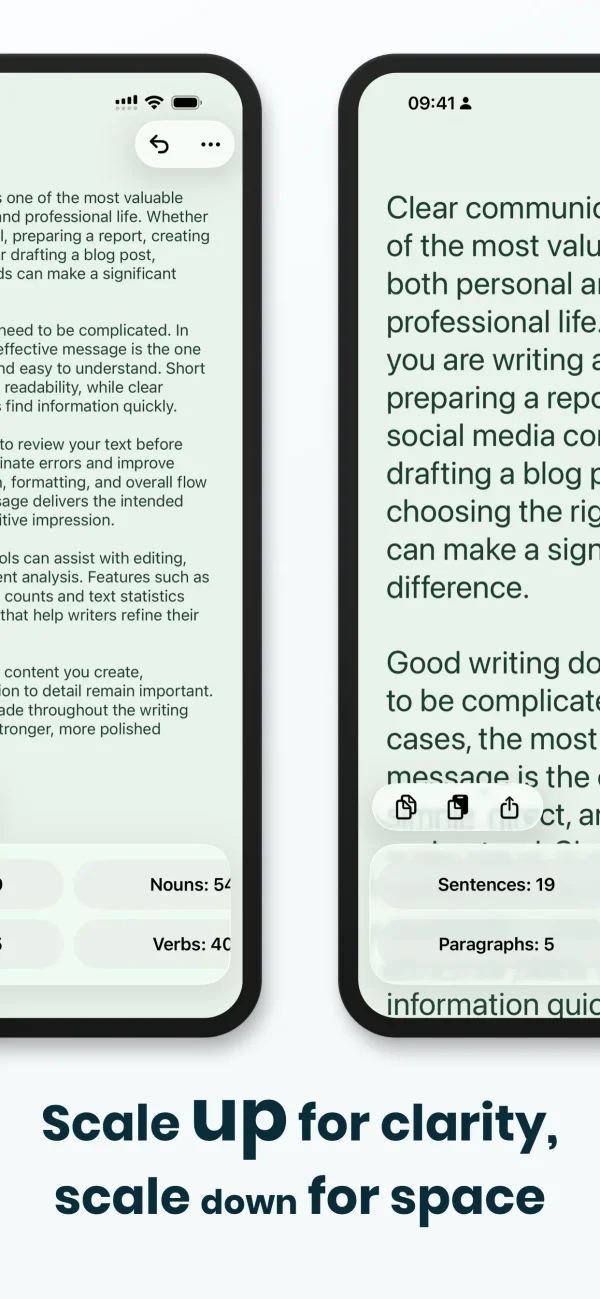
Make it yours with customisable colour themes — Auto, Light, Dark, Mint, Sepia, Beige, Purple, Night, and Forest — plus adjustable font styles (Sans Serif, Serif, Mono) and font sizes. Optional text persistence keeps your work waiting for you next time you open the app.
Built for how you work
Share text on its own or with the full counter stats attached. Copy, paste, undo, and redo are built right in. Handoff lets you carry on editing across your Apple devices, and a responsive design with Liquid Glass controls adapts to look great on every screen.
Perfect for writers, students, social media, notes, essays, captions, and quick text checks — Character Counter gives you the count you need and the tools to write better.
What’s new
Version 1.1 · Jun 24, 2026
• Settings & Personalisation — A new settings area lets you make the app your own, with multiple colour themes, font styles, and font size options to suit your writing preference.
• Version History — Automatically save snapshots as you work, or save one manually at any time. Browse your recent history and restore any previous version with a tap.
• Text Persistence — Your writing is now saved between sessions, so it’s right where you left it when you come back to the app.
• Handoff Support — Start writing on one device and seamlessly continue on another.
• Undo & Redo — Step backwards and forwards through your changes with full undo and redo support.
• Improved Sharing — Choose whether to share just your text, or include the counter values alongside it.
• Liquid Glass — Updated to support Apple’s new Liquid Glass design on iOS 26.
• Refreshed Design — A larger writing area fills the full screen, with UI improvements throughout and a new floating counter panel on larger devices.
• Selection Counts — Highlight any part of your text to instantly see the counter values for just that selection, then deselect to return to the full totals.
App privacy
What Thomas Coomer declares on the App Store about how this app handles data.
-
Data not collected
The developer does not collect any data from this app.
Privacy practices may vary, for example with the features you use or your age.
Information
- Seller
- Thomas Coomer
- Category
- Productivity
- Version
- 1.1
- Updated
- Jun 24, 2026
- Released
- Nov 13, 2021
- Size
- 4.5 MB
- Requires
- iOS 26.0 or later
- Age rating
- 4+
- Price
- $2.99
- Languages
- English
- Copyright
- © 2021 - 2026 Thomas Coomer
You might also like
-
 WallDone: Task Sticker WallNo Deadline Habit Tracker
-
 Speed Reader: JuiceSqueeze any real text out fast
-
 Word Count ™Productivity
-
 Digital Habits: FocusHide distractions on any site
-
 Habit Tracker: Planner RoutineBuild Good & Quit Bad Habits
-
 Mori: Stoic Life Grid & FocusLive while you can
-
 WhisperDirect:AI Meeting NotesHybrid Transcribe & Summarize
-
 uWeb Server2Share your file to any device
-
 Converter AMFor units & currencies
-
 Documents & PDF Scanner - FyleScan Receipts, OCR & Organize