
Checkbook Register: Balance
Pending, Cleared & Reconciled
Designed for iPhone, iPad
Free · In-app purchases
- Age rating4+
- CategoryFinance
- DeveloperAlex Gameli Heyman
- LanguagesEnglish+ 2 more
- Size3.4 MB
Links to the official App Store page
Download.org hosts no file of Checkbook Register: Balance. The button opens its official App Store page, published by Alex Gameli Heyman. Listing last checked on Nov 26, 2026.
Screenshots
About
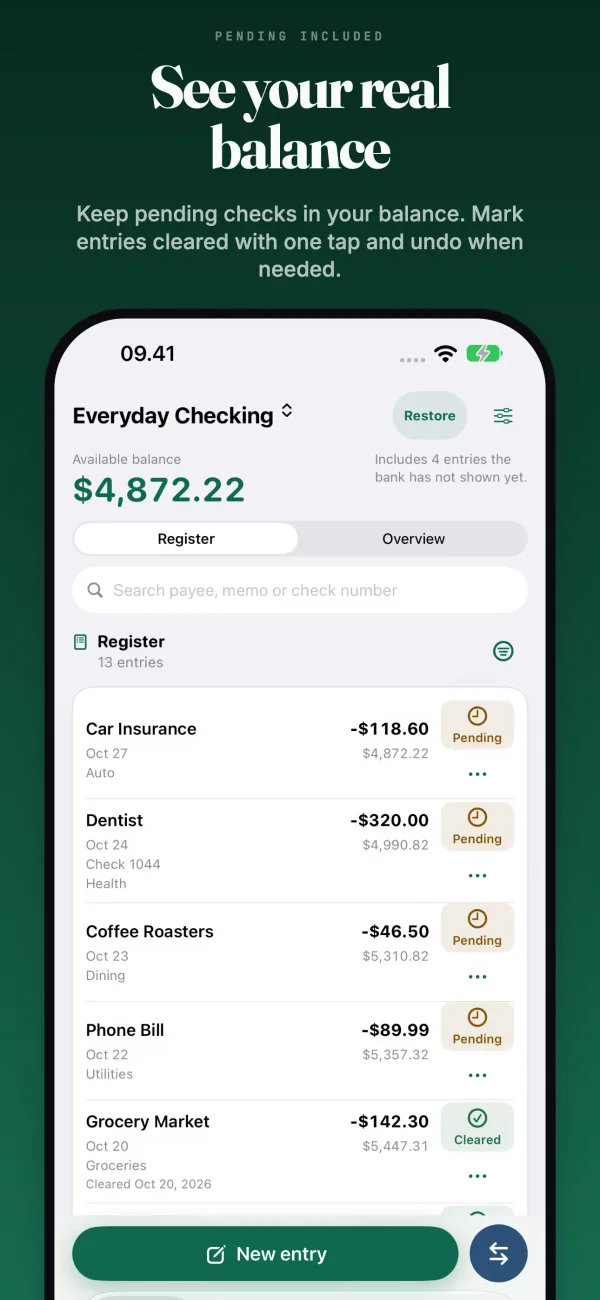
Your bank shows what has cleared. Your register also counts the checks and payments still pending, so you know what is really available. Checkbook Register keeps those balances separate and helps you match your records to a statement, without connecting your bank.
YOUR ENTRIES FIRST
Open directly to your entries below a compact balance and search. Tap Pending or Cleared to change status, with Undo if you need it. Keep the transaction date separate from the clearing date, correct a clearing date, and see the status history in entry details.
A REGISTER THAT FITS YOU
Choose six accent colors and System, Light or Dark appearance. Switch between Register and Overview, arrange the overview cards, and choose compact or comfortable rows. Show the running balance, category, check number and status dates you need.
SIMPLE OR STATEMENT MODE
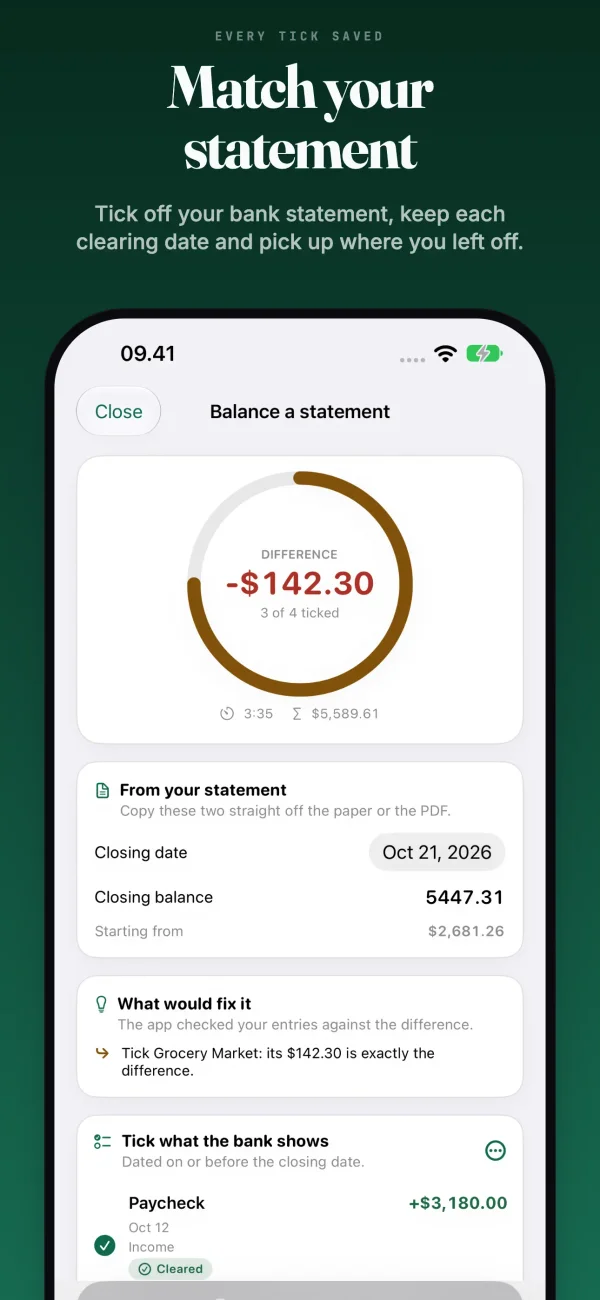
Simple mode keeps everyday Pending and Cleared controls in view. Statement mode adds reconciliation: tick matching entries, investigate the difference and close the statement when it reaches zero. Changing modes preserves your records and statement history. Completed statements keep matched entries locked until deliberately reopened.
RECEIPTS WITH YOUR RECORDS
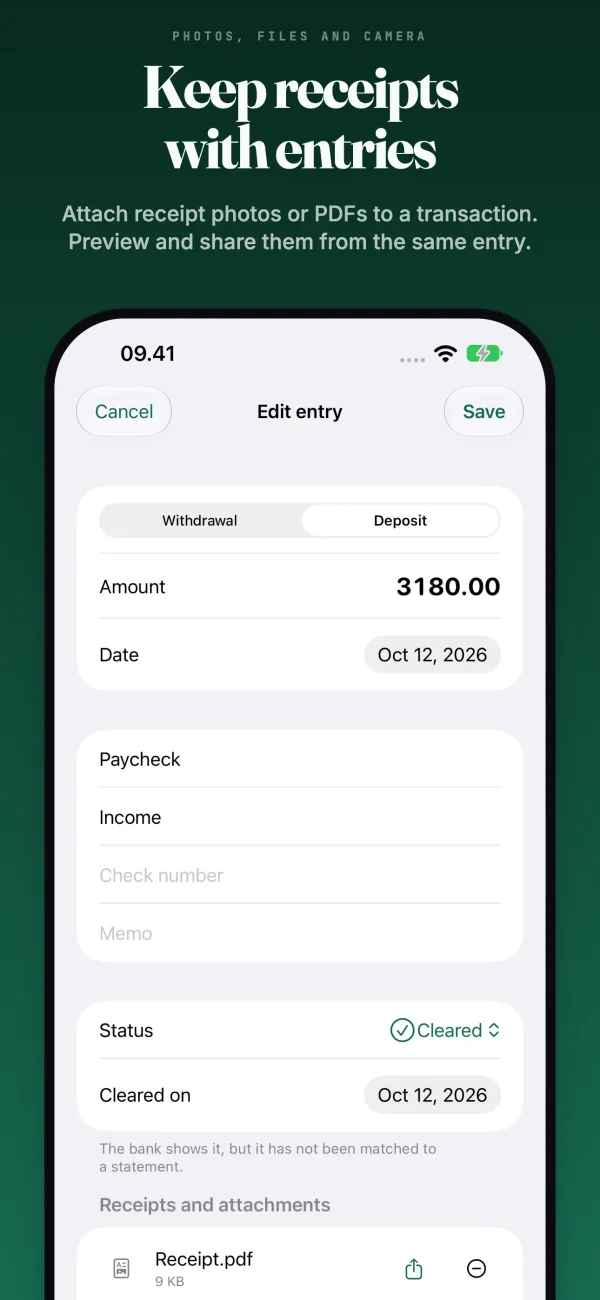
Attach receipt images or PDFs from Camera, Photos or Files. Preview, share or remove them from entry details. Each entry supports up to 10 attachments, 20 MB each. Files stay on your device; there is no OCR or cloud upload.
THE REST OF YOUR REGISTER
- Multiple accounts and linked transfers
- Running balances and payee search
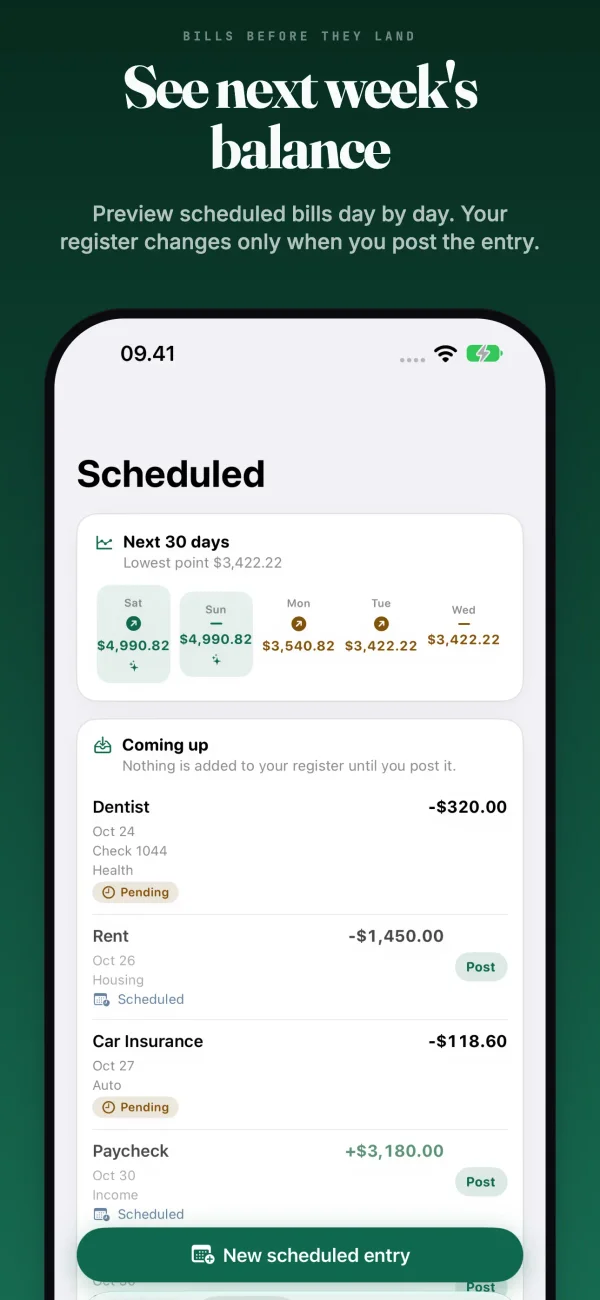
- A cushion, low-balance limit and seven-day forecast
- Recurring entries that post only when you choose
- CSV import with a preview and CSV export with running balances
- Verified full backups, with optional encryption, including receipts and status history
- Optional Face ID or device-passcode protection
TRY 30 TRANSACTIONS
New customers can try every feature with 30 successfully saved transactions, with no time limit. A transfer counts once. CSV imports and posted recurring entries use the same lifetime allowance; deleting entries does not refill it. An opening balance does not count.
After the allowance, Pro is required to add transactions, accounts or recurring rules. You can always view, search, correct, clear and reconcile existing entries, manage their receipts, export, back up and restore. Earlier-version customers retain permanent Pro access, including these improvements. Restore Purchases is in Settings.
YOUR FINANCIAL RECORDS STAY LOCAL
No sign-in, bank connection, advertising, analytics or tracking. Your records leave the device only when you choose to export them. Apple handles purchases and purchase verification. This is a manual register, not a bank balance service.
CHECKBOOK PRO
Continue adding transactions, accounts and recurring rules beyond the starter allowance.
Pro is available as a yearly auto-renewable subscription. The localized price is shown before purchase. Payment is charged to your Apple Account at confirmation. Subscriptions auto-renew until canceled. Cancel anytime in your Apple ID Subscriptions settings at least 24 hours before the renewal date. There is no additional timed free trial. Cancellation leaves Pro active until the paid period ends and never removes your records.
Privacy policy: https://app.innovaapps.ai/privacy
Terms of use: https://www.apple.com/legal/internet-services/itunes/dev/stdeula
What’s new
Version 1.2.0 · Oct 24, 2026
- Entries now appear first, with six accent colors, Light/Dark appearance and custom layouts.
- Tap Pending or Cleared directly, undo changes and track status dates.
- Choose Simple or Statement mode per account and attach receipt images or PDFs.
- New customers can try 30 transactions, then subscribe yearly to keep adding. Earlier-version customers retain permanent Pro access.
- Full backups now preserve receipts and status history.
- Fixed CSV export from Settings on iPhone and iPad.
- Added an error message if the export file cannot be created.
App privacy
What Alex Gameli Heyman declares on the App Store about how this app handles data.
-
Data not collected
The developer does not collect any data from this app.
Privacy practices may vary, for example with the features you use or your age.
Information
- Seller
- Alex Gameli Heyman
- Category
- Finance
- Version
- 1.2.0
- Updated
- Oct 24, 2026
- Released
- Aug 24, 2026
- Size
- 3.4 MB
- Requires
- iOS 17.0 or later
- Age rating
- 4+
- Price
- Free
- In-app purchases
- Yes
- Languages
- English, French, Spanish
- Copyright
- © Innova Apps
You might also like
-
 Monthly CheckbookMonthly Checkbook Maker
-
 The Collextion: BalanceYour money, clearly balanced.
-
 Keepbook: Checkbook RegisterBalance your accounts by hand
-
 BudgetPulse – Easy BudgetingKnow What You Can Afford
-
 LazyBudget: What's LeftIncome - Bills = What's Left
-
 BalanceWright Checkbook LedgerSimple Check Register, No Ads
-
 Ledgerlyne: BookkeepingPrivate Accounting, No Cloud
-
 Checkbook Register: LedgerFlowTrack Spending & Balance
-
 YourDigits: Budget By PaydaySee what's left till payday
-
 BubbleMarketsAll Markets in One Bubble Map