- Age rating4+
- CategoryProductivity
- DeveloperIgor Igor
- LanguagesEnglish
- Size36.1 MB
Links to the official App Store page
Download.org hosts no file of Tickwise. The button opens its official App Store page, published by Igor Igor. Listing last checked on Nov 19, 2026.
Screenshots


About
Tickwise – Track Your Time with Precision and Purpose
Tickwise is the ultimate personal time tracker built for those who demand clarity, efficiency, and control over their daily routines. Whether you're a busy professional, student, freelancer, or just optimizing your life, Tickwise helps you capture, analyze, and improve how you spend every moment.
Why Tickwise?
- No AI :) Only you and your time.
- Ultra-Fast Tracking – Start and stop tasks instantly with a single tap. No clutter, no friction.
- Custom Categories – Fully customizable tags for anything: Work, Sleep, Gym, Cooking, Reading, Meetings, or even Deep Focus.
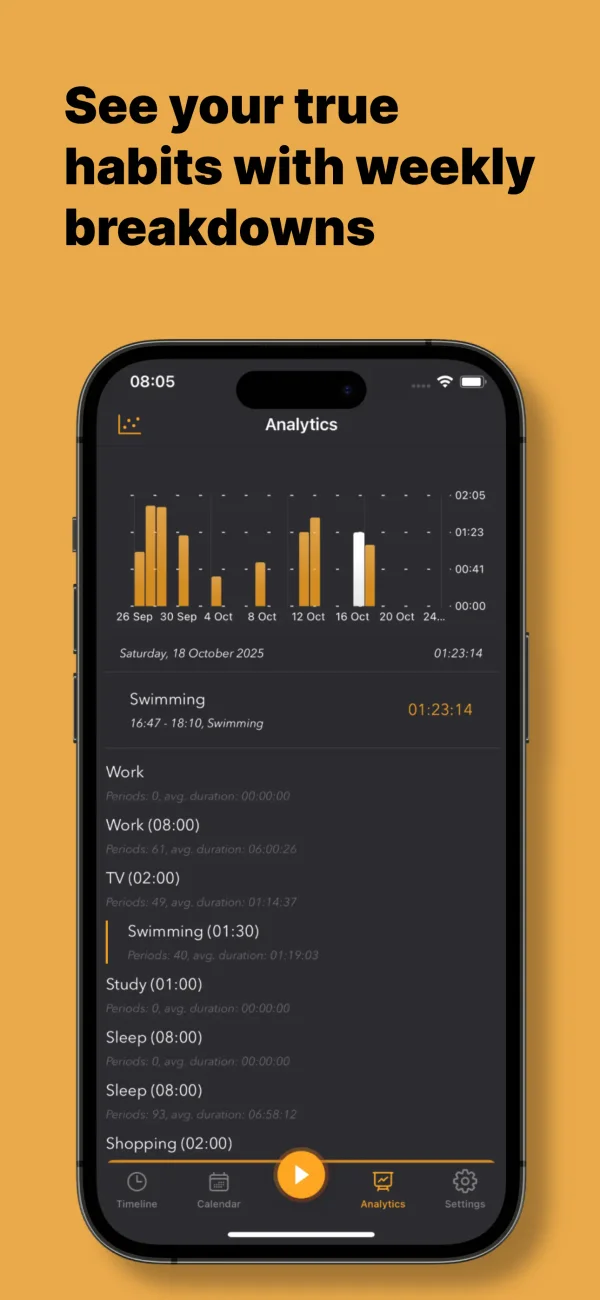
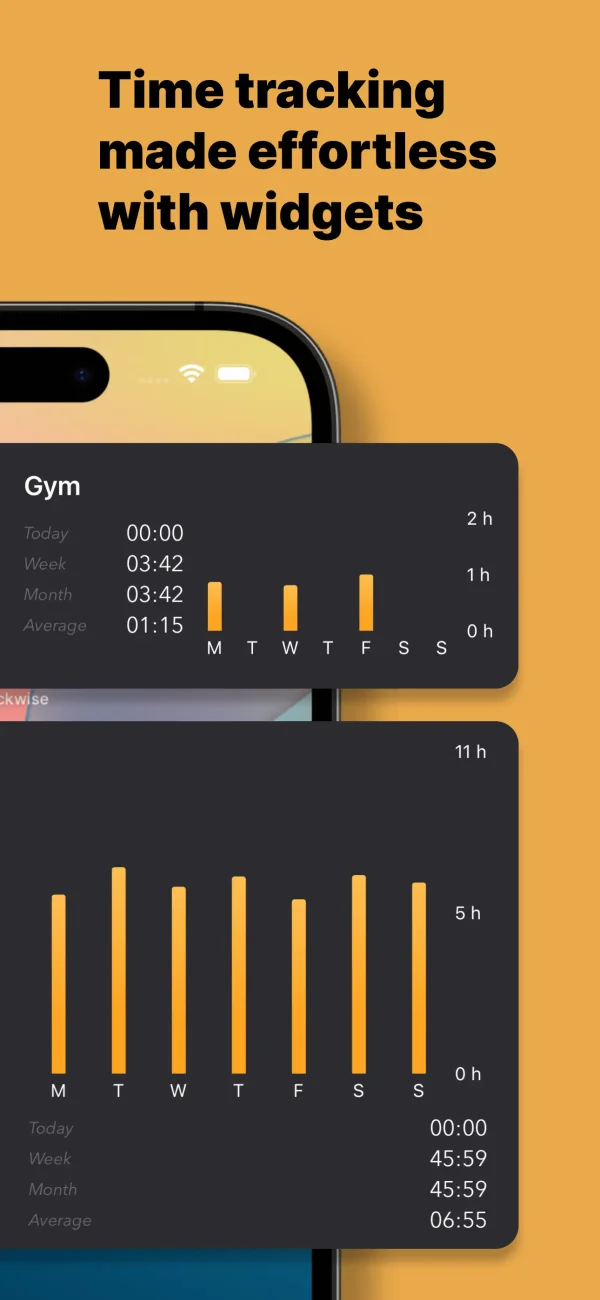
- Daily, Weekly, Monthly Views – Visualize your time with flexible summaries and intuitive charts.
- Offline First – All your data stays on-device. No account required. 100% private.
- Minimal UI – Built for speed and clarity. No ads, no distractions, no fluff.
Key Features:
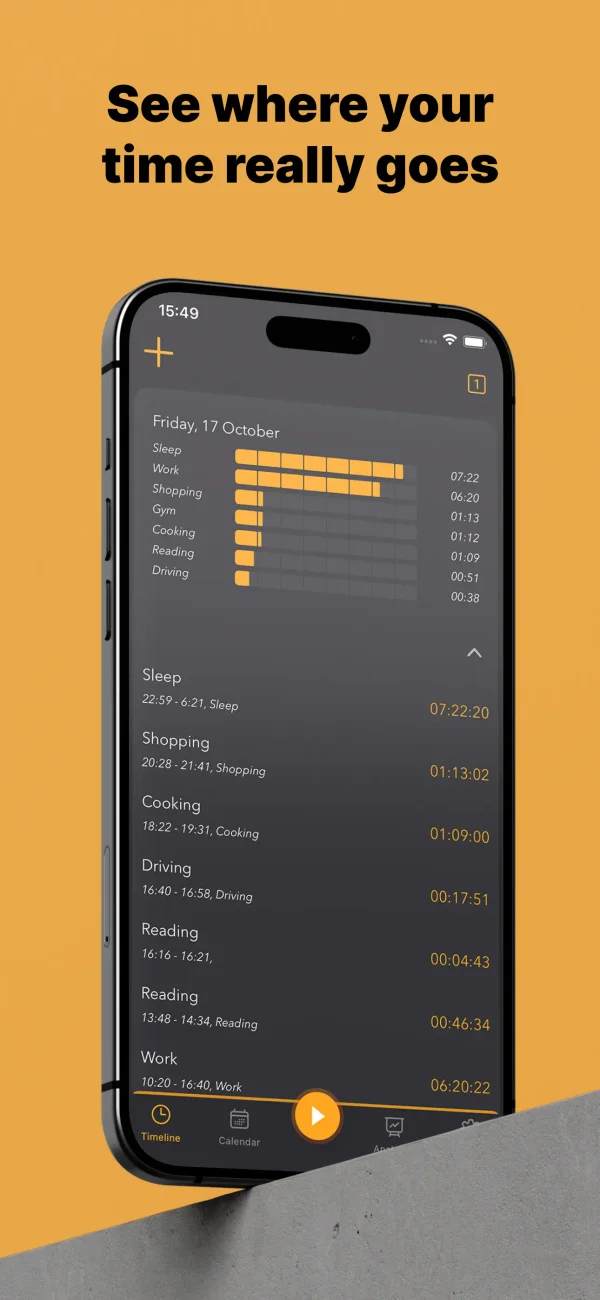
Timeline Overview – See your entire day at a glance. Tap to edit or create time blocks.
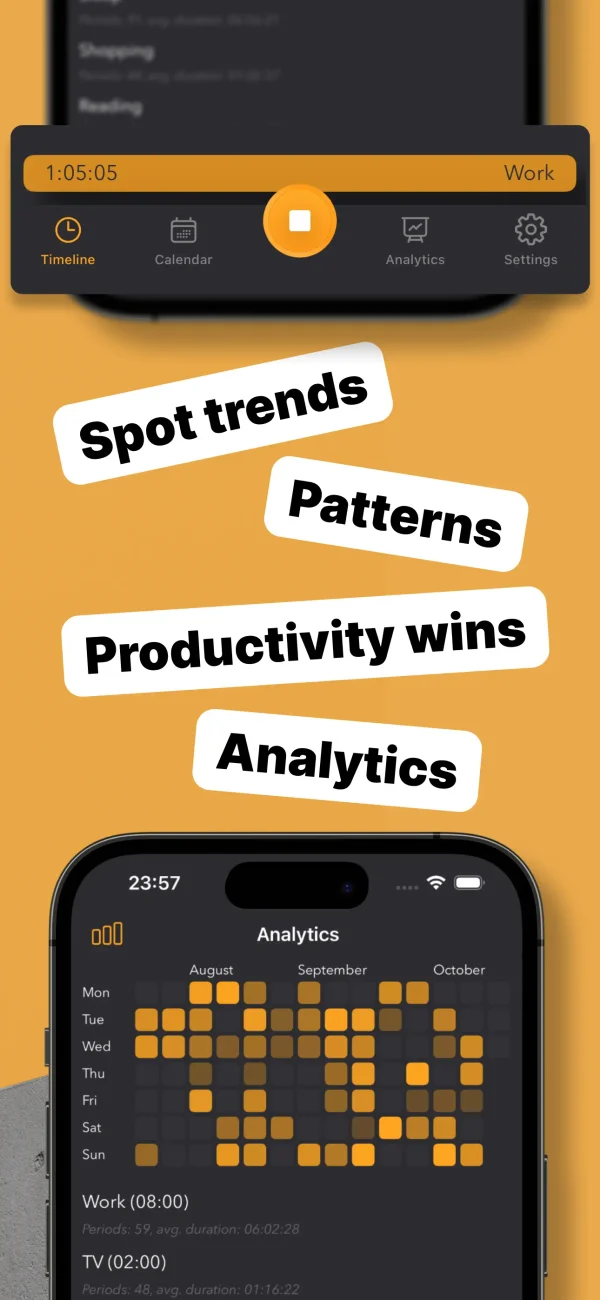
Analytics Dashboard – Real insights from real usage. Discover your average sleep time, screen time, work hours, and more.
Category Thresholds – Set a threshold for a category to check your goals
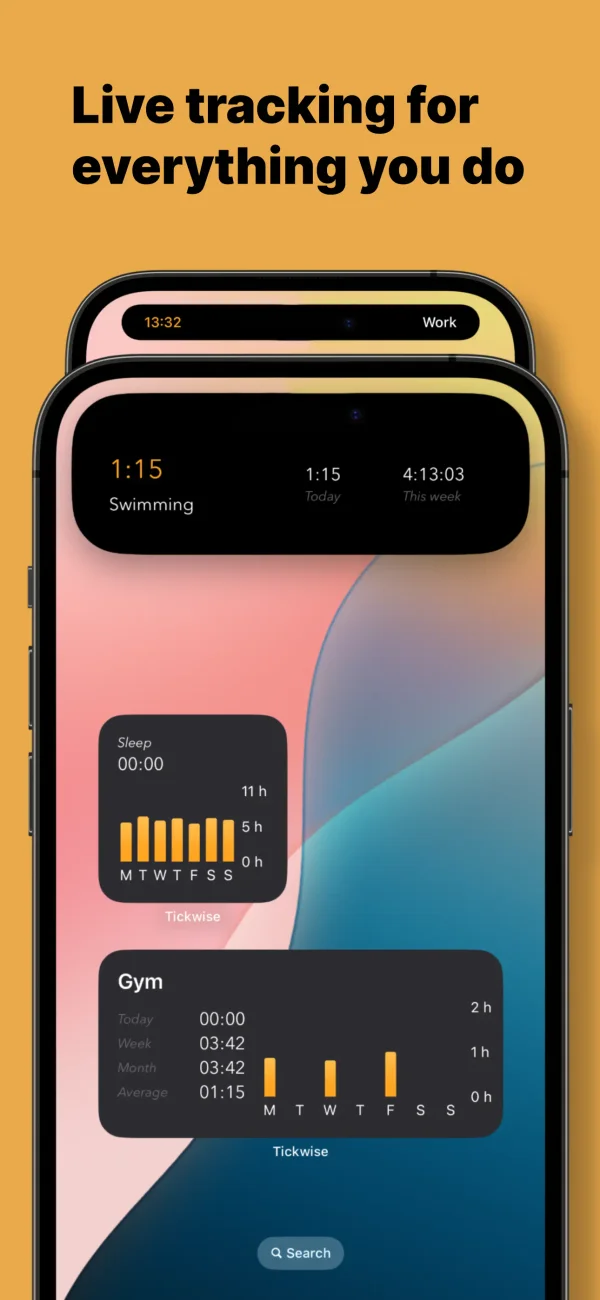
Widgets & Live activity – Check timers directly from your lock screen or home screen.
iCloud Sync – Sync to keep data safe across devices.
See our Privacy Policy and Terms here:
https://github.com/deszip/Tickwise/blob/main/PrivacyPolicy.md
https://github.com/deszip/Tickwise/blob/main/eula.md
What’s new
Version 1.1 · May 7, 2026
- Never lose track again — We now detect abandoned timers, so a session you forgot to stop won't ruin your stats. Configure your preference in Settings.
- Faster category switching — A brand-new category shortcut lets you jump straight to the category you need while logging time. Less tapping, more tracking.
- Smoother editing — Keyboard handling on the group form is now polished, so creating and editing groups feels effortless.
- Sharper analytics — Category details now display your stats more clearly and accurately, so you can trust the numbers behind your time.
Update now and make every minute count.
App privacy
What Igor Igor declares on the App Store about how this app handles data.
-
Data not linked to you
May be collected but is not linked to your identity.
- Usage data
- Diagnostics
Privacy practices may vary, for example with the features you use or your age.
Information
- Seller
- Igor Igor
- Category
- Productivity
- Version
- 1.1
- Updated
- May 7, 2026
- Released
- Oct 28, 2025
- Size
- 36.1 MB
- Requires
- iOS 17.0 or later
- Age rating
- 4+
- Price
- Free
- In-app purchases
- Yes
- Languages
- English
- Copyright
- © 2025, The Missing Bits
You might also like
-
 Time Tracking - TimenessPersonal Activity Tracker
-
 DayTime - Track Your DayMicro Journal Made to Share
-
 KBoard: Recursive KanbanProductivity
-
 DonutPomoFocus for Sweet Rewards
-
 This 60: To-Dos in Your RepoEvery agent task, in one list
-
 Hour MarkTrack your time. Effortlessly.
-
 Scout: Zettelkasten NotesThink with Zero Friction
-
 Timee: Time TrackerTrack work, study & sport
-
 Spone AI: Ask & CreateInteractive Games & Visuals.
-
 Naurra.aiAI for Google Workspace