- Age rating4+
- CategoryMusic
- DeveloperRUSSELL IRWIN
- LanguagesEnglish
- Size42.7 MB
Links to the official App Store page
Download.org hosts no file of Chord Therapy. The button opens its official App Store page, published by RUSSELL IRWIN. Listing last checked on Nov 17, 2026.
Screenshots
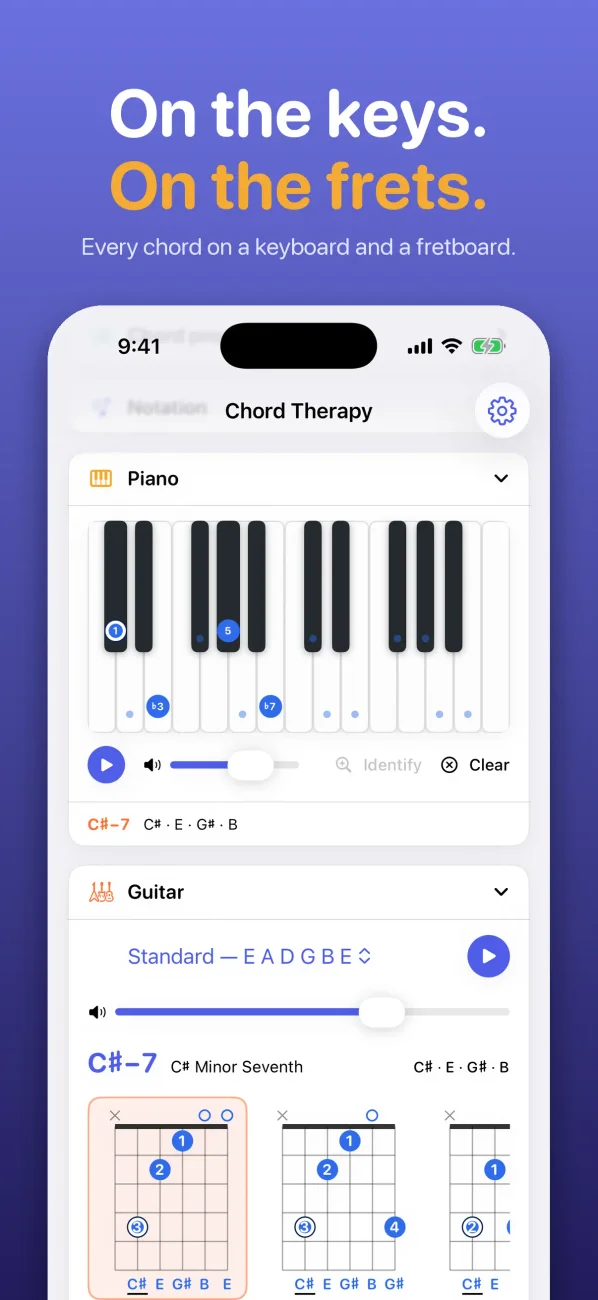
About
ONE KEY, ONE CHORD, SEVEN VIEWS
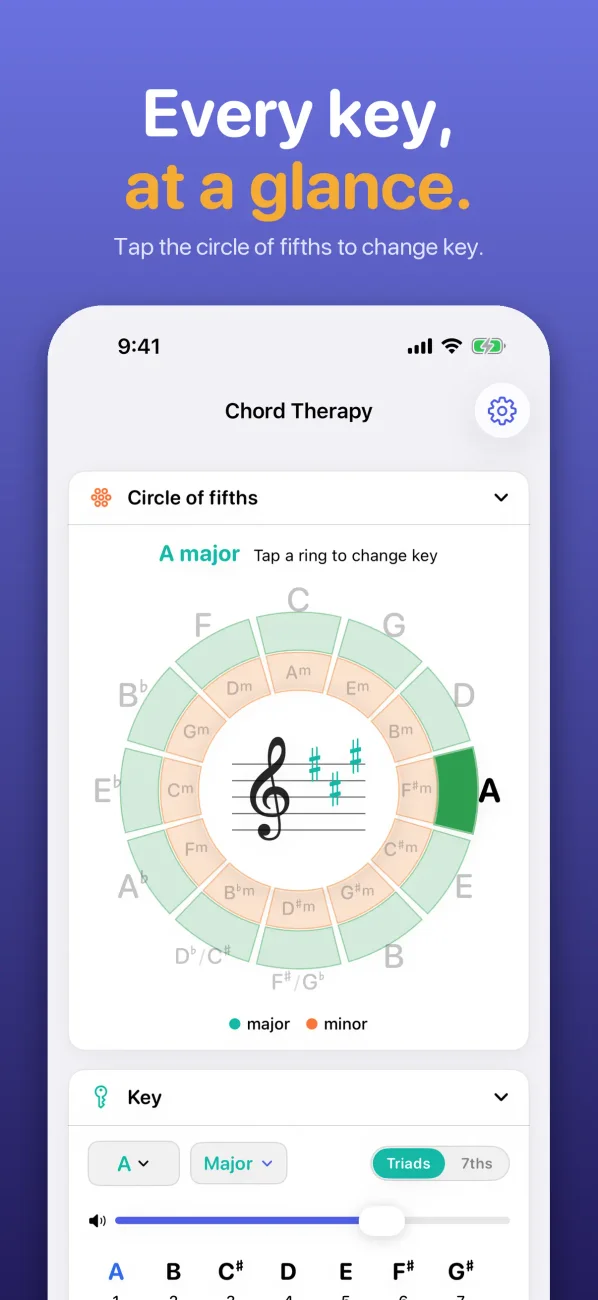
CIRCLE OF FIFTHS: The keys arranged in fifths, with the one you have chosen lit and its key signature written in the middle. Tap a ring to move to a new key; the chord moves to its tonic with it. Both spellings are named at the two enharmonic positions, so F# and Gb are each there when you need them.
KEY: Seven chords, one tap each. Major, the three minors and every mode. Each degree gets a card with its numeral, chord, stack of thirds and name, from tonic to leading tone. Switch between triads and sevenths, then jump to the relative or parallel key. The pentatonic and blues scales on the same tonic sit underneath.
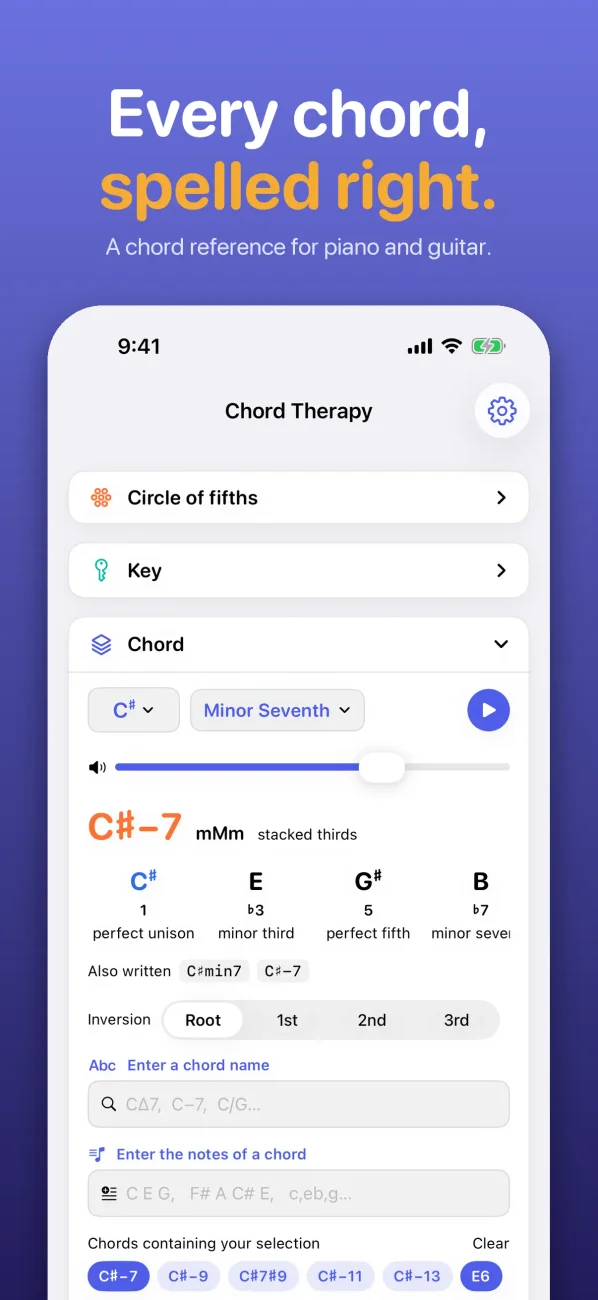
CHORD: Names, spells and plays any of 52 chord types. The Chord panel plays the current chord. It is also where you look up a chord, either by its name or by the notes you are holding.
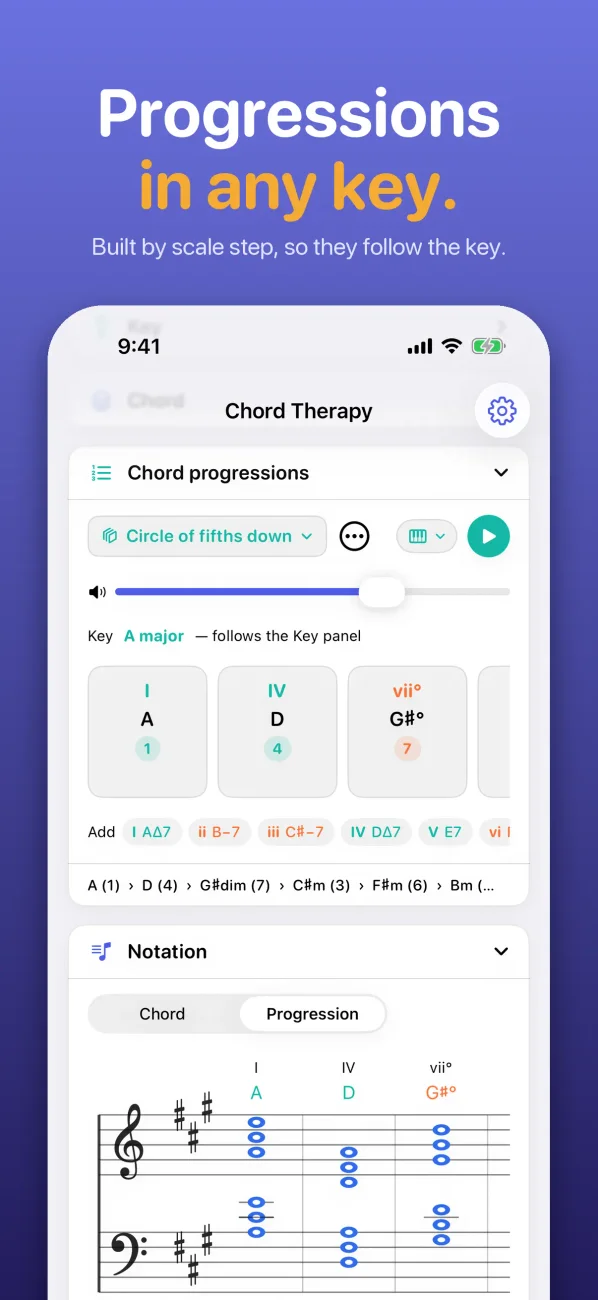
PROGRESSIONS: Write it once, play it in any key. A progression stores scale steps rather than fixed roots, so changing its key transposes the whole thing and the numerals stay right. Chords from the key change quality with it; a borrowed chord keeps its sound, and a pinned one stays exactly where you put it. Six starters are included, from I–V–vi–IV to a 12-bar blues. Play any progression on piano or strummed guitar, or write it out on the staff.
TWO WAYS IN: Know the name? Or just the notes? Type a chord name in jazz or plain notation and it is selected. Type the notes you are holding and Chord Therapy names them, reading the first note as the bass, so an inversion comes back as a slash chord. On the piano, tap the keys and press Identify. 52 chord types, from power chords to thirteenths.
NOTATION: The Notation panel writes music on a grand staff, treble and bass together, the way a pianist reads it. It shows either the current chord on its own or the whole selected progression.
PIANO: See a chord on the keys, or tap one in and name it. The Piano panel shows the current chord on a keyboard, and works the other way too: tap a chord in, note by note, and press Identify to have it named. Play it back with a sampled piano, as a chord, or arpeggiated.
GUITAR: Playable shapes for every chord, in eight tunings. The Guitar panel shows playable fingerings for the current chord. There is no chart behind it: shapes are searched on the neck for whatever chord and tuning you choose, so every one of the 52 chord types works in all eight tunings. Hear the chord strummed by a sampled guitar.
What’s new
Version 1.1.1 · Nov 12, 2026
Chord progressions
• Sus, sixth, added-tone and extended chords now keep their type when added to a progression. An Asus2 used to come back as Am.
• Changing a progression's key now asks before it transposes the chords.
Panels
• Drag a panel by its title bar onto another panel to move it. On iPhone and iPad, touch and hold first.
Help
• The guide now links to chordtherapy.com.
App privacy
What RUSSELL IRWIN declares on the App Store about how this app handles data.
-
Data not collected
The developer does not collect any data from this app.
Privacy practices may vary, for example with the features you use or your age.
Information
- Seller
- RUSSELL IRWIN
- Category
- Music
- Version
- 1.1.1
- Updated
- Nov 12, 2026
- Released
- Oct 22, 2026
- Size
- 42.7 MB
- Requires
- iOS 17.0 or later
- Age rating
- 4+
- Price
- Free
- Languages
- English
- Copyright
- © New Morning LLC 2026
You might also like
-
 Chord LabsCAGED Guitar Chords & Scales
-
 With HandlebarsGuitar scales & chords
-
 Chord Sheet CreatorCreate chords and lyrics
-
 Guitar Tab NotesSketch chords in any tuning
-
 Fretbop - Guitar Chords&ScalesChords, Scales, Progressions.
-
 LyricaveLyric Writing App for Musicans
-
 StemScriberSlow Down & Transpose Any Song
-
 Piano Day: Sheet & Practice700+ quality classical scores
-
 Chords: Progression MakerSongwriting & Music Theory AI
-
 SetMate: Gig SheetsGuitar Tools Setlists Lessons