
- Age rating4+
- CategoryUtilities
- Developer可勉 秦
- LanguagesEnglish+ 9 more
- Size4.5 MB
Links to the official App Store page
Download.org hosts no file of Click Paste. The button opens its official App Store page, published by 可勉 秦. Listing last checked on Nov 18, 2026.
Screenshots
About
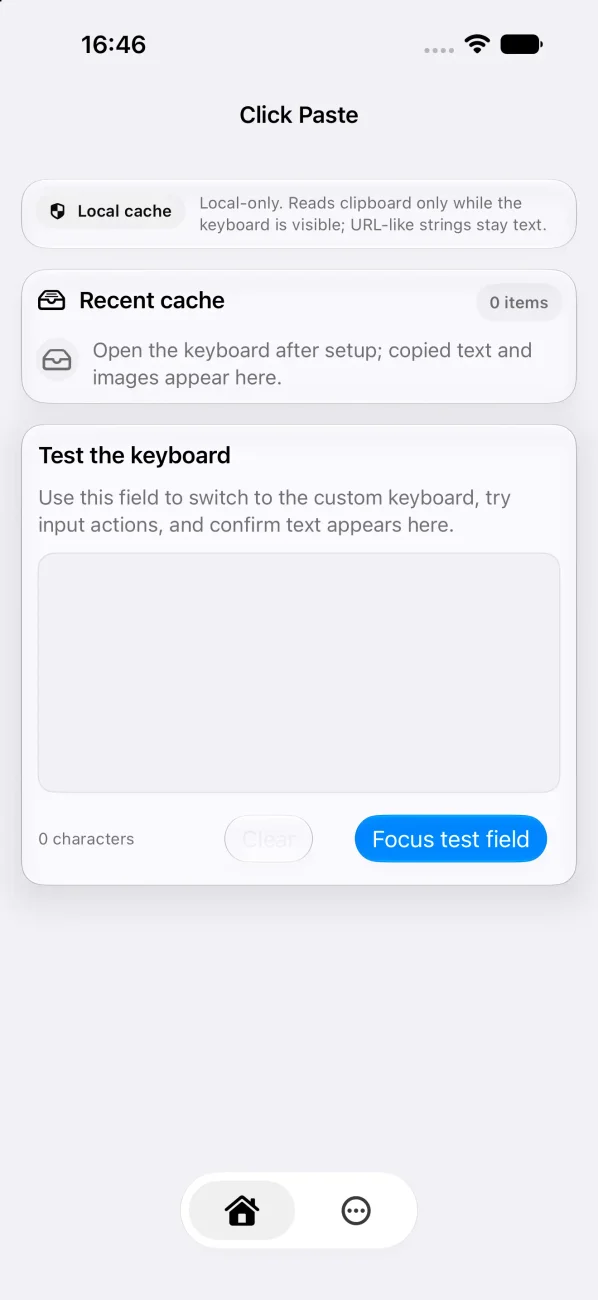
Click Paste is a focused clipboard panel for reusing recent clipboard content from a custom keyboard.
After you give explicit consent and enable Full Access, the keyboard can detect supported text and images only while it is visible and active. Supported items are cached in the shared local app container so you can preview them and choose what to do next.
• Input text one character at a time into the current field.
• Treat URL-like text exactly like any other text.
• Preview cached text and images before taking action.
• Archive, delete, pin, or clear local cache items from the main app.
• Share a selected cached image from the main app with the system share sheet.
Click Paste does not upload clipboard content, typed text, images, previews, or input context. It contains no ads or third-party analytics. Without Full Access, the keyboard remains available as a setup and status panel, but clipboard history is unavailable.
App privacy
What 可勉 秦 declares on the App Store about how this app handles data.
-
Data not collected
The developer does not collect any data from this app.
Privacy practices may vary, for example with the features you use or your age.
Information
- Seller
- 可勉 秦
- Category
- Utilities
- Version
- 1.0.0
- Updated
- Aug 5, 2026
- Released
- Aug 5, 2026
- Size
- 4.5 MB
- Requires
- iOS 18.0 or later
- Age rating
- 4+
- Price
- Free
- Languages
- English, French, German, Italian, Japanese, Korean, Portuguese, Simplified Chinese, Spanish, Traditional Chinese
- Copyright
- © 2026 Niqk
You might also like
-
 SnapLater - Screenshot as todoScreenshots into later task
-
 Copy Paste ClipBoard ManagerHistory, Keyboard & Snippets
-
 CyberToolsSimple & clean network tools
-
 BLE Elf - Debugging AssistantHelper for Scanning Bluetooth
-
 居家衣橱Utilities
-
 火锅食材计时器.Utilities
-
 ODYSY: Deep Reading BrowserFocused browser for reading
-
 网络天才-赛博读心Utilities
-
 Oneby - Pick and DeleteDynamic Island Photo Organizer
-
 捷径扩展Utilities