ClockPhone big digital clocks
Alarm clock, timer, widget
Designed for iPhone, iPod touch
Free · In-app purchases
- Age rating4+
- CategoryLifestyle
- DeveloperEVGENII KOSTIN
- LanguagesEnglish+ 9 more
- Size126.7 MB
Links to the official App Store page
Download.org hosts no file of ClockPhone big digital clocks. The button opens its official App Store page, published by EVGENII KOSTIN. Listing last checked on Nov 27, 2026.
Screenshots
About
ClockPhone is a stylish and functional clock app that’s easy to use.
It features an advanced alarm with flexible repeat settings: by day of the week, on a specific date, or following a shift schedule. And to make sure you really wake up, there are not just standard options to turn it off, but also advanced methods — like scanning an NFC tag, QR/barcode (for example, on a toothpaste tube in the bathroom), or solving math problems.
ClockPhone also includes a versatile timer, perfect for workouts — including various interval types like Tabata, and productivity techniques like Pomodoro, 52/17, and 90/30 — as well as for cooking, meditation, and any task that needs precise time control.
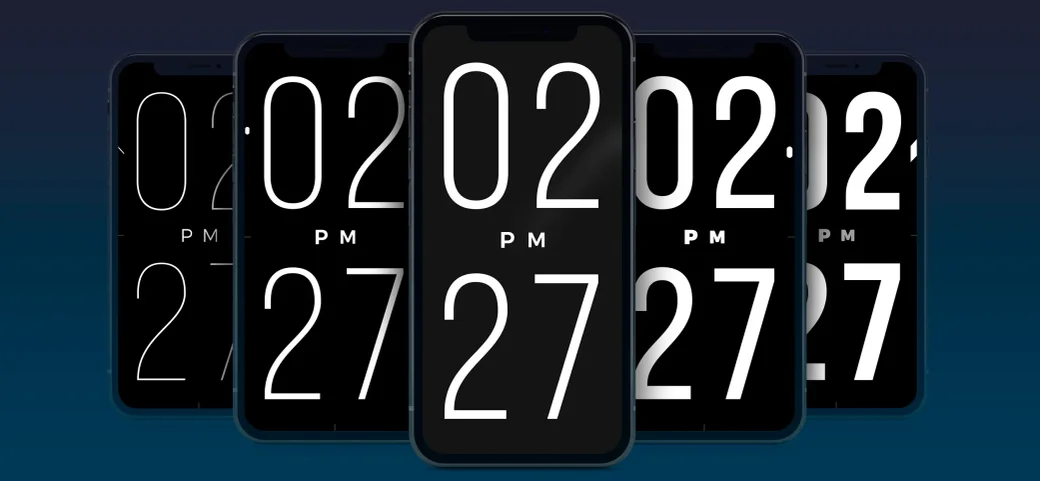
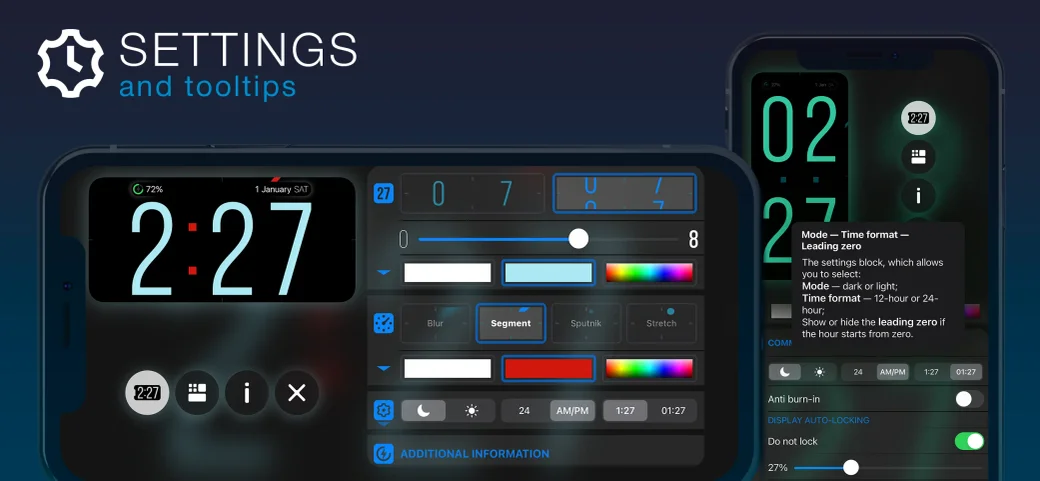
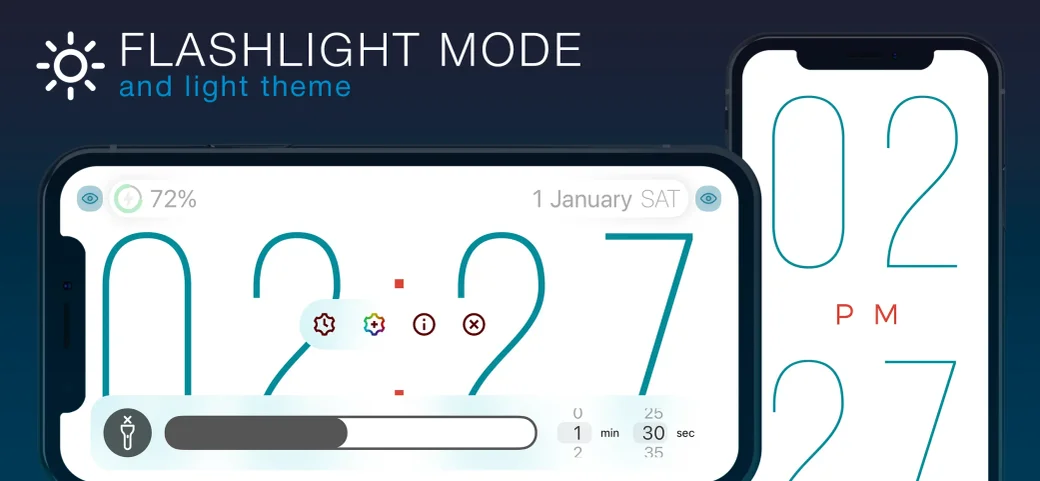
The app combines a thoughtfully designed interface with a rich feature set. Thanks to its stylish and attractive time display, ClockPhone fits beautifully into any space. The large digits are easy to read from any distance, and the second hand comes with different display modes for enhanced readability. Time transitions are smoothly animated, and the clock’s appearance is easy to customize via a functional and intuitive interface.
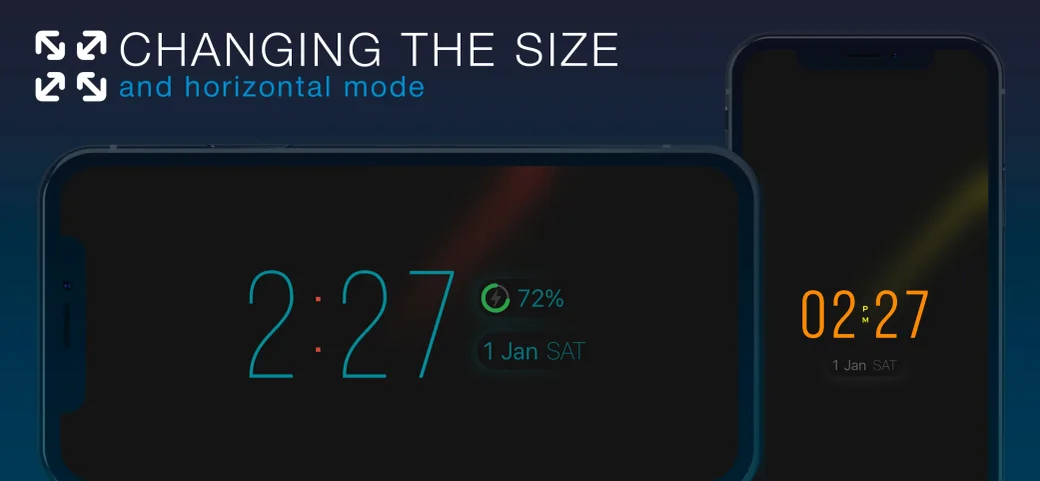
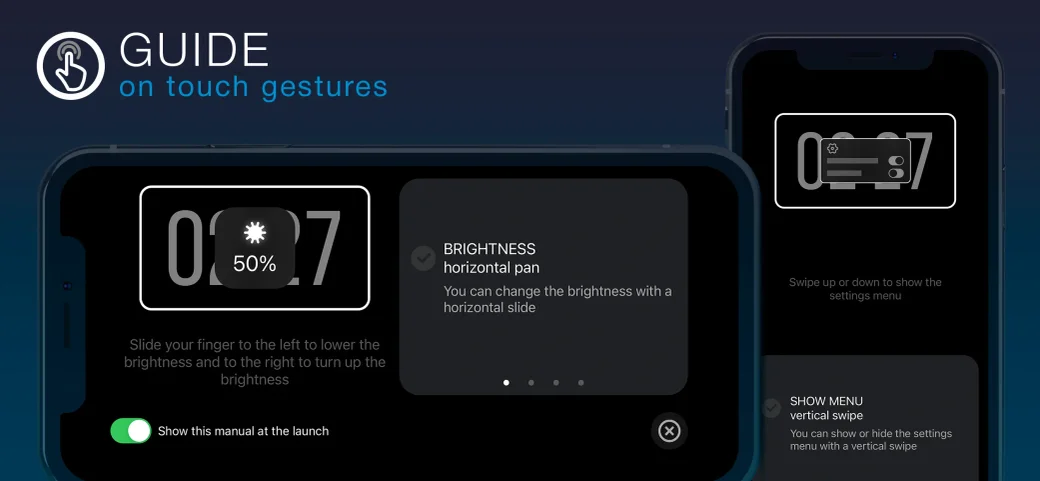
Perfect for use on a charging dock or for bringing new life to a favorite device. It looks great in both landscape and portrait orientations. An onboarding guide shows how to control the app with gestures.
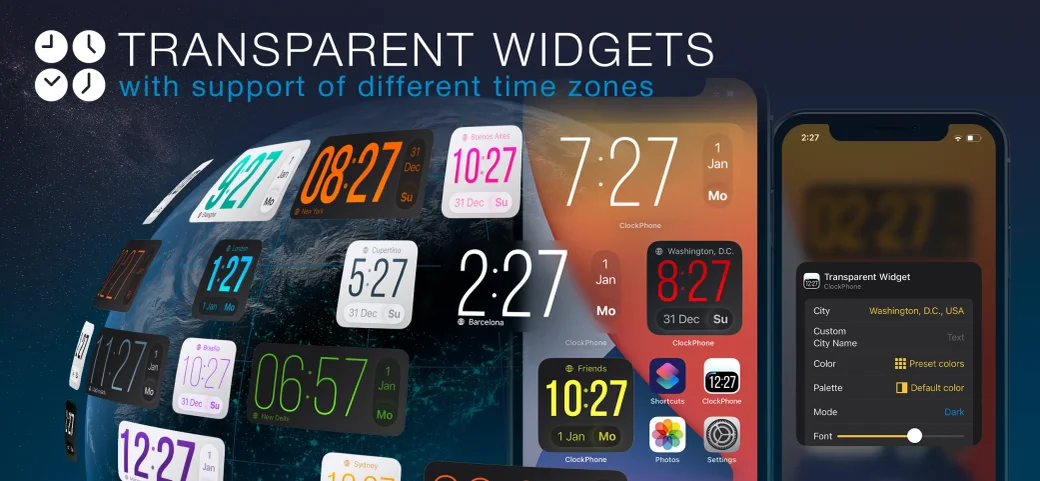
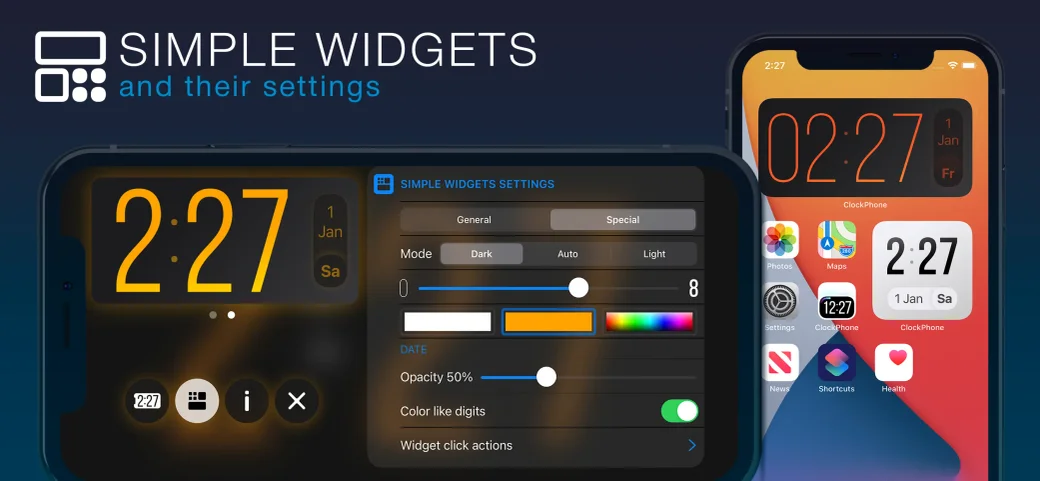
You can also add ClockPhone widgets to your Home Screen to see the time and date at a glance without opening the app. There are two types of widgets — simple and transparent — each available in two sizes and with plenty of customization options.
● Key app features to tailor it to your needs and use it comfortably in any situation
• Screen burn-in protection
• Exit lock to prevent unauthorized closure
• Simple and transparent widgets
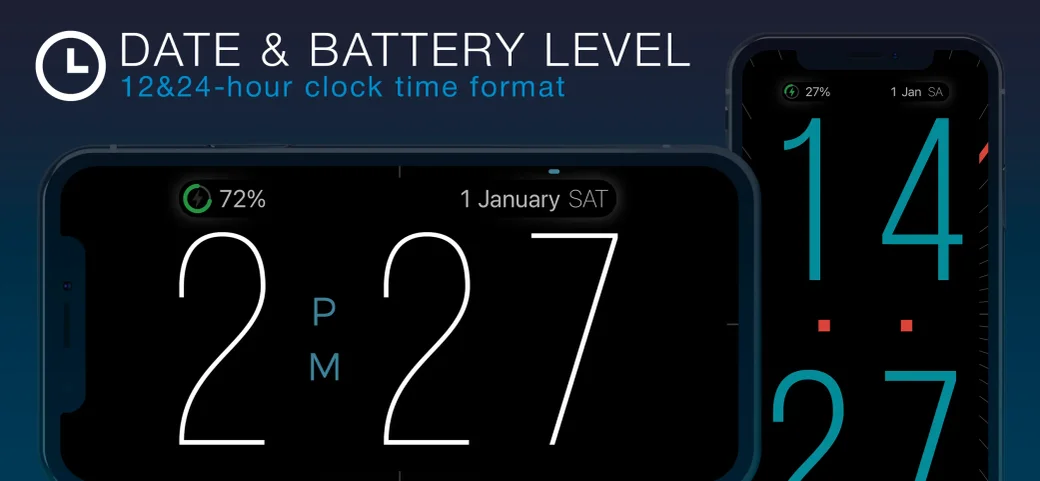
• Display of date and battery level
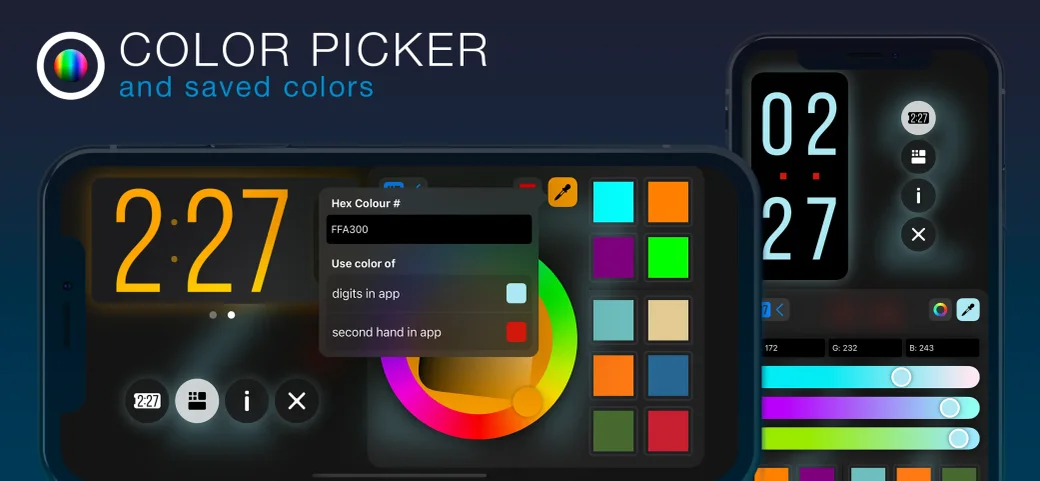
• Customization of digit color, animation, thickness, and size
• Random color changing of digits
• Intuitive gestures: adjust brightness, toggle flashlight, open menu, resize digits
• Time signals
• Configurations — groups of settings that can be switched manually or on a schedule
• Backups
• Share settings, configurations, alarms, and timers
• Time zone support
• Display of analog and digital seconds
• Time announcements for visually impaired users
● Alarm features to suit any routine, habit, or personal preference
• Repeats by weekday, shift schedule, or specific date
• Option to postpone the next trigger
• Dismiss methods: standard, NFC tag scan, QR/barcode scan, or solving math problems
• Support for custom sounds from the Music library or files saved in iCloud
• Gradual volume increase
• Flexible snooze options: number of repeats and snooze duration
• Actions upon alarm dismissal
● Unique timer features to suit various use cases: interval training, productivity methods for work or study, and more
• Multiple intervals with different durations
• Repeat settings for entire interval series
• Sound at the end of an interval or name announcement at the start
• Pause or automatic transition to the next interval
• Actions upon timer completion
ClockPhone is constantly evolving based on user feedback. Install it on your iPhone, iPad, or iPod touch — and you won’t want to be without it!
What’s new
Version 2.5.3 · Nov 8, 2026
• A new Seven-Segment Clock — the classic look of digital clocks, reimagined for ClockPhone with a mesmerizing Liquid Glass effect. Available only on iOS 26.
Thank you for installing the updates!
Do you like ClockPhone? Please rate the app and leave a review!
If you have any suggestions or questions about the app's functionality, or if you encounter any issues, please write to me directly from the app (Info screen -> Send E-mail). Or email me at kostinuum@gmail.com.
App privacy
What EVGENII KOSTIN declares on the App Store about how this app handles data.
-
Data not collected
The developer does not collect any data from this app.
Privacy practices may vary, for example with the features you use or your age.
Information
- Seller
- EVGENII KOSTIN
- Category
- Lifestyle
- Version
- 2.5.3
- Updated
- Nov 8, 2026
- Released
- Nov 4, 2019
- Size
- 126.7 MB
- Requires
- iOS 13 or later
- Age rating
- 4+
- Price
- Free
- In-app purchases
- Yes
- Languages
- English, Finnish, French, German, Italian, Polish, Russian, Simplified Chinese, Spanish, Ukrainian
- Copyright
- © EVGENY KOSTIN
You might also like
-
 Digital Clock - Bedside Alarmstandby screen time in seconds
-
 Flip clock - no adsDigital Clock&Nightstand clock
-
 Clock Face - desktop alarmtime widgets on Lock Screen
-
 Zen Flip Clock - Minimal TimerDigital pomodoro and widgets
-
 MD Clock - Flip ClockDigital time widget
-
 Bedside Clock - Time widgetslock screen big digital alarm
-
 Alarm & TimerSimple, Easy-to-Use Clock
-
 Clock+ :Digital Clock & AlarmLarge Digit Display
-
 Alarmy - Loud alarm clockHeavy sleepers, Sleep tracker
-
 Digital Clock - Bedside WidgetDisplay for nightstand or desk