
ClockWork: Workday Alarm
Workday alarm, shifts, clock
Designed for iPhone
Free · In-app purchases
- Age rating4+
- CategoryUtilities
- Developer德华 周
- LanguagesEnglish+ 1 more
- Size78.9 MB
Links to the official App Store page
Download.org hosts no file of ClockWork: Workday Alarm. The button opens its official App Store page, published by 德华 周. Listing last checked on Nov 21, 2026.
Screenshots


About
Alarms that ring only on days you actually work.
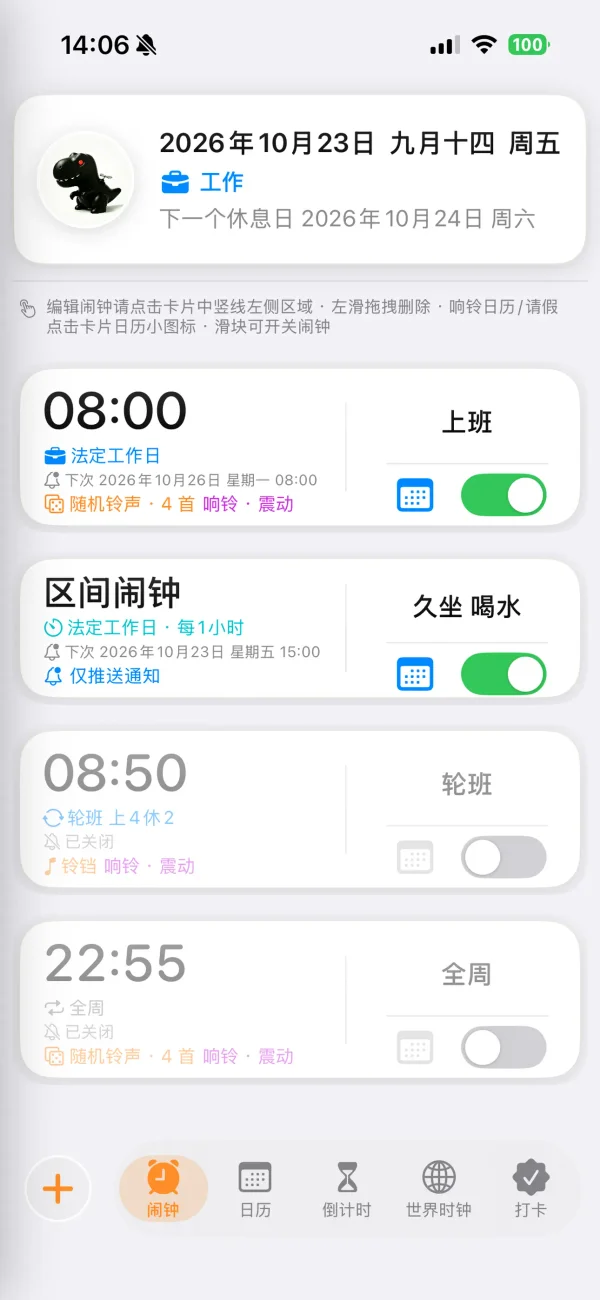
ClockWork follows the official public holidays and makeup workdays of the country you choose, so your alarm stays silent on days off — no more switching it off by hand.
■ SMART ALARMS
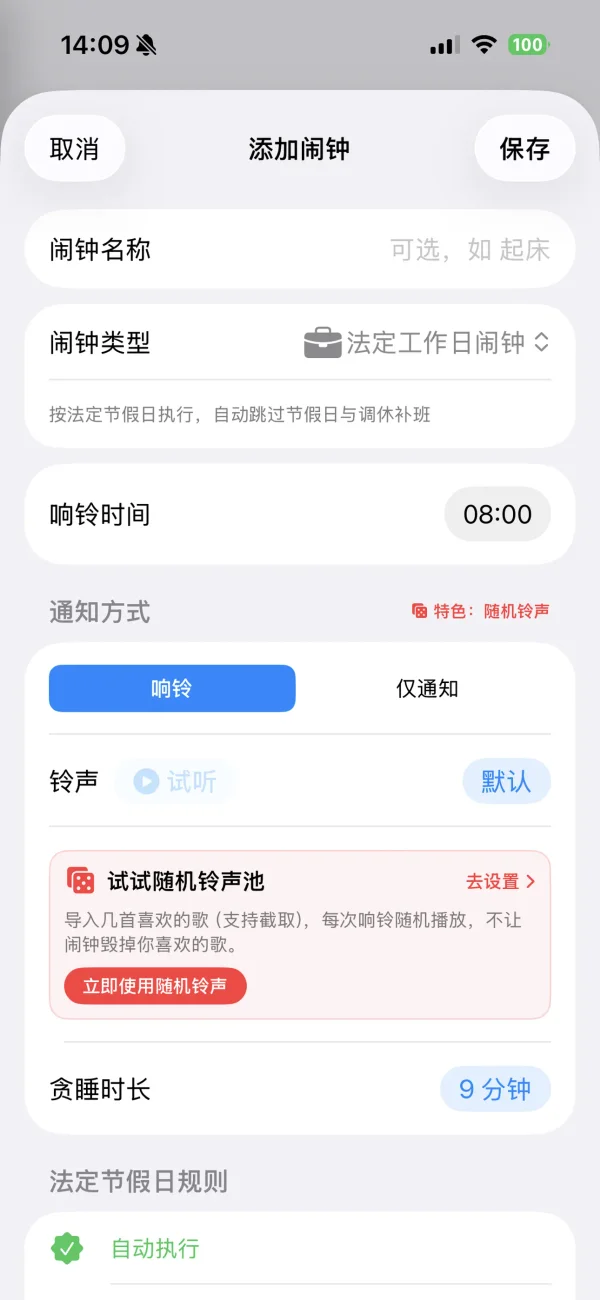
· Workday alarm: follows holidays and makeup days automatically
· Shift alarm: work X days, rest Y days cycles
· Interval alarms: repeat reminders inside a time window (stand up, drink water, eye breaks)
· Specific date / rotating weeks / yearly (birthdays) / monthly (rent, bills)
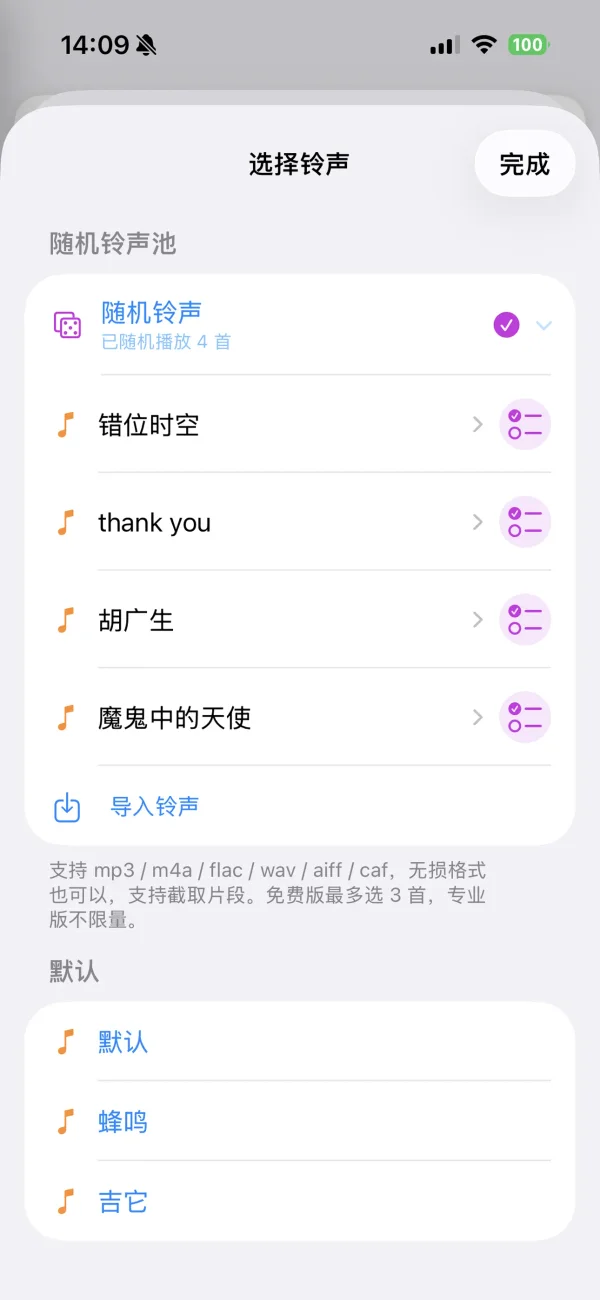
· Custom shuffle ringtone pool: import songs you love and play one at random each ring
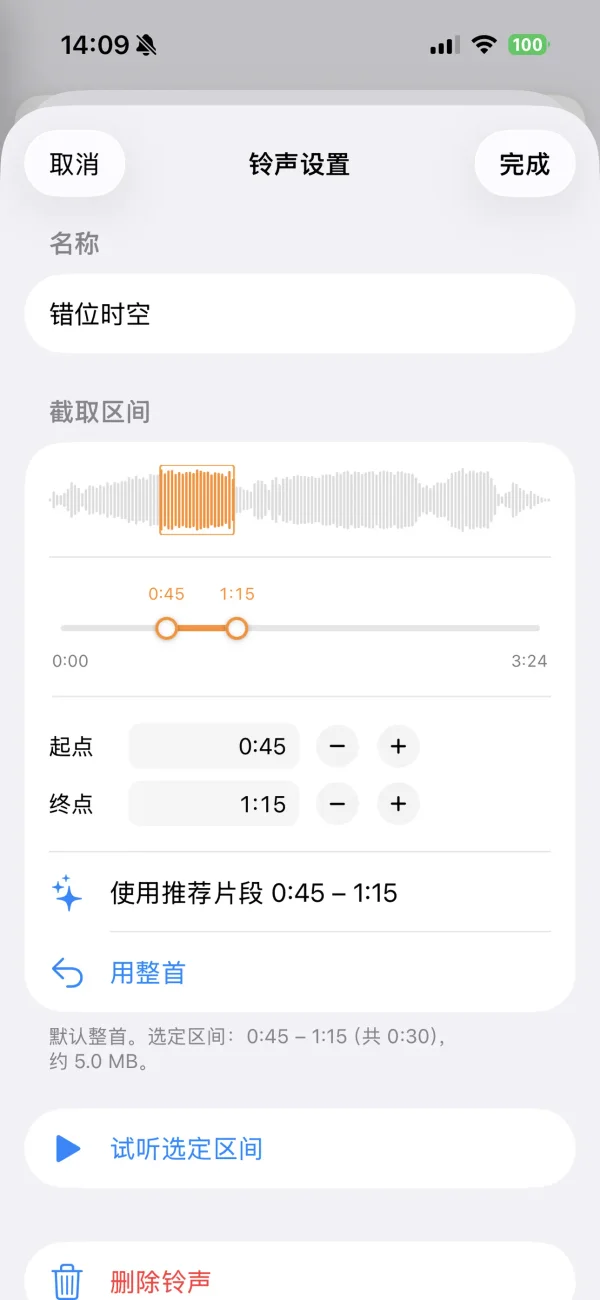
· Ringtone trimming: set exact begin/end times, view an energy strip and use a suggested clip
· Snooze length and skip-on-leave days
■ CALENDAR
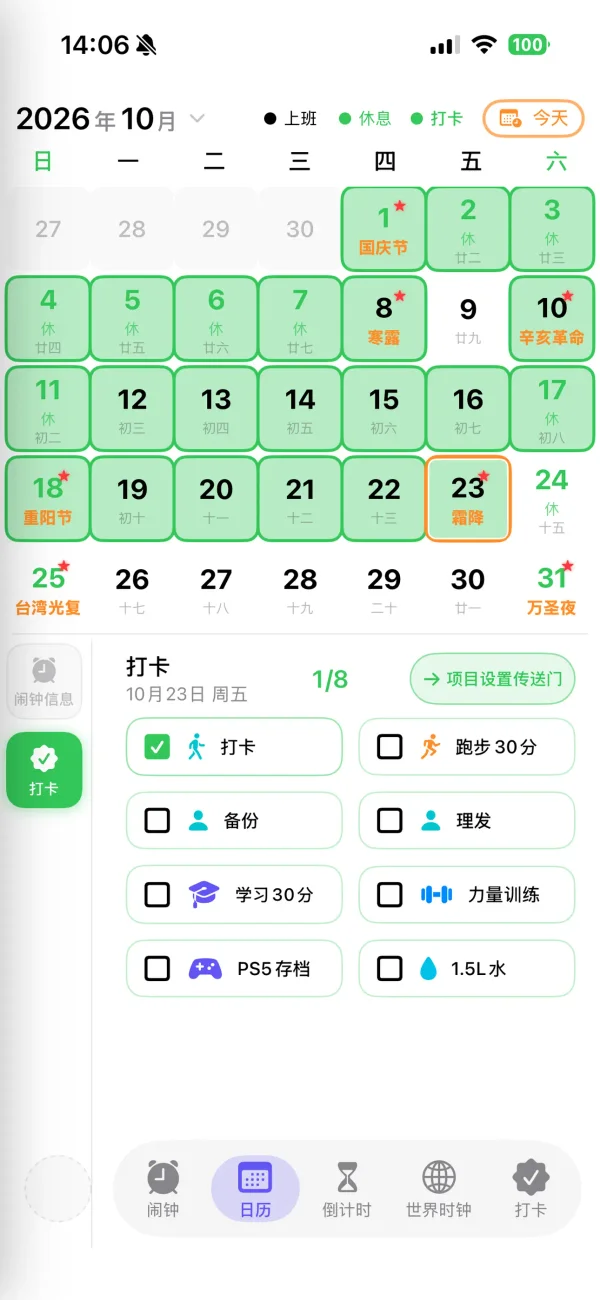
· Gregorian + lunar calendar + 24 solar terms; holidays and makeup days at a glance
· This month's workdays / rest days, month and year progress
· Check-in projects and records (Pro)
■ WORLD CLOCK
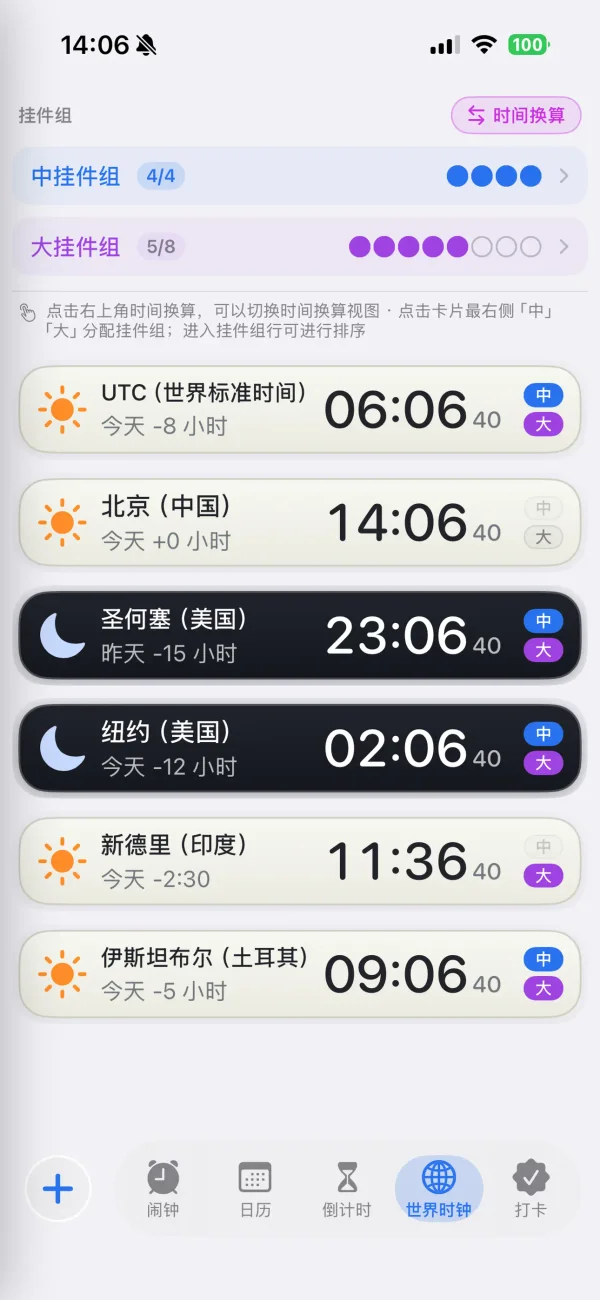
· Live time differences and day/night for the cities you follow
· Time conversion (free): pick any city as the reference and see the rest
■ COUNTDOWNS
· Target date, repeat periods and periodic reminders
· Assign to small / medium / large widget groups
■ WIDGETS
· Monthly/weekly calendar, world clock, countdown and check-in widgets
■ VERSION BACKUP
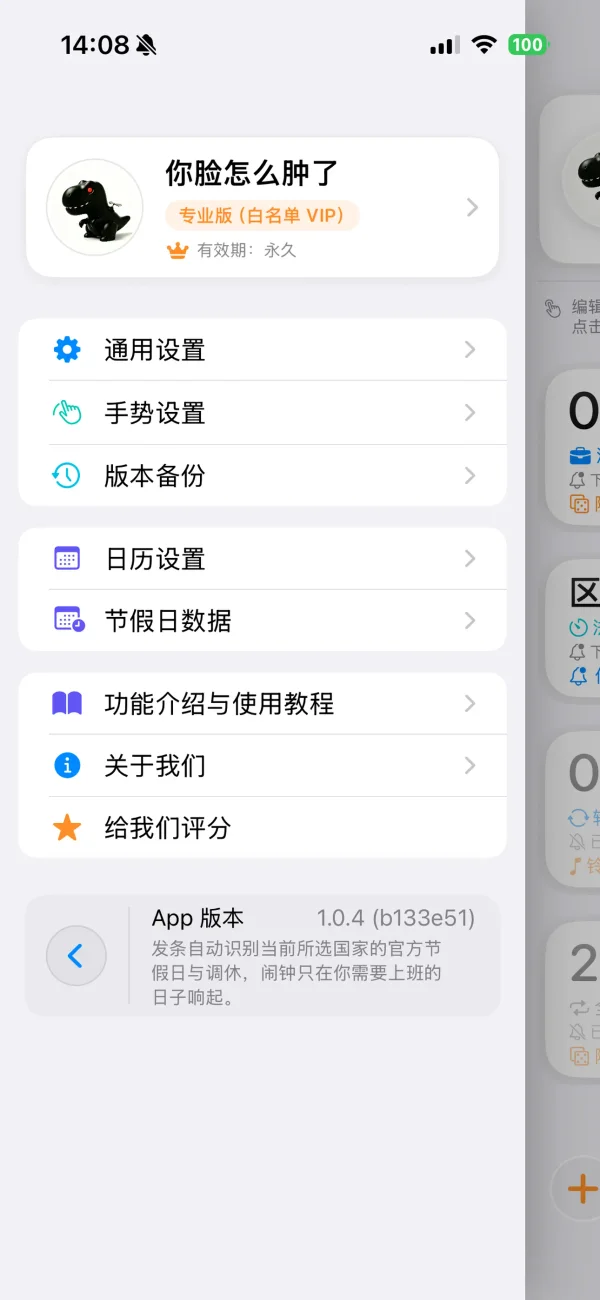
· Automatic daily snapshots, keep 7 / 15 days
· Optional sync to your own iCloud — sign in with the same Apple ID on a new device to restore
■ ABOUT PRO
The free version includes alarms, calendar and world clock basics, plus a 30-day Pro trial.
Pro unlocks countdowns, check-in, interval alarms, leave-day schedules for the ringing calendar and unlimited random alarm sounds.
· Lifetime purchase ¥20 (one-time)
Privacy first: your data stays on your device by default; backups are optional and go to your own iCloud. No location or contacts collection, no ads, no third-party analytics SDKs.
What’s new
Version 1.0.11 · Nov 6, 2026
Adds dual-source update checks across the self-hosted manifest and the App Store, selecting the newer version while preserving forced-update and phased-rollout rules. Also fixes Lunar New Year Eve in the 2027 calendar and widgets and handles 29- or 30-day final lunar months.
App privacy
What 德华 周 declares on the App Store about how this app handles data.
-
Data linked to you
May be collected and linked to your identity.
- Contact info
- User content
- Identifiers
Privacy practices may vary, for example with the features you use or your age.
Information
- Seller
- 德华 周
- Category
- Utilities
- Version
- 1.0.11
- Updated
- Nov 6, 2026
- Released
- Sep 26, 2026
- Size
- 78.9 MB
- Requires
- iOS 26.0 or later
- Age rating
- 4+
- Price
- Free
- In-app purchases
- Yes
- Languages
- English, Simplified Chinese
- Copyright
- © 2026 ClockWork
You might also like
-
 Afterward CalendarRecord what you did that day
-
 Escapement: Watch Time SyncAccurate clock, minute signal
-
 Clockee:Clock & FocusMinimalist Clock & Pomodoro
-
 OffTime - World Clock & WidgetWorld Clock·Reminders·Widgets
-
 起床吧闹钟-日历排班&节假日&调休&大小周Utilities
-
 DoneAt: Shift Countdown TimerWork Schedule, Rota & Earnings
-
 Simple Subnet CalcUtilities
-
 Chat Advisorlet AI assist you in chatting
-
 取件码助手 - 快递取货提醒Utilities
-
 晴天壁纸|把喜欢的瞬间留在屏幕上Utilities