
Codeye: Web Inspector
AI DevTools: HTML View Source
Designed for iPhone, iPad
Free · In-app purchases
- Age rating17+
- CategoryDeveloper Tools
- DeveloperJust4Work
- LanguagesEnglish
- Size63.7 MB
Links to the official App Store page
Download.org hosts no file of Codeye: Web Inspector. The button opens its official App Store page, published by Just4Work. Listing last checked on Nov 17, 2026.
Screenshots
About
View source. Inspect element. Debug any website on your iPhone or iPad. No Mac, no USB cable.
Codeye is Chrome DevTools in your pocket. Free to download.
FEATURES
AI ASSISTANT
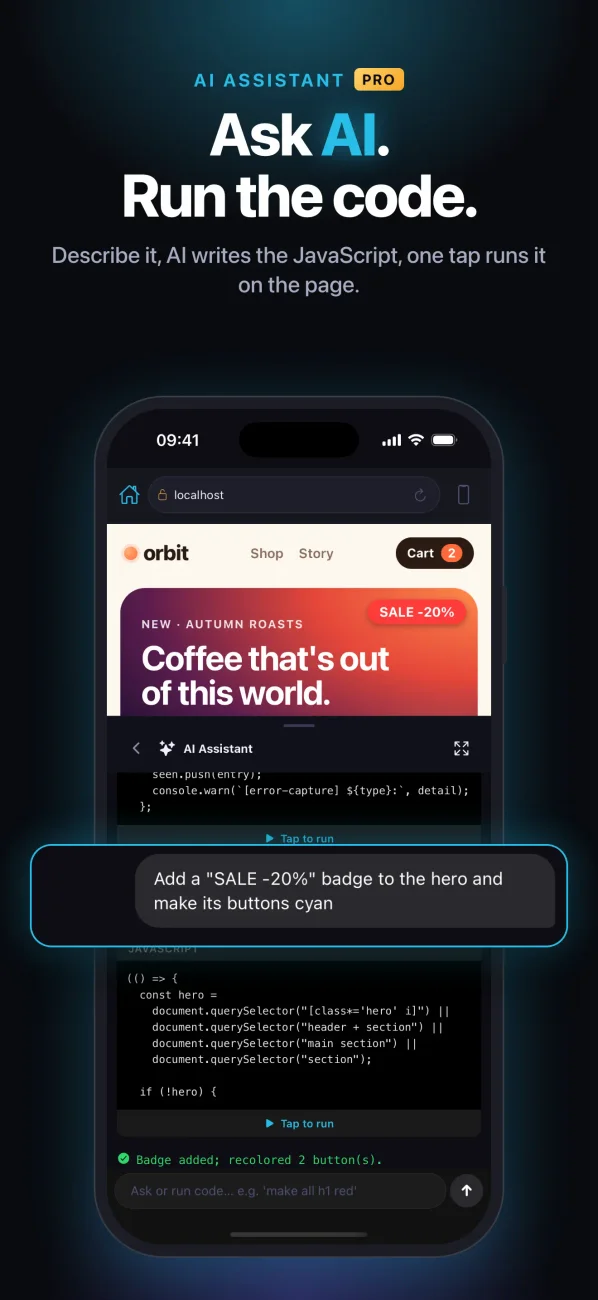
Chat with an AI that knows the current page: DOM tree, network activity, console logs. Debug faster.
NETWORK MONITOR
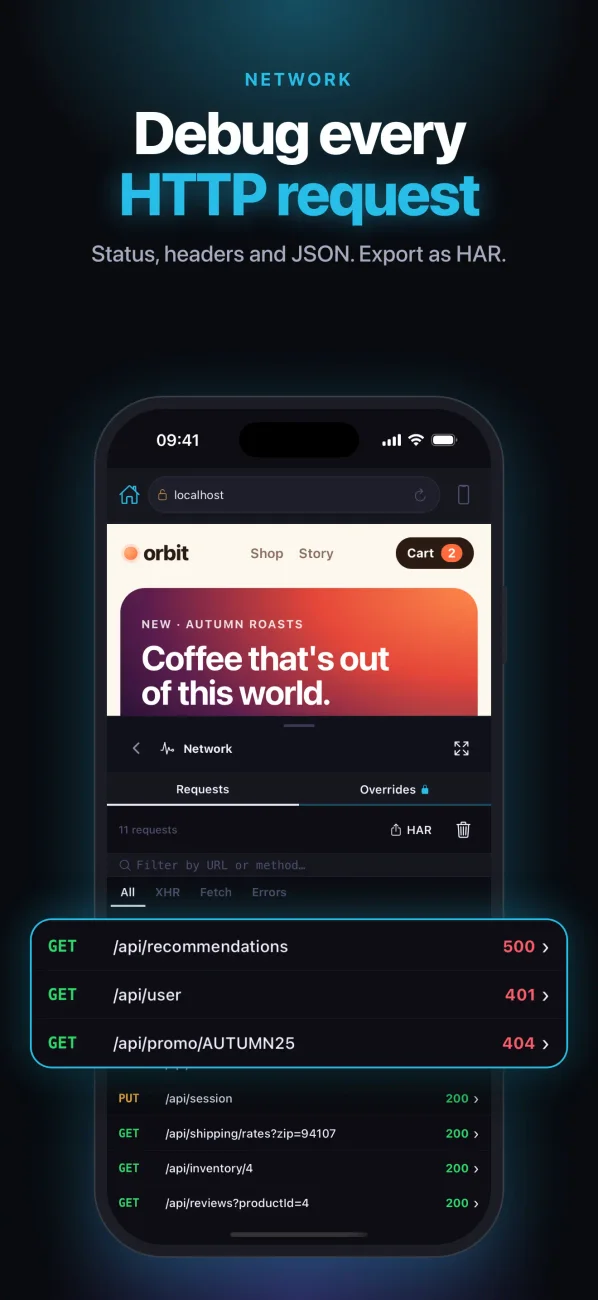
Every fetch() and XHR request, live. Headers, status codes, response body with JSON viewer.
JAVASCRIPT CONSOLE
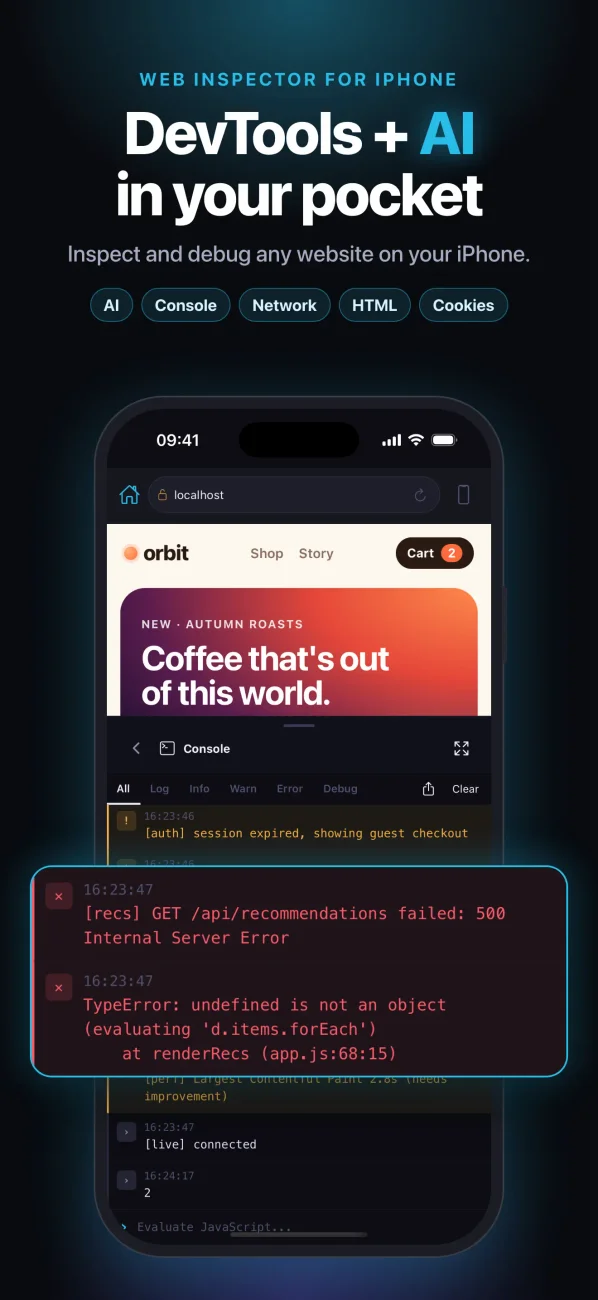
Full REPL with command history. Filter by level: errors, warnings, info, debug. Run any JavaScript on the page.
DOM INSPECTOR
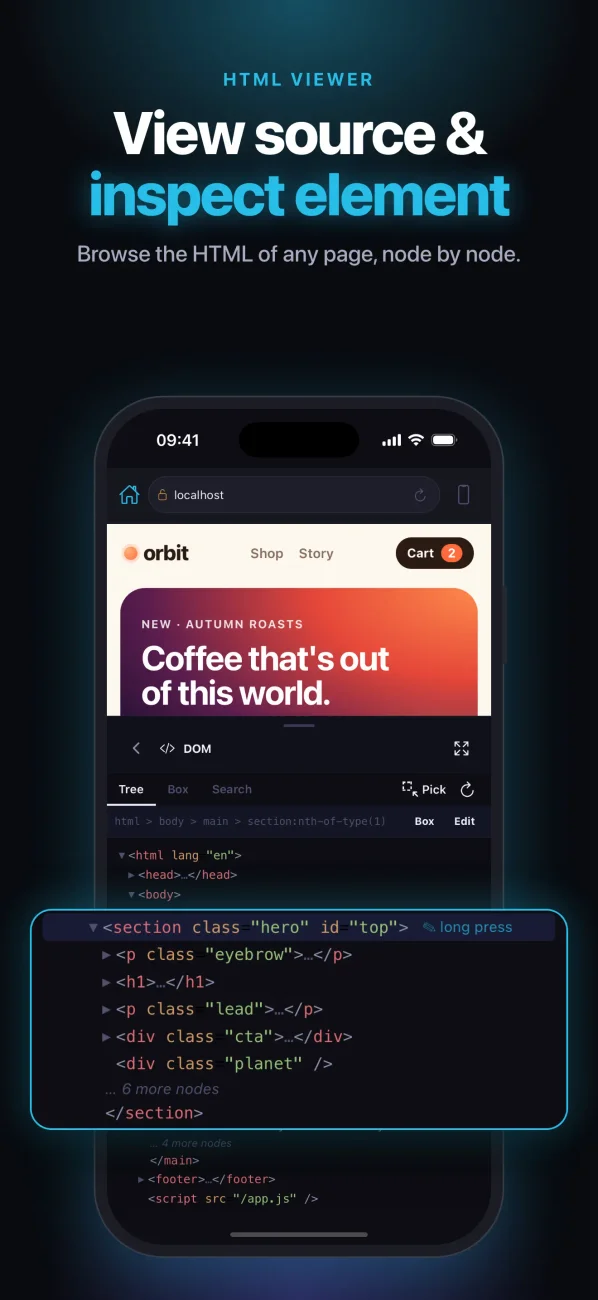
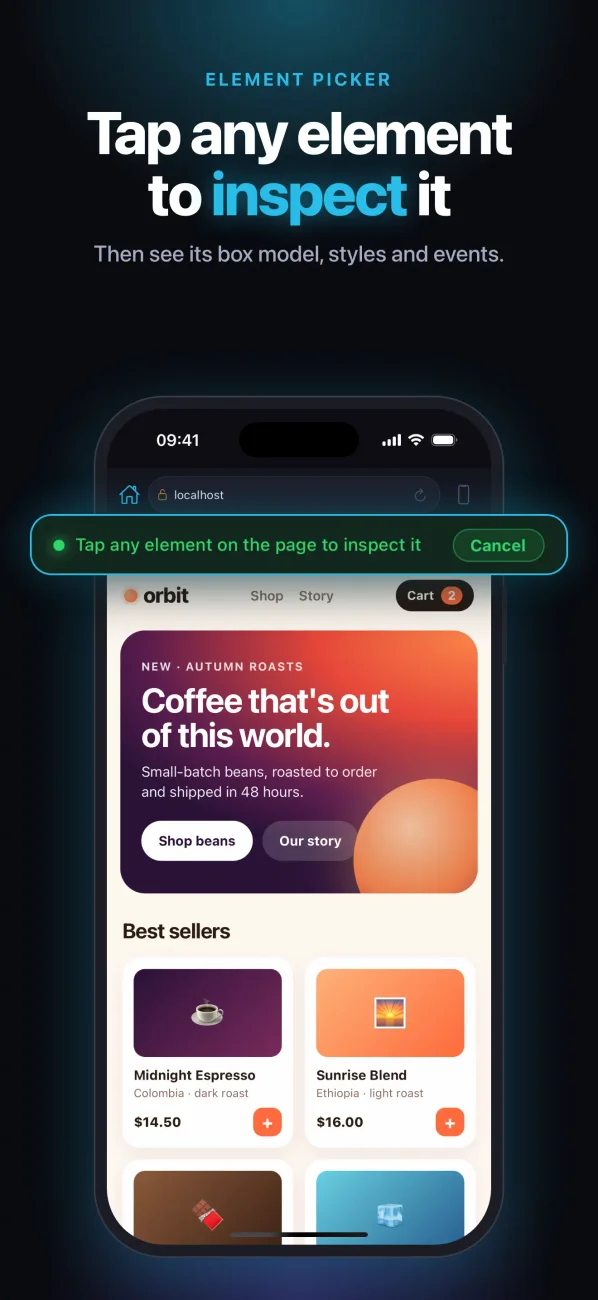
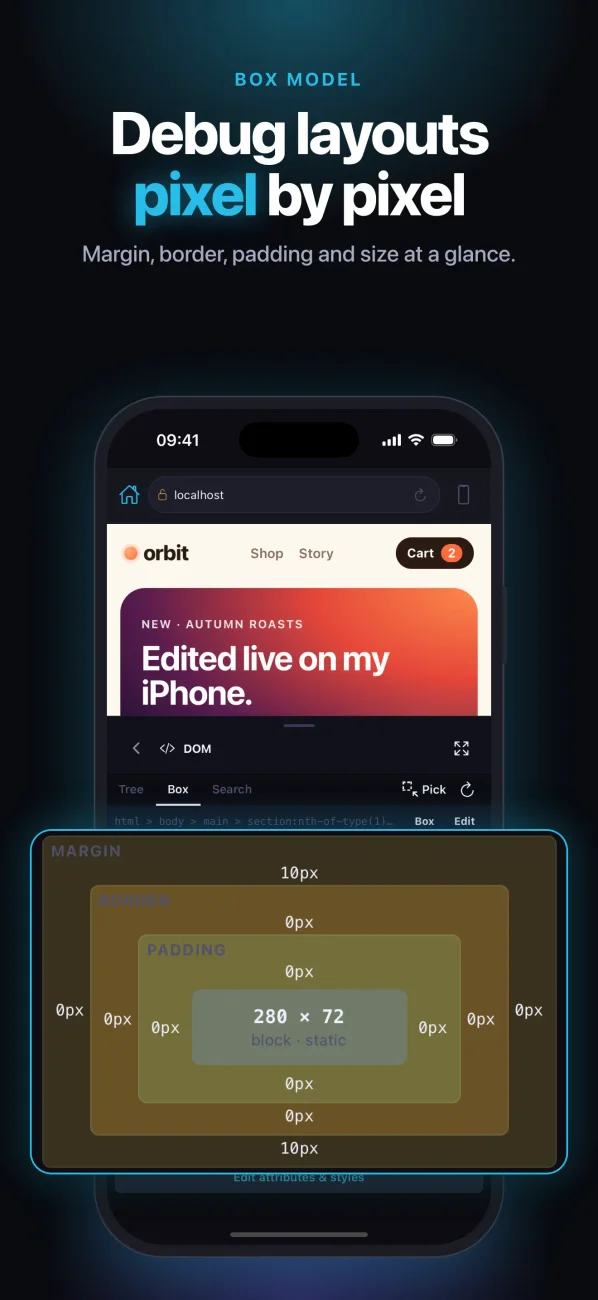
Tap "Pick" to select any element on the page. Browse the full HTML tree, inspect computed styles and box model.
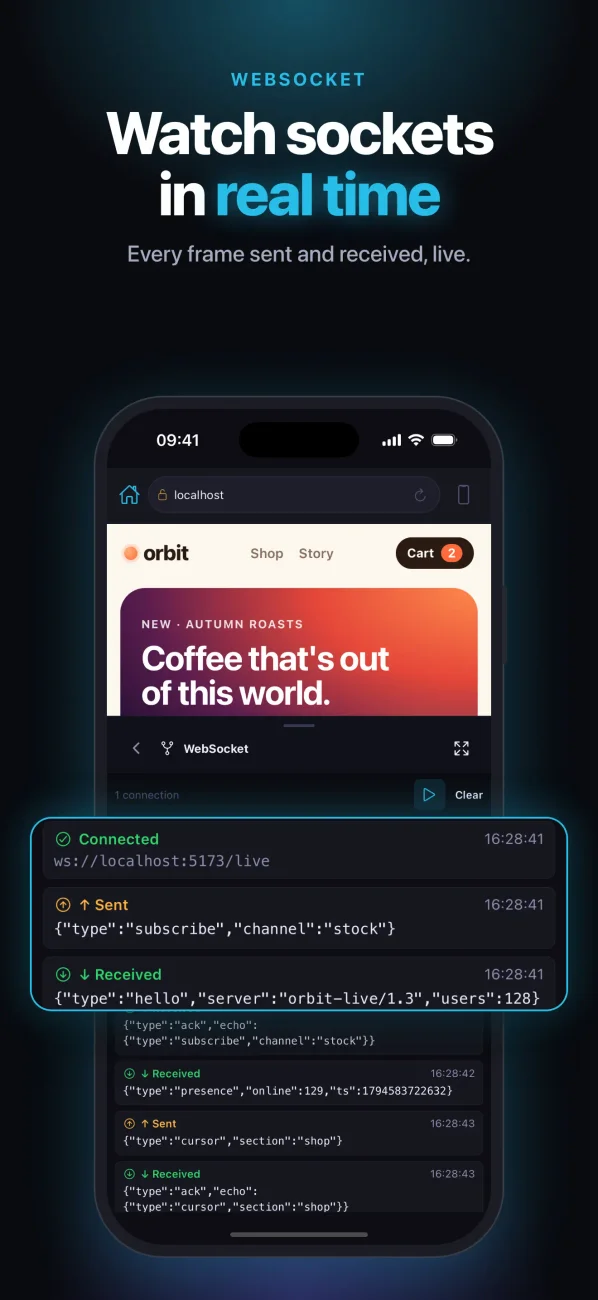
WEBSOCKET INSPECTOR
Monitor WebSocket frames in real time with full message and JSON support.
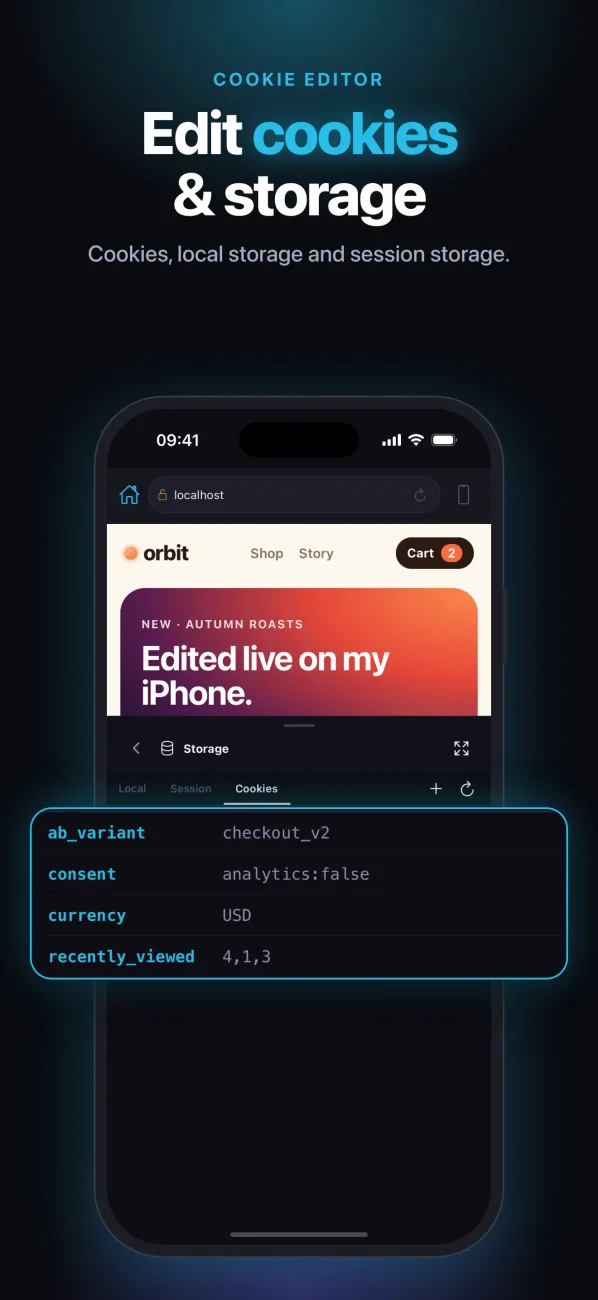
STORAGE EDITOR
Read and edit localStorage, sessionStorage, and cookies directly on your device.
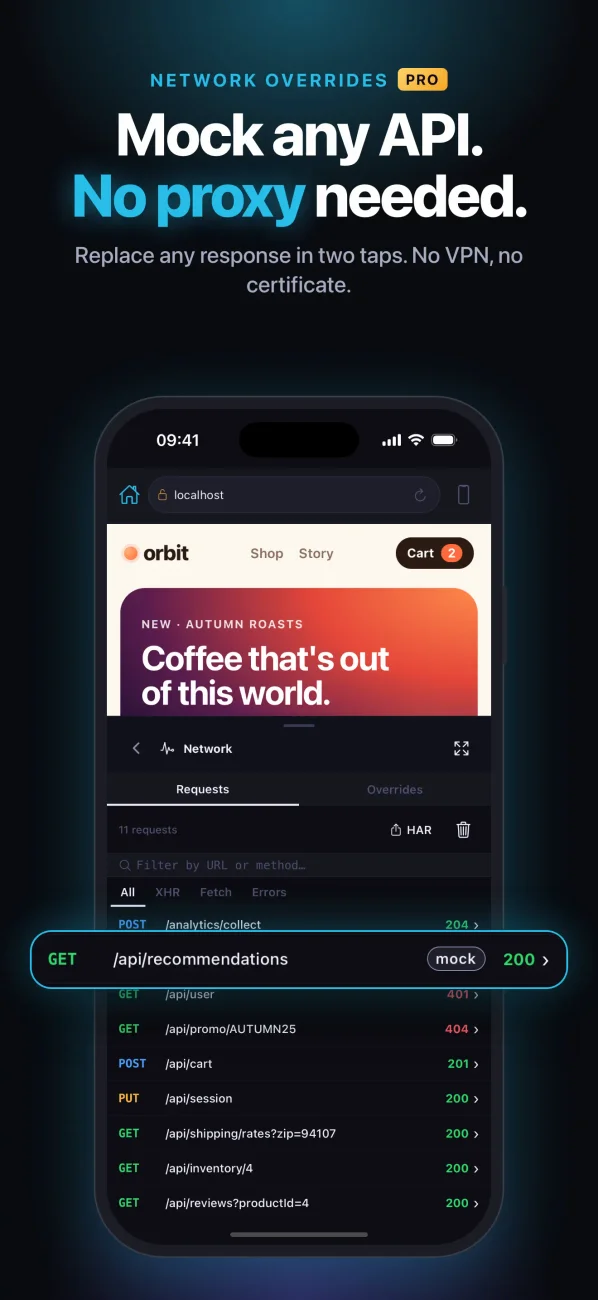
NETWORK OVERRIDES
Mock, block, or redirect any API request. Test edge cases without touching your backend.
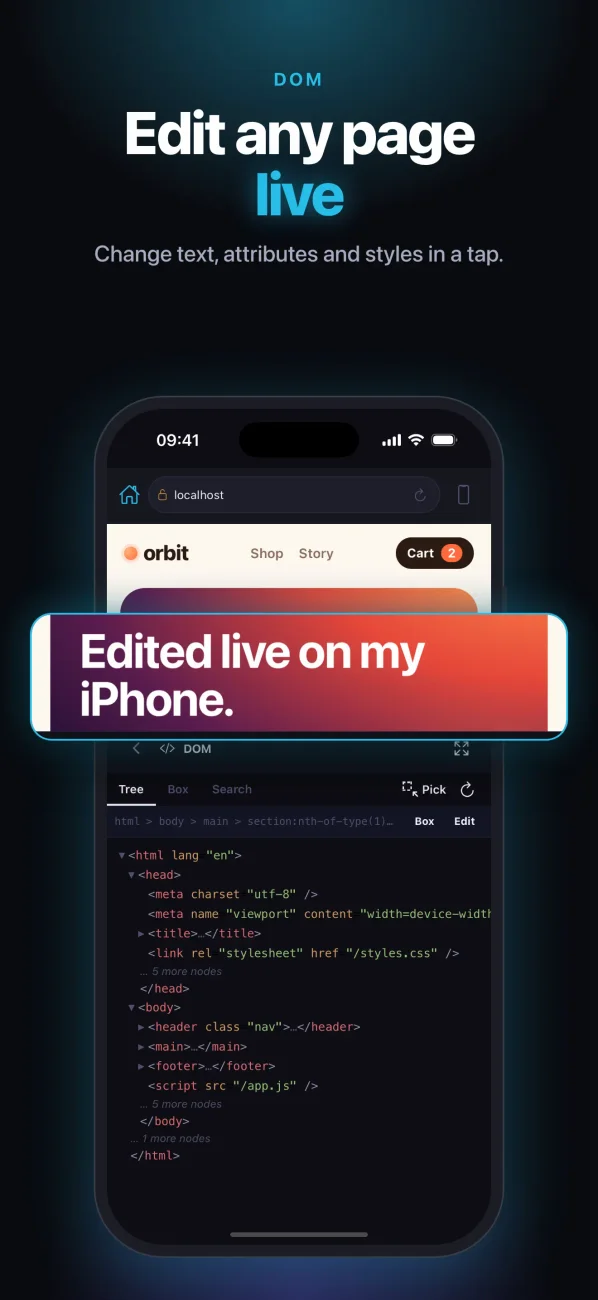
DOM & CSS LIVE EDITING
Modify elements and styles live on any page. See changes instantly.
HAR & CONSOLE LOG EXPORT
Export all network activity as a .har file and console output as .txt.
USER AGENT PRESETS
8 device profiles (iPhone, iPad, Desktop Chrome...) + custom User-Agent.
Works on iPhone and iPad. Dark mode. Precision keyboard toolbar. Built for front-end developers, QA engineers, and iOS devs debugging.
Free to download. Some features require a Pro subscription.
Terms of Use: https://codeye.just4work.dev/terms
Privacy Policy: https://codeye.just4work.dev/privacy
What’s new
Version 1.0.4 · Nov 14, 2026
• New: Diagnose errors with AI. One tap explains the page's console errors and failed requests, and suggests a fix you can run.
• Your Pro subscription is now restored reliably after signing in, even on a weak connection.
• Updated privacy information for the AI Assistant.
• Bug fixes and improvements.
App privacy
What Just4Work declares on the App Store about how this app handles data.
-
Data linked to you
May be collected and linked to your identity.
- Contact info
- Identifiers
-
Data not linked to you
May be collected but is not linked to your identity.
- User content
Privacy practices may vary, for example with the features you use or your age.
Information
- Seller
- Just4Work
- Category
- Developer Tools
- Version
- 1.0.4
- Updated
- Nov 14, 2026
- Released
- Jul 1, 2026
- Size
- 63.7 MB
- Requires
- iOS 17.0 or later
- Age rating
- 17+
- Price
- Free
- In-app purchases
- Yes
- Languages
- English
- Copyright
- © 2026 Just4Work. All rights reserved
You might also like
-
 My Styles: Custom Website LookDark mode, userstyles & CSS
-
 DevSnoop - Developer BrowserMobile Web DevTools
-
 TermoireSSH & Mosh terminal
-
 DOM Lens: Web InspectorTap to Inspect HTML & CSS
-
 Luma SSHSSH, SFTP & Remote Terminal
-
 Reactive PlaygroundPlay with reactive operators
-
 DevInspect BrowserWeb Inspector & DOM Debugger
-
 Beneath: Web InspectorView source, inspect any site
-
 Tiny Web InspectorDesktop Class Web Debugging
-
 Right On Page DevtoolsSafari Web Inspector