
ContainerDesk: Docker & K8s
Kubernetes & container manager
Designed for iPhone, iPad, Mac
Free · In-app purchases
- Age rating4+
- CategoryDeveloper Tools
- DeveloperNetMeSafe
- LanguagesEnglish+ 3 more
- Size17.2 MB
Links to the official App Store page
Download.org hosts no file of ContainerDesk: Docker & K8s. The button opens its official App Store page, published by NetMeSafe. Listing last checked on Nov 15, 2026.
Screenshots
About
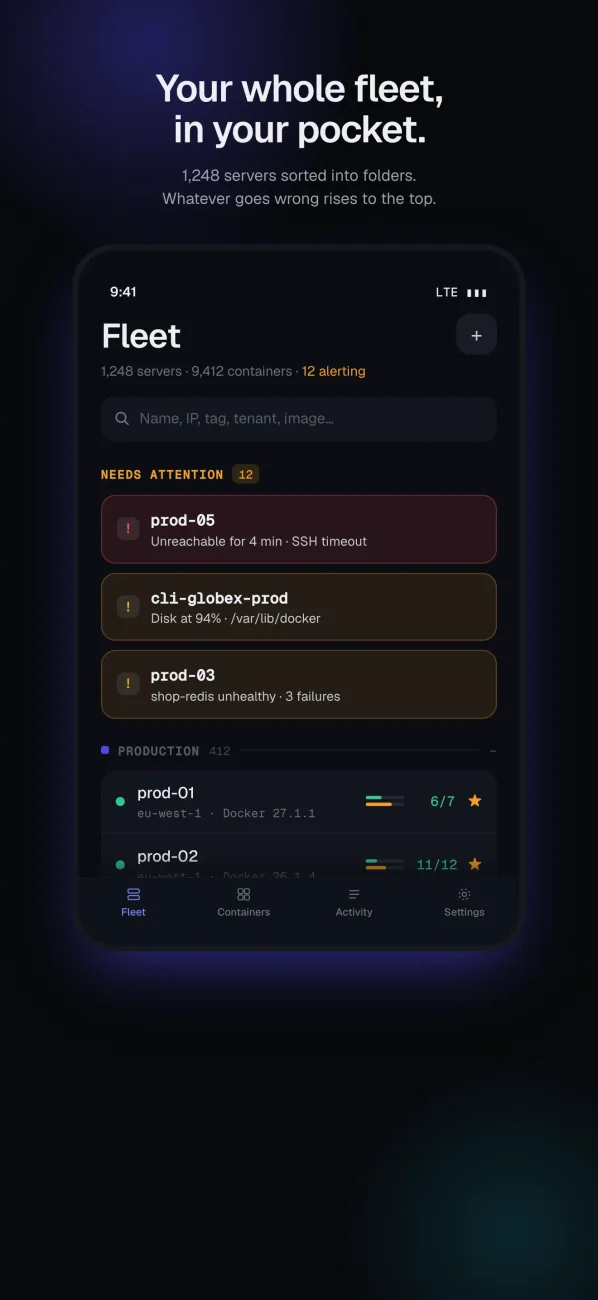
ContainerDesk is the native cockpit to manage your Docker containers and Kubernetes clusters remotely, from your Mac, iPad and iPhone.
No Docker daemon exposed to the network, no agent to install: ContainerDesk talks to the Docker API and kubectl through a secure SSH connection. Your servers stay closed; you stay in control.
DOCKER
• All your containers, grouped by Docker Compose project
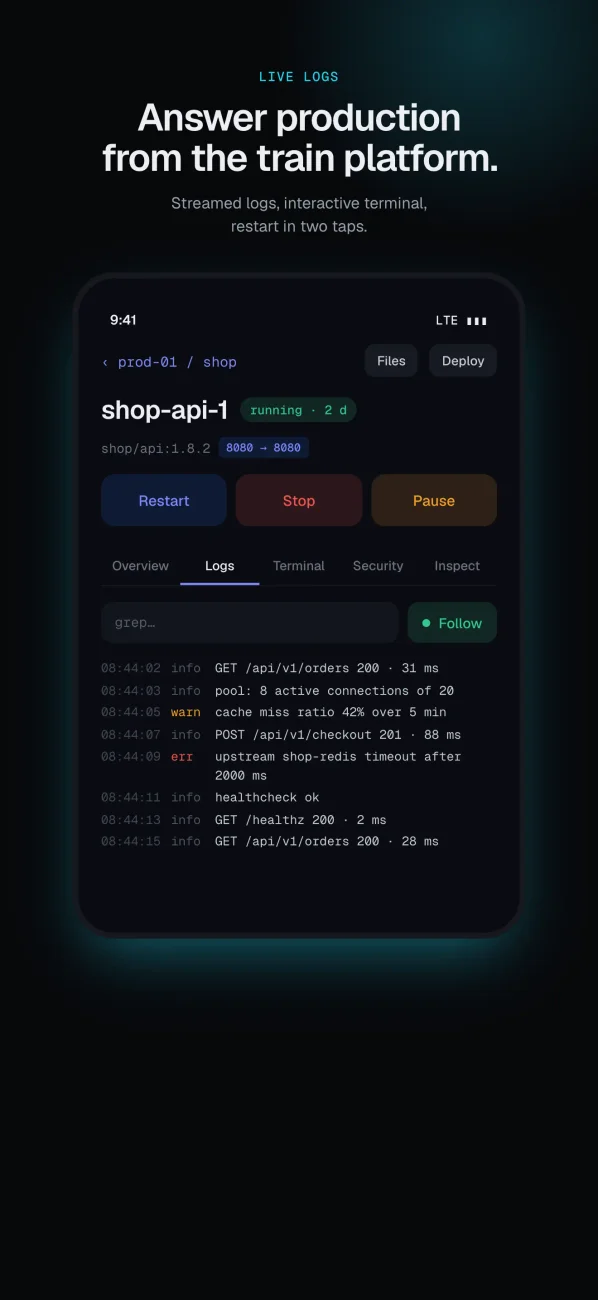
• Real-time stats (CPU, RAM) and streaming logs with search
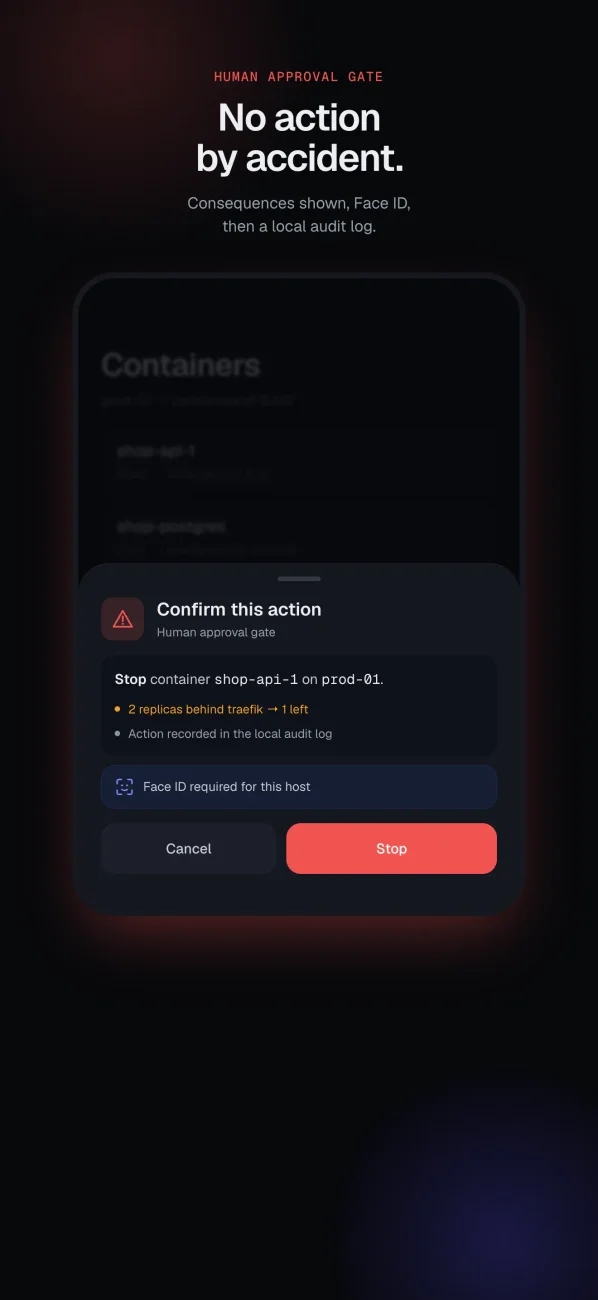
• Start, stop, restart, remove, with confirmation
• Interactive terminal and exec inside a container
• File browser (download and upload)
• Images (pull, remove, prune), volumes and networks
• Create containers and deploy a local container to a remote server
KUBERNETES
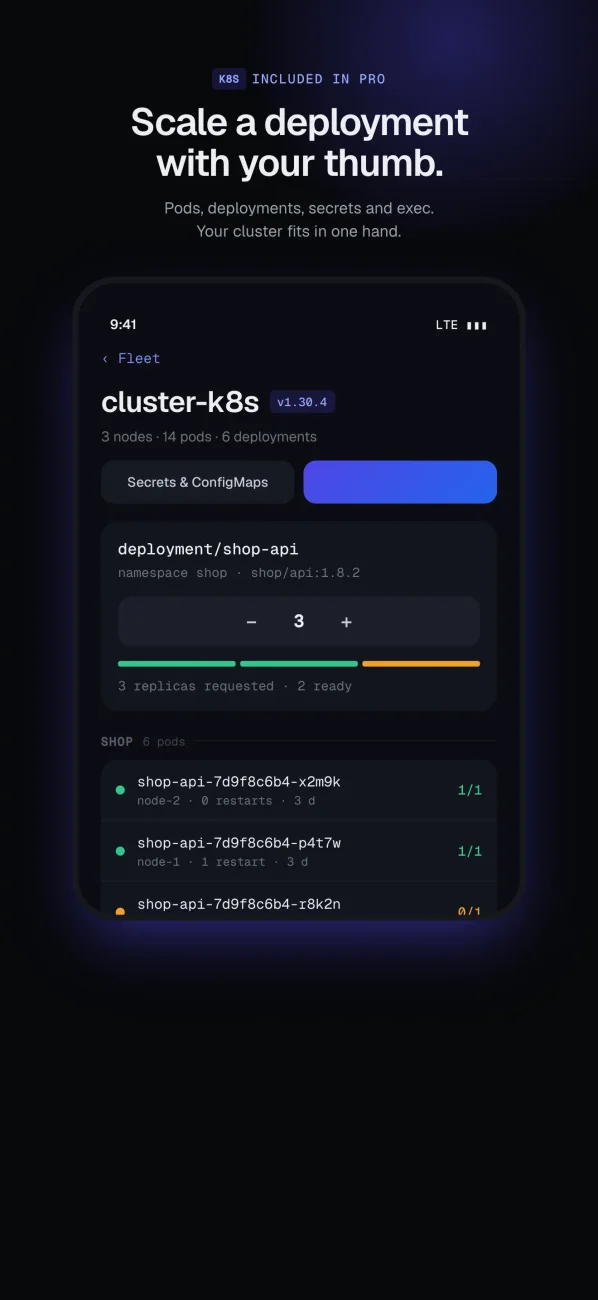
• Pods by namespace, deployments, services, ingress
• Logs, console and terminal inside a pod
• Scale, rollout restart, edit ConfigMaps and Secrets
• Guided Deployment creation
• Cluster overview: top consumers
A REAL TERMINAL
A true interactive (PTY) terminal on your hosts and straight inside your containers and pods: autocomplete, colors, history.
SECURITY FIRST
• Everything goes through SSH, never an open Docker port
• Human approval before every destructive action
• Host keys verified (TOFU) with an alert on change
• Secrets stored in the Keychain, never in the clear
• Local audit log
• Zero telemetry: your data never leaves your devices
FROM MAC TO PHONE
One native app on macOS, iPadOS and iOS. Organize servers with favorites and folders; with iCloud (Pro), they sync across your devices.
PRO
Unlock unlimited servers, Kubernetes, the MCP server (for AI agents), iCloud sync and deployment. One-time purchase, yours for life.
Built for developers, sysadmins and homelab enthusiasts who want to manage Docker and Kubernetes cleanly, securely, from anywhere.
What’s new
Version 1.4.1 · Oct 26, 2026
SSH CONNECTION: RSA AND ECDSA KEYS
An RSA key was rejected by every OpenSSH 8.8 or newer server — that is, by nearly every up-to-date server. The app could only sign with SHA-1, disabled by default since 2021. It now signs with rsa-sha2-512 and rsa-sha2-256, and keeps the old format for older equipment.
ECDSA keys (p256, p384, p521) are now read; they were not before.
More servers reachable: AES-CTR 128/192/256 ciphers in addition to AES-GCM — Dropbear, on routers, NAS and embedded systems, has no GCM at all — and Diffie-Hellman group14 key exchange for servers without elliptic curves.
And when a server genuinely has no algorithm in common with the app, the message says so, instead of claiming the host is unreachable and sending you after a network problem.
App privacy
What NetMeSafe declares on the App Store about how this app handles data.
-
Data not collected
The developer does not collect any data from this app.
Privacy practices may vary, for example with the features you use or your age.
Information
- Seller
- NetMeSafe
- Category
- Developer Tools
- Version
- 1.4.1
- Updated
- Oct 26, 2026
- Released
- Jun 17, 2026
- Size
- 17.2 MB
- Requires
- iOS 17.0 or later
- Age rating
- 4+
- Price
- Free
- In-app purchases
- Yes
- Languages
- English, French, German, Spanish
- Copyright
- © 2026 NetMeSafe
You might also like
-
 DockerHub - Container ManagerManage Docker over SSH
-
 Nautik for KubernetesA concurrent Kubernetes IDE
-
 Docker ManagementGet Notified and Manage Docker
-
 Yomo: Docker & PortainerSSH, SFTP, Podman, Compose
-
 Docker Manager GUI - WhaleDeckUnraid & Linux Server Monitor
-
 Docker Server AdminDocker, Linux Stats, SSH, SFTP
-
 Easy SSHPure SSH Terminal Experience
-
 Cloudflare RemoteDNS Manager, Firewall & SSL
-
 LocalDevVPNDeveloper Tools
-
 Termius - Modern SSH ClientSFTP, Terminal, Telnet, PuTTY