Countdown - Event & Widget
Countdown, Timer & Reminders
Designed for iPhone, iPad
In-app purchases
- Age rating4+
- CategoryUtilities
- DeveloperAjaysinh Jadeja
- LanguagesEnglish
- Size23.4 MB
Links to the official App Store page
Download.org hosts no file of Countdown - Event & Widget. The button opens its official App Store page, published by Ajaysinh Jadeja. Listing last checked on Nov 12, 2026.
Screenshots

About
Countdown - Event & Widget is the simplest way to see how long is left until the moments that matter. Add a trip, wedding, exam, payday, deadline, or holiday — and watch it tick down on a beautiful story card with a live progress ring.
Put your next event on your Home Screen or Lock Screen, get reminders before it arrives, and share a themed countdown card with anyone.
FEATURES
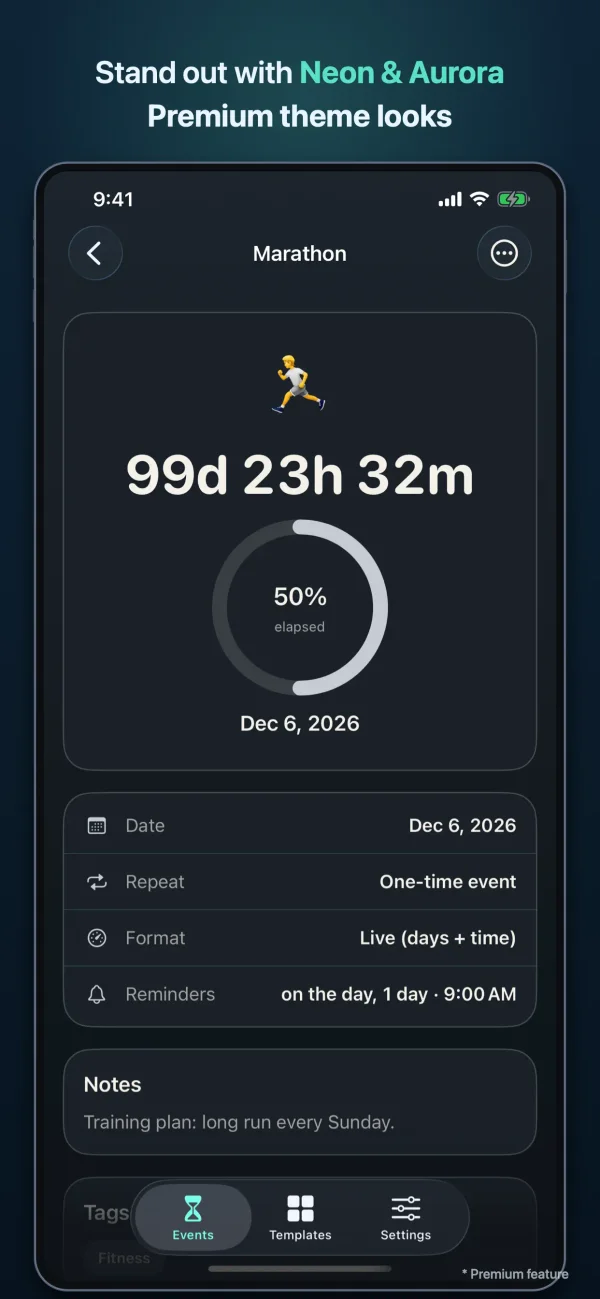
• Live countdown cards with progress ring and percent-elapsed readout
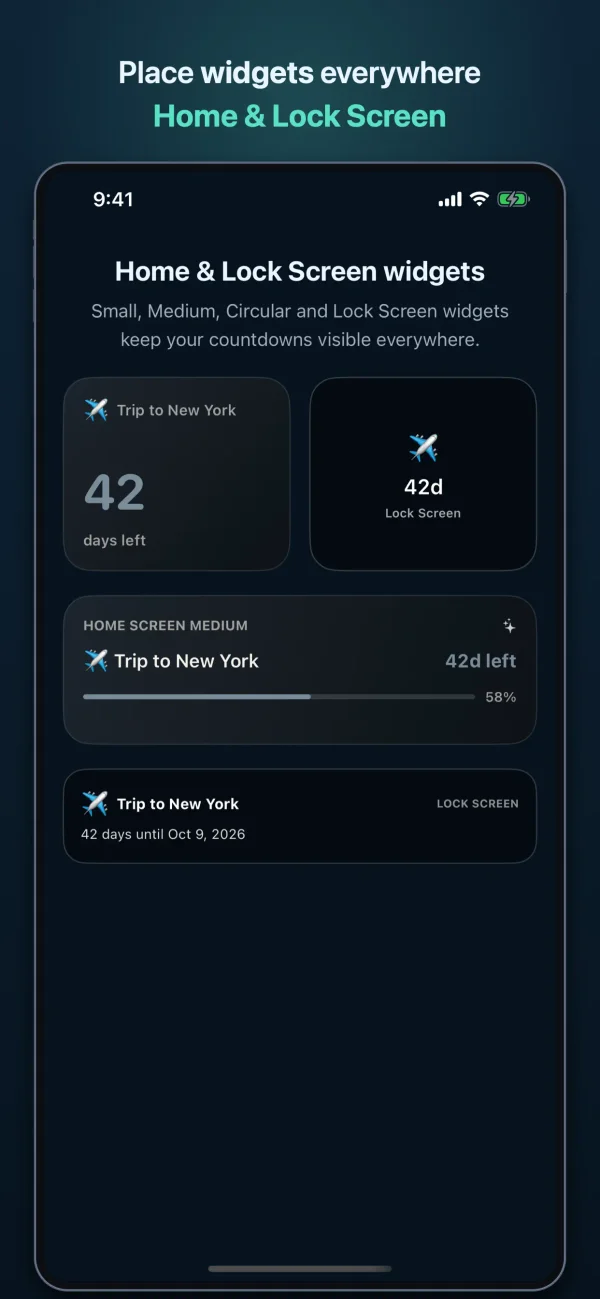
• Configurable Home & Lock Screen widgets — pick an active countdown or show next upcoming
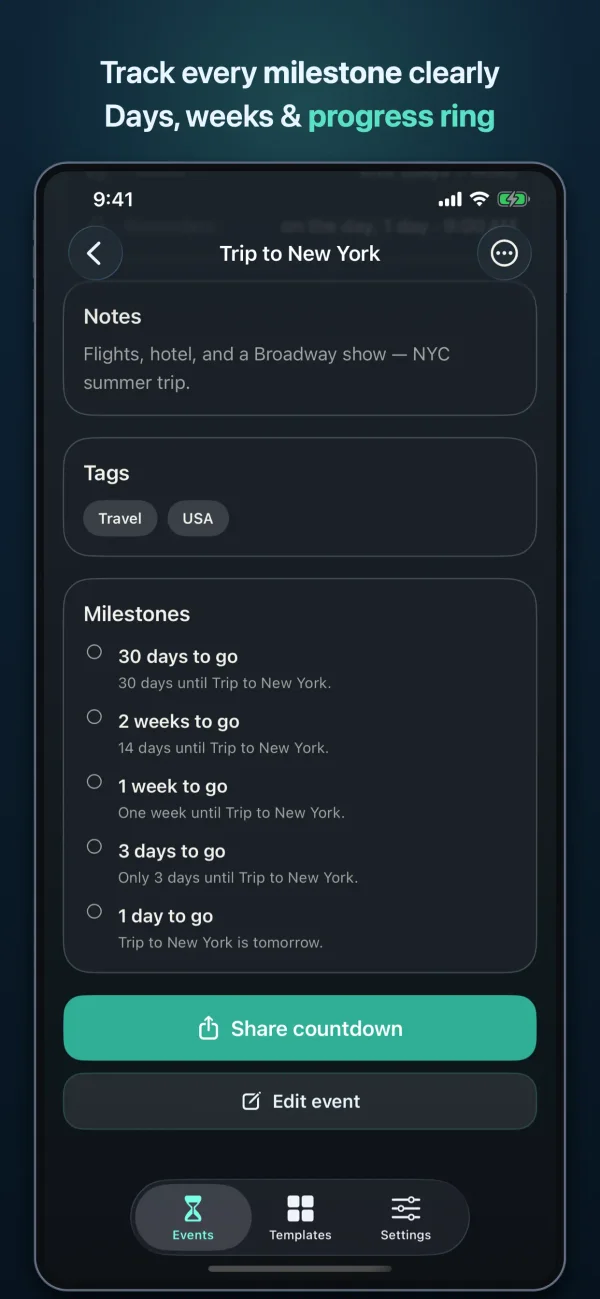
• Milestones along the journey — 100 days to go, halfway there, one week to go
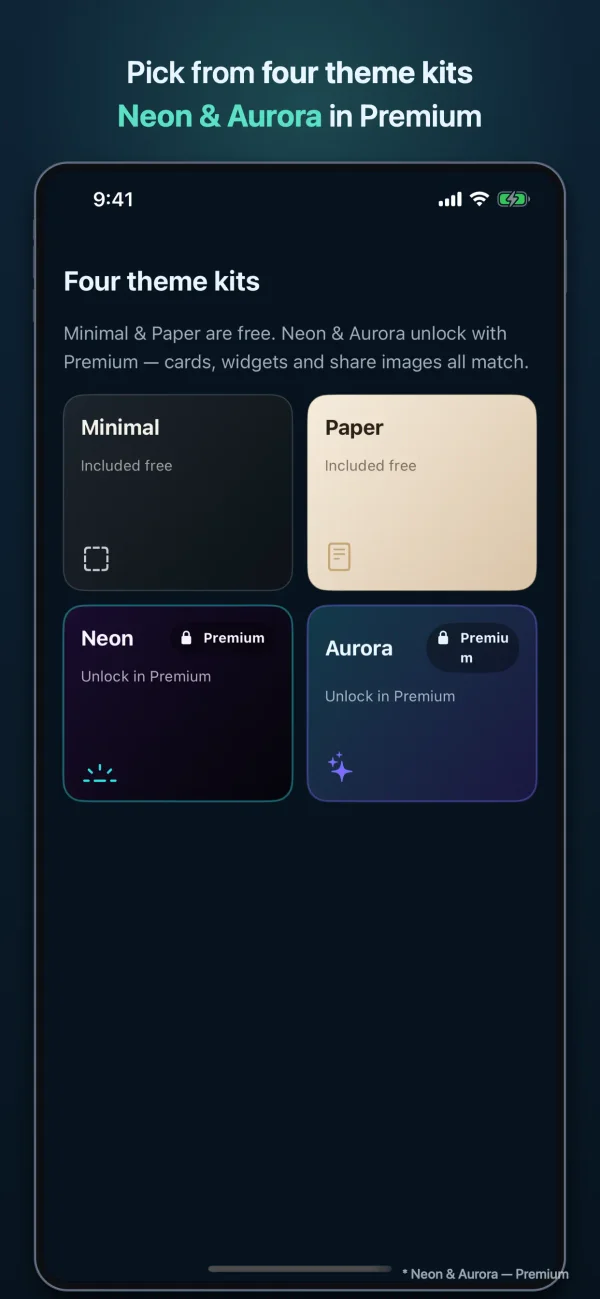
• Four theme kits: Minimal, Paper, Neon, and Aurora
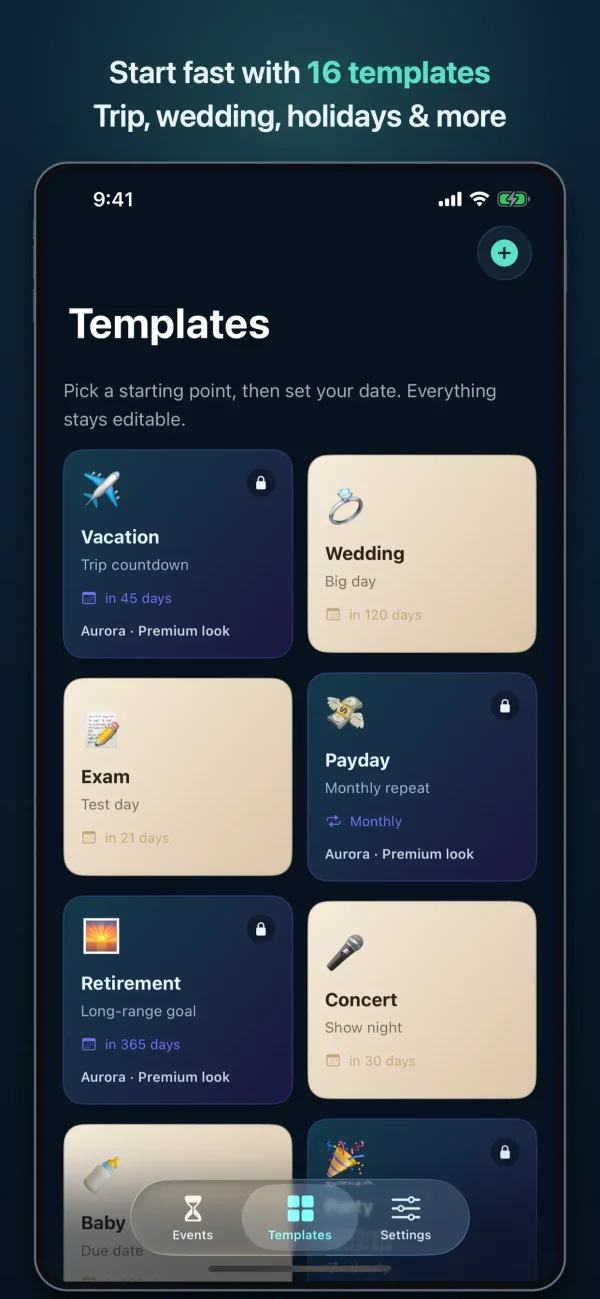
• 16 templates for vacations, weddings, exams, paydays, holidays, and more
• Custom photos on each event — shown on your cards and widgets with emoji fallback
• Import dates from Calendar — choose-first selection with quota protection
• Repeating events — daily, weekly, monthly, or yearly
• Count up from a past date for anniversaries and milestones
• Reminders on the day, one day before, one week before, plus custom timing
• Share a themed countdown image to Messages or social apps
• Notes, tags, and search for long lists
• Pin important events; archive others without deleting
HOW TO USE
1. Tap + or pick a template with smart defaults.
2. Set the date, icon, theme, and reminders.
3. Add the widget — your next event stays visible on Home or Lock Screen.
4. Open any event for milestones, details, and share.
5. Swipe to pin, archive, or delete.
PREMIUM (ONE-TIME PURCHASE)
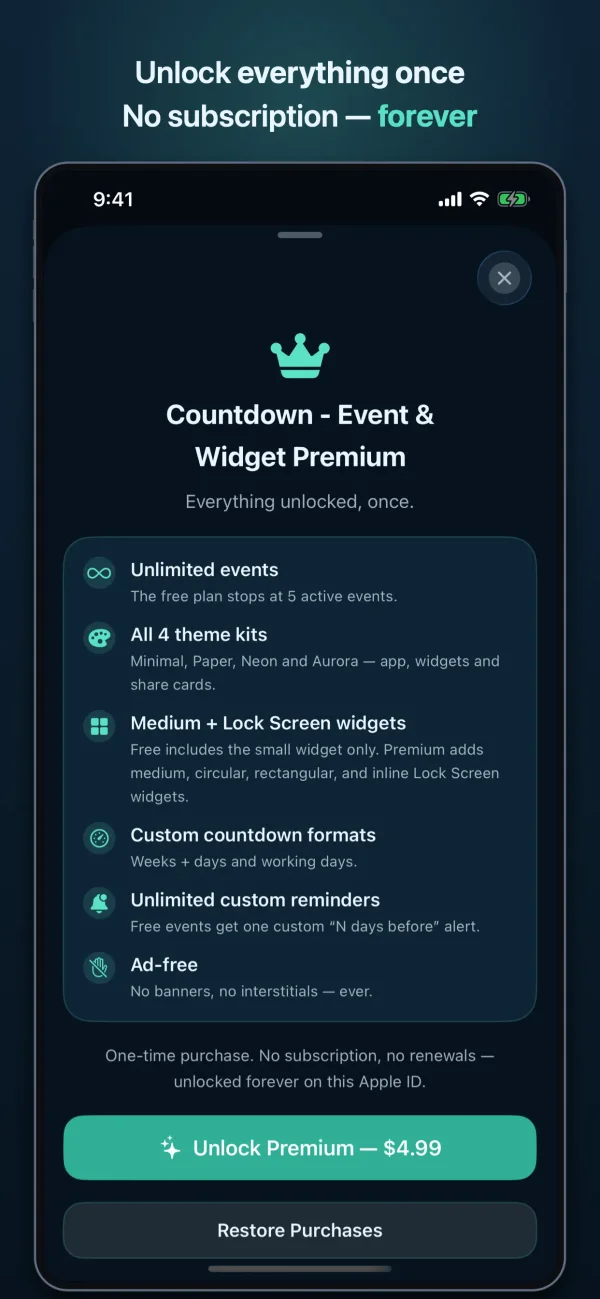
Premium is a single one-time purchase — no subscription, no renewals, unlocked forever on your Apple ID.
• Unlimited events (free: 5 active)
• All four theme kits (free: Minimal & Paper)
• Medium and Lock Screen widgets — circular, rectangular, and inline
• Custom formats: weeks + days and working days
• Unlimited custom reminders per event
The free version is fully usable: five events, two theme kits, live and days-only countdowns, the small widget, and core reminders.
Questions or support: iyogeetech@gmail.com
Privacy policy: https://iyogeetech.com/privacypolicy/privacy.html
What’s new
Version 1.2.1 · Oct 2, 2026
• Template dates: Christmas, New Year, and Diwali templates now pre-fill the correct upcoming holiday date.
• Configurable Widgets: Long-press your Home or Lock Screen widget to choose a specific countdown or show the next upcoming event.
• Calendar Import: Import trips, holidays, and dates from Calendar with choose-first selection and quota protection.
• Event Photos: Add personal photos to your countdown cards and widgets with circular avatars and smart emoji fallback.
• Performance & Stability: Enhanced offline resilience, improved deletion handling, and repeat boundary accuracy.
App privacy
What Ajaysinh Jadeja declares on the App Store about how this app handles data.
-
Data linked to you
May be collected and linked to your identity.
- User content
Privacy practices may vary, for example with the features you use or your age.
Information
- Seller
- Ajaysinh Jadeja
- Category
- Utilities
- Version
- 1.2.1
- Updated
- Oct 2, 2026
- Released
- Sep 21, 2026
- Size
- 23.4 MB
- Requires
- iOS 17.0 or later
- Age rating
- 4+
- In-app purchases
- Yes
- Languages
- English
- Copyright
- © 2026 iYogeetech All Rights Reserved
You might also like
-
 Simple QR: Generator & ScannerWi-Fi Code Maker, Photo Reader
-
 Odia Calendar - PanjikaPanchanga, Festivals & Tithi
-
 Countdown App with WidgetTimer with Widget for events
-
 Countdown: Days To GoBirthday & vacation widget
-
 LifeTicker: Countdown WidgetDays Until Vacation, Birthday
-
 Tally Counter・Score ClickerScoreboard・Point・Watch・Widgets
-
 QR Code Generator MakerCreate & Share Custom QR Codes
-
 Time Count: Cute Day CountdownBirthday & Vacation Reminders
-
 Countdown Widget + CalendarBirthday & Event Reminder
-
 Text to Video AI GeneratorEasy Text to Video Generator