Countdown Widget: Days Left
Time Until Any Event or Exam
Designed for iPhone
Free · In-app purchases
- Age rating4+
- CategoryUtilities
- DeveloperChristian Ortiz
- LanguagesEnglish
- Size2.3 MB
Links to the official App Store page
Download.org hosts no file of Countdown Widget: Days Left. The button opens its official App Store page, published by Christian Ortiz. Listing last checked on Nov 23, 2026.
Screenshots



About
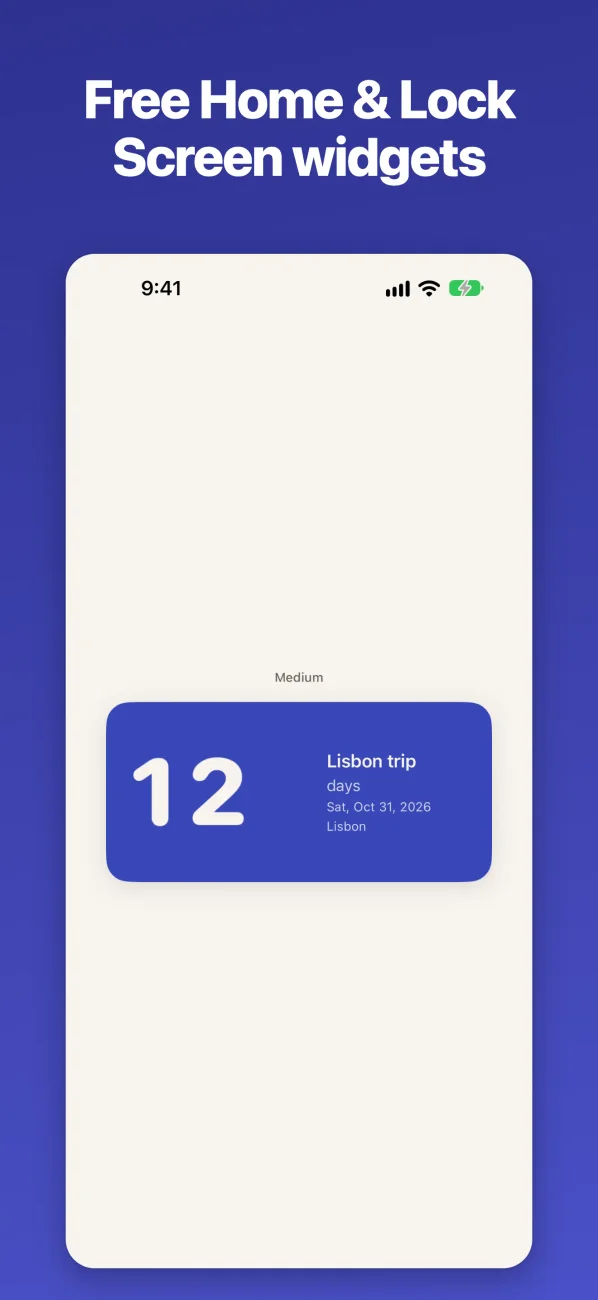
Count down to the exact minute (trips, birthdays, launches, deadlines) right on your Home and Lock Screens. Widgets are free, there are no ads, and one small purchase unlocks the rest.
Key features:
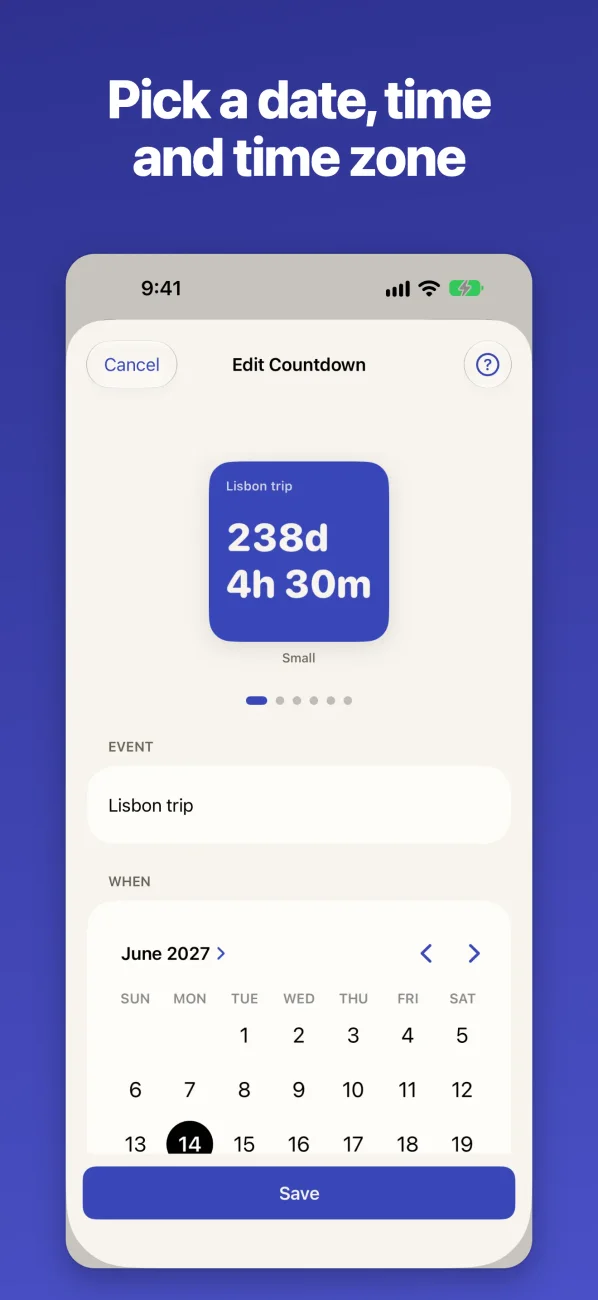
- Exact date and time: count down to a specific time of day, such as a flight or a party start, or to a whole day, in the time zone you pick.
- No ads, ever: nothing covers your numbers or your settings.
- Day counts you can trust: days are counted as calendar days, and widgets update at each local midnight and at the moment your event arrives.
- Home Screen and Lock Screen widgets: small, medium and large widgets plus Lock Screen widgets, each set to any countdown you choose. Add as many widgets as you like, all showing the same consistent units.
- Text that fits: choose days only, weeks, years/months/days, days/hours/minutes or live seconds. Numbers shrink to fit four or more digits, and no unit gets cut off.
- Adjustable number size: set how big each countdown's number appears, and the in-app list follows your text size setting.
- Count up for past dates: see how long it has been since an event, rolling into years, months and days. An ended countdown can turn into a count-up.
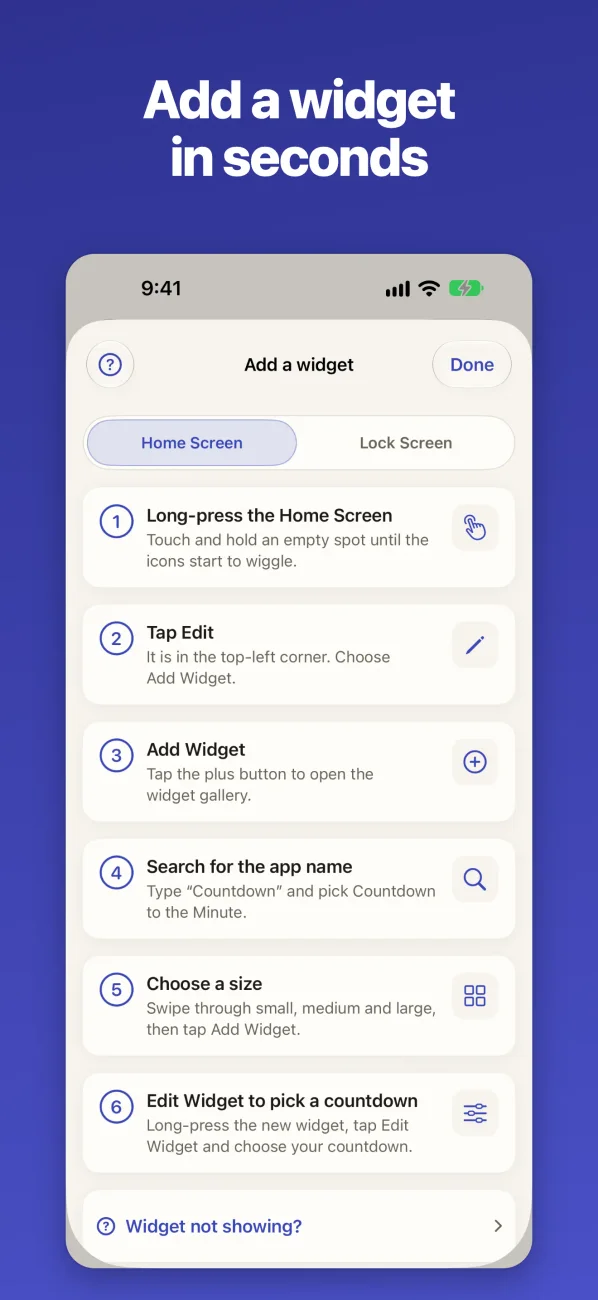
- Guided first run that ends by showing you how to add a widget, plus a help screen for widgets that do not show up.
- Your countdowns are kept safely across updates, and if something cannot be read, the app offers recovery options instead of a blank screen.
- Honest purchase handling: the unlock screen appears only when you tap for it, has a full-size close button, and never pops up a payment sheet on its own. Restore sits in Settings and on the unlock screen, your purchase is checked directly with the App Store, and features that are free today stay free.
How the purchase works:
The free version includes three active countdowns, every Home and Lock Screen widget size, unlimited widgets, exact date and time, every display unit, number size, count-up and the free themes. A single one-time purchase unlocks unlimited countdowns and extra color themes. It is not a subscription: you pay once and keep it, and you can restore it at any time.
Privacy: no data collected, no ads and no tracking.
What’s new
Version 1.0.2 · Nov 22, 2026
Fixes a problem that stopped the app from opening on iOS 18. Thanks for your patience, and sorry for the trouble.
App privacy
What Christian Ortiz declares on the App Store about how this app handles data.
-
Data not collected
The developer does not collect any data from this app.
Privacy practices may vary, for example with the features you use or your age.
Information
- Seller
- Christian Ortiz
- Category
- Utilities
- Version
- 1.0.2
- Updated
- Nov 22, 2026
- Released
- Nov 6, 2026
- Size
- 2.3 MB
- Requires
- iOS 18.0 or later
- Age rating
- 4+
- Price
- Free
- In-app purchases
- Yes
- Languages
- English
- Copyright
- © 2026 Christian Ortiz Studio
You might also like
-
 Countdown Days · WidgetsDays until what matters
-
 UbiStage TimerStage clock for any display
-
 DayDrop – Count the DaysCount down to what matters.
-
 Orbit: Countdown WidgetBeautiful countdowns, your way
-
 100% Countdown WidgetsUnlimited Countdowns
-
 Countdown Calendar: TimeFeelDay counter, love & days since
-
 Dayz TillCount days, up and down!
-
 Finally: Countdown WidgetsCount days until any event
-
 Waitit - Countdown WidgetsDay Counter & Event Reminder
-
 Shiyu- Day CountdownCountdowns, dates, reminders