
UbiStage Timer
Stage clock for any display
Designed for iPhone, iPad
In-app purchases
- Age rating4+
- CategoryUtilities
- DeveloperIngenieurbüro Edelmann
- LanguagesGerman+ 1 more
- Size2.8 MB
Links to the official App Store page
Download.org hosts no file of UbiStage Timer. The button opens its official App Store page, published by Ingenieurbüro Edelmann. Listing last checked on Nov 23, 2026.
Screenshots
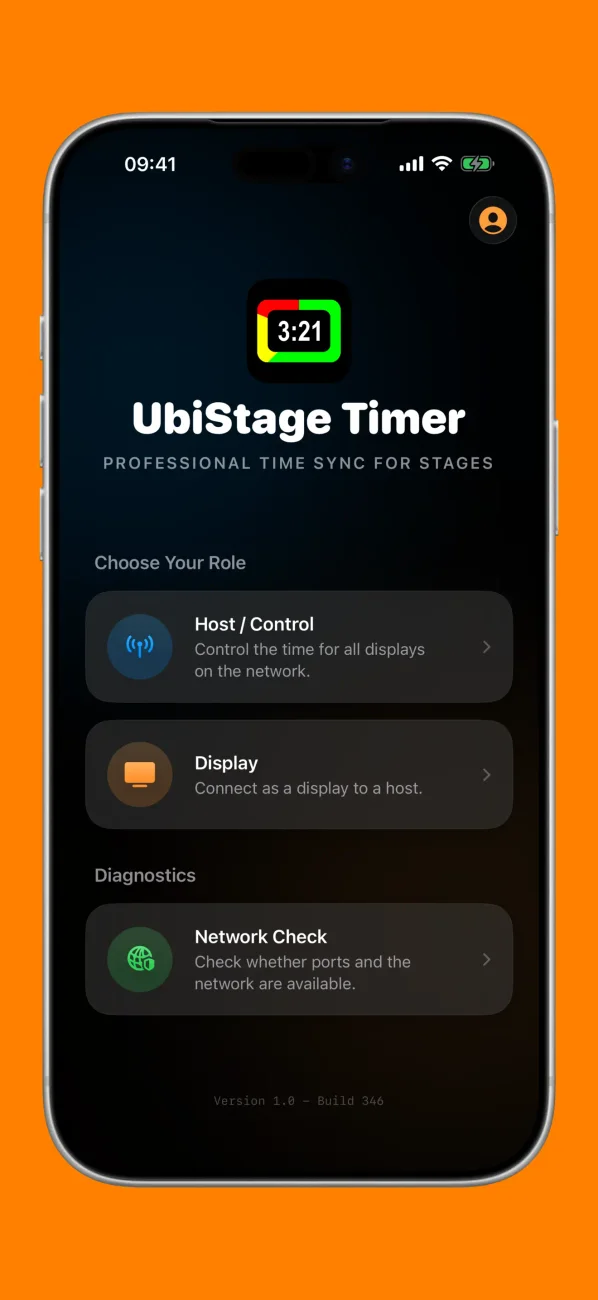
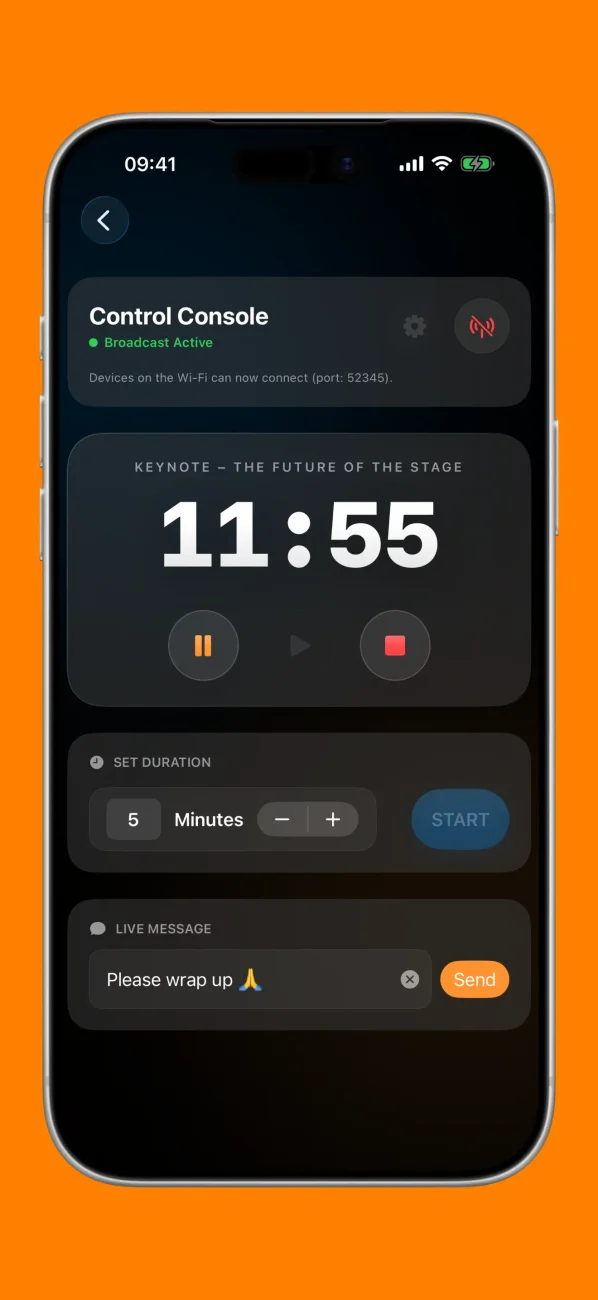
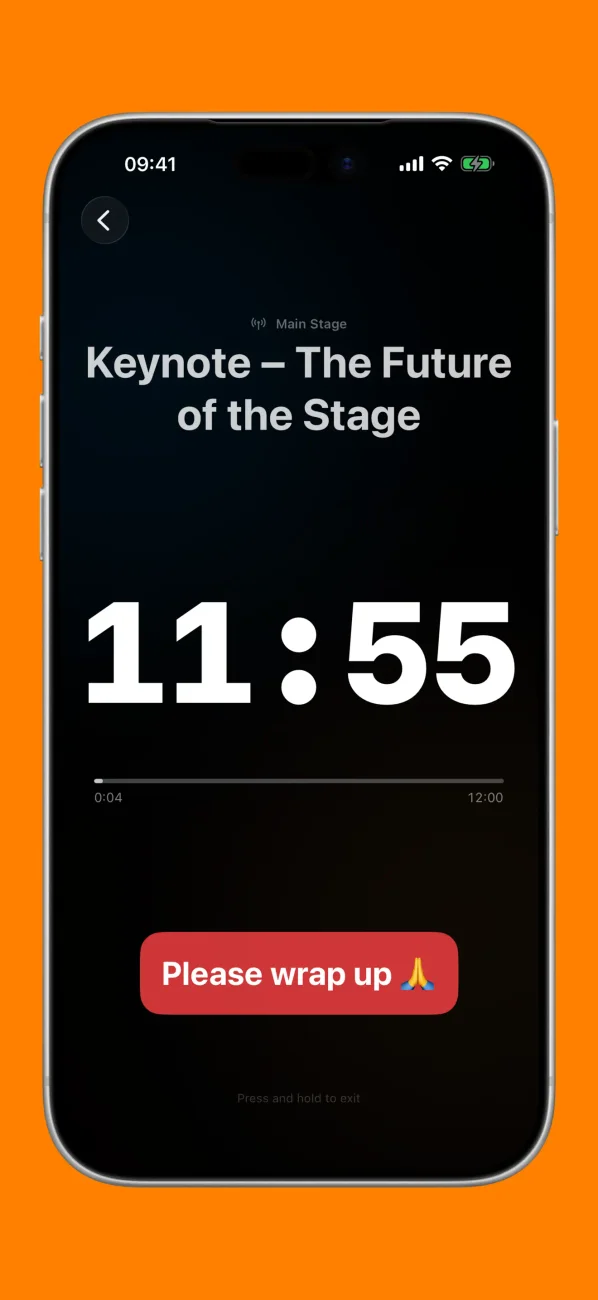

About
A stage clock for iPhone, iPad, and Apple TV – synced across every display.
Many teams start timer apps manually on multiple devices. The result: clocks drift apart. UbiStage Timer solves this. One device becomes the Control Console, all others sync automatically – virtually lag-free.
Devices find each other automatically over local Wi-Fi. No setup, no pairing. Sign in once with a free account, then just open and go.
One Control Console, multiple screens. Use iPhones and iPads simultaneously as stage clocks – all showing the same time. Syncing is fully local, no internet needed during the event.
On the big screen, too: with UbiStage Timer on Apple TV, any large display or projector becomes a stage clock. Apple TV signs in without typing on the remote – it shows a code that you confirm here in the app under Profile → Sign in Apple TV.
No app needed, either: if you like, any browser on the same Wi-Fi can show the timer, such as a smart TV, a laptop, or an Android tablet. Turn on the browser display in the Control Console's settings and open the address or QR code shown. A browser counts as a display.
The automatic color change tells speakers how much time is left: the digits turn orange in the last minute and red when time is up. No need to read numbers – speakers can tell at a glance.
The Control Console can also send short text messages directly to all displays – perfect for spontaneous corrections during the event.
The connection holds up under pressure: if the Control Console briefly switches to another app, displays simply keep counting and find it again on their own.
Ideal for conferences, stage productions, trade shows, and live events.
Control Console free, unlock displays:
• The Control Console on its own is free, with all features.
• Basic: 1 display, monthly subscription.
• Pro: up to 5 displays at once, monthly subscription.
• Event Pass: up to 5 displays for 7 days, one-time purchase, no subscription.
• Try Basic and Pro free for 7 days. The app only offers a subscription once you connect your first display; the 7 days start when you subscribe.
• The Control Console is unlocked; displays themselves don't need a purchase. Your purchase applies to your UbiStage account, on your other devices too.
• If a subscription or Event Pass expires during an event, connected displays finish the current timer. They show the next timer only after you unlock again.
Subscriptions renew automatically for the selected period unless cancelled at least 24 hours before the end of the current period. Payment is charged to your Apple ID. You can manage and cancel subscriptions in your Apple ID settings. Cancel during the trial and you pay nothing.
Terms of Use: https://www.apple.com/legal/internet-services/itunes/dev/stdeula/
Privacy Policy: https://ubistage.de/en/privacy/
What’s new
Version 1.4.2 · Nov 17, 2026
• Big screens: the digits now fill the space, on Apple TV and projectors too.
• More accurate time: if a display's clock runs fast or slow, the app now corrects it properly.
• An expired timer now alerts only once, and the Live Activity no longer restarts afterwards.
• If your plan expires during an event, connected displays finish the current timer and explain why the next one doesn't appear.
• New: browser display. Any browser on the same Wi-Fi can show the timer, no app needed. Turn it on in the Control Console's settings.
• Minor improvements and bug fixes.
App privacy
What Ingenieurbüro Edelmann declares on the App Store about how this app handles data.
-
Data linked to you
May be collected and linked to your identity.
- Purchases
- Identifiers
- Usage data
- Diagnostics
Privacy practices may vary, for example with the features you use or your age.
Information
- Seller
- Thomas Edelmann
- Category
- Utilities
- Version
- 1.4.2
- Updated
- Nov 17, 2026
- Released
- Jun 17, 2026
- Size
- 2.8 MB
- Requires
- iOS 17.6 or later
- Age rating
- 4+
- In-app purchases
- Yes
- Languages
- German, English
- Copyright
- © (2026) Ingenieurbüro Edelmann
You might also like
-
 Pulpit TimerStage Timer & Remote Control
-
 Remote Stage TimerTo keep your meetings on time.
-
 Binary Display: Clock WidgetBinary Clock, Date & Widgets
-
 Countdown LCD: Stage TimerPresentation & speaker clock
-
 CuePilot: Remote Stage TimerSpeaker Timer & Cue Display
-
 BinaryClockWatchTime in 13 number systems
-
 ClockAPX — Dynamic ClockClock on the External Display
-
 RemoteTimer: Remote StopwatchControl timers from your Watch
-
 ZoneSync - World Clock WidgetTime Zone Converter & Planner
-
 Show Timer ProStage Timer for Performers