
- Age rating4+
- CategoryNavigation
- DeveloperCW&T
- LanguagesEnglish
- Size7.8 MB
Links to the official App Store page
Download.org hosts no file of Crowsflight. The button opens its official App Store page, published by CW&T. Listing last checked on Nov 24, 2026.
Screenshots


About
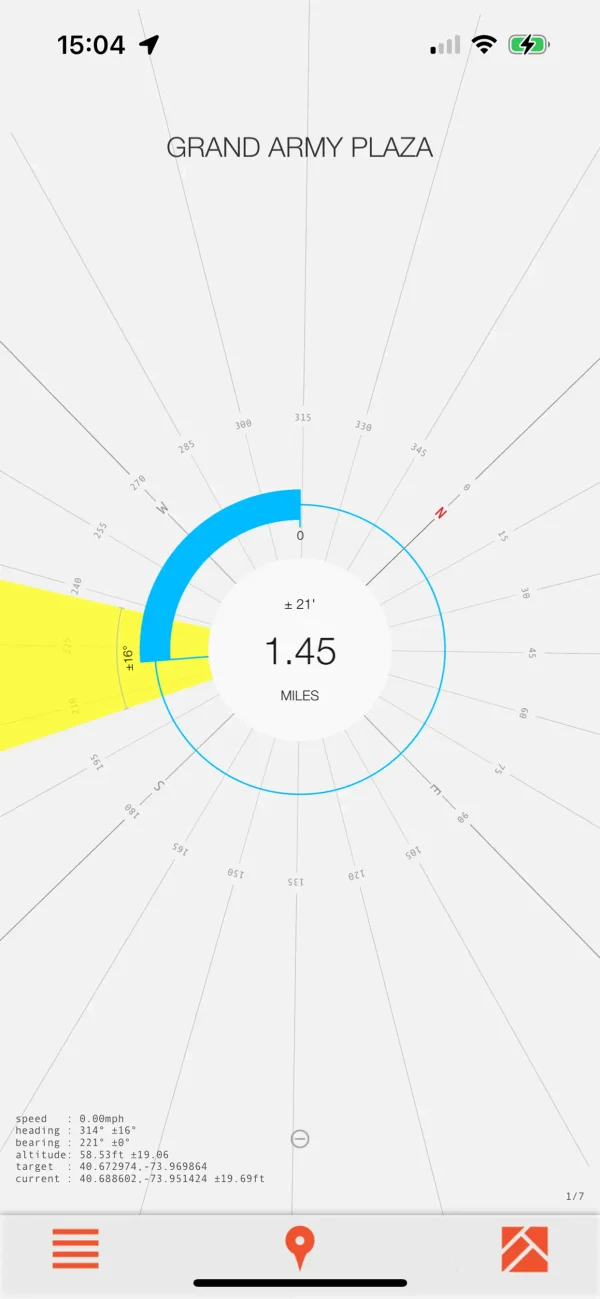
Crowsflight is a GPS compass that simply points. No instructions, maps to read or paths to follow. When we ask for directions on the street, a friendly finger pointing towards the destination is often more than enough.
By combining location data (GPS) with the compass, Crowsflight provides mapless navigation in an intuitive, glance-at-it kind of way.
It uses only GPS to navigate, so once you’ve loaded your destination/s, you don’t need a data connection to navigate. Crowsflight is perfect for wandering around foreign cities.
MAIN VIEW
-Displays distance in metric or imperial units
-Drop a marker at your current position (if you have a data connection, Crowsflight will attempt to autoname your location)
-Heading pointer changes width as the compass/GPS accuracy increases or decreases
LIST VIEW
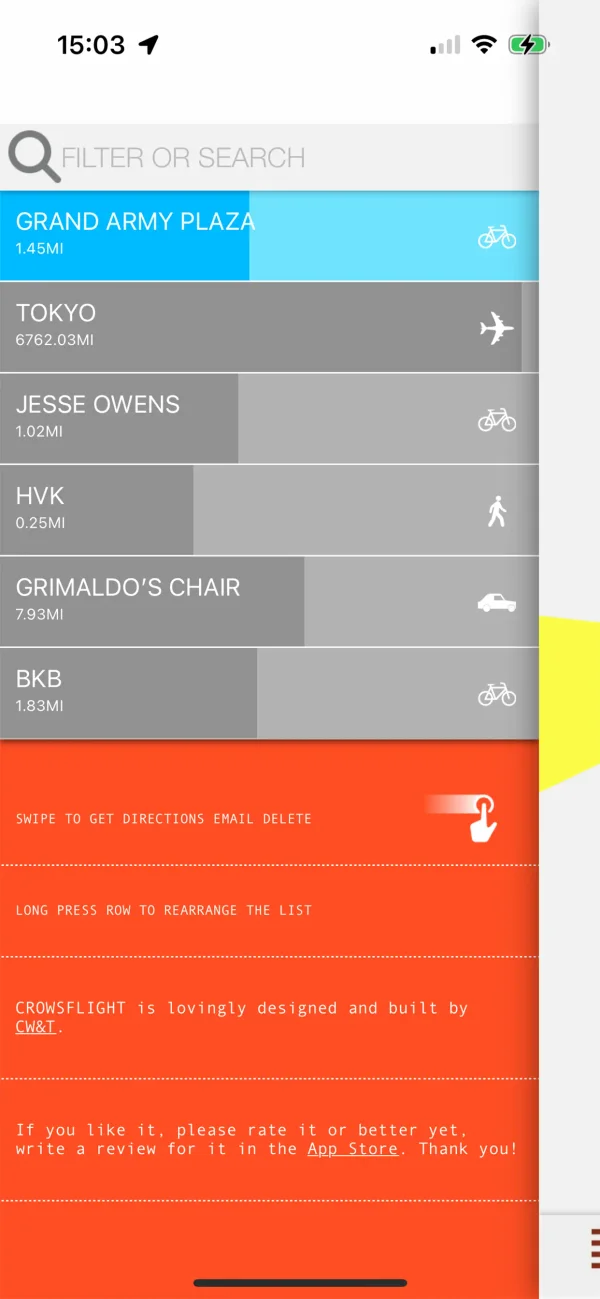
-Search for a new destination by address or placename
-Input latitude and longitude manually (e.g. open search, enter 40.692,-73.944)
-search for what3words (offline)
-Location list view shows your relative distance to each location, so you can see how places compare (distances are scaled logarithmically, so shorter distances show greater difference)
-Rearrange your location list by long-pressing the row
-Share your current location via email
-Launch Maps to get turn-by-turn directions
MAP VIEW
-Map view shows and allows you to select all your saved locations. It’s another way to see what is around you.
-Drag and drop pins in map view to pinpoint and adjust locations
-Longpress in map view to save a new location on your map. (if you have a data connection, Crowsflight will attempt to autoname your location)
OTHER FEATURES
-Works offline (searching is the only function that requires an internet connection)
-Opens custom url schemes (e.g. crowsflight://&ll=42.923580,-78.793953&q=BUFFALO). You can send Crowsflight destinations to yourself and friends via email. To get the browser bookmarklet for easy sharing, go to http://cwandt.com/#crowsflight
-Backup your locations to your computer through iTunes file sharing
-save and sync locations to iCloud
APPLE WATCH
- same pointing interface as iPhone app
- swipe to select from locations that you've add on your phone.
-pro tip: If your running app keeps taking over as frontmost app, you can double press the crown to switch back to the last app.
*Crowsflight is not meant for driving. Most cars have too much magnetic interference to show the compass reliably in the car anyways. You probably want turn by turn directions if you’re driving, but just in case you were thinking about it...we don’t recommend it.
What’s new
Version 1.10.4 · Nov 22, 2026
• NEW: Home Screen widget showing distance and bearing to your current destination.
• NEW: Rebuilt Apple Watch app. A compass dial on your wrist, swipe to switch destinations.
• NEW: Nautical miles.
• iPhone Duo support, folded and unfolded. Unfolded in landscape, your destination list sits beside the compass.
• Fixed a crash on launch and alerts that failed to appear.
• Small fixes and polish.
App privacy
What CW&T declares on the App Store about how this app handles data.
-
Data not collected
The developer does not collect any data from this app.
Privacy practices may vary, for example with the features you use or your age.
Information
- Seller
- CW&T Studio LLC
- Category
- Navigation
- Version
- 1.10.4
- Updated
- Nov 22, 2026
- Released
- Jun 30, 2011
- Size
- 7.8 MB
- Requires
- iOS 15.0 or later
- Age rating
- 4+
- Price
- Free
- Languages
- English
- Copyright
- © CW&T
You might also like
-
 Point ToPoint towards any location
-
 Seeker: Arrow Compass & MapGPS Navigation for Outdoors
-
 Offline GPS NavigationMaps & Driving Directions
-
 Wherigo®Navigation
-
 Topo Maps USOffline USGS topographic maps
-
 GPS & Maps: Location TrackerFind Coordinates, Compass, POI
-
 SpyglassAR Compass, GPS & Offline Maps
-
 Compass 55. Map & GPS kit.Land, air, marine navigator
-
 Compass - ProfessionalSafe and easy navigation
-
 CoMapsNavigate with Privacy