CursorCalc
Scientific Math & Converter
Designed for iPhone
Free · In-app purchases
- Age rating4+
- CategoryUtilities
- DeveloperYohaan Ardeni
- LanguagesEnglish
- Size5.9 MB
Links to the official App Store page
Download.org hosts no file of CursorCalc. The button opens its official App Store page, published by Yohaan Ardeni. Listing last checked on Nov 12, 2026.
Screenshots

About
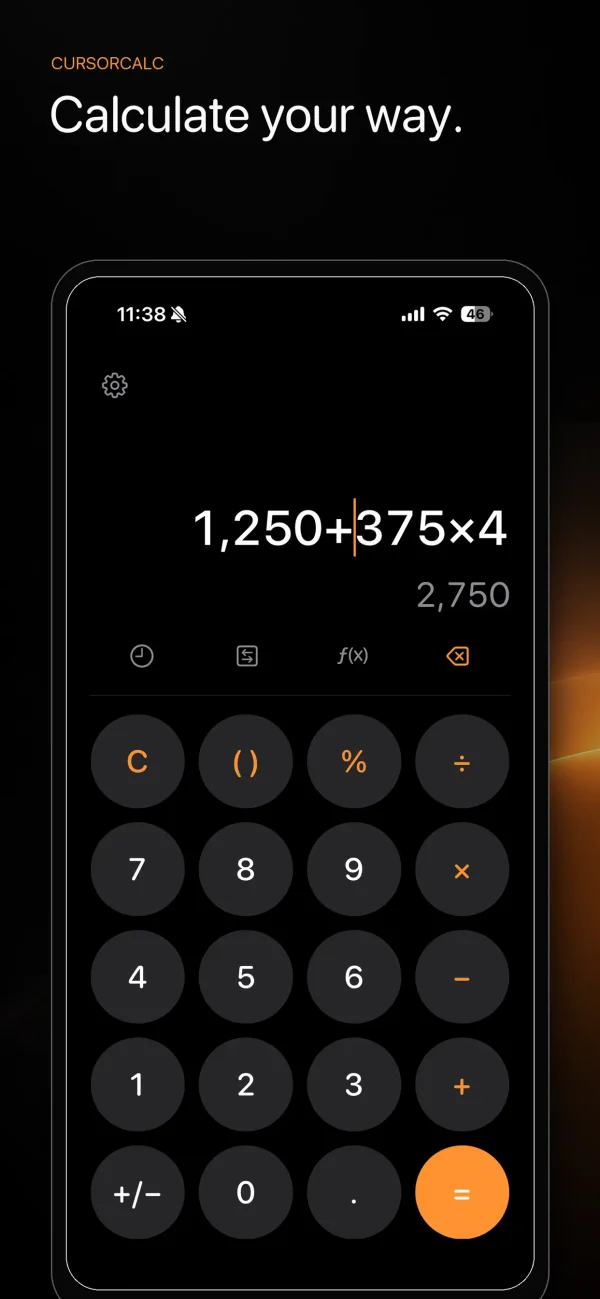
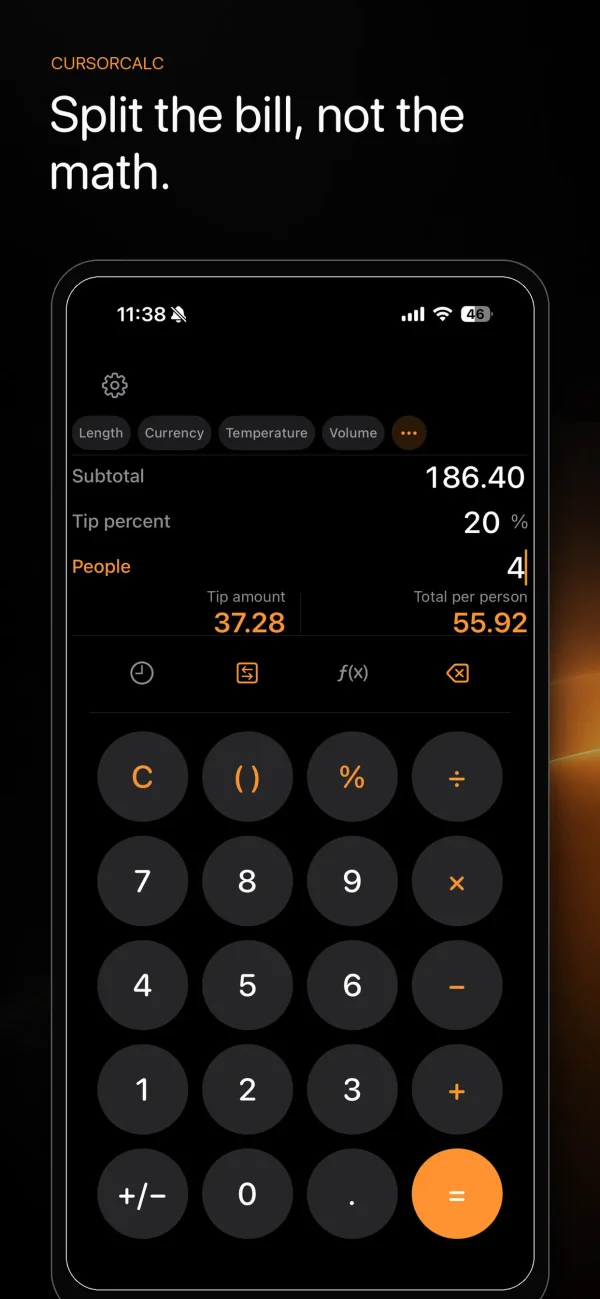
CursorCalc is a thoughtfully designed calculator that puts you in control of the entire expression. Tap exactly where a change belongs to move the cursor there, then insert numbers, operators, scientific functions, or pasted values without rebuilding your calculation from the beginning.
SEE RESULTS AS YOU TYPE
Live previews update whenever your expression is valid, helping you catch mistakes and understand the result before pressing equals. Smart input rules prevent malformed expressions while keeping calculations quick and natural.
STANDARD AND SCIENTIFIC
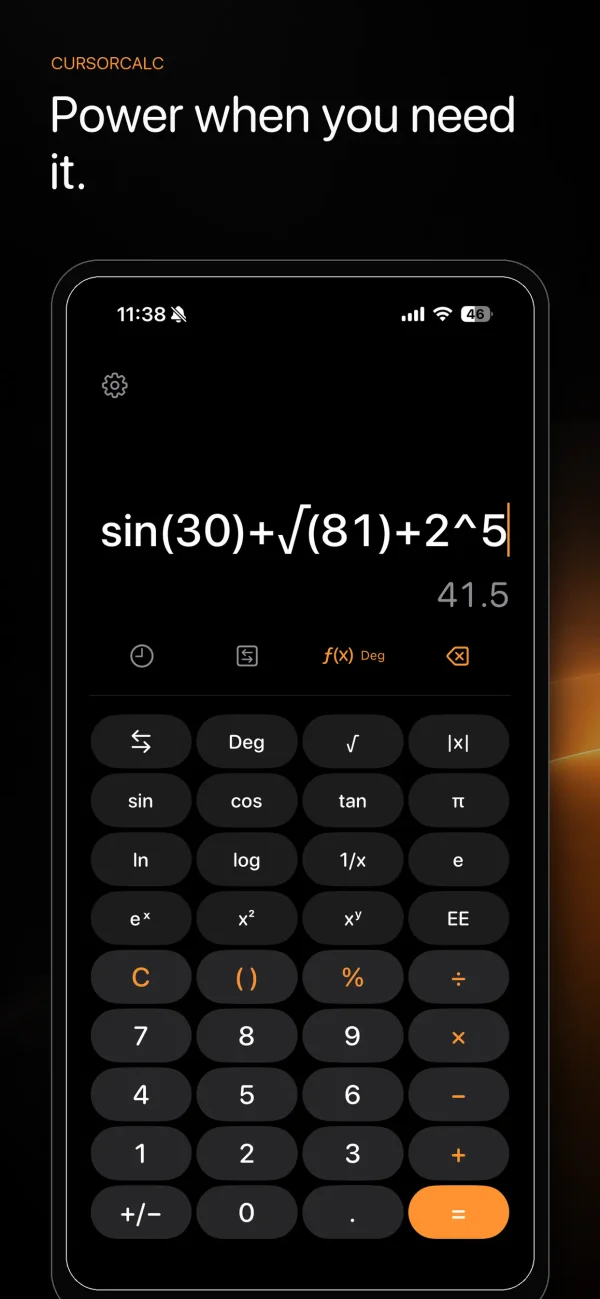
Handle everyday arithmetic or open scientific mode for trigonometry, logarithms, exponents, roots, factorials, constants, inverse functions, degree and radian modes, and more.
HISTORY THAT WORKS WITH YOU
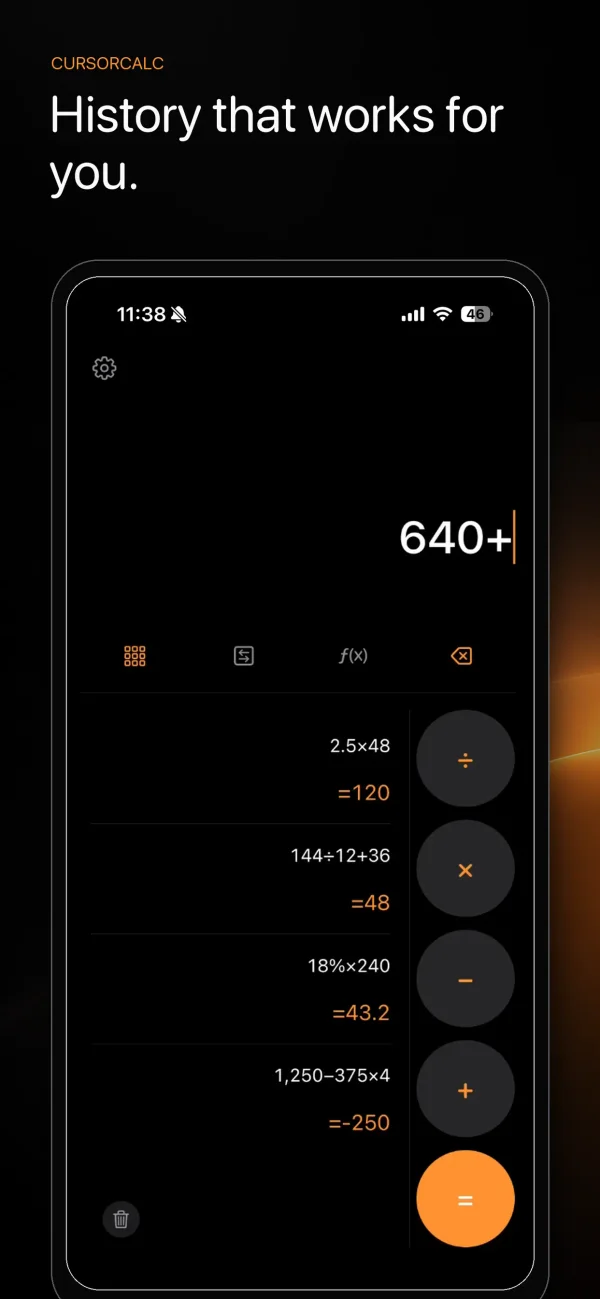
Your history is more than a list. Tap any previous expression or answer and it is inserted directly at the current cursor position. Reuse a subtotal, revise an earlier formula, or build on a past result without copying it manually or starting over.
Your history stays stored locally on your device and can be cleared whenever you choose.
POWERFUL UNIT CONVERSION
Convert length, area, temperature, volume, speed, time, mass, data, currency, and more. Enter complete expressions instead of individual numbers, search large unit lists, customize your favorite conversion categories, or calculate tips and split totals between multiple people.
DESIGNED FOR FOCUS
• Precise, keyboard-free cursor editing
• Tap-to-insert calculation history
• Long-press copy and paste
• Automatic number grouping
• Two decimal-notation styles
• Portrait and landscape layouts
• Multiple button shapes and accent colors
• Light, dark, and system appearances
• Optional haptic feedback
• VoiceOver-friendly controls
• Custom themes and app icons
PRIVATE BY DESIGN
CursorCalc has no advertising, analytics, accounts, or cross-app tracking. Calculations and history remain on your device. Currency mode downloads reference exchange rates without sending your entered amounts or expressions.
All calculator and conversion functionality is free, with no ads or subscriptions. Optional tips support continued development, while the one-time Supporter purchase unlocks additional cosmetic themes and app icons.
Calculate your way with CursorCalc.
What’s new
Version 1.0.1 · Oct 18, 2026
Improved calculation precision and rounding, especially when reusing results in continued calculations. This update also includes interface refinements, reliability improvements, and general bug fixes.
App privacy
What Yohaan Ardeni declares on the App Store about how this app handles data.
-
Data not linked to you
May be collected but is not linked to your identity.
- User content
- Identifiers
- Diagnostics
Privacy practices may vary, for example with the features you use or your age.
Information
- Seller
- Yohaan Ardeni
- Category
- Utilities
- Version
- 1.0.1
- Updated
- Oct 18, 2026
- Released
- Oct 14, 2026
- Size
- 5.9 MB
- Requires
- iOS 17.0 or later
- Age rating
- 4+
- Price
- Free
- In-app purchases
- Yes
- Languages
- English
- Copyright
- © 2026 Yohaan Ardeni
You might also like
-
 OriginCalcCalc & Exchange rates 1 screen
-
 ProCalc – Calculator AppMath, Percent, Converter
-
 Gradation CalculatorScientific & Fluid Simulation
-
 Aurora CalculatorUtilities
-
 Gen's CalculatorIt's Pretty Advanced!
-
 Fast Online CalculatorAll-in-One Calculators
-
 LumiCalcCalculator & Custom Keyboard
-
 MyCal: Editable CalculatorMath notepad, notes & history
-
 CalculatorPro: Modes & WidgetsTax, Tip & Smart Widgets
-
 MX CalculatorUtilities