
Cutbench: Cutting List Maker
Plywood & Timber Cut Plans
Designed for iPhone, iPad, iPod touch
In-app purchases
- Age rating4+
- CategoryProductivity
- DeveloperAli Ozgur
- LanguagesEnglish
- Size47.8 MB
Links to the official App Store page
Download.org hosts no file of Cutbench: Cutting List Maker. The button opens its official App Store page, published by Ali Ozgur. Listing last checked on Nov 12, 2026.
Screenshots
About
Cutbench turns your parts list into the most material-efficient cutting plan for the sheet material and timber you actually have — then walks you through every single cut at the saw.
START IN ONE TAP
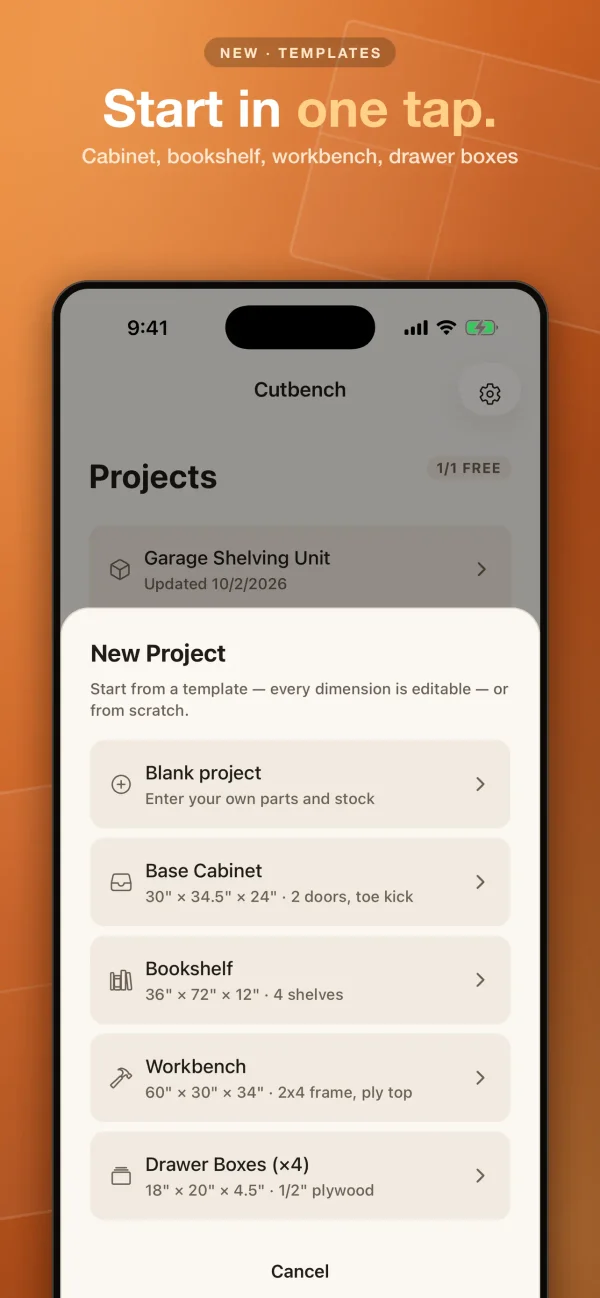
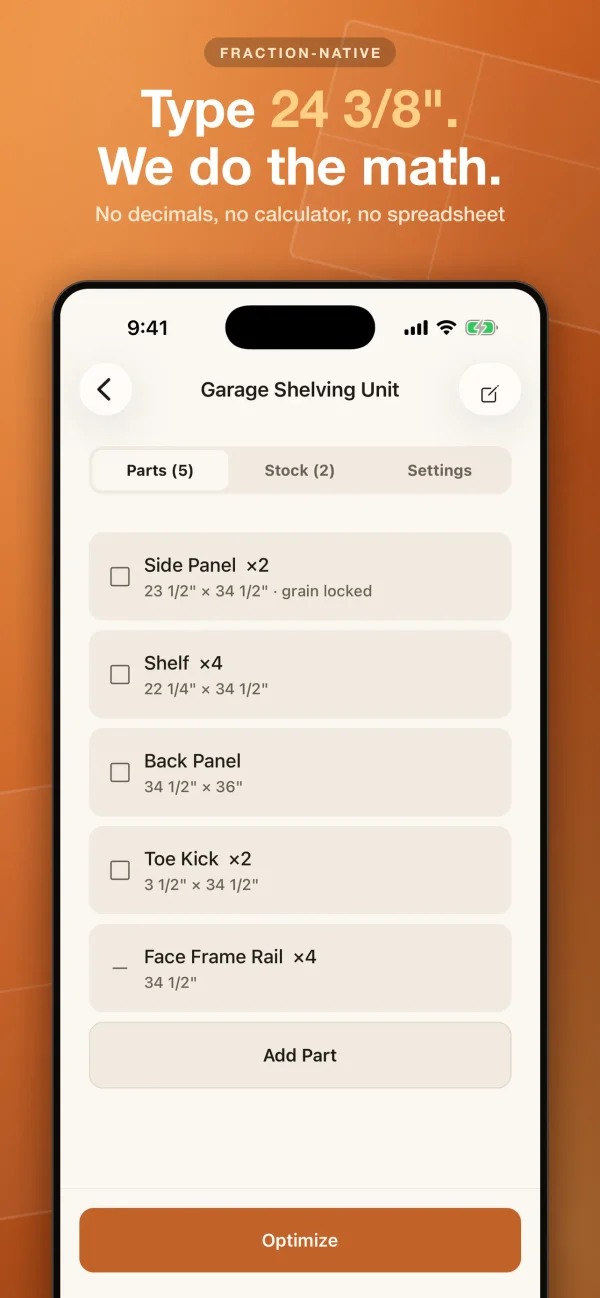
Pick a template — base unit, bookcase, workbench or drawer boxes — and every part and sheet is filled in for you. Change any dimension to fit your build.
STOP WASTING SHEETS
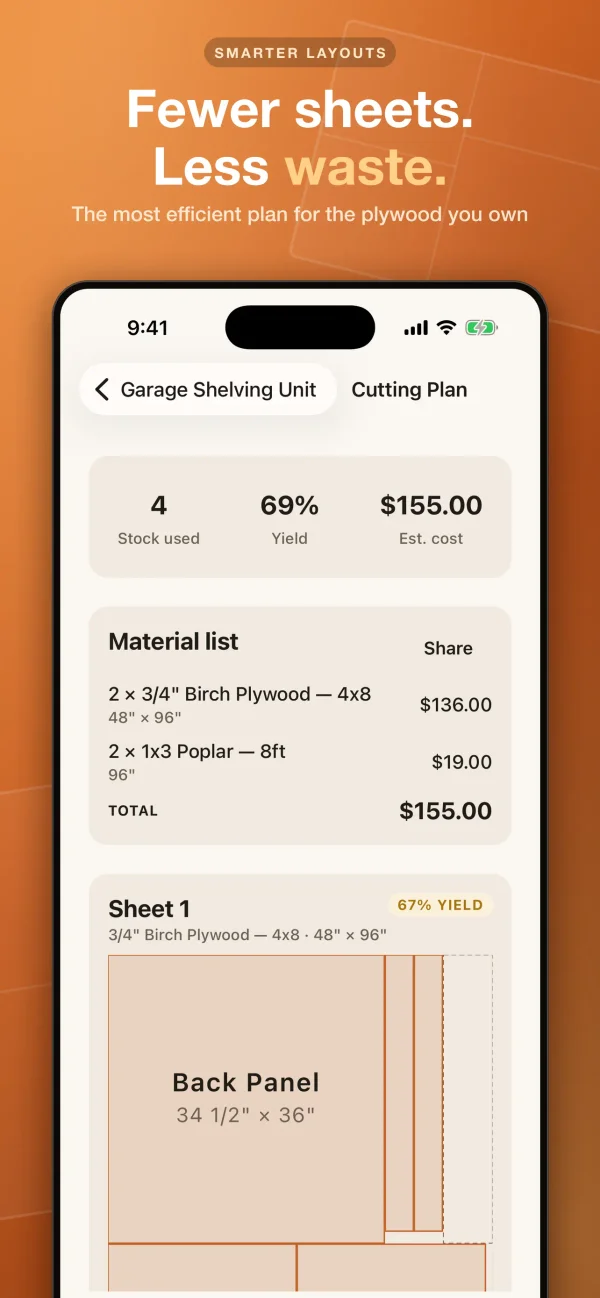
Laying out parts on plywood by hand is slow, and getting it wrong costs you an extra sheet, an extra trip to the timber merchant and a ruined afternoon. Cutbench works out an optimised layout in under a second — allowing for saw kerf, grain direction and the stock you actually own.
KNOW WHAT TO BUY
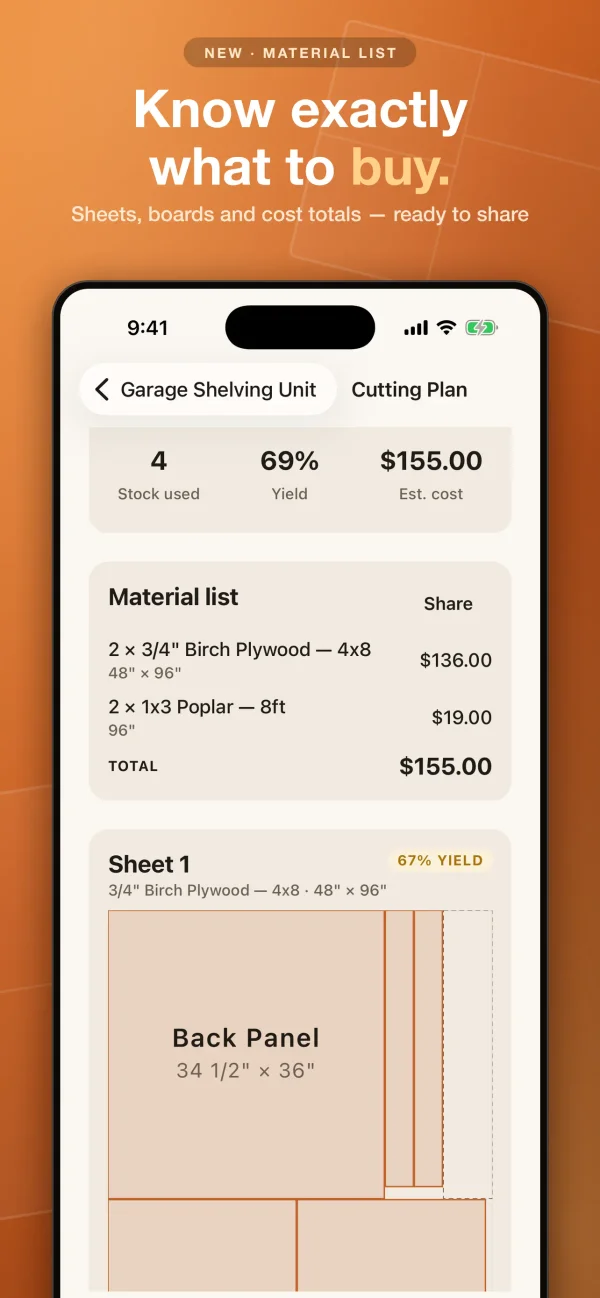
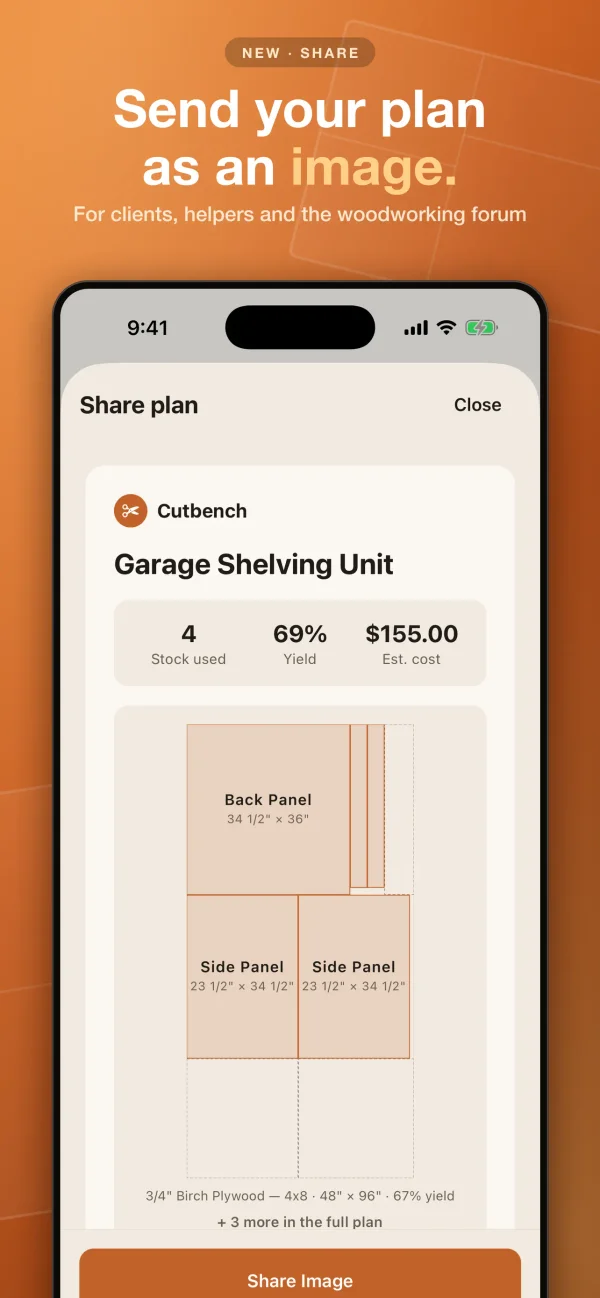
Every plan comes with a material list: how many sheets and boards you need, with cost totals when you enter prices. Share it before you head to the merchant.
CUT-ALONG MODE
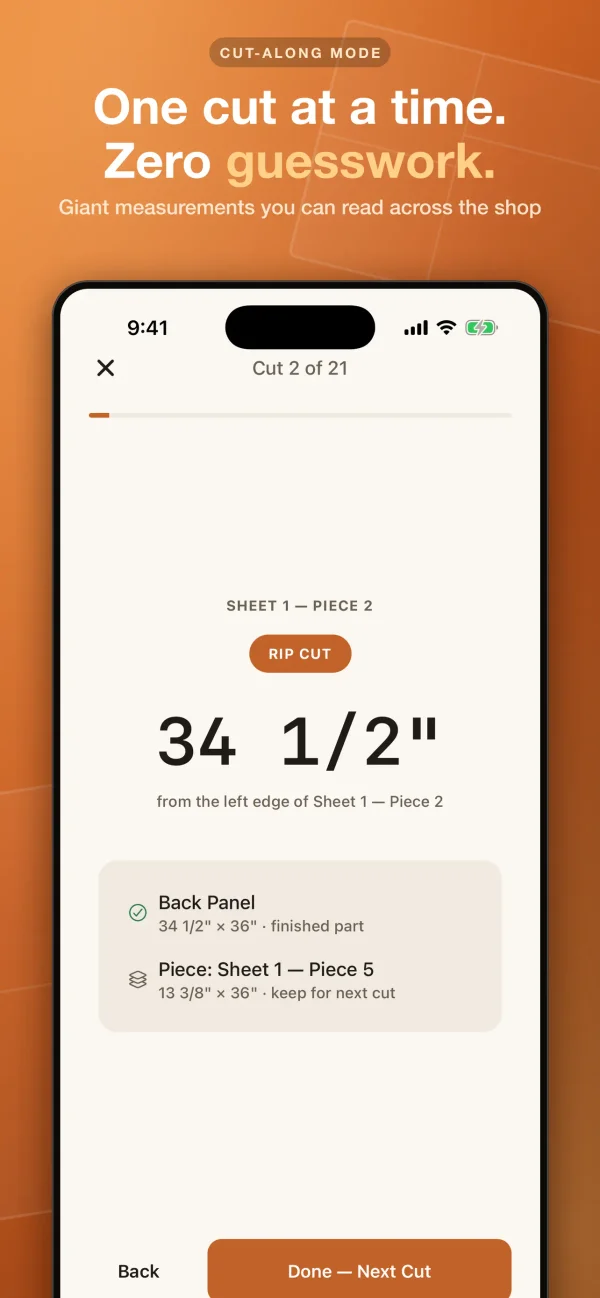
A full-screen, one-cut-at-a-time guide that tells you exactly where to cut next, in order, with large measurements you can read from across the workshop.
REMEMBERS YOUR OFFCUTS
Leftover sheet material from a finished project is saved to your offcut bin and used before Cutbench asks you to open a fresh sheet.
SHARE YOUR PLAN
Send your cutting plan as an image to a client, a helper or a forum.
BUILT FOR THE WORKSHOP
• Fraction, decimal or metric input
• Grain-direction locking
• Edge-banding tracking
• Sheet material (plywood, MDF) and linear timber in one project
• Printable cutting plans and labels (PDF export)
• iPad support
PRIVACY BY DESIGN
No account, no internet needed, no collection of your project data. Everything stays on your device.
PRICING
Free to try — unlimited optimisations and one saved project. Cutbench Pro unlocks unlimited projects, Cut-Along mode, PDF export and the offcut bin.
Terms of Use: https://cutbench.info/terms.html
Privacy Policy: https://cutbench.info/privacy.html
What’s new
Version 1.2.0 · Oct 27, 2026
New in 1.2:
• Added support for iPhone Duo
• Diagram labels now fit inside every part, even narrow ones
• Stability and layout improvements
App privacy
What Ali Ozgur declares on the App Store about how this app handles data.
-
Data not linked to you
May be collected but is not linked to your identity.
- Purchases
Privacy practices may vary, for example with the features you use or your age.
Information
- Seller
- Ali Ozgur
- Category
- Productivity
- Version
- 1.2.0
- Updated
- Oct 27, 2026
- Released
- Sep 10, 2026
- Size
- 47.8 MB
- Requires
- iOS 15.1 or later
- Age rating
- 4+
- In-app purchases
- Yes
- Languages
- English
- Copyright
- © Ali Ozgur
You might also like
-
 2D Cut – Cutting OptimizerPanel & sheet cut list planner
-
 FINOpti — Cut List OptimizerOptimize melamine & MDF cuts
-
 CutList Optimizer - CarpenterPlan Smarter. Waste Less.
-
 Cut List Optimizer - BoardcutPlywood & Sheet Calculator
-
 MoaGam: Materials & CostsUnit prices and shared lists
-
 Casework: Cabinet DesignShop Drawings & Cut Lists
-
 iCutnexSheet cutting optimizer
-
 CutList: Panel Cutting PlannerSheet & MDF cutting optimizer
-
 LogPlan: Sawmill PlannerFrom log to dry board
-
 CUTs! Material Cut ListUse offcuts. Buy less.