
Casework: Cabinet Design
Shop Drawings & Cut Lists
Designed for iPad, Mac
Free · In-app purchases
- Age rating4+
- CategoryProductivity
- DeveloperChristopher Mancliere
- LanguagesEnglish+ 4 more
- Size411.8 MB
Links to the official App Store page
Download.org hosts no file of Casework: Cabinet Design. The button opens its official App Store page, published by Christopher Mancliere. Listing last checked on Nov 26, 2026.
Screenshots




About
From a single cabinet to the whole room. Design it, work out the details, and take it to the shop.
Casework is a cabinetmaking app for iPad. Open a cabinet from the included library, change its dimensions, construction, materials and hardware, then save it as your own and use it on every job.
DESIGN THE CABINET
• Carcasses, panels, doors, drawers, shelves and moldings
• Materials, edge banding, hardware, joints and machining operations
• Parts driven by dimensions, so the cabinet rebuilds when a size changes
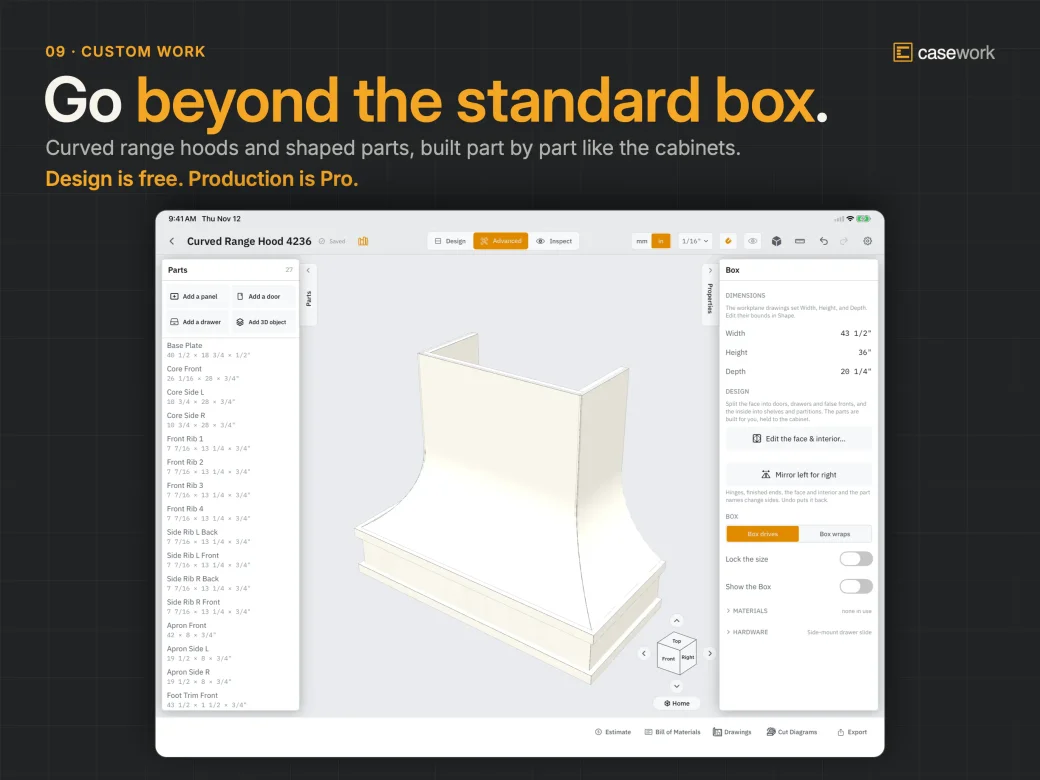
• Design, Advanced and Inspect: lay out a cabinet's doors, drawers, shelves and partitions on one front drawing, edit any part in 3D, or look it over without changing it
• A starter library of cabinets to copy, adapt and make your own
• Range hoods, straight and curved, built part by part like the cabinets
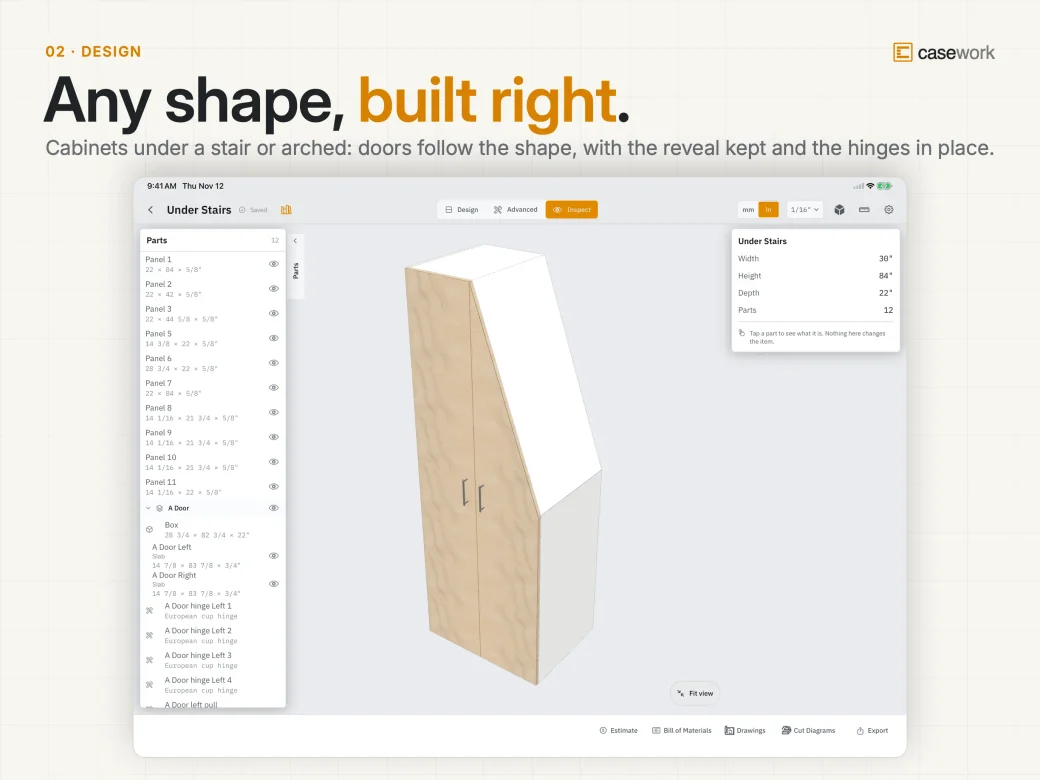
• Shaped cabinets, under a stair or with an arched top, with doors that follow the shape
• Solid wood bought by the board foot, and finishes as paint, stain or clear coat
• Frameless cabinets with an integrated toe kick or on adjustable legs, with plinths to hide the legs
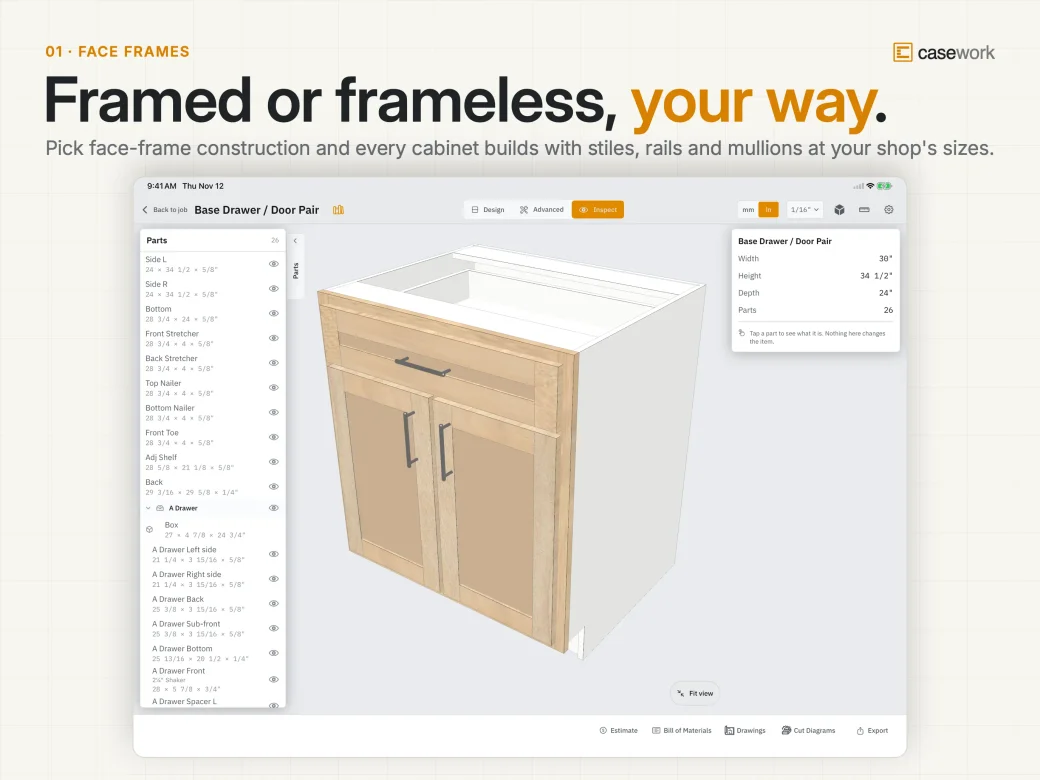
• Face frames in solid wood: overlay, full overlay, inset or beaded inset, with a frame sheet and stock list for ripping
• Blind corners and pie-cut lazy Susans, framed or frameless
PLAN THE ROOM
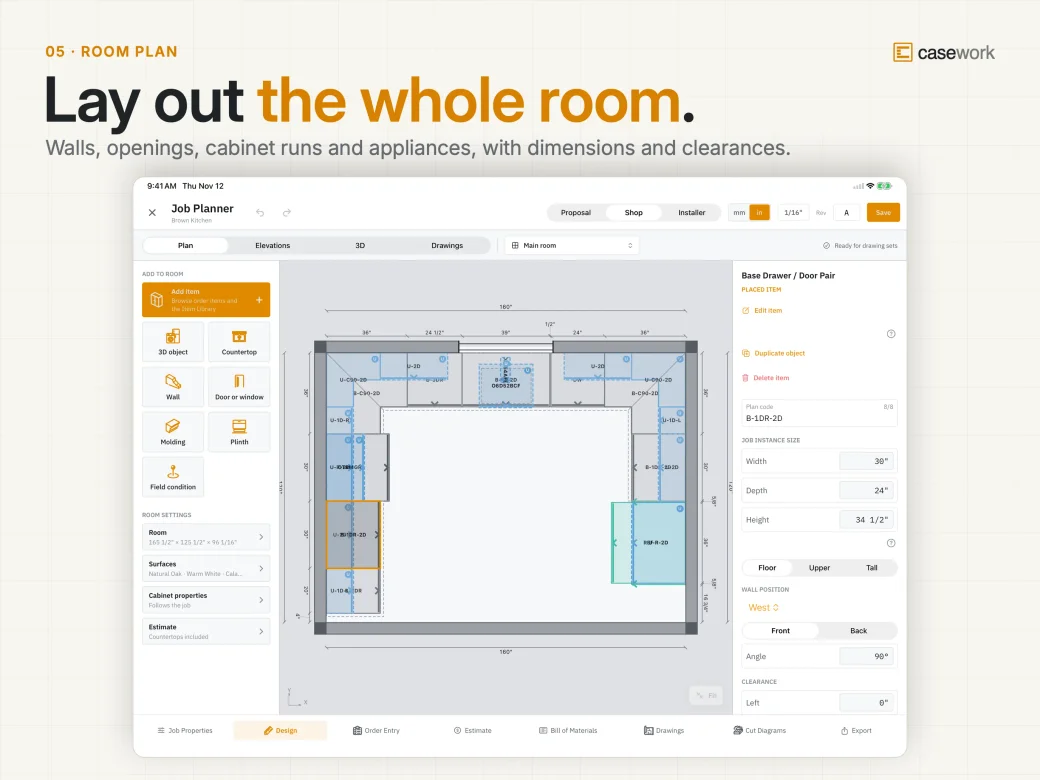
• Walls, openings, cabinets, countertops and appliances
• Sloped ceilings, with cabinets fitted to the slope
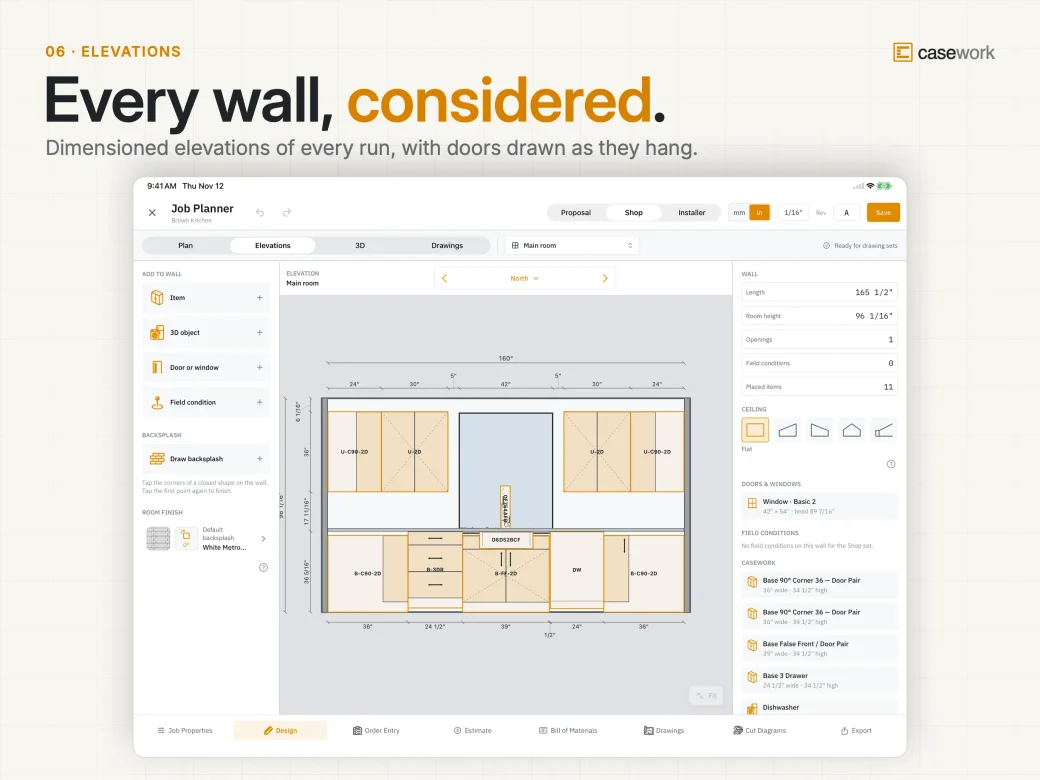
• Move between the floor plan, wall elevations and 3D
• Countertops that follow the cabinets underneath, with returns and waterfalls
• Backsplashes drawn on any wall, in tile, stone and other finishes
• Customers, order quantities and job details in one place
TAKE IT TO THE SHOP
• Cut lists and bills of materials
• Cutting diagrams nested across your own sheet sizes, with the size of every cut, and true-shape nesting for a CNC router
• PDF shop drawings and elevations
• Machine-ready DXF, as one file or a file per part, on your own layer names
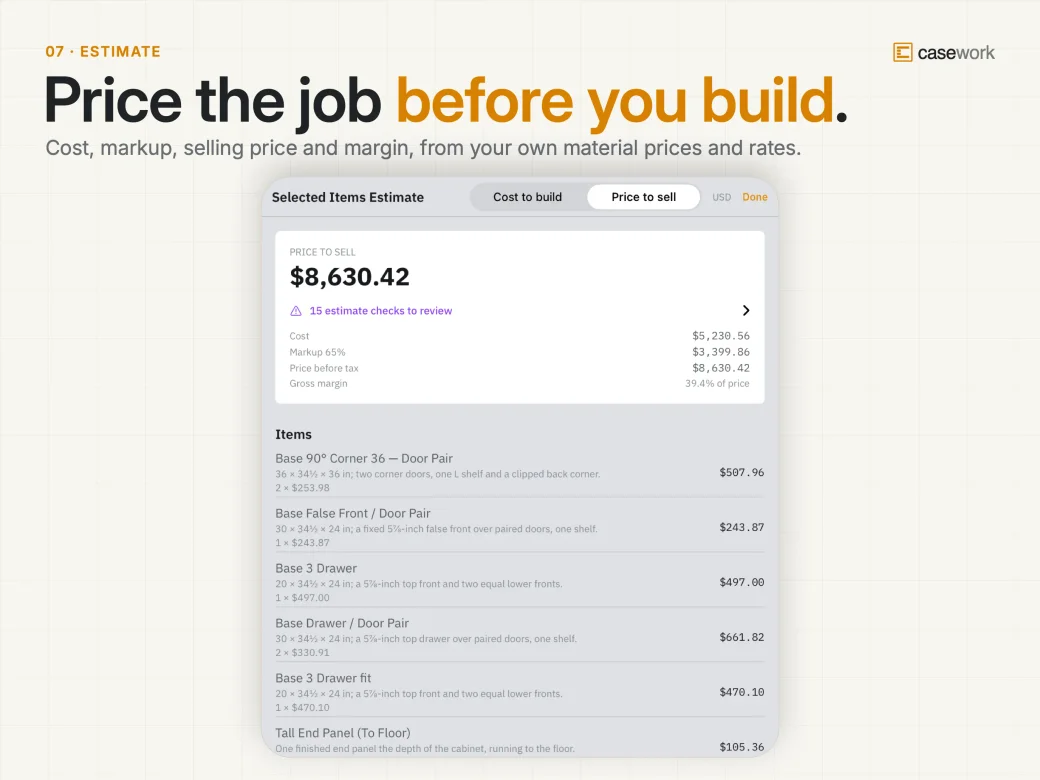
• Estimates built from your material prices and labor rates
DESIGN IS FREE. PRO TAKES YOUR WORK INTO PRODUCTION.
Design unlimited items with every modeling tool, and keep complete cut lists, nesting diagrams and estimate figures on screen. Two jobs at a time, each with two rooms and up to 40 items in a room, with the room planner, elevations, 3D views and order entry all working. Casework item and job files, and backup and restore, are always free.
CASEWORK PRO
Production exports, estimate and job-plan PDFs, your shop logo on every PDF, as many jobs, rooms and items as your shop runs, batch output, and optional sync through your own iCloud account.
Monthly or annual subscription, with a 7-day free trial for eligible subscribers. The price and renewal terms are shown before you buy. A subscription renews automatically unless it is turned off at least 24 hours before the current period ends, and you can manage it in your Apple Account settings. If a subscription ends, your work stays with you: every item and job remains readable and exportable as a Casework file.
Your work stays on your iPad. There is no Casework account, no advertising and no tracking. Sync is optional and uses your own private iCloud.
Check dimensions, specifications, prices and machine output before you quote or cut.
Privacy Policy: https://www.casework.work/privacy
Terms of Use: https://www.apple.com/legal/internet-services/itunes/dev/stdeula/
What’s new
Version 1.4.3 · Nov 25, 2026
What's new in 1.4.3
• Fixes for walls drawn at an angle: each face of a wall or partition now measures from its own corners, in the plan, the elevations and the drawings.
• Cabinets can be added to the outside face of a room wall, keep their distance from the wall, and are no longer reported as outside the room.
• Dowelled face frames no longer show holes in the front of the frame.
• Cancelling an import or an export now stops it.
• Other fixes and improvements.
App privacy
What Christopher Mancliere declares on the App Store about how this app handles data.
-
Data not collected
The developer does not collect any data from this app.
Privacy practices may vary, for example with the features you use or your age.
Information
- Seller
- Christopher Mancliere
- Category
- Productivity
- Version
- 1.4.3
- Updated
- Nov 25, 2026
- Released
- Sep 27, 2026
- Size
- 411.8 MB
- Requires
- iOS 17.0 or later
- Age rating
- 4+
- Price
- Free
- In-app purchases
- Yes
- Languages
- English, French, German, Portuguese, Spanish
- Copyright
- © 2026 Casework
You might also like
-
 Cutbench: Cutting List MakerPlywood & Timber Cut Plans
-
 Ava WDSWindow & door surveys
-
 Rius CocinaCocinas
-
 Mein BriefkastenProductivity
-
 Furniture Planner: 3D DesignCustom furniture & kitchens
-
 LevantamientosProductivity
-
 Kipuno-AI Cloud File AssistantFile clearly. Find easily.
-
 OpenKitchen3D - Cabinet DesignScan & plan your kitchen in 3D
-
 AiCadGenAi CAD Generator
-
 Cut List Optimizer - BoardcutPlywood & Sheet Calculator