
- Age rating4+
- CategoryProductivity
- DeveloperORICO Technologies Co.Ltd
- LanguagesEnglish+ 1 more
- Size244.3 MB
Links to the official App Store page
Download.org hosts no file of CyberData. The button opens its official App Store page, published by ORICO Technologies Co.Ltd. Listing last checked on Nov 23, 2026.
Screenshots

About
The Cyber Cloud Space APP needs to be used in conjunction with NAS devices equipped with CyberData OS. Its main features are as follows:
• Compatible with iOS and Mac platforms.
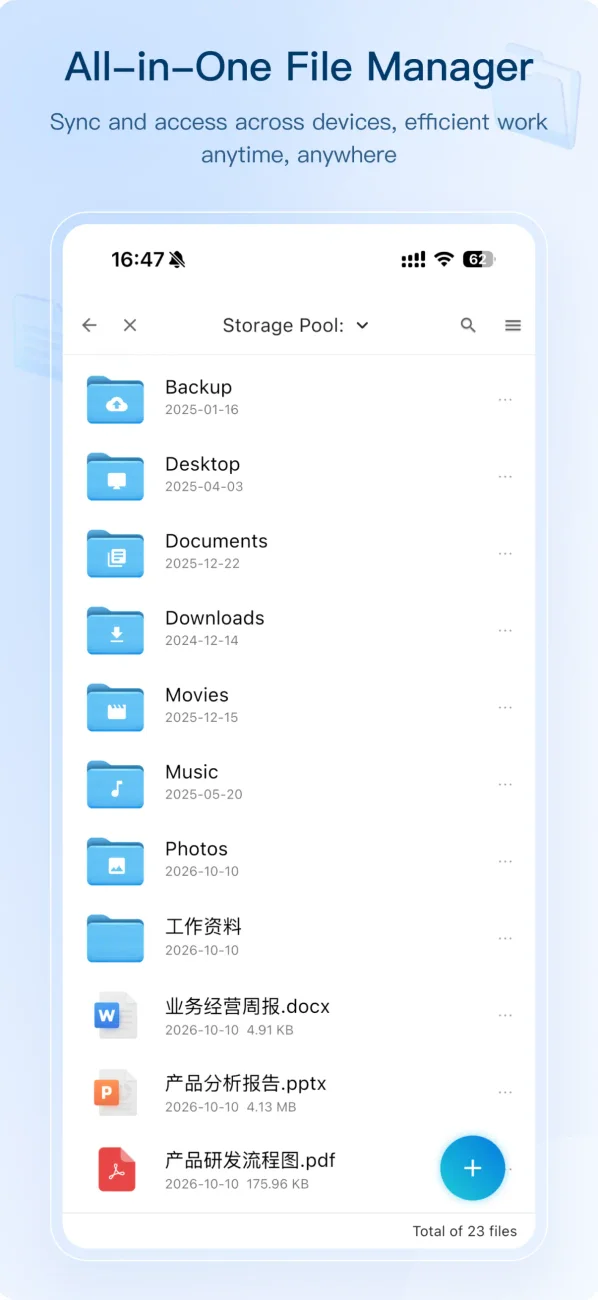
• Supports multiple storage pools and multiple external storage devices.
• Supports various hard - disk pooling strategies such as striping, mirroring, and raidz.
• Supports functions such as file backup, upload, download, online preview, and sharing.
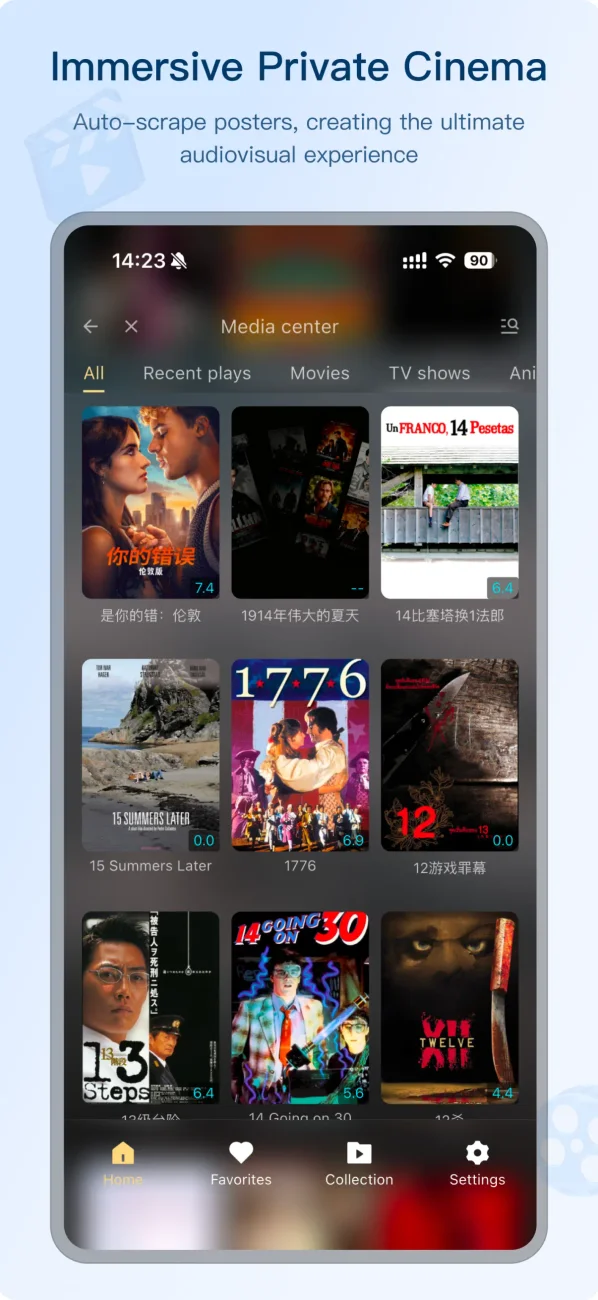
• Supports playback of videos in almost all common encoding formats such as H.264 and H.265.
• Supports sharing protocols such as Timemachine, Samba, WebDav, and FTP.
• Supports the generation of beautiful video walls.
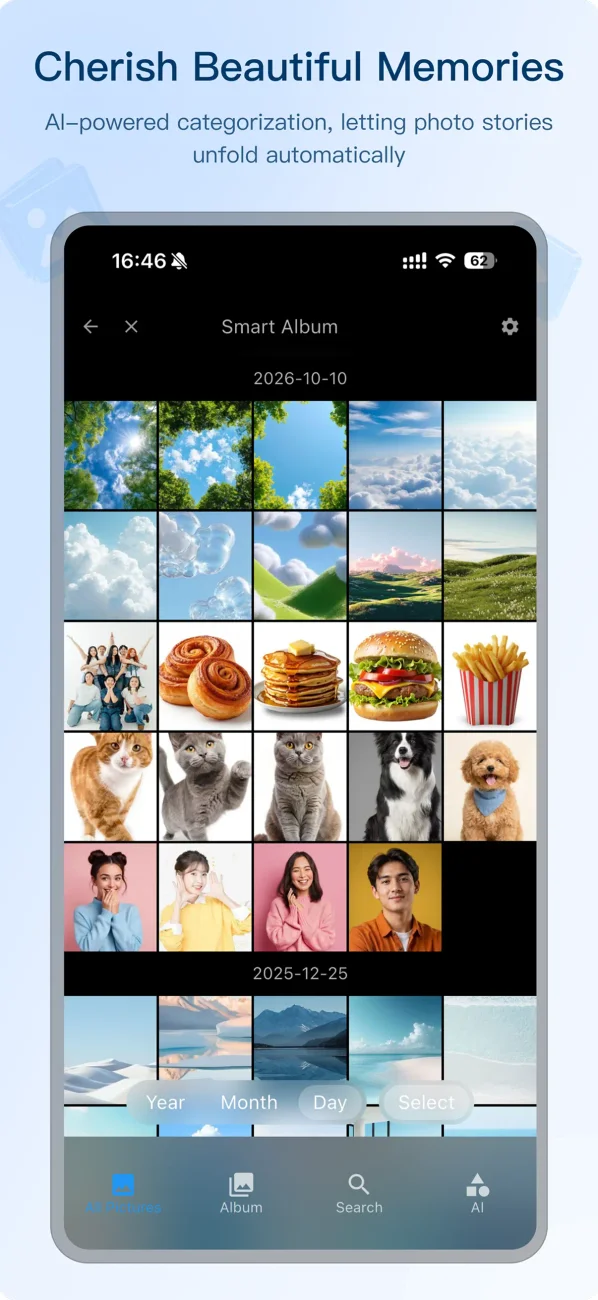
• Supports intelligent photo album functions such as face AI classification, NLP - based image search, and image - based image search.
• Supports music playback.
• Supports access to various external storage devices such as USB drives, network - attached storage (NAS), and Samba.
• Supports functions such as notepad, HDMI output control, and short - video player.
What’s new
Version 2.1.43 · Nov 20, 2026
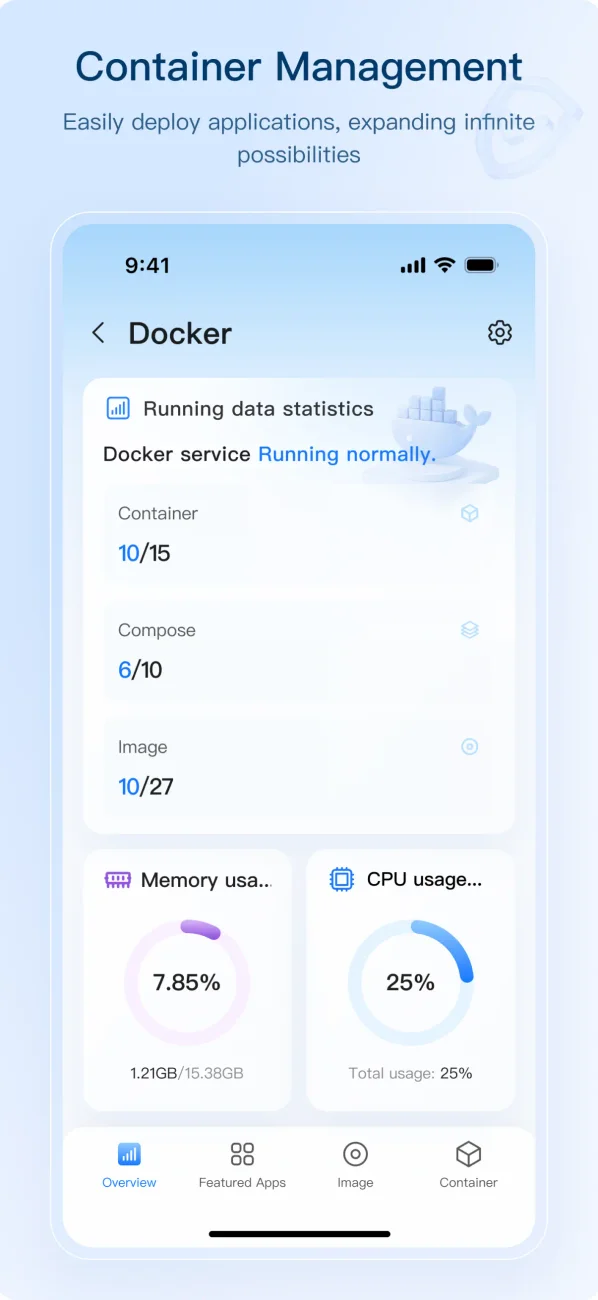
**Docker**
[Optimized] Unified the Docker image settings entry by integrating PC-side settings into the global settings page.
[Optimized] Updated the default placeholder illustration displayed when the Docker service is turned off.
**Device Sign-In**
[Fixed] Fixed an issue where mDNS scanning failed on the Windows client when binding a new device.
[Fixed] Fixed rare issues on desktop and mobile clients where icons disappeared and scanning froze.
[Fixed] Fixed a UI anomaly where the sign-in button still appeared on the desktop home page after the device was forcibly reset via a mobile device.
**Remote Access**
[New] Added Connect ID configuration and access code verification to the remote access feature, alongside an overall UI layout optimization.
**Samba**
[Optimized] Improved the prompt logic when the Samba server and client versions do not match, eliminating direct 404 error responses.
**Photos**
[Optimized] Optimized the cover photo display logic for backup albums, which now uses the latest photo in the album as the cover.
**Video**
[Optimized] Optimized preloading rules for playing extra-large videos for the first time, resolving stuttering issues caused by insufficient cache.
[Fixed] Fixed stuttering, abnormal buffering, and audio-video desynchronization issues when resuming playback of specific MP4 videos (with MOOV atom at the end of the file).
[Fixed] Fixed an issue on macOS where dragging a video folder into the Movies directory caused some files to remain stuck on "Loading" and fail to open during playback.
App privacy
What ORICO Technologies Co.Ltd declares on the App Store about how this app handles data.
-
Data linked to you
May be collected and linked to your identity.
- Identifiers
-
Data not linked to you
May be collected but is not linked to your identity.
- Usage data
- Diagnostics
- Other data
Privacy practices may vary, for example with the features you use or your age.
Information
- Seller
- ORICO Technologies Co.Ltd
- Category
- Productivity
- Version
- 2.1.43
- Updated
- Nov 20, 2026
- Released
- Sep 30, 2024
- Size
- 244.3 MB
- Requires
- iOS 13.0 or later
- Age rating
- 4+
- Price
- Free
- Languages
- English, Simplified Chinese
- Copyright
- © 深圳市元创时代科技有限公司
You might also like
-
 NAS ProPrivate NAS Control Center
-
 AirDisk Pro: Photo TransferWireless File Transfer
-
 QNAP AuthenticatorProductivity
-
 Qfile ProProductivity
-
 HiNotes by HiDockProductivity
-
 Resilio SyncFile transfer and photo backup
-
 Habit Tracker - MotivatedGoal Tracker & Day Planner
-
 Owlfiles - File ManagerAccess SMB WebDAV FTP and S3
-
 FileBrowserGO: File ManagerDocuments, Media Player, Cloud
-
 USB Disk SE, File ManagerPhoto Viewer, MP3 Player, PDF