Deep Focus - Deep Work Timer
Focus Timer & Heatmap
Designed for iPhone, iPad, iPod touch
- Age rating4+
- CategoryProductivity
- DeveloperSeulki Eom
- LanguagesEnglish
- Size34.5 MB
Links to the official App Store page
Download.org hosts no file of Deep Focus - Deep Work Timer. The button opens its official App Store page, published by Seulki Eom. Listing last checked on Nov 10, 2026.
Screenshots

About
Deep Focus - Deep Work Timer is a focus timer app built for deep work and flow. Use it as a study timer, work timer, or coding timer to quickly record how long you stayed focused. Your sessions are saved by project, so you can track progress over time and review your productivity with clear stats and a heatmap. Start the focus timer once, and your focus time tracking and time management habits begin to build naturally.
The reason to use a focus timer is simple. When you can see how much flow time you achieved today, which projects took most of your time, and whether you are staying consistent (streak), it becomes much easier to plan your next session.
[Key Features]
1. Deep Work Focus Timer (Focus Timer)
• Simple controls: start, pause, resume, finish
• Optional session notes after finishing: record what you worked on
• Keep screen on option to prevent the display from turning off during focus
• Session recovery when returning from background or restarting the app (within 12 hours)
2. Project-Based Time Tracking (Time Tracker, Work Time Tracking)
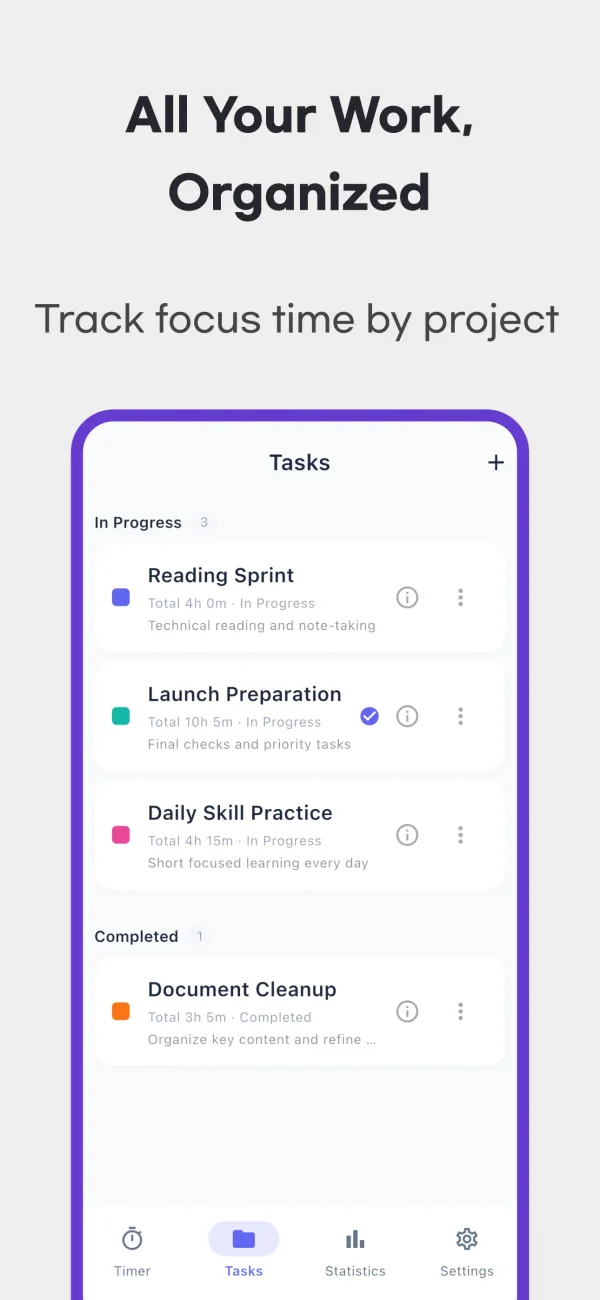
• Add, edit, and delete projects
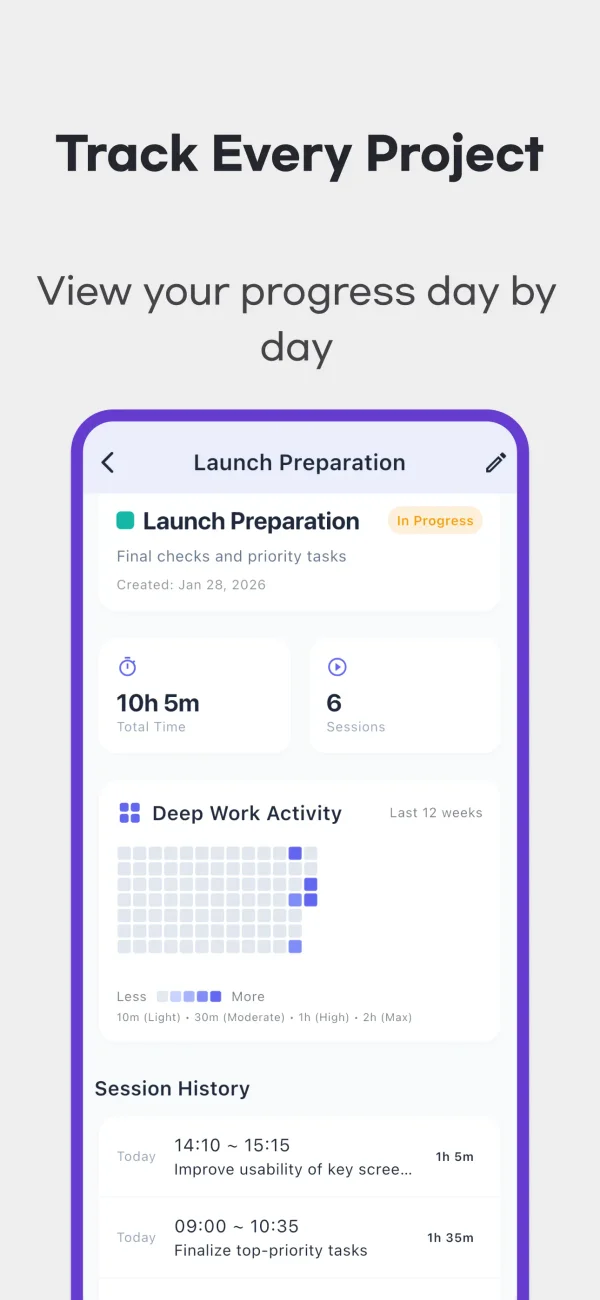
• Track total deep work time per project and manage status (active/completed)
• See at a glance where your focus time goes
3. Statistics and Visualization (Productivity Tracker)
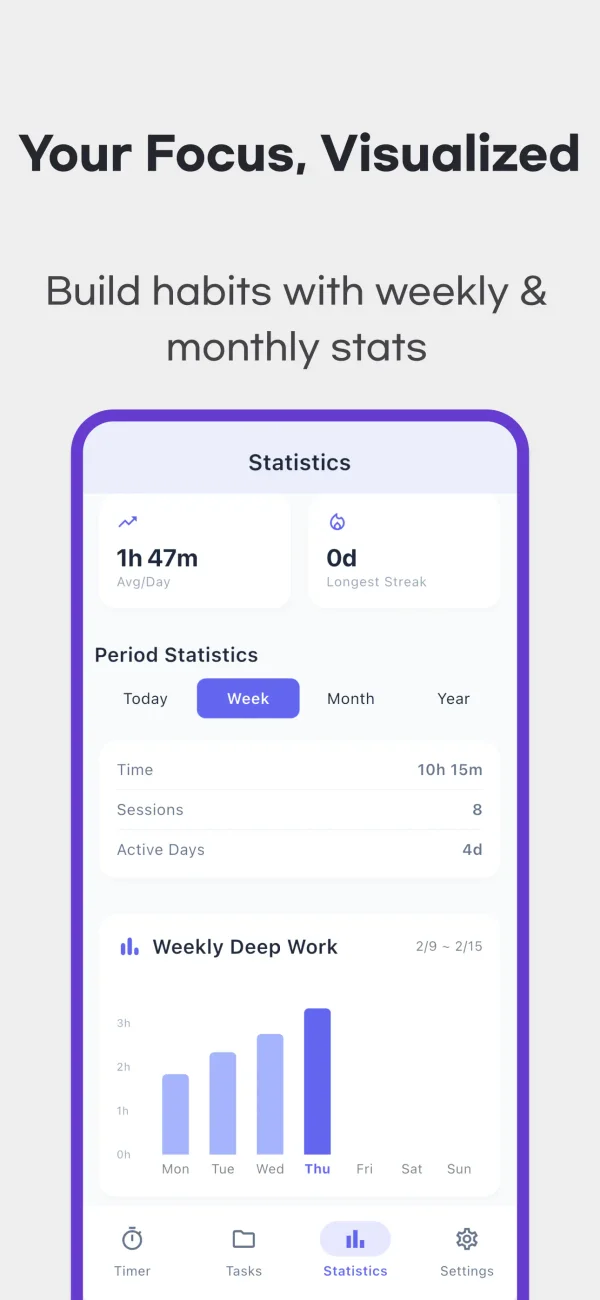
• Overall summary: total focus time, number of sessions, average focus time, longest streak
• Period stats: today, weekly, monthly, yearly
• Recent activity list to quickly review today’s deep work sessions
4. Goals and Streak (Build a Deep Work Habit)
• Set a daily goal (30 minutes to 8 hours)
• Real-time progress toward your goal
• Stay consistent with a streak system that makes progress visible
5. Heatmap (Focus Calendar)
• GitHub-style heatmap to view your last 12 weeks of flow and deep work
• Color intensity increases as your focus time grows, making improvement easy to see
App privacy
What Seulki Eom declares on the App Store about how this app handles data.
-
Data used to track you
May be used to track you across apps and websites owned by other companies.
- Location
- Identifiers
- Usage data
- Diagnostics
-
Data linked to you
May be collected and linked to your identity.
- Location
- Identifiers
- Usage data
- Diagnostics
Privacy practices may vary, for example with the features you use or your age.
Information
- Seller
- Seulki Eom
- Category
- Productivity
- Version
- 1.0
- Updated
- Feb 19, 2026
- Released
- Feb 19, 2026
- Size
- 34.5 MB
- Requires
- iOS 13.0 or later
- Age rating
- 4+
- Languages
- English
- Copyright
- © HydroponicGlass
You might also like
-
 FocusFlow: Deep Work SessionsDeep Work & Focus Sessions
-
 Cadence · Deep WorkStop listing. Start doing.
-
 FORY - routine, focus, trackerRest & Focus Time Manager
-
 포커스미Productivity
-
 Tomato: Focus TimerTrack focus and breaks
-
 Focus Tracker - Deep workDistraction Manager
-
 Simple Day TrackerTrack Your Day, Simply
-
 Focused - DeepWorkBoost your focus, track habits
-
 StudyLoopProductivity
-
 Atteno - Focus Timer & StudyHeatmap & Time Manager