- Age rating4+
- CategoryProductivity
- DeveloperHIROFUMI MARUO
- LanguagesJapanese+ 1 more
- Size9.1 MB
Links to the official App Store page
Download.org hosts no file of DictationRec. The button opens its official App Store page, published by HIROFUMI MARUO. Listing last checked on Nov 12, 2026.
Screenshots

About
This app records dictation/meeting contents and simultaneously takes speech recognition of them and displays them sequentially.
You can share recognition results by email for instance.
Because the recognition engine is Apple's formal voice recognition engine that is available on iOS10, it supports different local languages in different countries including Japan.
Attention:
This app requires internet connection through WiFi or communication environment with carriers.
How to use is as follows.
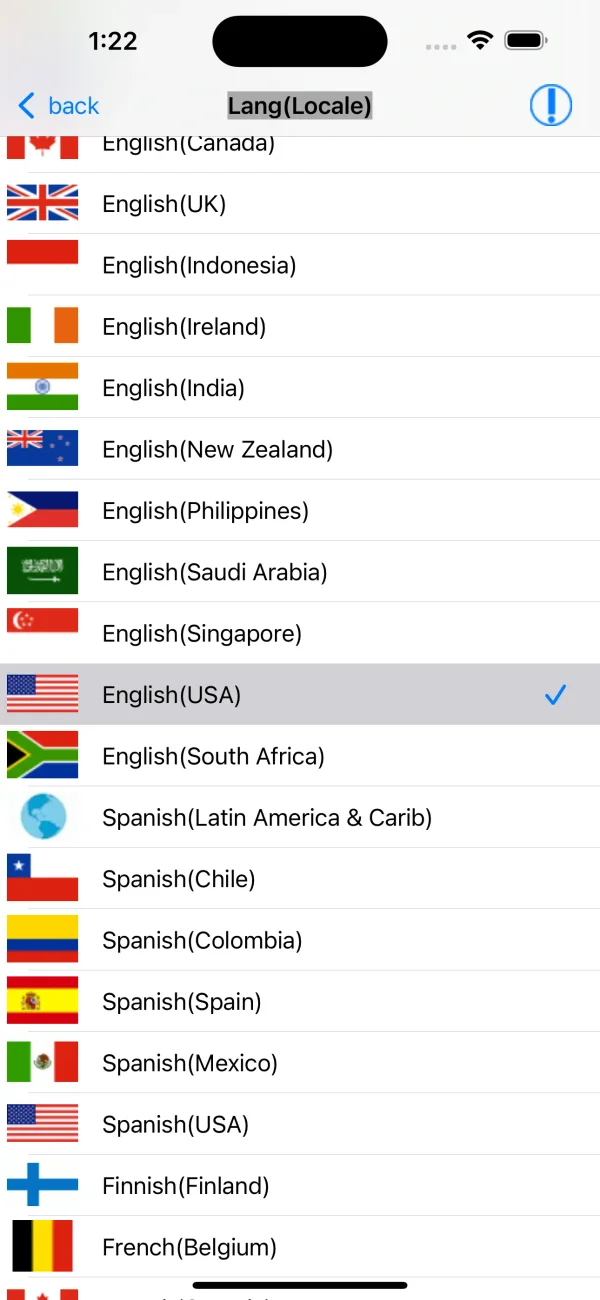
(1) Recognition language selection:
Speech recognition of the language corresponding to the locale of the terminal is possible immediately after startup it is.
Tap the "Settings" button on the upper right to move to the setting screen. By selecting any language from the language picker, speech recognition of that language becomes possible.
(2) Recognition mode selection:
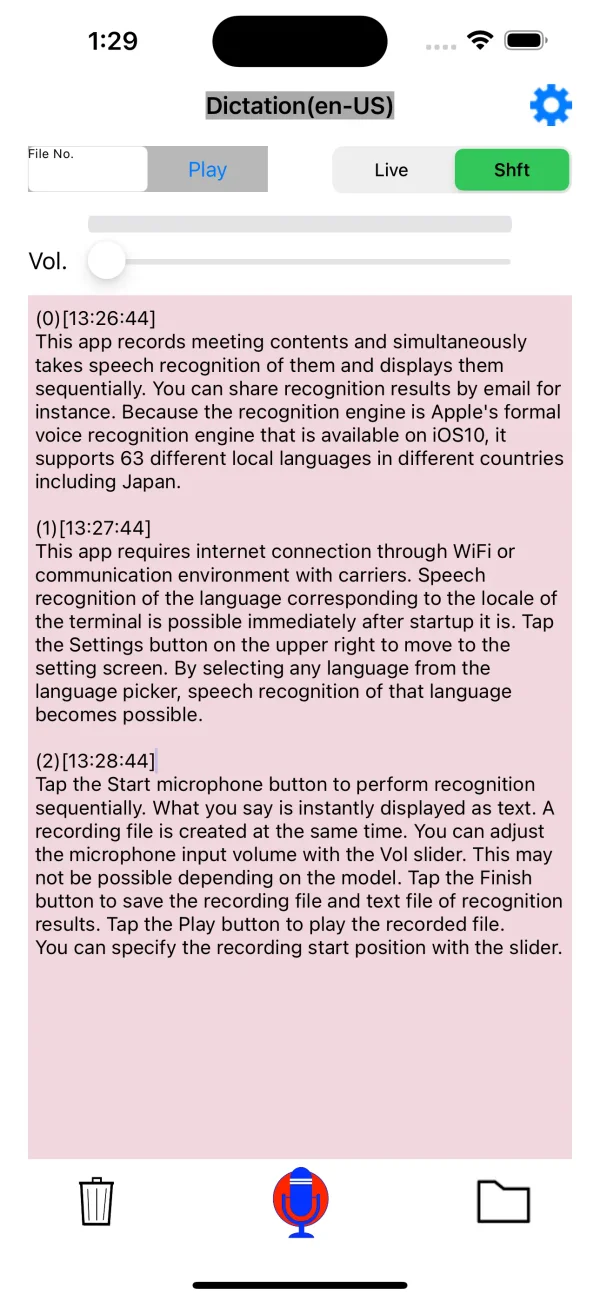
There are two recognition modes, live mode and shift mode.It works in live mode at first. Tap the mode change switch to change the recognition mode.
(3) Live mode:
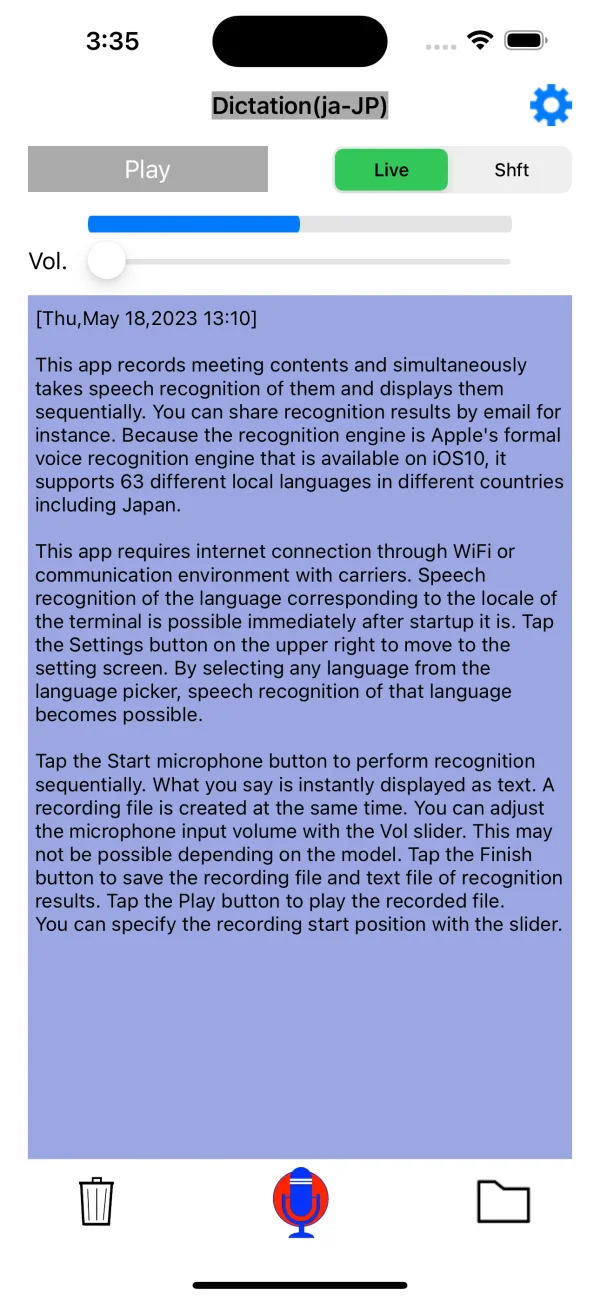
Tap the "Start microphone" button to perform recognition sequentially.
What you say is instantly displayed as text. A recording file is created at the same time.
You can adjust the microphone input volume with the Vol slider.
(This may not be possible depending on the model.)
Tap the "Finish" button to save the recording file and text file of recognition results.
Tap the "Play" button to play the recorded file.
You can specify the recording start position with the slider.
(4) Shift mode:
By tapping the "Start Microphone" button, a divided recording file is created at intervals of about 1 minute, and the contents of the file are recognized with a 1-minute delay and sequentially displayed as text.
When you tap the "Finish" button, the recording file for each minute and the text file of the recognition results are saved.
You can specify the file number and play the corresponding audio file from the speaker.
(5) Folder:
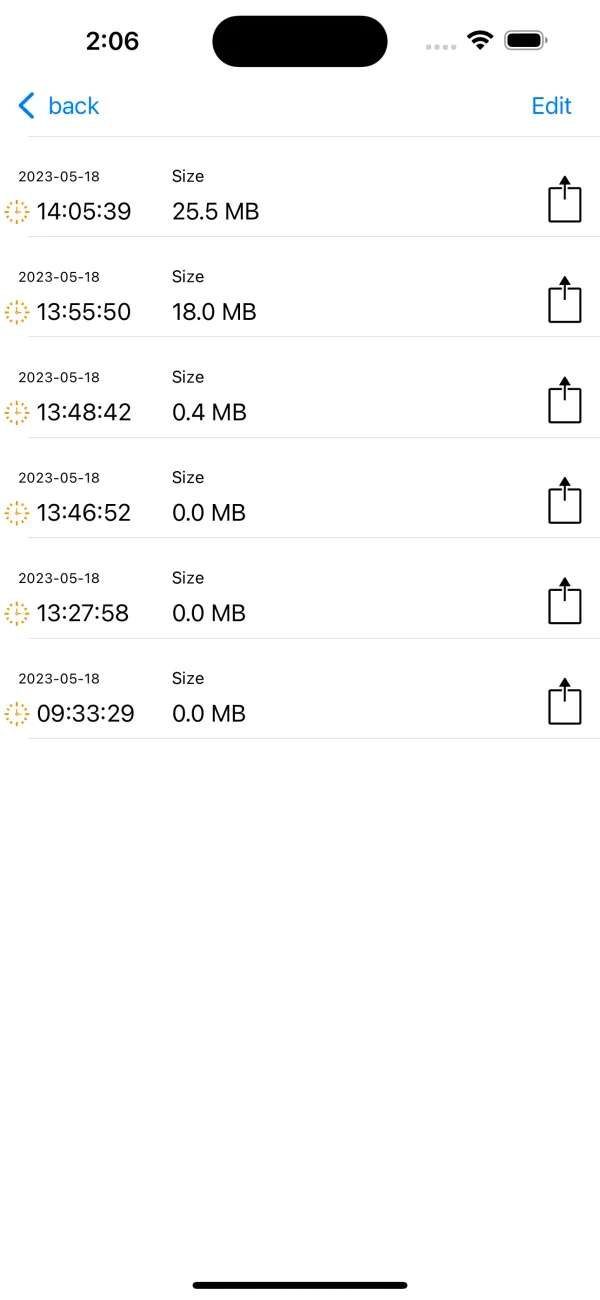
Tap the folder button to display a list of dictations/minutes created in the past. Tap any of them to view the final result of the dictation/minutes. Recording playback is also possible.
By tapping the "Share" button, you can share audio files and recognition result files by email, AirDrop, etc.
(6) Erase:
Tap the "Clear" button to clear the displayed text. It also deletes all the files that were divided and recorded in shift mode. After erasing, audio cannot be played back even if the file number is specified.
What’s new
Version 1.7 · Jul 1, 2026
Slightly improved the display.
App privacy
What HIROFUMI MARUO declares on the App Store about how this app handles data.
-
Data not collected
The developer does not collect any data from this app.
Privacy practices may vary, for example with the features you use or your age.
Information
- Seller
- HIROFUMI MARUO
- Category
- Productivity
- Version
- 1.7
- Updated
- Jul 1, 2026
- Released
- Sep 18, 2016
- Size
- 9.1 MB
- Requires
- iOS 12.0 or later
- Age rating
- 4+
- Languages
- Japanese, English
- Copyright
- © Since 2016, Carina Japan.
You might also like
-
 LapNoteStopwatch That Takes Notes
-
 PromptCraft(プロンプトクラフト)Productivity
-
 PromptBuilder: AI PromptsImage Generator & Photo Editor
-
 Transcribe on deviceProductivity
-
 MeetingVoice: Meeting RecorderVoice Recorder & Transcription
-
 HabitShip - Habits in SpaceExplore space with habits!
-
 Calendar Insights: Time StatsStatistics for Apple Calendar
-
 Image Converter - jpg,png,heicProductivity
-
 Simple Meeting MinutesProductivity
-
 AI音声文字起こし-録音で会議の議事録を無限に自動文字起こしProductivity