
- Độ tuổi4+
- Danh mụcHiệu Suất
- Nhà phát triểnHIROFUMI MARUO
- Ngôn ngữTiếng Nhật+ 1 ngôn ngữ khác
- Kích thước9,1 MB
Liên kết đến trang App Store chính thức
Download.org không lưu trữ tệp nào của DictationRec. Nút này mở trang ứng dụng trên App Store, nơi HIROFUMI MARUO phát hành ứng dụng. Trang được kiểm tra lần cuối: 12/11/2026.
Ảnh chụp màn hình


Giới thiệu
Nhà phát triển chưa cung cấp nội dung này bằng ngôn ngữ của bạn.
This app records dictation/meeting contents and simultaneously takes speech recognition of them and displays them sequentially.
You can share recognition results by email for instance.
Because the recognition engine is Apple's formal voice recognition engine that is available on iOS10, it supports different local languages in different countries including Japan.
Attention:
This app requires internet connection through WiFi or communication environment with carriers.
How to use is as follows.
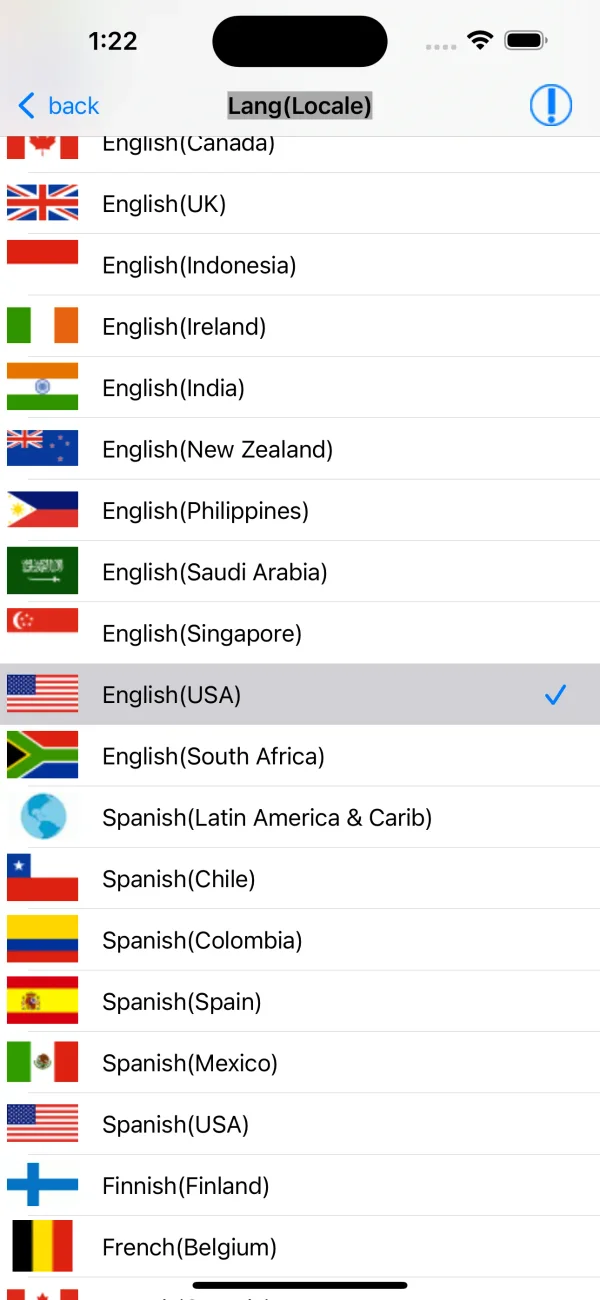
(1) Recognition language selection:
Speech recognition of the language corresponding to the locale of the terminal is possible immediately after startup it is.
Tap the "Settings" button on the upper right to move to the setting screen. By selecting any language from the language picker, speech recognition of that language becomes possible.
(2) Recognition mode selection:
There are two recognition modes, live mode and shift mode.It works in live mode at first. Tap the mode change switch to change the recognition mode.
(3) Live mode:
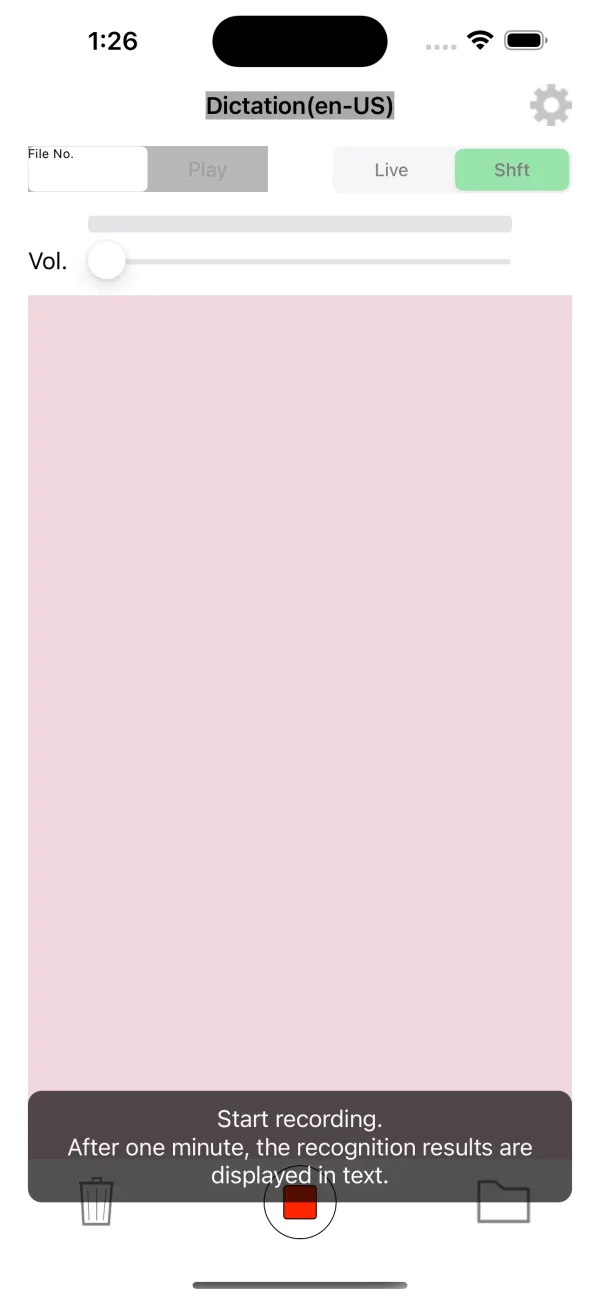
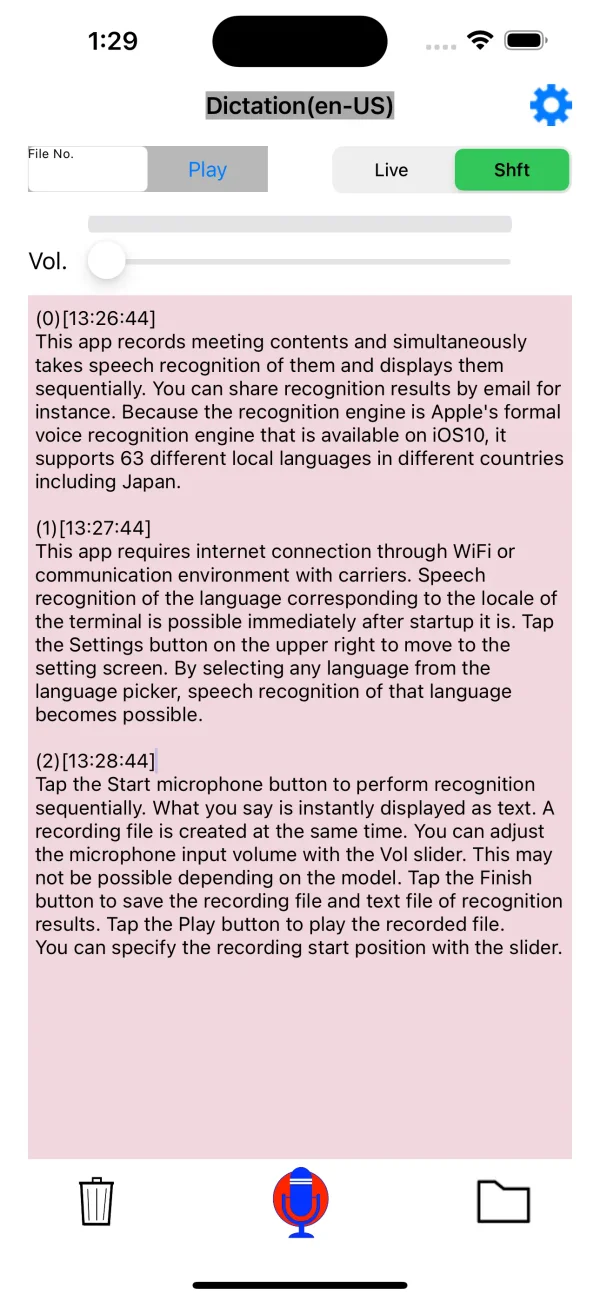
Tap the "Start microphone" button to perform recognition sequentially.
What you say is instantly displayed as text. A recording file is created at the same time.
You can adjust the microphone input volume with the Vol slider.
(This may not be possible depending on the model.)
Tap the "Finish" button to save the recording file and text file of recognition results.
Tap the "Play" button to play the recorded file.
You can specify the recording start position with the slider.
(4) Shift mode:
By tapping the "Start Microphone" button, a divided recording file is created at intervals of about 1 minute, and the contents of the file are recognized with a 1-minute delay and sequentially displayed as text.
When you tap the "Finish" button, the recording file for each minute and the text file of the recognition results are saved.
You can specify the file number and play the corresponding audio file from the speaker.
(5) Folder:
Tap the folder button to display a list of dictations/minutes created in the past. Tap any of them to view the final result of the dictation/minutes. Recording playback is also possible.
By tapping the "Share" button, you can share audio files and recognition result files by email, AirDrop, etc.
(6) Erase:
Tap the "Clear" button to clear the displayed text. It also deletes all the files that were divided and recorded in shift mode. After erasing, audio cannot be played back even if the file number is specified.
Có gì mới
Phiên bản 1.7 · 01/07/2026
Slightly improved the display.
Quyền riêng tư của ứng dụng
Những gì HIROFUMI MARUO khai báo trên App Store về cách ứng dụng này xử lý dữ liệu.
-
Dữ liệu không được thu thập
Nhà phát triển không thu thập bất kỳ dữ liệu nào từ ứng dụng này.
Phương thức đảm bảo quyền riêng tư có thể khác nhau, chẳng hạn như tuỳ theo các tính năng bạn sử dụng hoặc độ tuổi của bạn.
Thông tin
- Người bán
- HIROFUMI MARUO
- Danh mục
- Hiệu Suất
- Phiên bản
- 1.7
- Cập nhật
- 01/07/2026
- Phát hành
- 18/09/2016
- Kích thước
- 9,1 MB
- Yêu cầu
- iOS 12.0 trở lên
- Độ tuổi
- 4+
- Giá
- 29.000đ
- Ngôn ngữ
- Tiếng Nhật, Tiếng Anh
- Bản quyền
- © Since 2016, Carina Japan.
Có thể bạn cũng thích
-
 LapNoteĐồng hồ bấm giờ biết ghi chú
-
 PromptCraft(プロンプトクラフト)Hiệu Suất
-
 PromptBuilder: AI PromptsHiệu Suất
-
 Transcribe on deviceHiệu Suất
-
 MeetingVoice - Ghi ÂmGhi âm & chuyển đổi cuộc họp
-
 Calendar Insights: Thống KêThống kê cho Apple Calendar
-
 Image Converter - jpg,png,heicHiệu Suất
-
 Simple Meeting MinutesHiệu Suất
-
 AI音声文字起こし-録音で会議の議事録を無限に自動文字起こしHiệu Suất