DocBound: PDF Scanner & Editor
Scan & Sign Documents, OCR
Designed for iPhone, iPod touch
Free · In-app purchases
- Age rating4+
- CategoryBusiness
- DeveloperAppbound Technologies LLC
- LanguagesEnglish
- Size5.2 MB
Links to the official App Store page
Download.org hosts no file of DocBound: PDF Scanner & Editor. The button opens its official App Store page, published by Appbound Technologies LLC. Listing last checked on Nov 12, 2026.
Screenshots
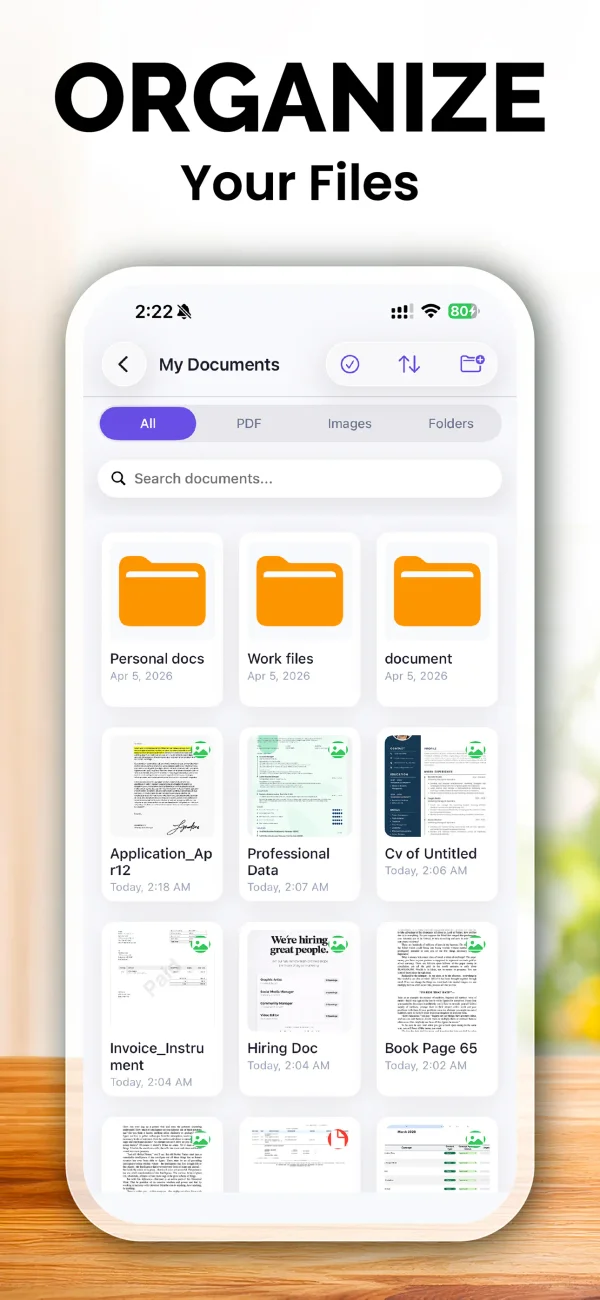
About
With DocBound you can turn your iPhone into a powerful document scanner and editing tool. It is the ultimate app to scan documents, edit, and manage all your files in one place.
No more complicated processes or juggling multiple apps. From scanning to converting files into various formats like PDF, JPG,DOCX, XLSX, PPTX, ZIP and more on the way, DocBound simplifies everything in one powerful iOS scanner app.
KEY FEATURES:
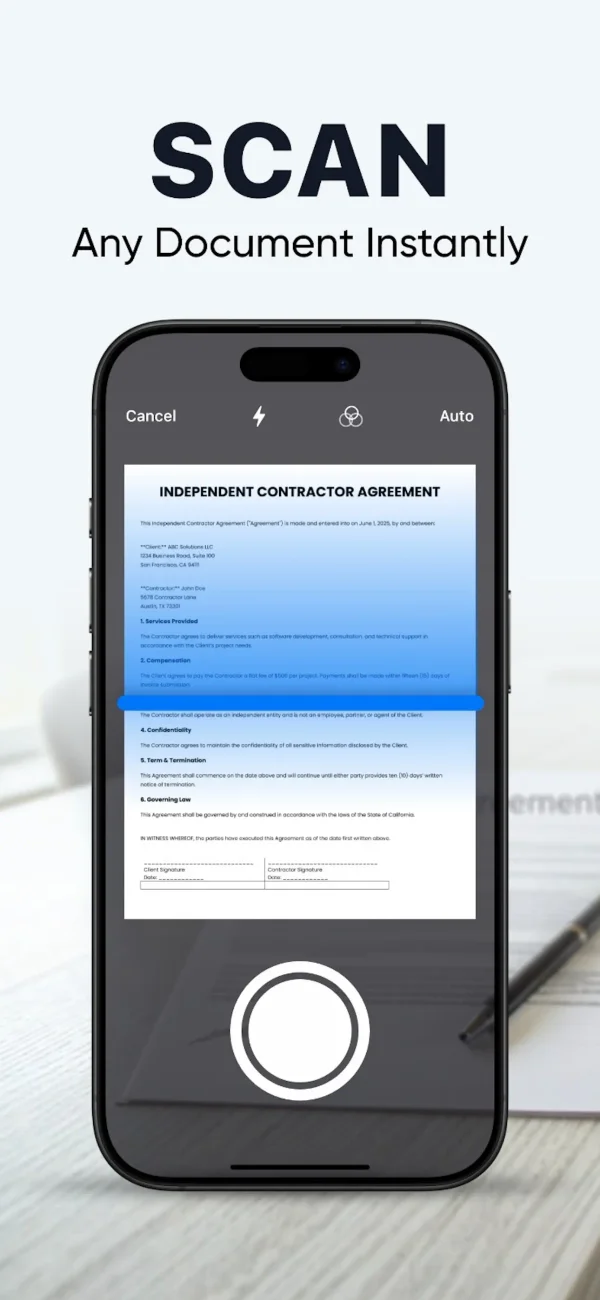
- SMART SCANNER: Quickly and efficiently scan documents with automatic edge detection. Also scan QR codes, barcodes, business cards, ID cards, and passports with ease.
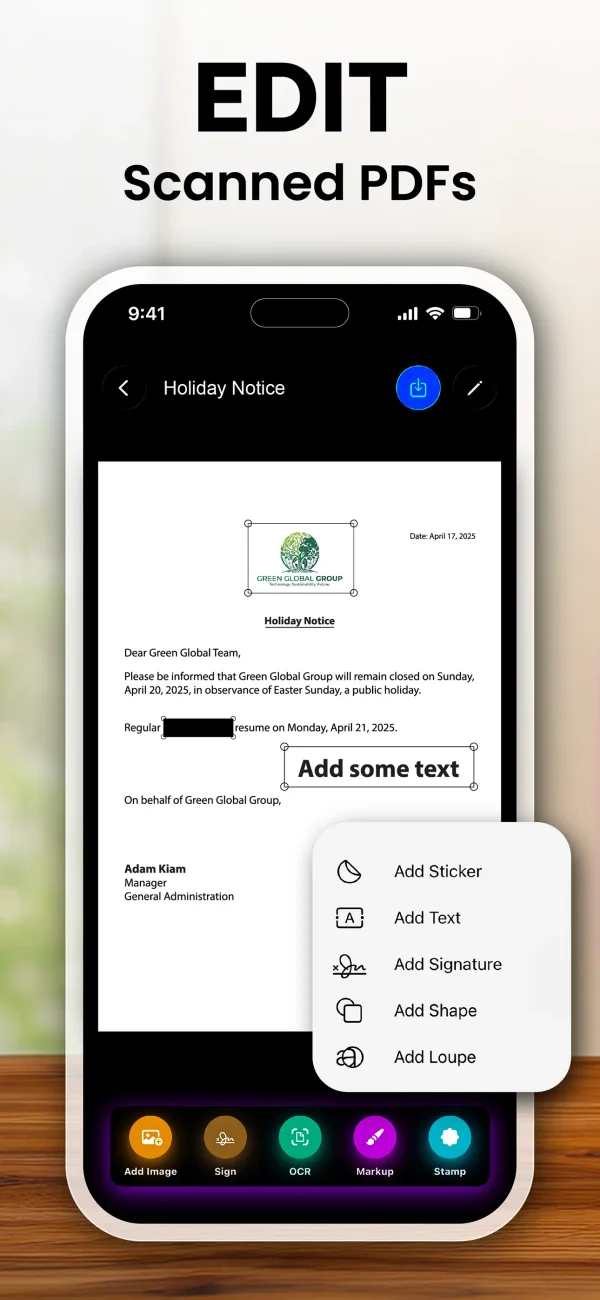
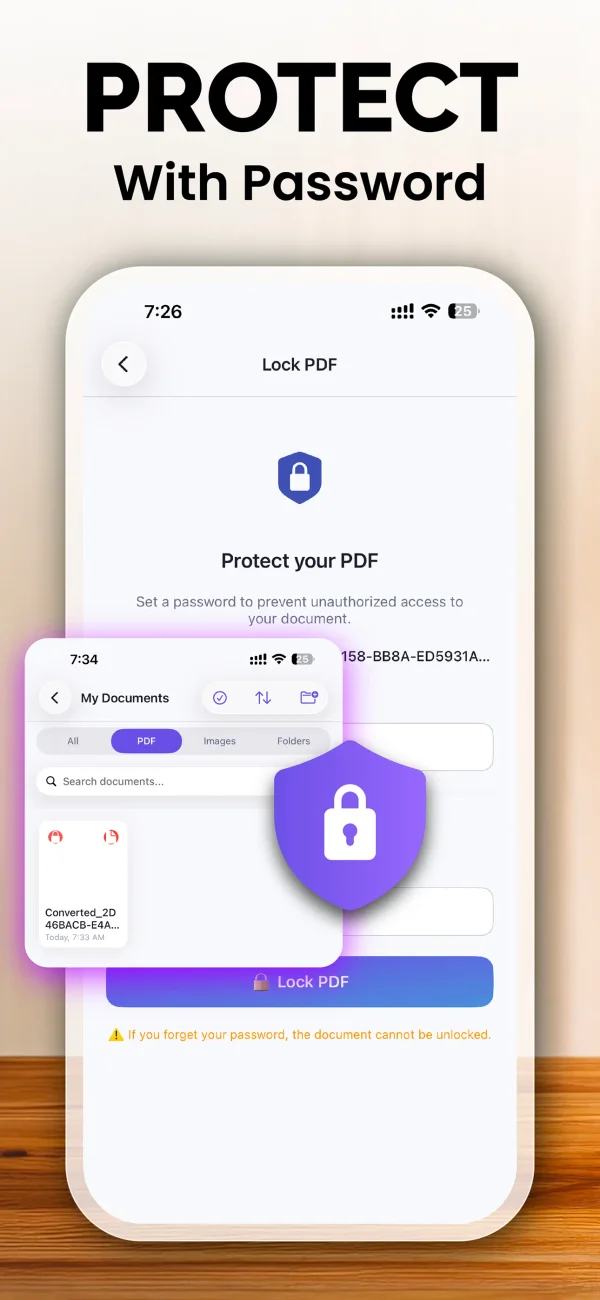
- EDIT: Merge, split, reorder, delete, and add pages to PDFs. Add e-signatures, stamps, images, and text. Remove watermarks, lock documents with a password, and redact sensitive content using powerful built-in tools.
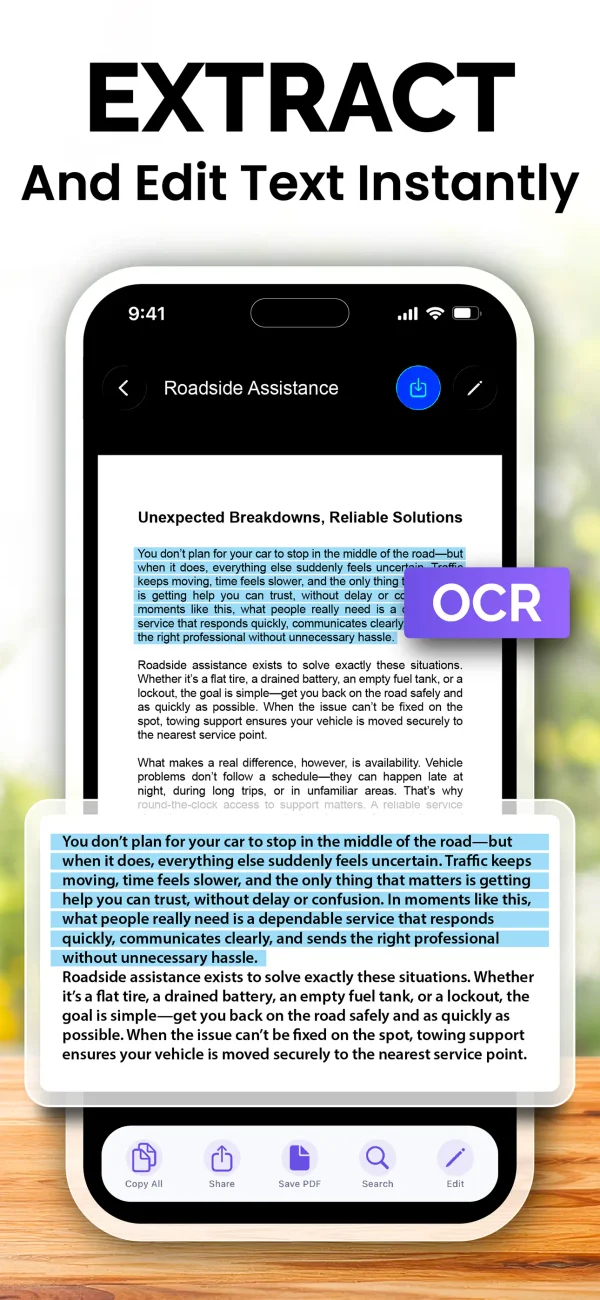
- OCR: Extract editable, searchable text from scanned images and documents instantly with built-in Optical Character Recognition.
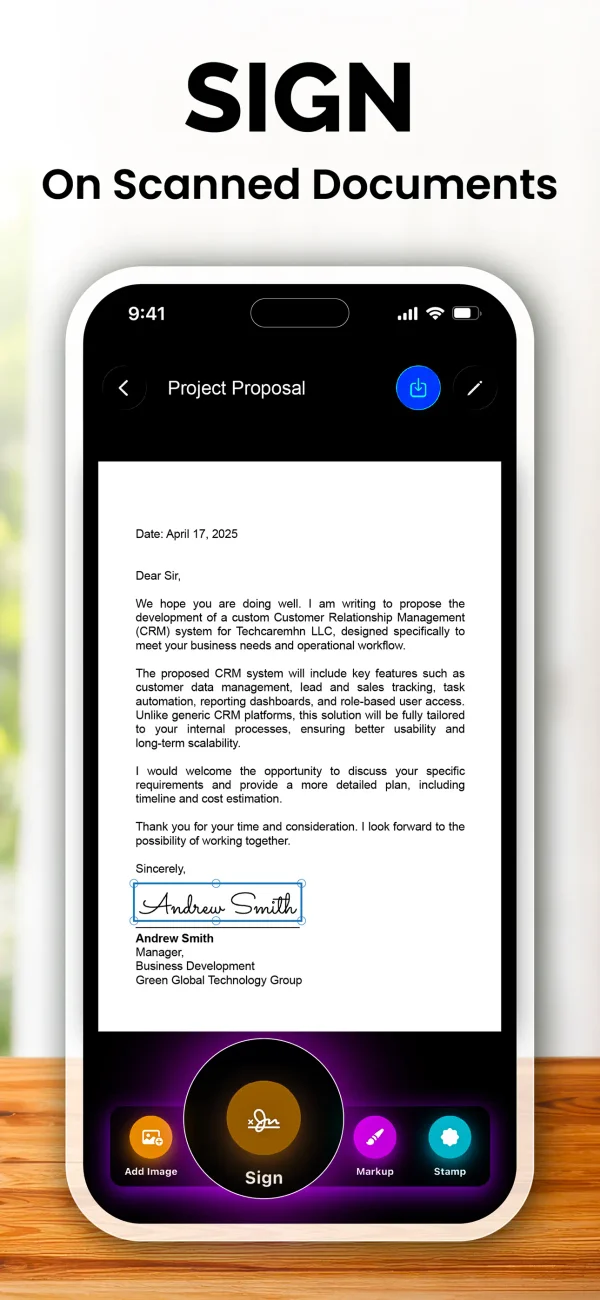
- E-SIGN & STAMPS: Sign documents electronically and apply professional stamps in just a few taps.
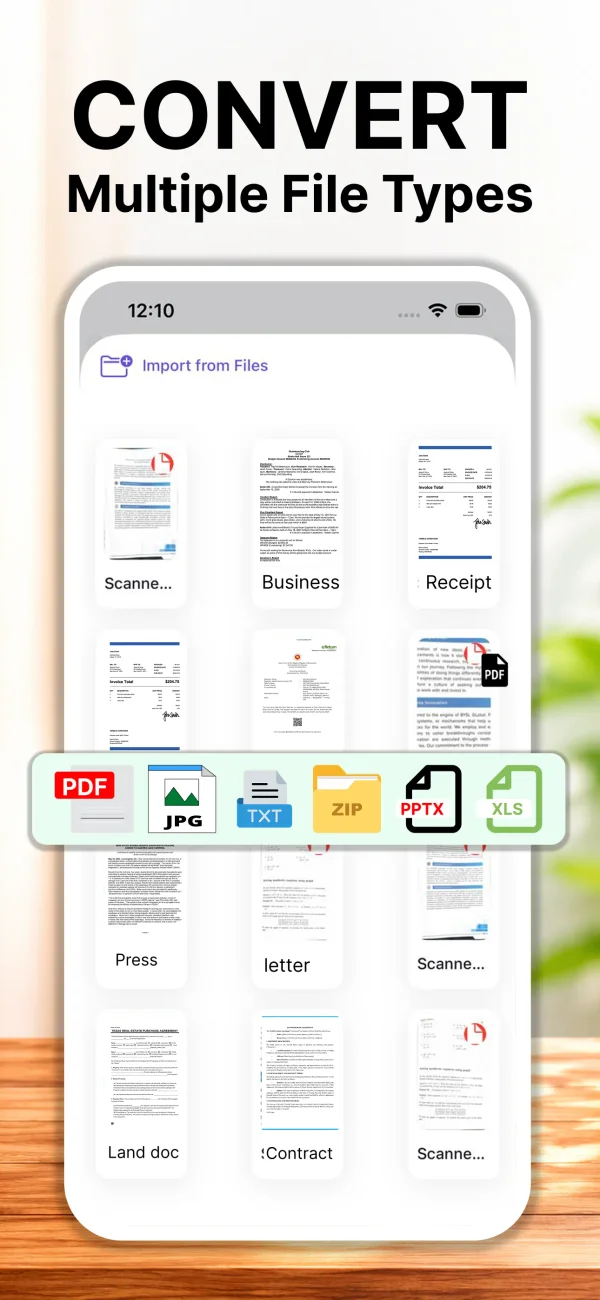
- DOCUMENT CONVERTER: Effortlessly convert to JPG, PDF, DOCX, XLSX, PPTX, and ZIP. Fast, clean, and reliable conversions right on your device.
- DOCUMENT MANAGEMENT: Efficiently merge, split, and reorganize pages in your PDFs.
- AI DOCUMENT ASSISTANT: Instantly summarize documents, shorten lengthy content, rewrite text for better clarity, complete unfinished writing, and get simple explanations of complex documents.
- BLUR & REDACT: Protect sensitive information by blurring confidential content or permanently redacting private data before sharing.
- SECURITY & PRIVACY: Lock PDFs with a password and redact sensitive content to keep your documents secure and confidential.
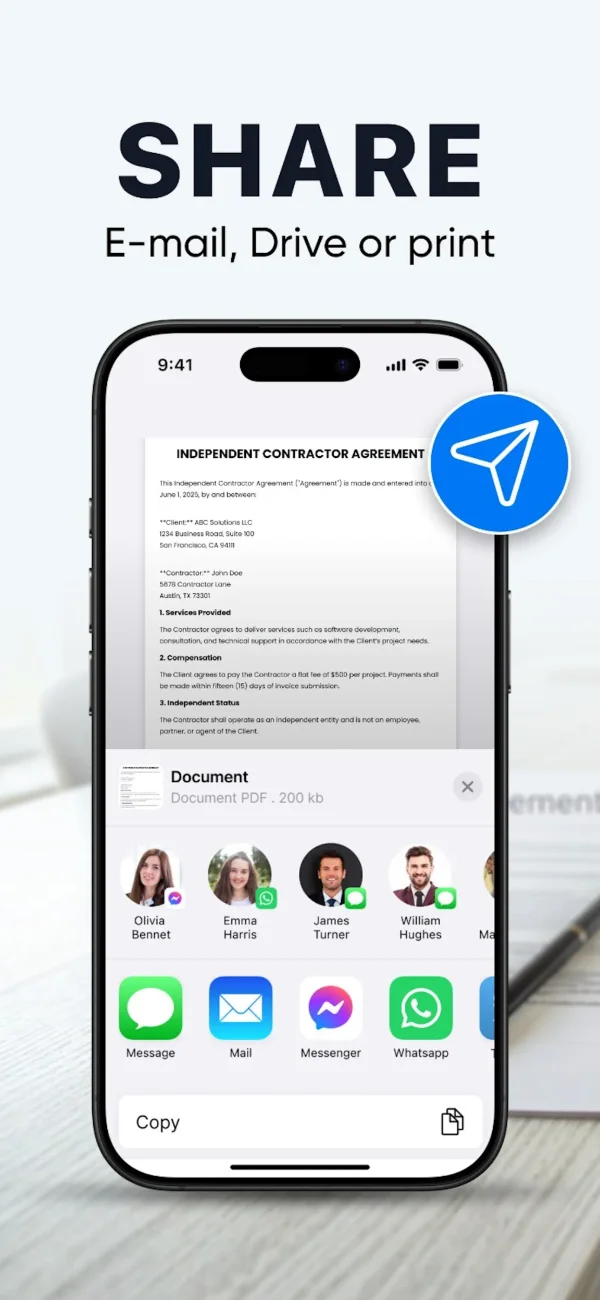
- EASY IMPORT & SHARING: Import documents from the Photos app, and the Files app. Also, just as easily share your documents with others.
Superior Document Editing
DocBound is not just another scanner app. It's your reliable AI Document Editor, perfect for scanning documents on iPhone and making comprehensive edits instantly. Merge, reorder, or delete pages, add e-signatures and stamps, extract text with OCR, remove watermarks, lock documents with a password, and redact sensitive content. DocBound gives you total control over your PDFs, enhancing your workflow significantly.
Quick & Easy Conversion
Need quick and reliable conversions? DocBound effortlessly converts files to JPG, PDF, DOCX, XLSX, PPTX, and ZIP conversion. Experience seamless compatibility across devices and platforms, and streamline your document management tasks.
Why Choose DocBound?
Whether you want to scan documents with iPhone, edit PDFs, or convert files, DocBound is the best iPhone scanner app you'll ever need. It’s ideal for professionals, students, and everyday users looking for a scanner app that delivers premium quality. Experience unmatched convenience, precise editing tools, and secure file handling—all in one best document scanner app. Simplify your life today with DocBound, the ultimate PDF scanner app for iPhone.
Subscription Details:
- Upgrade to unlock advanced features and an ad-free experience.
- Weekly, monthly, and yearly subscription plans are available.
- Subscription plan will automatically renew 24 hours before the end of each billing period.
- Renewal charge depends on the subscription plan you choose.
- You can manage or cancel your subscription anytime through your App Store settings.
Privacy Policy of DocBound: https://appbound.app/docbound-privacy-policy/
Terms of Use of DocBound: https://appbound.app/docbound-terms-of-use/
Simplify your life today with DocBound, the ultimate app to scan, edit, and share documents. Try it now for FREE!
What’s new
Version 2.1 · May 25, 2026
• New Blur Tool for sensitive content.
• Improved signature and stamp feature.
• New AI tools: Summarize, Rewrite, Shorten, Complete Writing, and Explain.
• Added DOCX, XLSX, PPTX, and ZIP conversion support.
• Enhanced document management and editing experience.
• Performance improvements and bug fixes.
App privacy
What Appbound Technologies LLC declares on the App Store about how this app handles data.
-
Data not collected
The developer does not collect any data from this app.
Privacy practices may vary, for example with the features you use or your age.
Information
- Seller
- Appbound Technologies LLC
- Category
- Business
- Version
- 2.1
- Updated
- May 25, 2026
- Released
- Jun 30, 2025
- Size
- 5.2 MB
- Requires
- iOS 15 or later
- Age rating
- 4+
- Price
- Free
- In-app purchases
- Yes
- Languages
- English
- Copyright
- © Appbound Technologies, LLC
You might also like
-
 Editify: PDF Editor & AI ChatFill, Sign, Compress · Offline
-
 IPO365IPO Information Providers
-
 AI Essay Writer - AI WriterGenerate Any Thing - Novel AI
-
 Paycore GroupBusiness
-
 Time Card: Work Hours TrackerTimesheet & Pay Calculator
-
 TaskTrak LiveProductivity
-
 Budgetfy - Expense TrackingTrack Income & Expenses Easily
-
 MileLog: IRS Mileage TrackerAuto Log Miles for Work & 1099
-
 Contract Maker AI: AgreeliumSecure Way to Deal
-
 Widu AppSay it we do it