
DocScan AI: PDF Scanner
On-Device OCR & Field Capture
Designed for iPhone, iPad, Mac
In-app purchases
- Age rating4+
- CategoryProductivity
- DeveloperAppConsult
- LanguagesGerman+ 19 more
- Size18.6 MB
Links to the official App Store page
Download.org hosts no file of DocScan AI: PDF Scanner. The button opens its official App Store page, published by AppConsult. Listing last checked on Nov 24, 2026.
Screenshots
About
DocScan AI turns your iPhone, iPad and Mac into a private, intelligent document scanner. Capture any paper, get clean PDFs with searchable text, and let the app pull out the details that matter — without sending a single page to our servers, because there are none.
EVERYTHING HAPPENS ON YOUR DEVICE
Scanning, text recognition and AI run entirely on-device. Nothing is uploaded unless you switch on iCloud sync or a backup yourself. Privacy isn't a setting here — it's the architecture.
SCAN OR IMPORT
- Edge detection and perspective correction for crisp scans
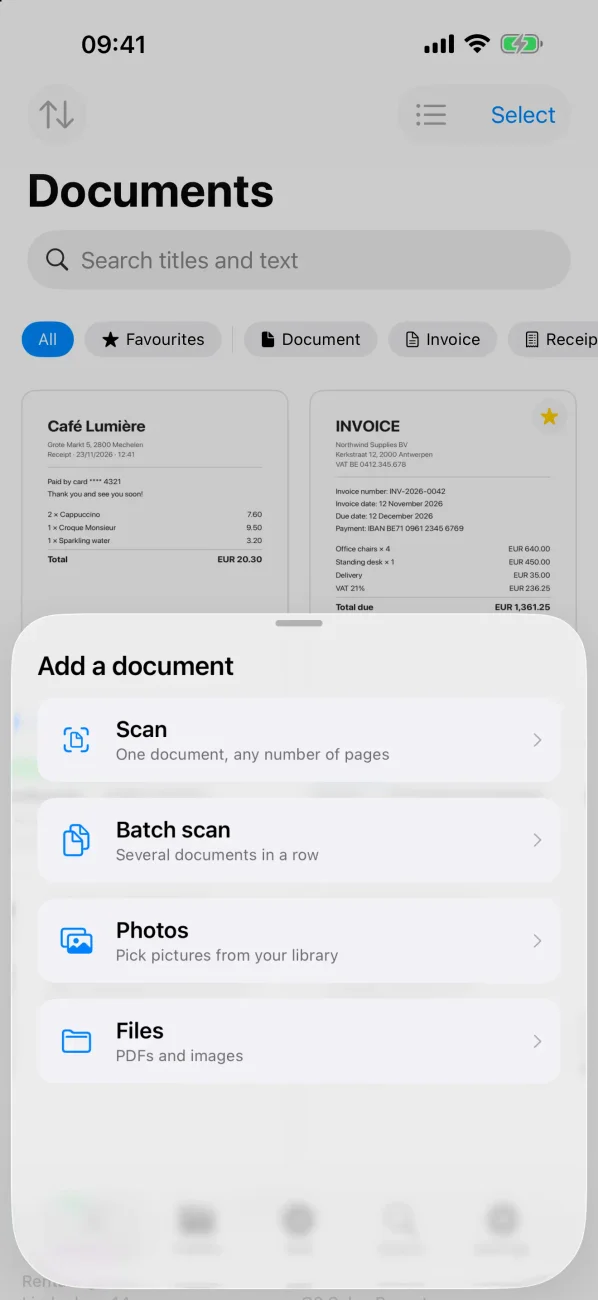
- Multi-page and batch scanning
- Import photos and PDFs you already have, or share them to DocScan AI from any app
- On-device OCR reads printed text in 18+ languages, on every page
AI THAT FILES FOR YOU (PRO)
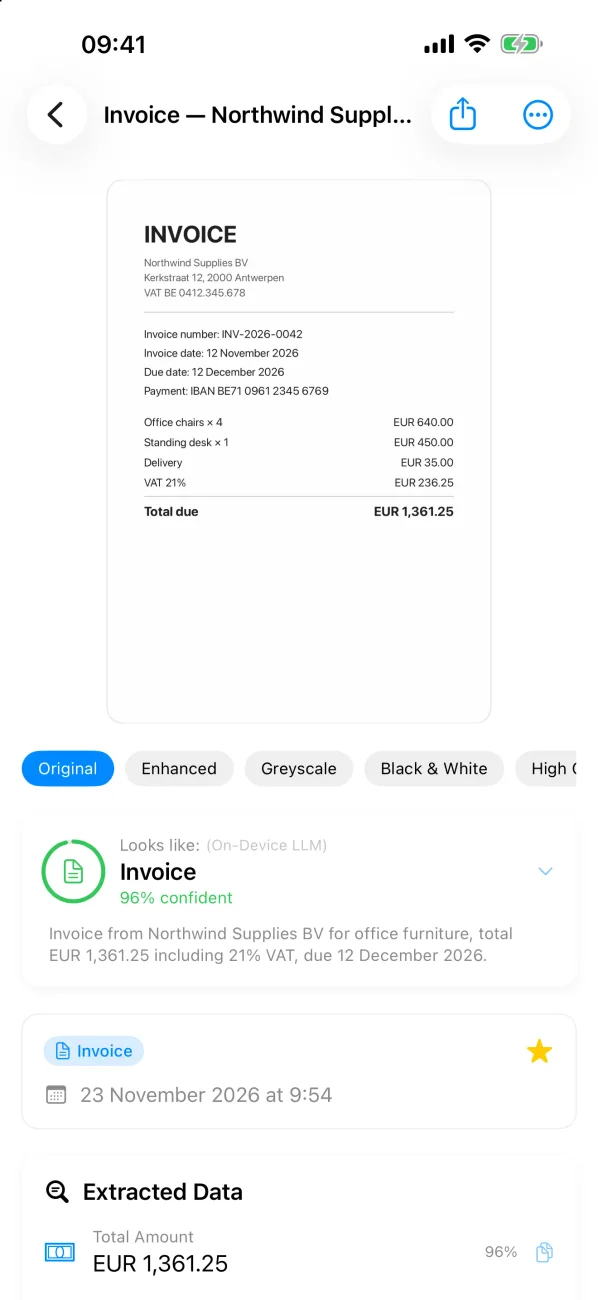
- Sorts documents into 9 types: invoices, receipts, contracts, letters, forms, reports, IDs, business cards and more
- Suggests a clear title and a short summary
- Pulls out IBAN, VAT numbers, dates, totals and other key fields
- AI features need Apple Intelligence (iOS 26 or macOS 26 and later). Everything else works on iOS 17 and later.
FIND AND ORGANISE
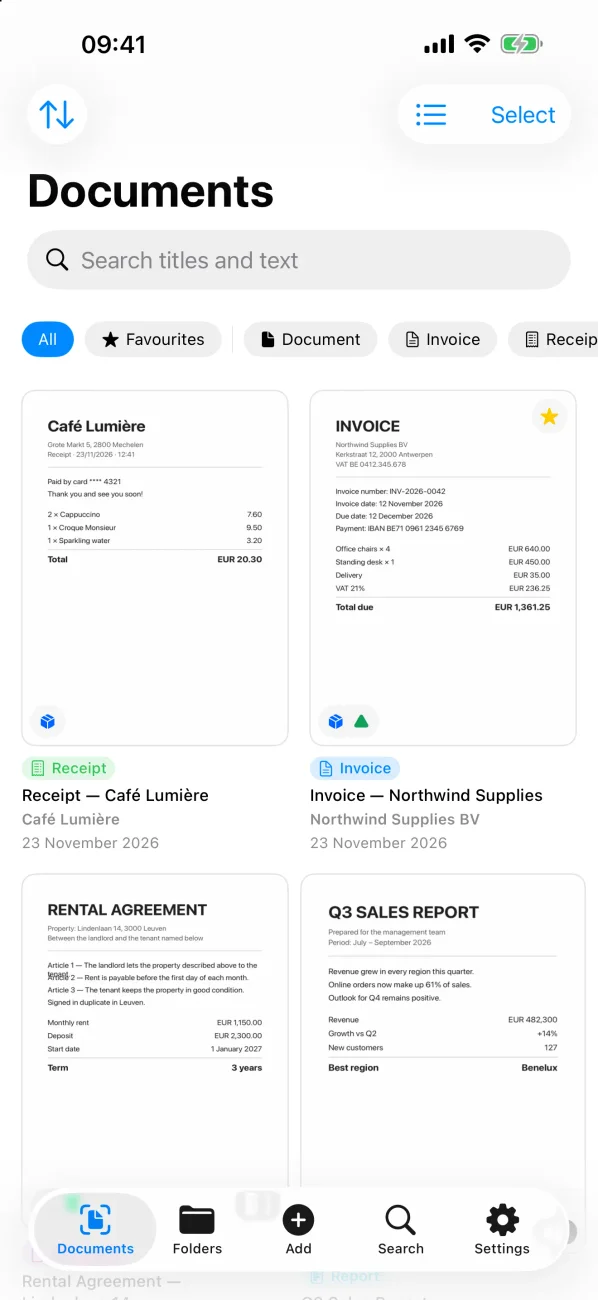
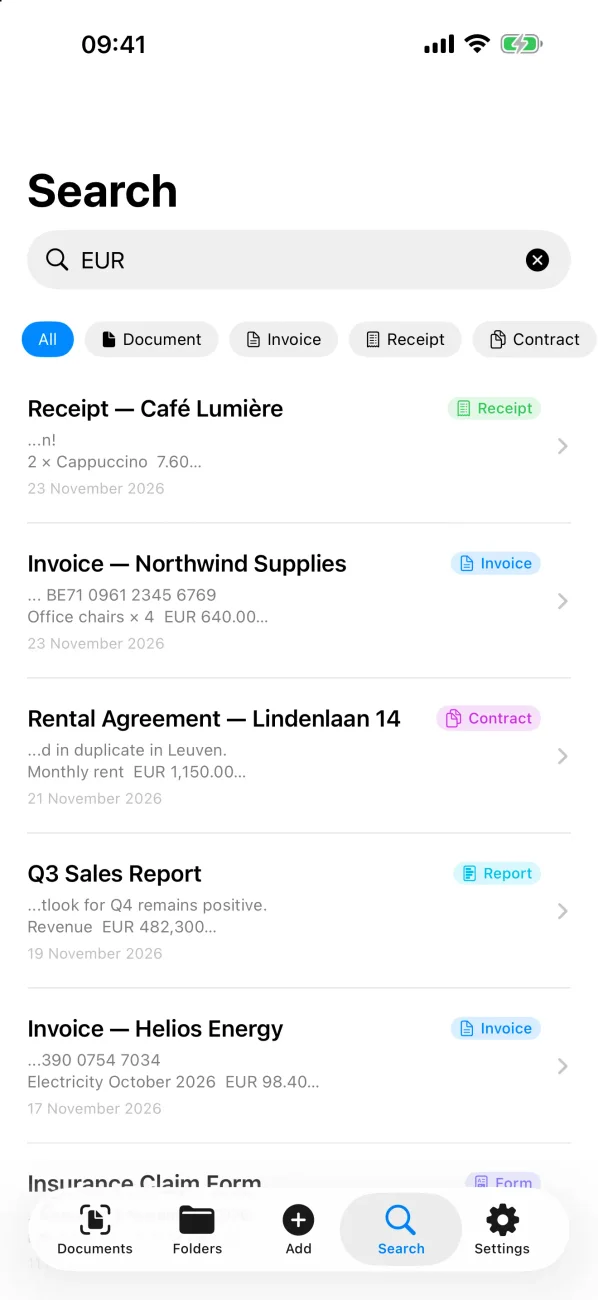
- Full-text search across titles, recognised text and extracted fields
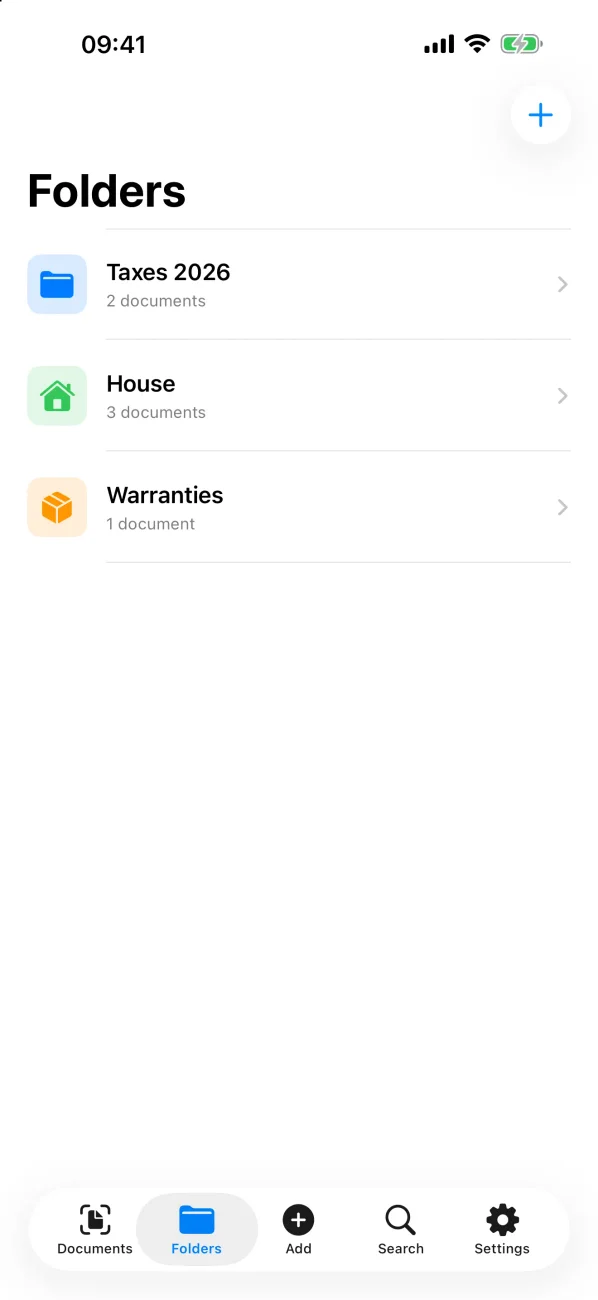
- Folders, favourites and category filters
- Your documents show up in Spotlight too
SHARE AND EXPORT
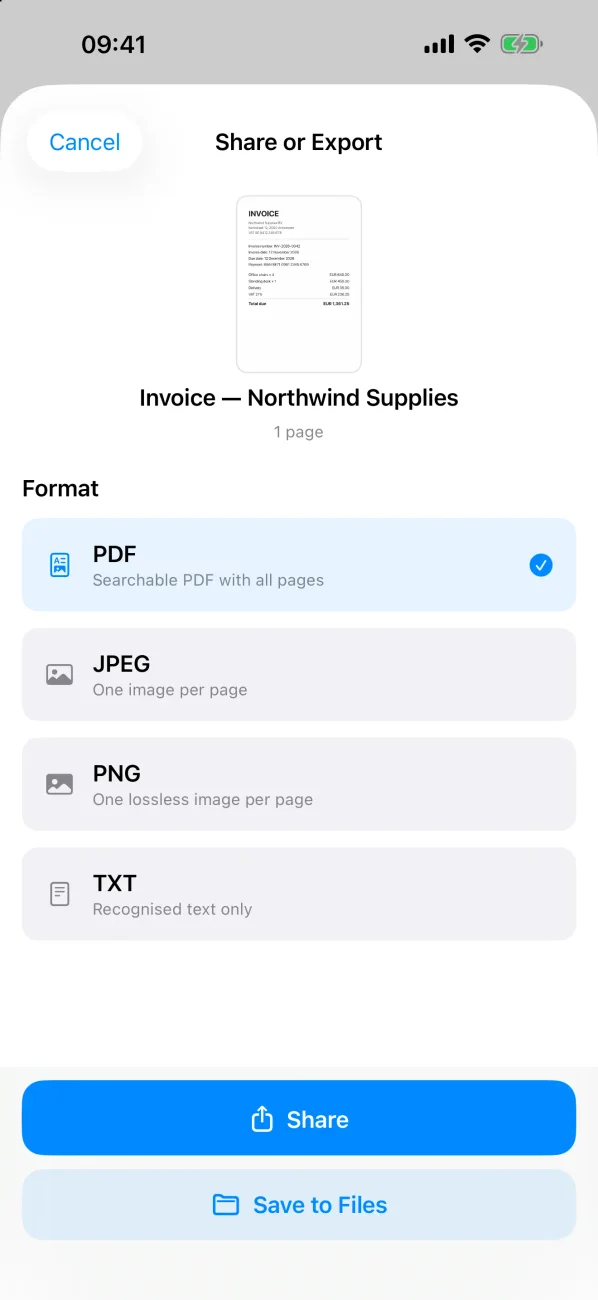
- Searchable PDFs with every page, plus JPEG, PNG and plain text
- Share sheet, Save to Files and bulk export
WORKS ACROSS iPHONE, iPAD AND MAC
- Scan on your phone, organise and export on your Mac
- Optional iCloud sync keeps your library in step
- Home Screen widget, Siri and Shortcuts for a quick scan
YOUR BACKUP, YOUR CHOICE (PRO)
- Optional automatic PDF backup to your own Dropbox or Google Drive
- You decide what leaves your device, and where it goes
SIMPLE, HONEST PRICING
- Free: 5 scans every month, with text recognition, search, folders and export
- Pro: one purchase for unlimited scans, AI filing and cloud backup
- No subscription. No ads. No account required.
Available in 21 languages. Built for small-business owners, accountants, freelancers and anyone who wants their paperwork organised without giving it away. Download DocScan AI and keep your documents where they belong — with you.
What’s new
Version 1.4.0 · Nov 23, 2026
What's new in v1.4.0:
- New Add button: scan, batch scan, Photos and Files in one place
- Move documents into folders, and rename or delete folders
- Sharing and export rebuilt: searchable PDFs with every page, plus JPEG, PNG and plain text
- Now available in 21 languages
- Multi-page scans are fully searchable, and imported photos are read the right way up
- Cloud backups use the AI title and no longer replace files with the same name
- Deleting always asks first
- Fixes for sharing on iPad
- AI features still require iOS 26 with Apple Intelligence; everything else works on iOS 17 and later
App privacy
What AppConsult declares on the App Store about how this app handles data.
-
Data not collected
The developer does not collect any data from this app.
Privacy practices may vary, for example with the features you use or your age.
Information
- Seller
- Elst Consulting
- Category
- Productivity
- Version
- 1.4.0
- Updated
- Nov 23, 2026
- Released
- Mar 11, 2026
- Size
- 18.6 MB
- Requires
- iOS 17.0 or later
- Age rating
- 4+
- In-app purchases
- Yes
- Languages
- German, Arabic, English, French, Hindi, Indonesian, Italian, Japanese, Korean, Dutch, Polish, Portuguese + 8 more
- Copyright
- © 2026 Ward Elst
You might also like
-
 IntelliDrive AICapture once. Find instanty.
-
 TReceipt ProScan to Spreadsheet,Simplified
-
 OneThing: Daily Goal ChallengeFocus on One Thing. Start Now.
-
 Paperwork: Letters & PapersReads it, files it, finds it
-
 Docscn: Paperless PayslipsReceipts, P60 & MOT filing
-
 Papr – Dokumente & BelegeProductivity
-
 SnapFile: AI Document ScannerScan, File & Track Expenses
-
 Remote Assistant by Remote-REDHome Assistant remote access
-
 Archi — Paperless ScannerScan, OCR & archive documents
-
 LaytuhSave it for Laytuh