
Dollop: Lock Screen Tasks
Tasks & reminders with a buddy
Designed for iPhone
Free · In-app purchases
- Age rating4+
- CategoryProductivity
- DeveloperSeongju Park
- LanguagesEnglish+ 2 more
- Size32.0 MB
Links to the official App Store page
Download.org hosts no file of Dollop: Lock Screen Tasks. The button opens its official App Store page, published by Seongju Park. Listing last checked on Nov 22, 2026.
Screenshots
About
Write a task and see it on your Lock Screen whenever you pick up your phone.
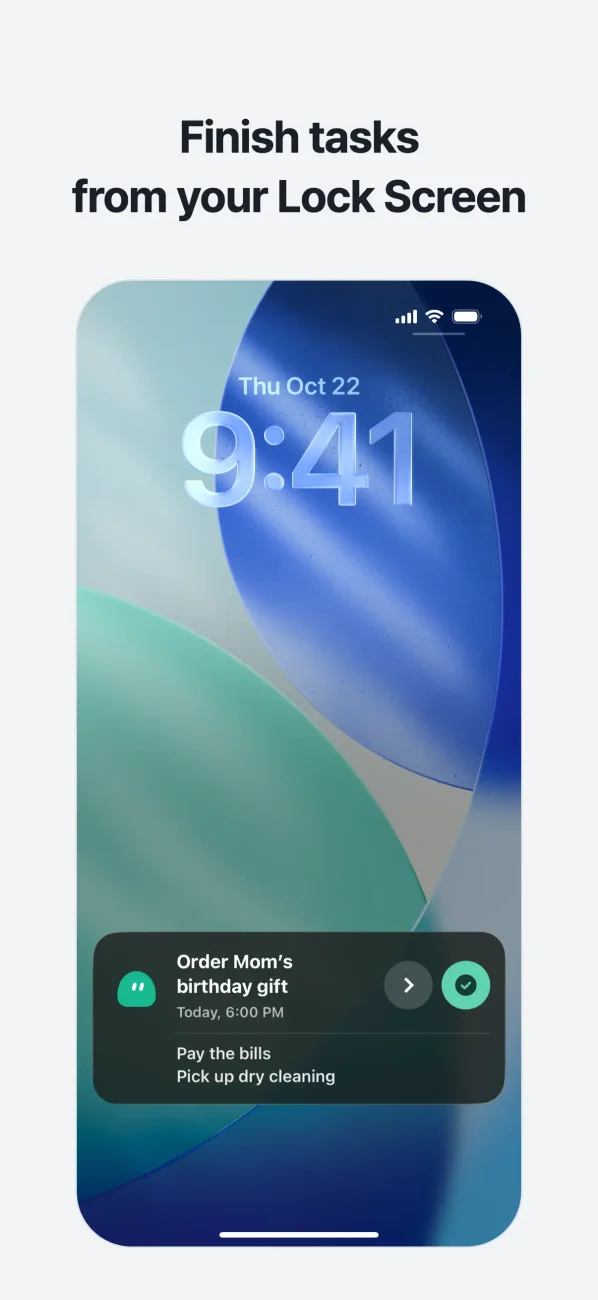
Dollop keeps your current task on the Lock Screen until it’s done. Mark it done or move to the next task without opening the app.
Right on your Lock Screen
• Your top task shows up large on a Lock Screen card and in the Dynamic Island.
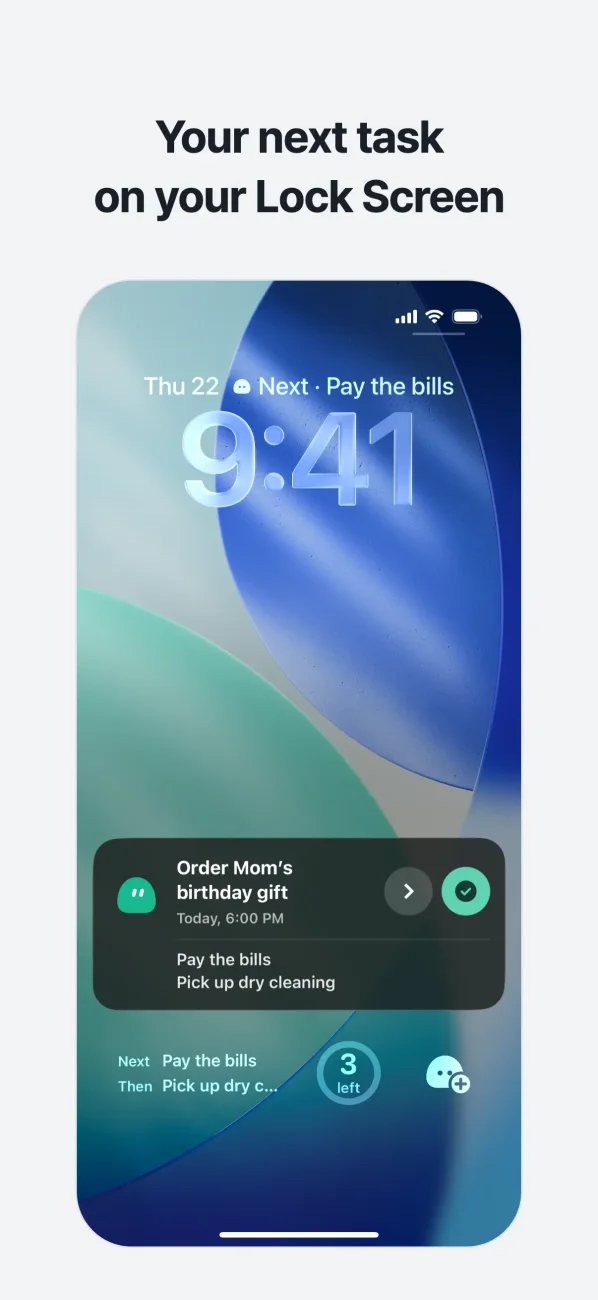
• Tap Done or Next right on the Lock Screen, and see up to two tasks coming next.
• If the card goes away, a Lock Screen widget stays, so you can bring the card back at any time.
• The free Today list Lock Screen widget shows up to three tasks. Tap a circle to mark one done.
• Home Screen widgets show your top task too. The medium widget, which lists the rest of your tasks, is part of PLUS.
See your day
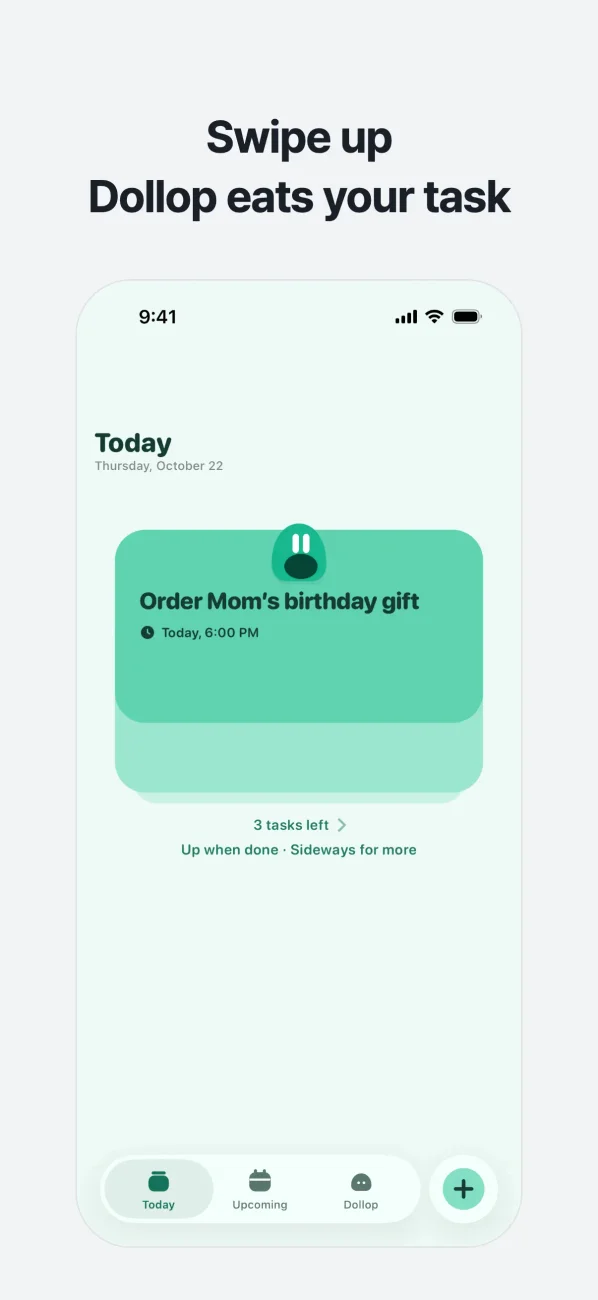
• Tap the task count to expand your Today list, then tap a task to bring it to the front.
• Complete or snooze tasks from their detail screen. A short first-use guide can be replayed in Settings.
Easy to add
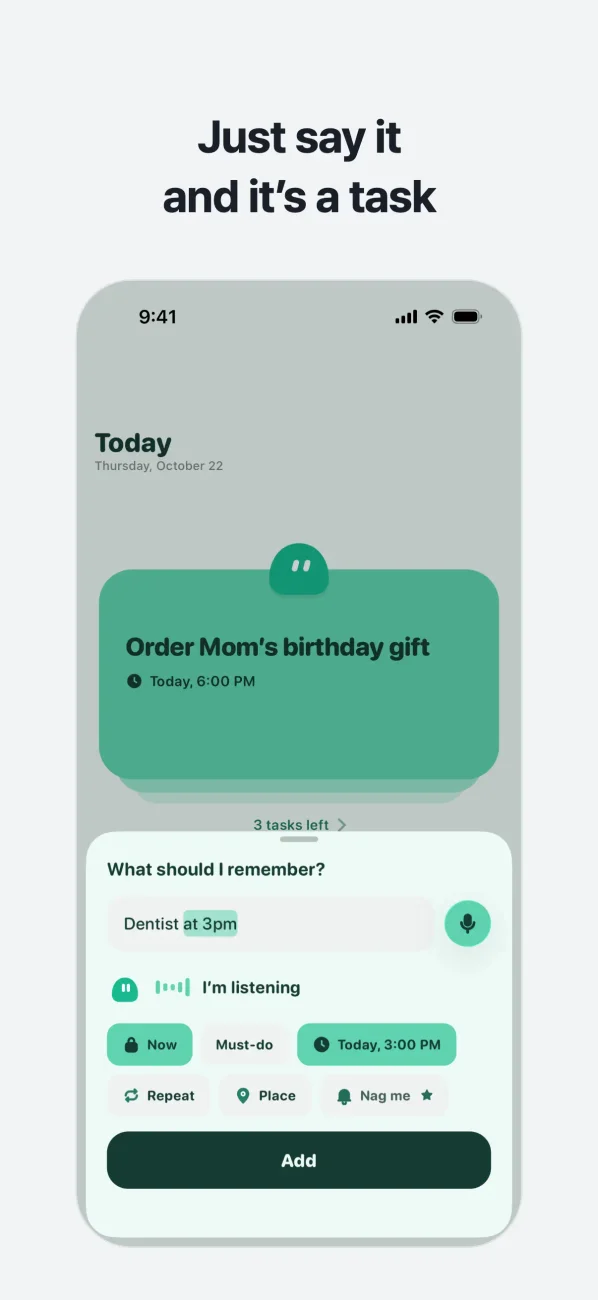
• Type something like “Dentist tomorrow 3pm” and Dollop picks up the time and keeps the title clean.
• Type “Take meds every day at 9am” and it picks up the repeat, too.
• Add by voice: just say it and it becomes a task. Your words are turned into text on your iPhone and never sent anywhere.
• You can also add tasks quickly with Siri, Shortcuts, Control Center or the Action button.
Reminders right on time
• Get a reminder at the time you set, with an optional heads-up 5, 10 or 30 minutes or 1 hour before. For deadlines, the heads-up comes 30 minutes before by default.
• Long-press a reminder to mark the task done or snooze it for an hour.
• Not now? Snooze a task for an hour, until evening or until tomorrow morning.
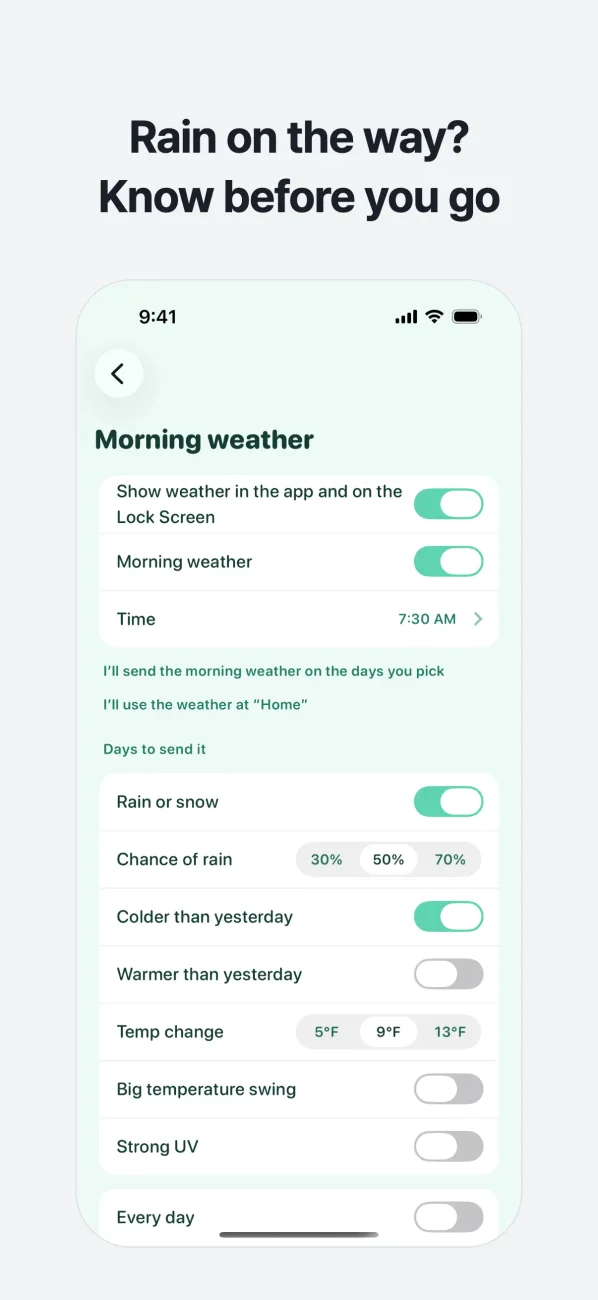
• Morning weather: get alerts for rain, cold, warmer days, temperature swings or strong UV. The default is 7:30 am; you can choose the time and conditions.
• Add calendar events to morning alerts and see rain or snow around their start time. Touch and hold to see your day, including all-day events. Calendar access is optional; events are never sent to our servers.
• Place reminders: get reminded of a task when you arrive at or leave a place, and get an out-the-door list of things to take when you leave home.
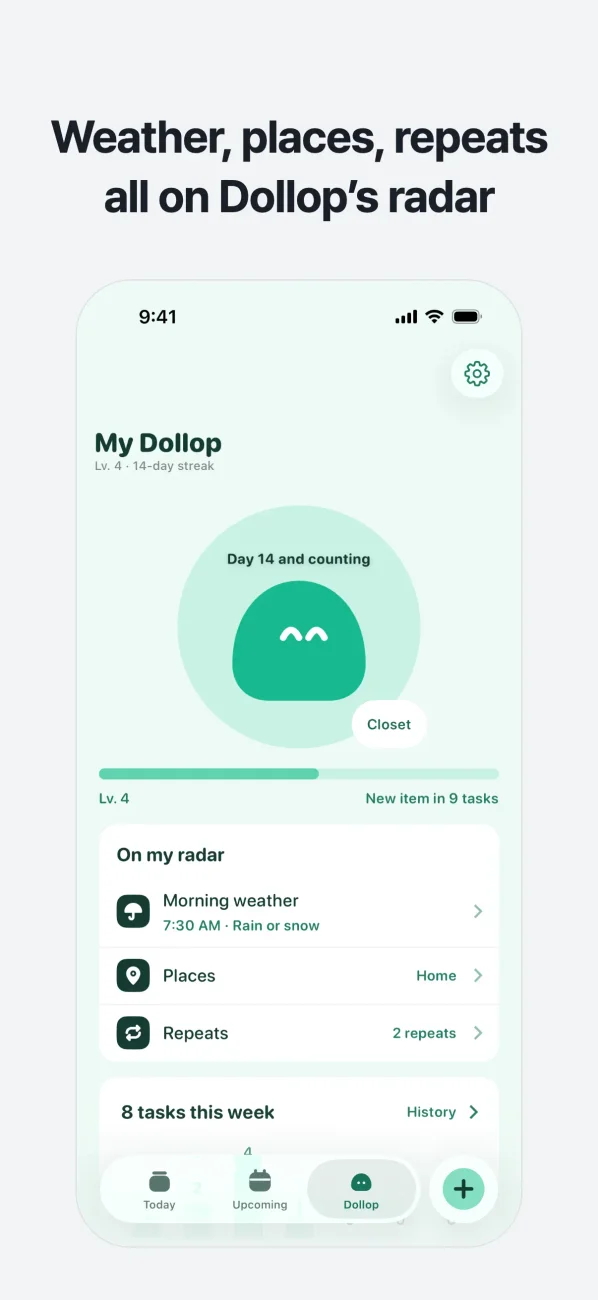
• Pick a date in Upcoming to see tasks and available forecasts. Manage repeats, places and morning weather under “On my radar” on the Dollop tab.
Life with Dollop
• Finish a task and Dollop reacts. The more you get done, the higher Dollop’s level.
• Task cards and Dollop are soft to the touch: they squish when you tap and stretch when you pull.
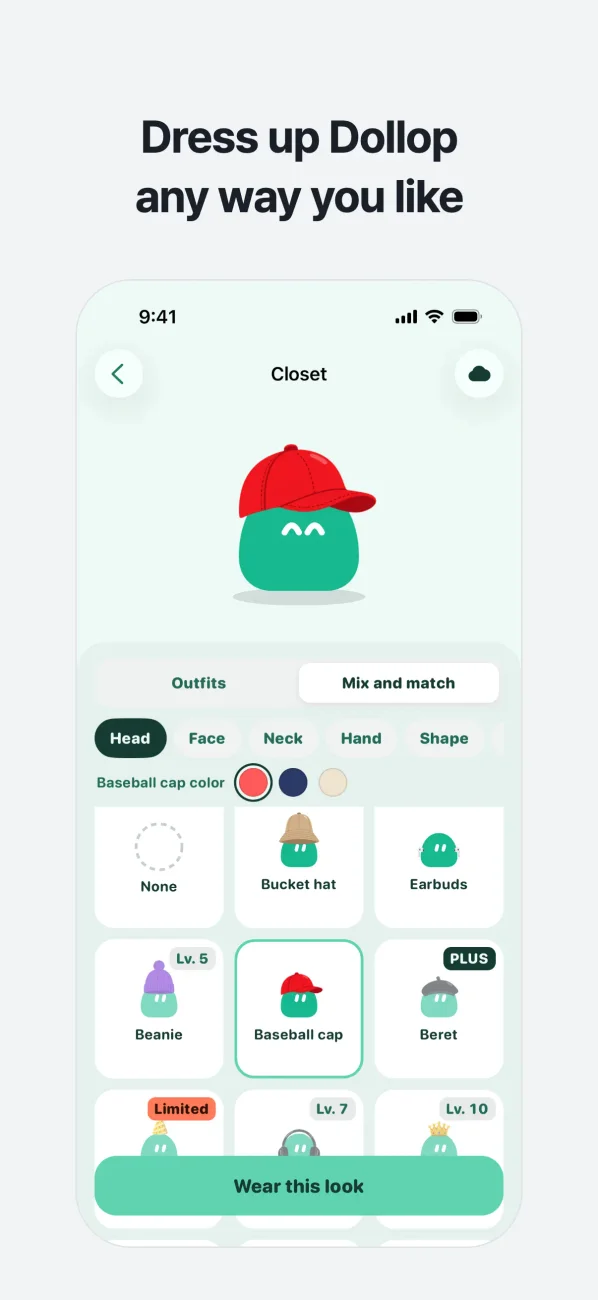
• Dress up Dollop with six colors and accessories.
Free and PLUS
The basics are free: tasks and notes, the Lock Screen card and widgets, adding by voice, time reminders and snoozing, morning weather, iCloud sync, 1 repeating task and 1 place.
PLUS adds unlimited repeats, up to 20 places, times on repeats, reminders that keep coming back until you turn them off, your full history of done tasks with detailed stats, a shareable monthly report, PLUS accessories, alternate app icons and the medium Home Screen widget.
• Monthly subscription
• Yearly subscription (7-day free trial for first-time subscribers)
• Lifetime (one-time purchase)
Prices are shown in your local currency in the app and on the App Store.
Subscriptions renew automatically unless you cancel at least 24 hours before the end of the current period. If you don’t cancel the yearly free trial at least 24 hours before it ends, the yearly subscription price is charged when the trial ends. You can cancel under Subscriptions in the Settings app on your iPhone.
Privacy
Tasks need no login. Optional invitations use Sign in with Apple and store referral and reward data on our server. No ads or analytics. Task content stays on your iPhone or in your private iCloud.
Terms of Use: https://malang.xeta.im/en/terms
Apple Standard License Agreement (EULA): https://www.apple.com/legal/internet-services/itunes/dev/stdeula/
Privacy Policy: https://malang.xeta.im/en/privacy
Contact: dev@xeta.im
What’s new
Version 1.8.1 · Nov 2, 2026
You can now keep swiping right through your tasks.
• On Today, swiping a card right brings back the task before it. Once you’re back at the start, it brings your last task to the front, so you can go round in either direction.
• Thanks to the person who let us know.
App privacy
What Seongju Park declares on the App Store about how this app handles data.
-
Data linked to you
May be collected and linked to your identity.
- Contacts
- Identifiers
- Usage data
- Other data
Privacy practices may vary, for example with the features you use or your age.
Information
- Seller
- Seongju Park
- Category
- Productivity
- Version
- 1.8.1
- Updated
- Nov 2, 2026
- Released
- Oct 16, 2026
- Size
- 32.0 MB
- Requires
- iOS 26.0 or later
- Age rating
- 4+
- Price
- Free
- In-app purchases
- Yes
- Languages
- English, Japanese, Korean
- Copyright
- © 2026 Xeta
You might also like
-
 Vellure - Lock Screen NotesNotes Live on Your Lock Screen
-
 TodoMato-ADHD Todo RoutinePomodoro, Checklist & Planner
-
 Jeolmi: Cute Study TimerTo-do list with a copycat seal
-
 Vault: Save LinksSave links. Keep ideas.
-
 絶対ToDoProductivity
-
 InkFlipProductivity
-
 DonePort: Lock Screen TodoAI MCP, Widgets & Routines
-
 Peekmo - Lock Screen NotesProductivity
-
 提出物・宿題の締め切り管理[todo・タスク]-シメキルProductivity
-
 めのまえ - ロック画面に今日やることリストProductivity