
DotBGE: File Encryption
Private vault & secure sharing
Designed for iPhone, iPad
In-app purchases
- Age rating4+
- CategoryUtilities
- Developer刚 熊
- LanguagesGerman+ 4 more
- Size13.5 MB
Links to the official App Store page
Download.org hosts no file of DotBGE: File Encryption. The button opens its official App Store page, published by 刚 熊. Listing last checked on Nov 24, 2026.
Screenshots


About
Protect your private files and photos, and share securely with people you trust.
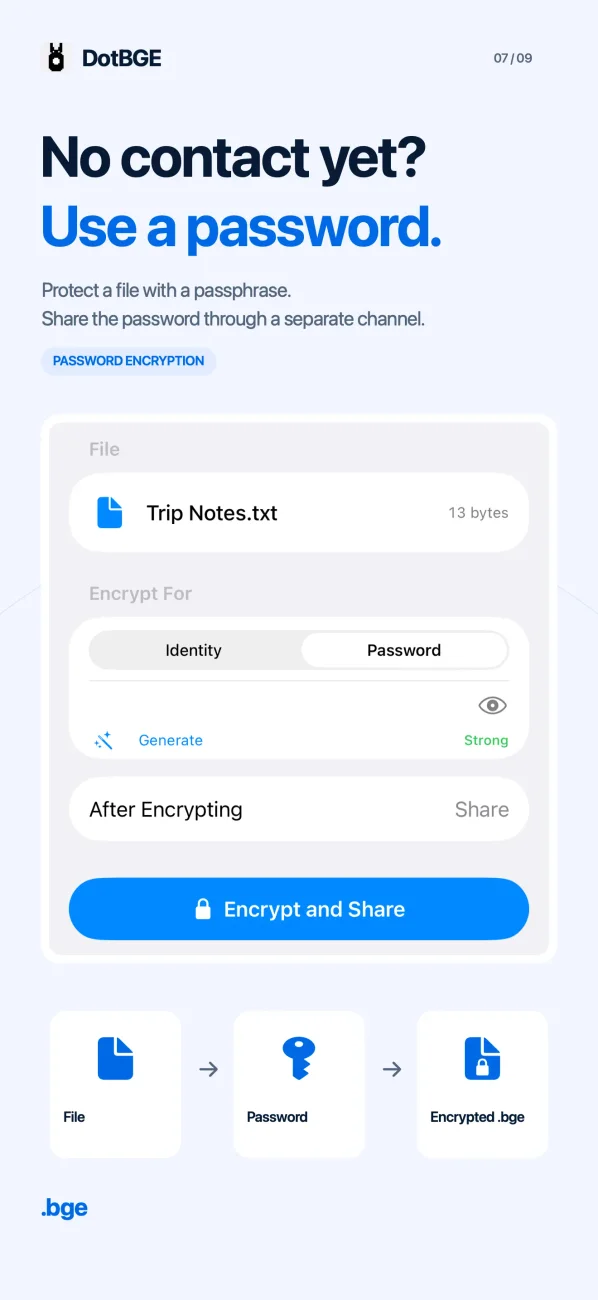
DotBGE encrypts files on your iPhone or iPad. Encrypt and save for yourself, encrypt for a contact, or protect files and messages with a password. No DotBGE account required.
ENCRYPT FOR YOURSELF
Choose your own identity to encrypt photos, documents and other files, then save them to your private vault or Files. When you want to view them, decrypt them with the corresponding identity.
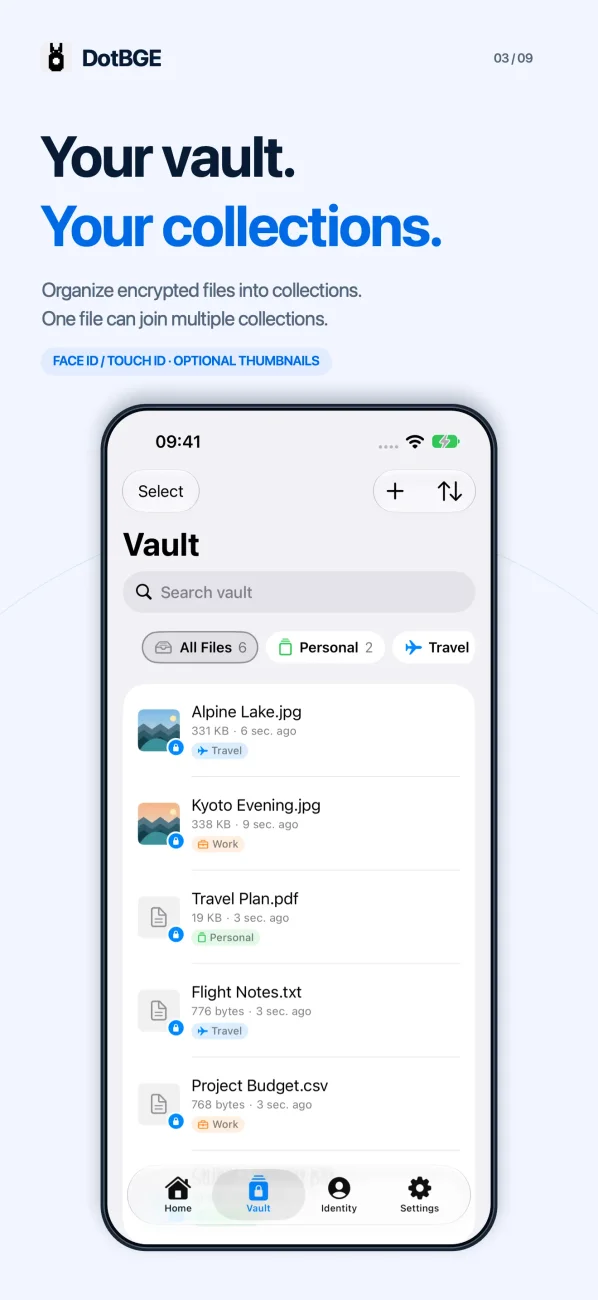
• Authenticate with Face ID, Touch ID or your device passcode.
• Organize your vault with collections using custom names, colors and icons. Add a file to multiple collections without copying it.
• Optionally sync your encrypted vault and collections across your devices with iCloud.
SHARE WITH PEOPLE YOU TRUST
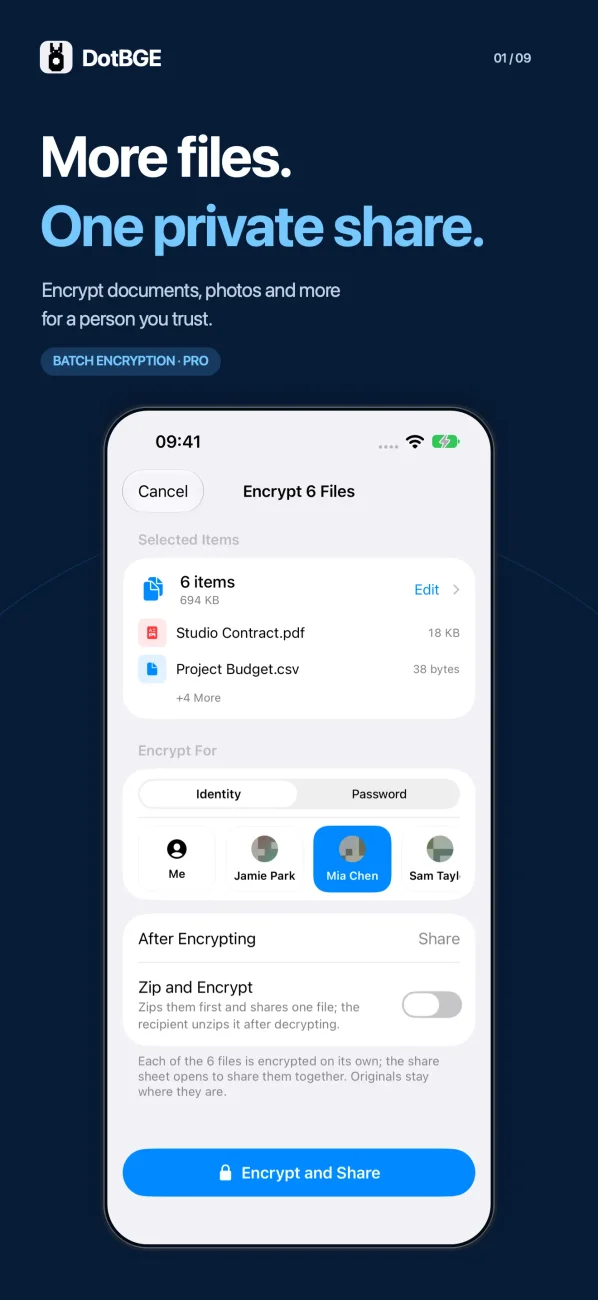
Add contacts with identity cards and encrypt files for a chosen recipient. The recipient decrypts with the corresponding private key, without exchanging a shared password. Share your own identity card as a QR code, link or .bgekey file so others can encrypt for you.
PROTECT FILES AND MESSAGES WITH A PASSWORD
Encrypt a file with a password for convenient sharing. The recipient can open it in DotBGE with that password; send the password separately through another channel.
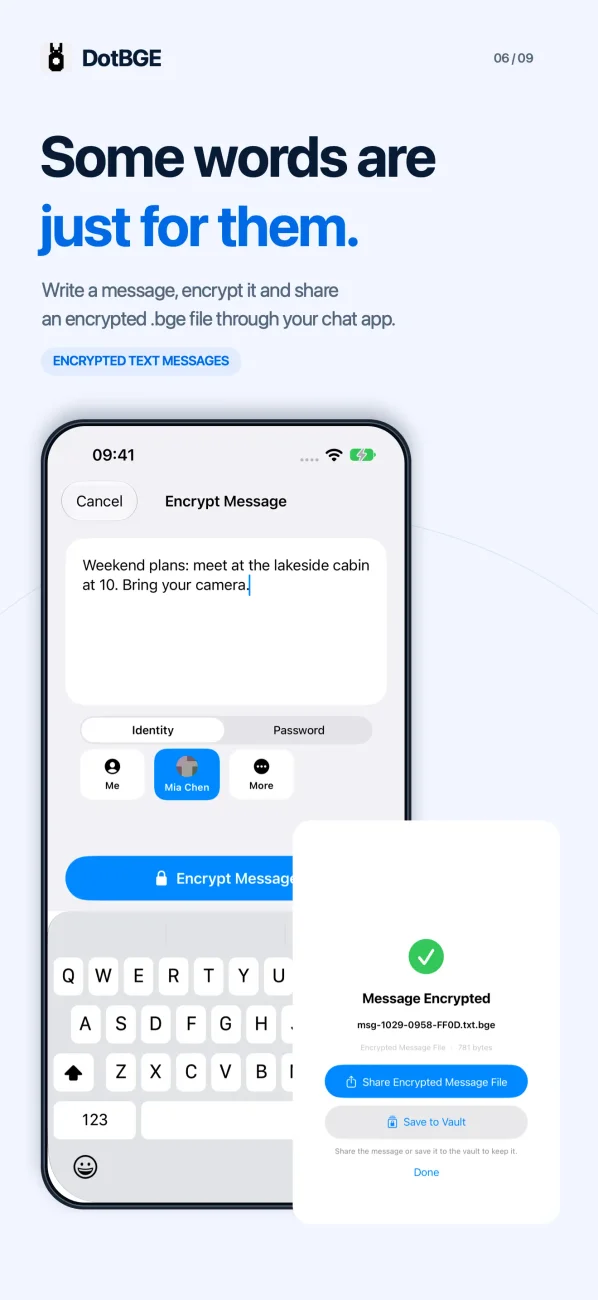
Type or paste text and encrypt it for yourself, a contact or with a password. Share the resulting .bge message file through a chat or email app.
DECRYPT AND PREVIEW IN THE APP
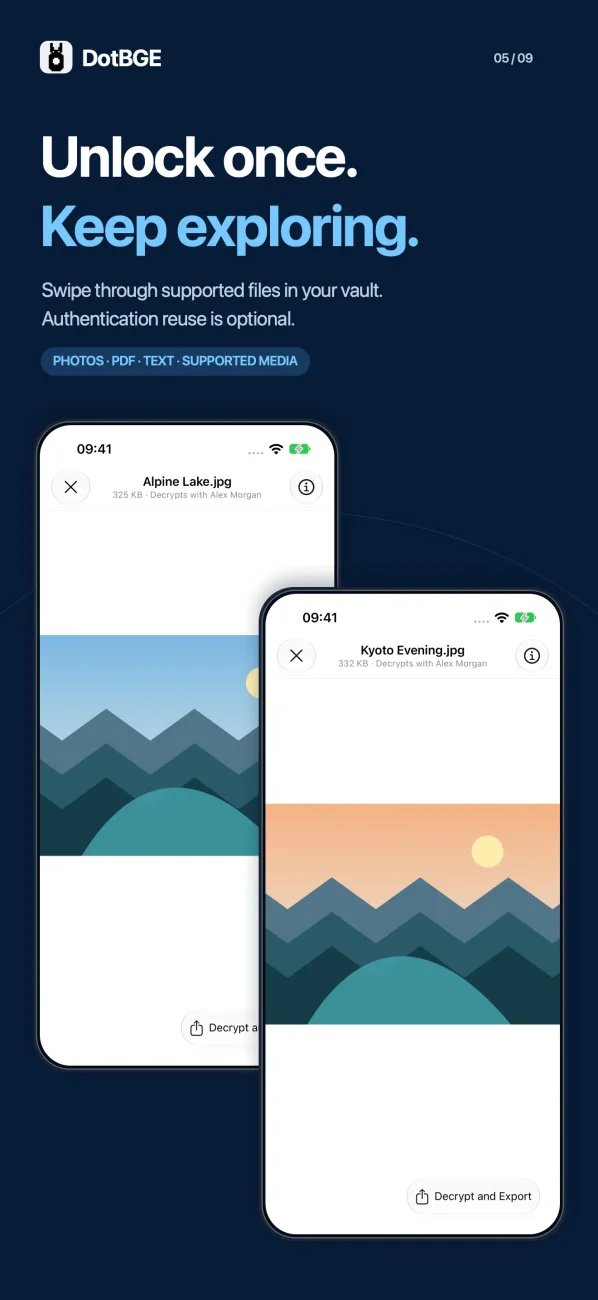
View supported photos, PDFs, text, audio and video. Optionally reuse authentication in the vault or show photo thumbnails; both settings are off by default. Some previews use protected temporary files; see the privacy policy for details.
FREE FOR EVERYDAY FILES
• Encrypt and decrypt individual files.
• Encrypt text messages and share them as .bge files.
• Keep up to 20 encrypted files in your iOS vault.
• Use one identity and preview supported files after decrypting.
DOTBGE PRO
• Batch encrypt multiple files.
• Encrypt folders as one package or as separate files.
• Remove the free vault file limit and use multiple identities.
• Save Quick Tasks to repeat folder workflows.
For folder encryption, choose the save location and whether to keep originals. Optionally hide names or select file types. Unselected files remain unencrypted. Existing encrypted outputs are skipped even if the source has changed; Quick Tasks do not automatically update them.
ON YOUR DEVICE. IN AN OPEN FORMAT.
Encryption and decryption run on your device. DotBGE uses RSA-4096 and AES-256-GCM with the publicly documented .bge format. Open .bge files from Files, Mail or other apps that support document sharing, or start encrypting from the share sheet.
Pro is available through in-app purchase. Single-file encryption, decryption, encrypted messages and supported previews remain free. Designed for iPhone and iPad.
Terms of Use (EULA): https://www.apple.com/legal/internet-services/itunes/dev/stdfla/
Privacy Policy: https://dotbge.app/privacy
What’s new
Version 1.3.4 · Nov 23, 2026
DotBGE 1.3.4 adds free trial support for the DotBGE Pro monthly subscription.
• Where a trial is available, eligible customers can see the trial length and local monthly price before subscribing.
• The trial end date appears in Settings. After the trial, the subscription renews monthly at the displayed price unless you cancel it in the App Store.
App privacy
What 刚 熊 declares on the App Store about how this app handles data.
-
Data not collected
The developer does not collect any data from this app.
Privacy practices may vary, for example with the features you use or your age.
Information
- Seller
- 刚 熊
- Category
- Utilities
- Version
- 1.3.4
- Updated
- Nov 23, 2026
- Released
- May 26, 2026
- Size
- 13.5 MB
- Requires
- iOS 17.6 or later
- Age rating
- 4+
- In-app purchases
- Yes
- Languages
- German, English, Japanese, Traditional Chinese, Simplified Chinese
- Copyright
- © 2026 DotBGE
You might also like
-
 Greenbox SafeEncrypted Files, Always Safe
-
 YoBlackBox - Password ManagerAES-256&Biometric Unlock
-
 HexaVault Password ManagerSecure information vault
-
 Veil - Encrypted VaultsUtilities
-
 SafeKey: Password ManagerSecure Vault & Cloud Backup
-
 PassVault ProSecure Password Manager
-
 Keepass digital vault: LockdPassword Manager, IDs & Cards
-
 Encrypt Photos, Videos & FilesOffline Encryption & Sharing
-
 FileCryptorEncrypt any of your files
-
 ad blocker for safari: x blocksafari pop up blocker: x block