- Age rating4+
- CategoryGraphics & Design
- Developer玉竹智能
- LanguagesEnglish
- Size49.2 MB
Links to the official App Store page
Download.org hosts no file of DrawMaps. The button opens its official App Store page, published by 玉竹智能. Listing last checked on Nov 18, 2026.
Screenshots
About
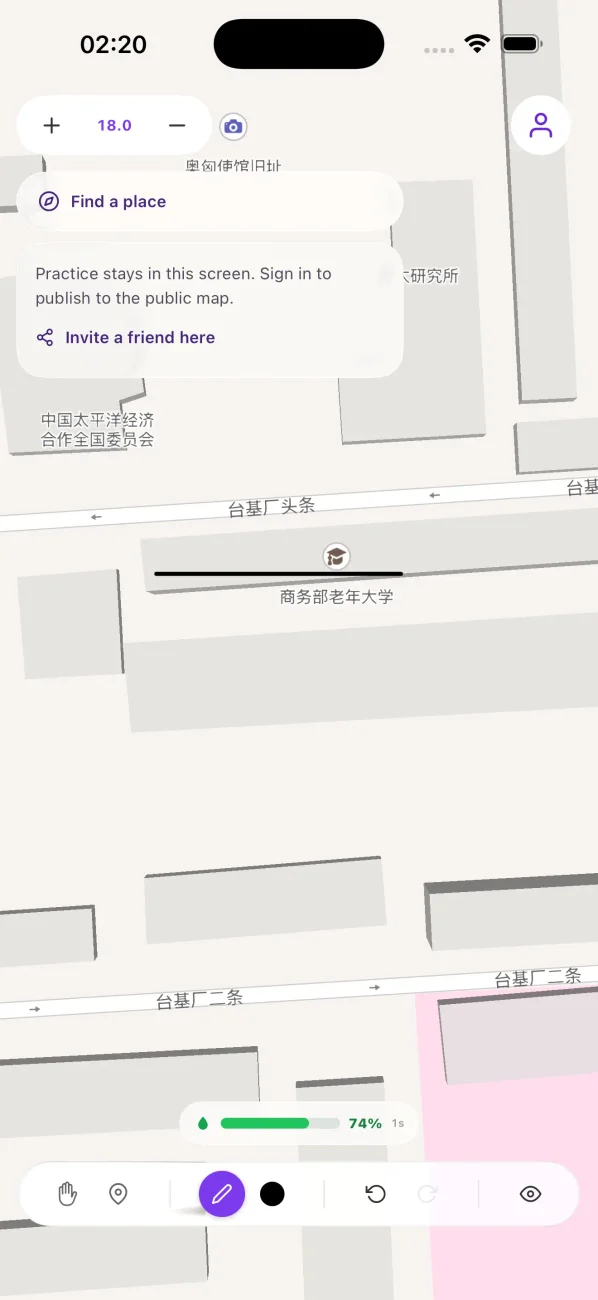
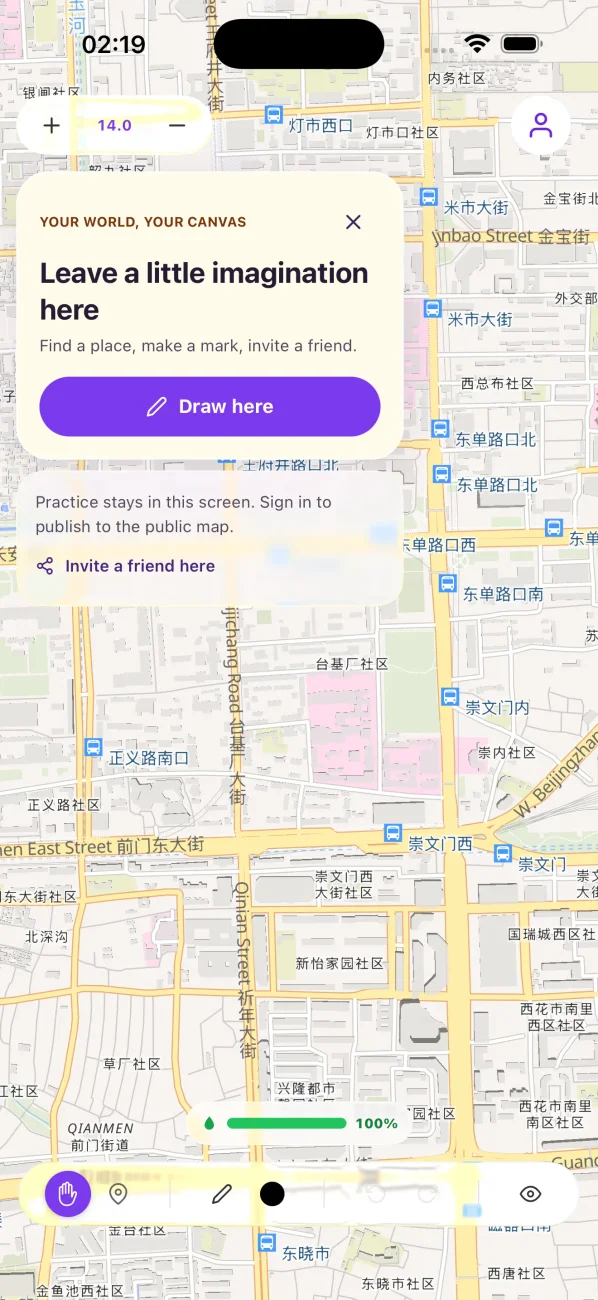
DrawMaps is a shared global canvas built on a real-world map. Explore the map and try drawing as a guest. Sign in to publish your practice, save drawings, place public pins, and join a creative map shared with people around the world.
DRAW ON THE WORLD
Use freehand drawing tools directly on the map. Choose colors, brush size, and opacity, switch naturally between pencil and eraser, then pan and zoom to work at the scale you need.
PUBLIC MAP PINS
Place colored pins with short messages to mark ideas, discoveries, meet-up points, or places that matter to you. Drawings, pins, names, and messages are public by default.
FAIR INK SYSTEM
The ink allowance keeps the shared canvas responsive and gives everyone a fair opportunity to create. Ink regenerates over time and is never a currency or paid item.
FAST SHARED CANVAS
DrawMaps loads map content by visible tiles and securely synchronizes your contributions through its cloud backend. The interface stays focused on the map with compact, glass-inspired controls.
ACCOUNT AND SAFETY CONTROLS
Sign in with Apple or email, customize your avatar, review your contribution statistics, report inappropriate content, and block users. You can permanently delete your account and associated content from inside the app.
EXPORT AND LANGUAGES
Export a view of the map and use DrawMaps in English, Simplified Chinese, or Japanese.
DrawMaps does not request GPS location permission. The coordinates saved by the service are locations you intentionally choose on the map. Map content is collaborative artwork and should not be used for navigation, emergencies, or other high-risk decisions.
What’s new
Version 1.3.0 · Sep 8, 2026
• Try drawing as a guest, then sign in to publish your practice.
• Share a link to the exact place you are creating.
• Faster, bounded map loading and more resilient saves with offline recovery.
• Refined glass controls, clearer save status, and improved accessibility.
• Fixes for undo/redo, stale drawings and dense map areas.
App privacy
What 玉竹智能 declares on the App Store about how this app handles data.
-
Data linked to you
May be collected and linked to your identity.
- Location
- Contact info
- User content
- Identifiers
- Usage data
-
Data not linked to you
May be collected but is not linked to your identity.
- Identifiers
Privacy practices may vary, for example with the features you use or your age.
Information
- Seller
- Shenzhen Yuzhu Intelligent Co., Ltd
- Category
- Graphics & Design
- Version
- 1.3.0
- Updated
- Sep 8, 2026
- Released
- May 25, 2026
- Size
- 49.2 MB
- Requires
- iOS 15.1 or later
- Age rating
- 4+
- Price
- Free
- Languages
- English
- Copyright
- © 2026 Shenzhen Yuzhu Intelligent Co., Ltd.
You might also like
-
 DiamondCraftsGraphics & Design
-
 BREAKING BORDERSGPS Drawing in a different way
-
 Coat of Arms & Family CrestHeraldry Shield & Blazon Guide
-
 3D Paint - Draw In 3DDraw & Paint in 3D Space
-
 World Map EditorCreate your own map charts
-
 Posterize AI Movie PostersBe the star of your own movie!
-
 CanvasPrism - WhiteboardPrivate offline whiteboard
-
 Countryball CreatorComics, Flags & Animation
-
 ChartStudioProfessional Chart Maker Tool
-
 OCADSmart for Cartography