FluxMate – EV Dashboard
Battery, charging & trips
Designed for iPhone, iPad
In-app purchases
- Age rating4+
- CategoryNavigation
- DeveloperPlanetX Soft
- LanguagesKorean+ 12 more
- Size172.6 MB
Links to the official App Store page
Download.org hosts no file of FluxMate – EV Dashboard. The button opens its official App Store page, published by PlanetX Soft. Listing last checked on Nov 23, 2026.
Screenshots

About
FluxMate turns your Tesla's data into clear, beautiful insights — every drive, every charge, and your battery's health over time. No spreadsheets, no guesswork.
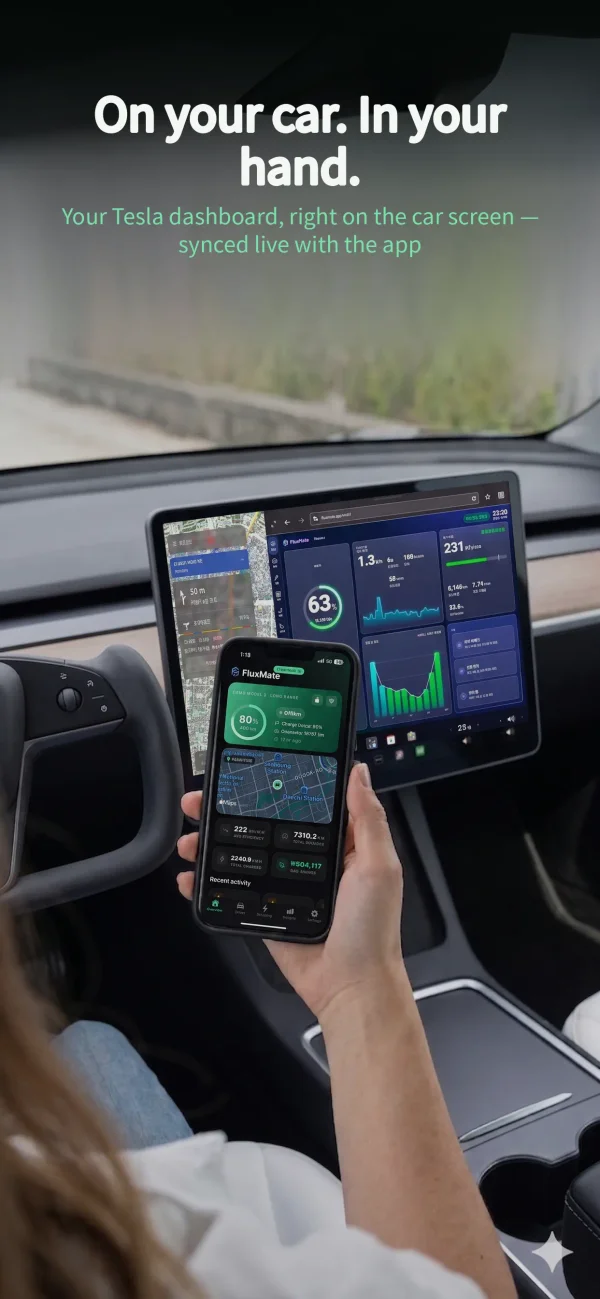
Plus a glanceable dashboard you can open right on your Tesla's screen.
TRY IT INSTANTLY
• Explore a full live Demo — no account and no car required. See exactly what FluxMate looks like with real-style data before you connect.
ON YOUR TESLA SCREEN
• Open fluxmate.app/dash in your Tesla's built-in browser for a big-screen, glanceable in-car dashboard — battery, last drive, efficiency, tire pressure, and efficiency-by-temperature, all at a distance.
• Pair in seconds: scan a QR shown on the car with the app — no typing on the car screen. The car connects read-only, so your account stays safe.
• Charging Theater: a full-screen charging view with live power (kW), time-to-target, energy added, cost, and a live charge curve.
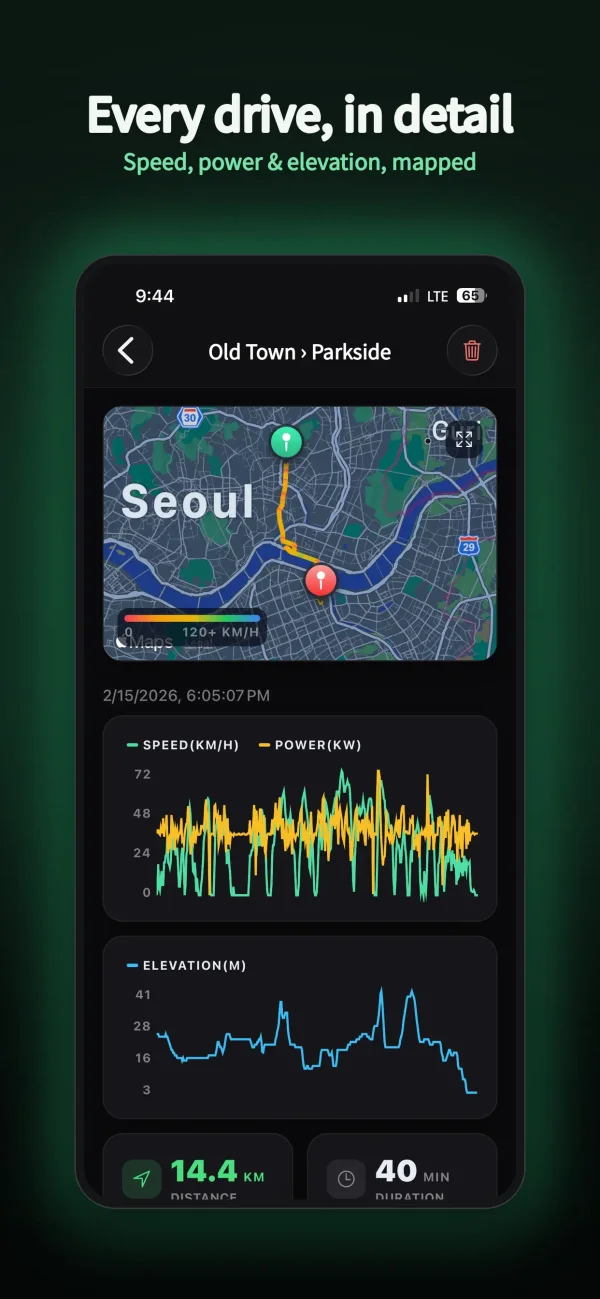
• Drive replay: revisit your last drive with speed, power, and elevation on a color-coded 2D/3D route map.
• Camp mode: an ultra-dark OLED night screen showing the time, cabin/outside temperature, and overnight battery use — perfect for camping and charging stops.
• Bookmark launcher: open your favorite sites (maps, media, and more) full-screen, right from the dashboard.
WHAT YOU GET
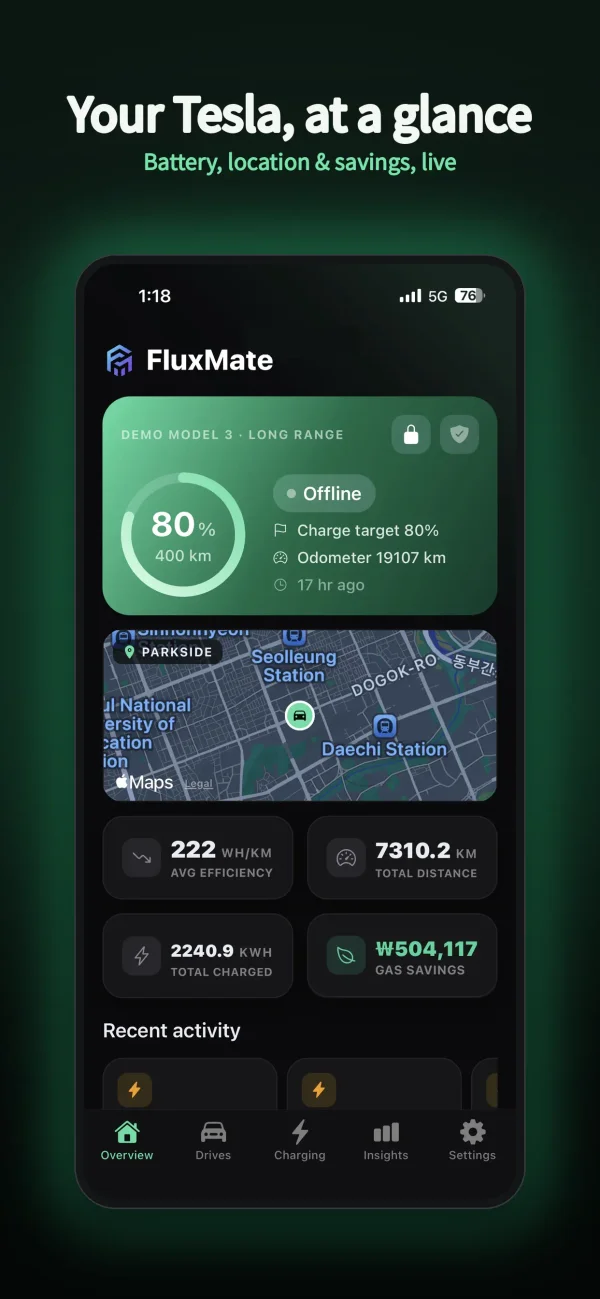
• Overview at a glance — live battery, location, odometer, and your real gas savings
• Drive details — speed, power, and elevation on a color-coded route map
• Cumulative map — every route you've driven, all on one map
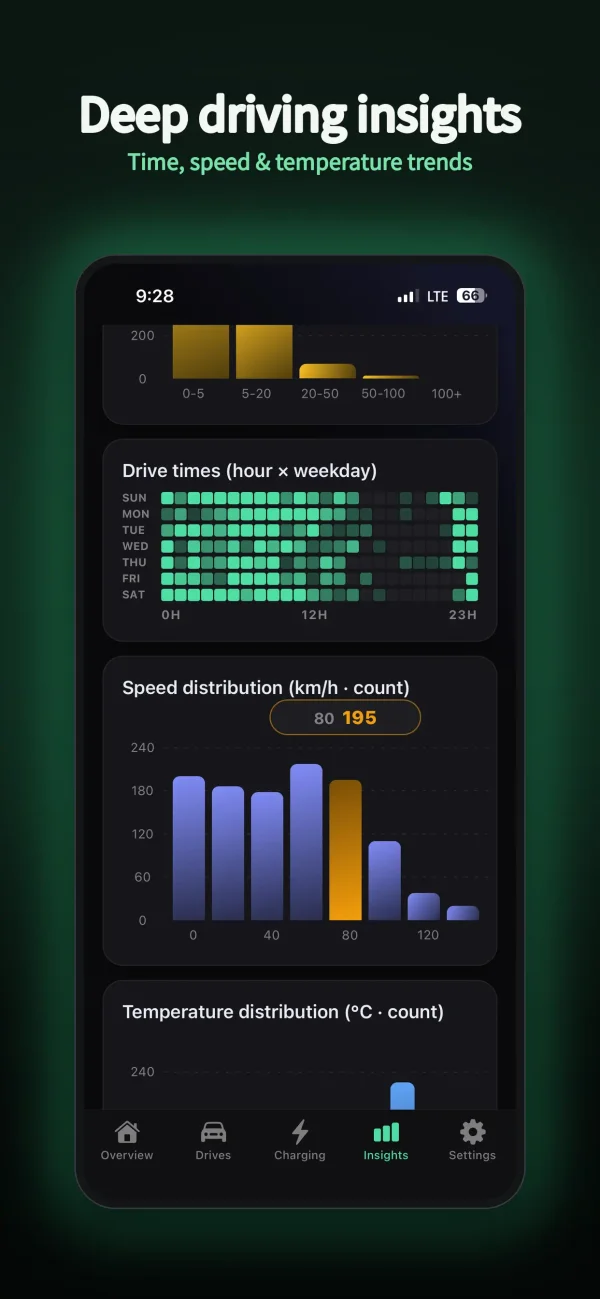
• Deep insights — driving patterns by time of day, speed and temperature distributions
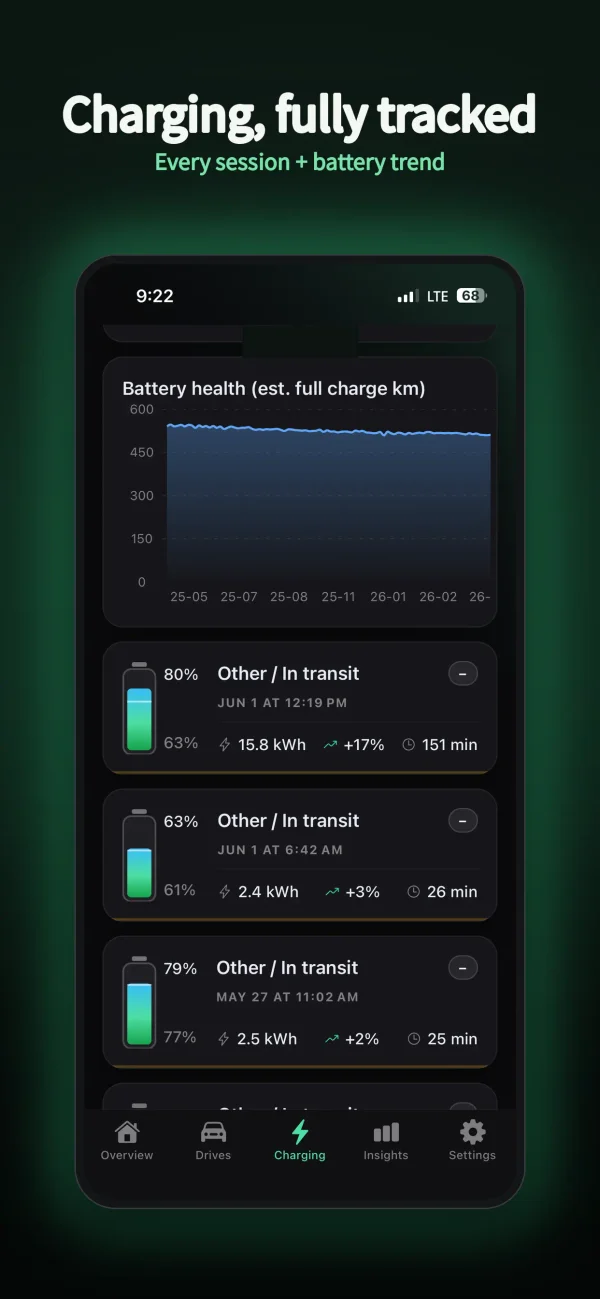
• Charging history — every session with energy added, % gained, and duration, plus a battery-health trend
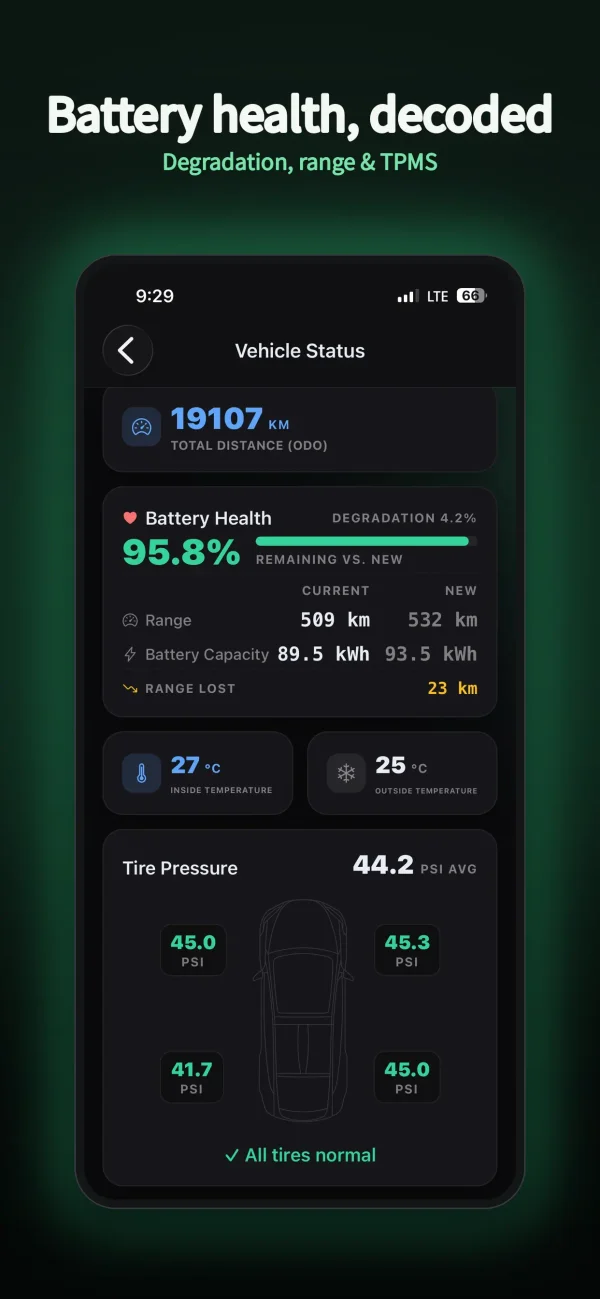
• Vehicle status — battery degradation, range vs. new, tire pressure (TPMS), and temperatures
• In-car dashboard — your stats on the Tesla center screen, synced live with the app and web
PRIVACY & SECURITY FIRST
• FluxMate requests only the access it needs to show your stats — nothing more
• Your data is encrypted in transit and at rest, and is never sold or shared with advertisers
• Vehicle telemetry can be turned off at any time, right from the app
• The in-car dashboard connects with a read-only, revocable link — it can never change your account or settings
• Delete your account and all associated data whenever you want
• Full Privacy Policy: https://fluxmate.app/privacy
BRING YOUR HISTORY
• Already tracking with TeslaMate? Import your existing history so your stats start complete on day one.
FLUXMATE PRO
Unlock real-time telemetry, deeper analytics, and alerts.
• Auto-renewable subscription; plans and prices are shown in the app before purchase
• Payment is charged to your Apple Account at purchase confirmation
• Renews automatically unless canceled at least 24 hours before the period ends
• Manage or cancel anytime in your Apple Account settings
Available in North America, APAC, and EMEA. (Tesla telemetry is not available in China.)
—
FluxMate is an independent app and is not affiliated with, endorsed by, or sponsored by Tesla, Inc. or the TeslaMate project. "Tesla" is a trademark of Tesla, Inc.; "TeslaMate" is a trademark of its respective owner. Product names are used for identification only.
Terms of Use (EULA): https://www.apple.com/legal/internet-services/itunes/dev/stdeula/
Privacy Policy: https://fluxmate.app/privacy
Support: https://fluxmate.app
What’s new
Version 1.7.0 · Nov 18, 2026
Conquer the Map, redesigned
• Press a stamp that looks different for every region, and watch the places you've been rise from the map. See your rank badge, a stamp book for each region, My travel log (Farthest, Busiest day) and what you did this time last year.
Vehicle Status
• Battery health and vehicle status on one screen. Get notified about warnings shown in your car and tire pressure alerts.
AI connections
• Connect your car to an AI assistant and ask about your drives, charging and battery in plain conversation.
Route analysis
• In Ask this route, tap a question to get a one-sentence answer with the chart behind it.
Replay routes
• On the All-time route map, your trips light up in the order you drove them. Drag to jump to any point in time.
Charging discounts
• Log card and membership discounts with each charge to see what you actually paid and how much you saved.
Verify this report
• A QR code on battery certificates and vehicle reports lets anyone you share them with check that the document is genuine.
And more
• Set your own Departure briefing times, and long-press Explore to rearrange it.
• Sharper screens throughout, and on iPhone Duo the unfolded landscape screen splits into map and list.
App privacy
What PlanetX Soft declares on the App Store about how this app handles data.
-
Data not linked to you
May be collected but is not linked to your identity.
- Financial info
- Location
- Contact info
- Identifiers
Privacy practices may vary, for example with the features you use or your age.
Information
- Seller
- PlanetX Soft
- Category
- Navigation
- Version
- 1.7.0
- Updated
- Nov 18, 2026
- Released
- Jun 11, 2026
- Size
- 172.6 MB
- Requires
- iOS 16.4 or later
- Age rating
- 4+
- In-app purchases
- Yes
- Languages
- Korean, Dutch, Danish, German, Norwegian Bokmål, Swedish, Spanish, English, Italian, Japanese, Simplified Chinese, Traditional Chinese + 1 more
- Copyright
- © PlanetX Soft