Dropcal: Reminders & Calendar
Drag & Drop Tasks onto Dates
Designed for iPhone, iPad, Mac
Free · In-app purchases
- Age rating4+
- CategoryProductivity
- DeveloperKenta Maeda
- LanguagesEnglish+ 43 more
- Size9.6 MB
Links to the official App Store page
Download.org hosts no file of Dropcal: Reminders & Calendar. The button opens its official App Store page, published by Kenta Maeda. Listing last checked on Nov 26, 2026.
Screenshots

About
Drag your reminders onto the calendar. That's it.
• Your data stays within Apple's services, like Reminders and Calendar. Dropcal never sends it to us or anyone else
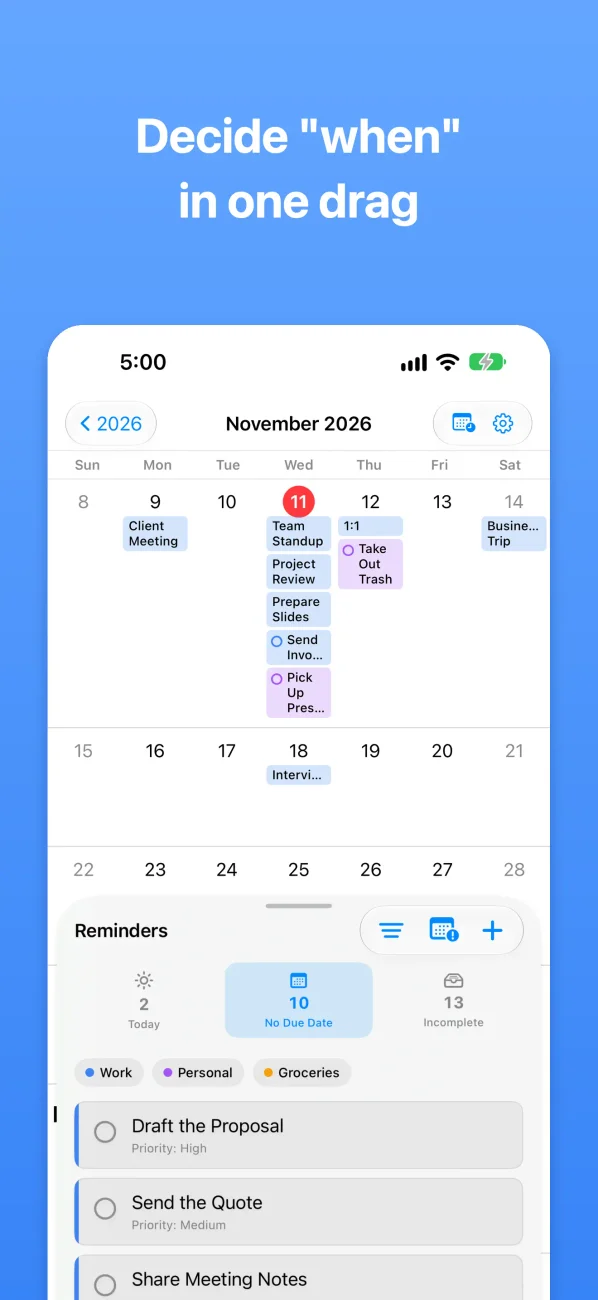
• Plan tasks by dragging Apple Reminders onto any day in your calendar
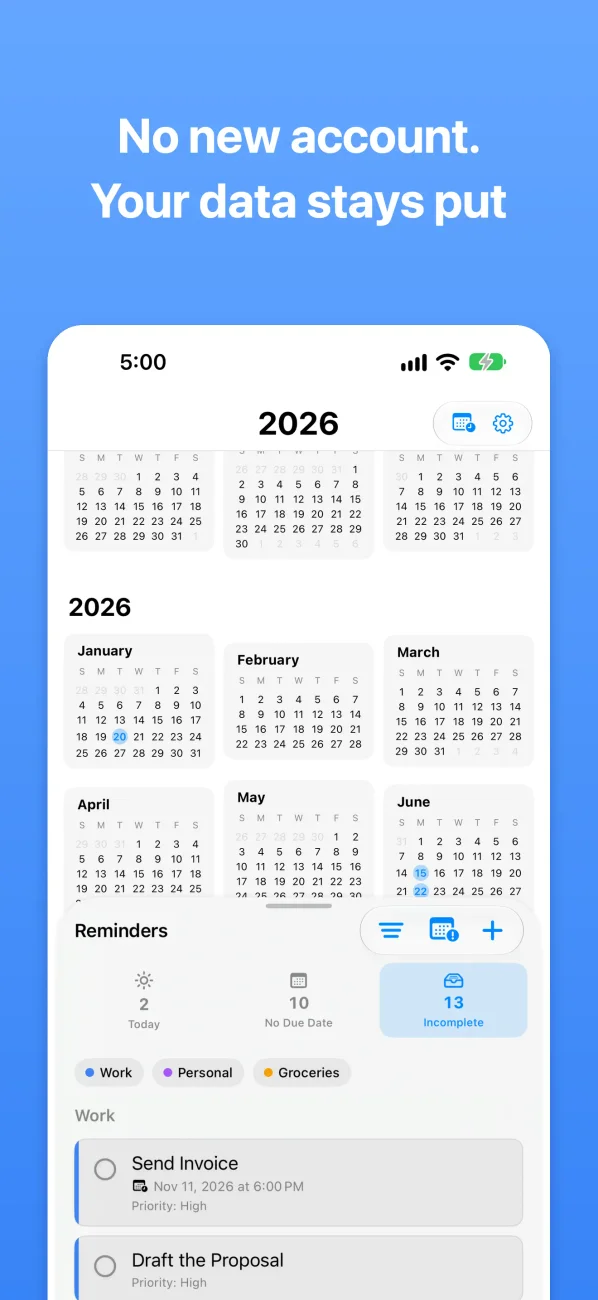
• Works directly with Apple Reminders and Calendar — no import, no new account
• See your events and your undated to-dos side by side
Tasks pile up not because there are too many, but because deciding "when" takes effort. Dropcal puts Apple's Reminders and Calendar on one screen, so turning a task into a plan is a single drag. Spend less time deciding and more time doing.
■ Your Apple data, as it is
What you see are your own Reminders and Calendar events. There is no separate database to keep in sync and nothing to migrate. Every change you make in Dropcal shows up in Apple's apps, and the other way around.
■ Drop it, and it's scheduled
Drag a reminder from the list onto a date. Moving an event to another day works the same way. Undo and redo are always there, so you can rearrange freely.
■ Events and tasks on one screen
See the day's events next to the tasks that don't have a date yet. Completed reminders drop off the list automatically.
■ Feels like Apple's Calendar
Scroll through months vertically, just like Apple's Calendar, and drag reminders from the sheet at the bottom straight onto a day.
DROPCAL PRO
Everything you need to plan with drag and drop — the month calendar and creating, editing, and completing reminders — is free.
Subscribe to Dropcal Pro (an auto-renewable subscription) to add:
• Week view — see seven days side by side
• Day view — drop a task onto the timeline to set the time, too
• Year view — see the whole year and jump to any month
• Home Screen widget — today's schedule outside the app
• Startup view — choose which calendar view opens first
• Tab customization — reorder, hide, and pick the first tab
• Reminder grouping — switch between list, due date, and priority
One subscription also covers Dropcal for Mac, which adds event search. Dropcal Pro also supports Family Sharing.
Choose a monthly or yearly plan. Prices are shown in the app before you buy. The yearly plan is billed once a year. Your subscription renews automatically for the same period and is charged to your Apple Account unless auto-renew is turned off at least 24 hours before the end of the current period. You can manage or cancel your subscription anytime in your device settings after purchase.
Terms of Use: https://www.apple.com/legal/internet-services/itunes/dev/stdeula/
Privacy Policy: https://timedrop.pages.dev/en/privacy
What’s new
Version 2.5.4 · Nov 25, 2026
Fixed several bugs and improved stability.
App privacy
What Kenta Maeda declares on the App Store about how this app handles data.
-
Data not collected
The developer does not collect any data from this app.
Privacy practices may vary, for example with the features you use or your age.
Information
- Seller
- Kenta Maeda
- Category
- Productivity
- Version
- 2.5.4
- Updated
- Nov 25, 2026
- Released
- Oct 27, 2026
- Size
- 9.6 MB
- Requires
- iOS 26.0 or later
- Age rating
- 4+
- Price
- Free
- In-app purchases
- Yes
- Languages
- English, Arabic, Bengali, Catalan, Croatian, Czech, Danish, Dutch, Finnish, French, German, Greek + 32 more
- Copyright
- © 2026 Kenta Maeda
You might also like
-
 Fast Reminders: Quick AddType it. It's in Reminders.
-
 HaruSync: Daily PlannerGoals, Calendar & To-Do List
-
 Reminq - Reminder KanbanReminders as Kanban Board
-
 Quick Reminder 3: Tasks & ToDoDues with Natural Language AI
-
 gtsync: Sync Tasks & RemindersConnect Google Calendar to iOS
-
 To-do CalendarDaily Planner & Schedule
-
 Wekin: Shift Calendar & PayHours, paycheck & partner sync
-
 DSearch: Skip Feed & AI SearchADHD Direct App Launcher
-
 TwinTrack - Planner & Time LogProductivity
-
 Projectholic: Project PlannerGantt Chart·Kanban·Cost·Stats