
DropRoute: Save to Folder
Save files in one tap
Designed for iPhone, iPad
Free · In-app purchases
- Age rating4+
- CategoryProductivity
- DeveloperChristopher Koch
- LanguagesEnglish+ 1 more
- Size4.9 MB
Links to the official App Store page
Download.org hosts no file of DropRoute: Save to Folder. The button opens its official App Store page, published by Christopher Koch. Listing last checked on Nov 13, 2026.
Screenshots
About
Saving a file to the right folder on iPhone and iPad takes way too many taps:
Share → Save to Files → Location → Folder → Subfolder → Save.
DropRoute turns that into:
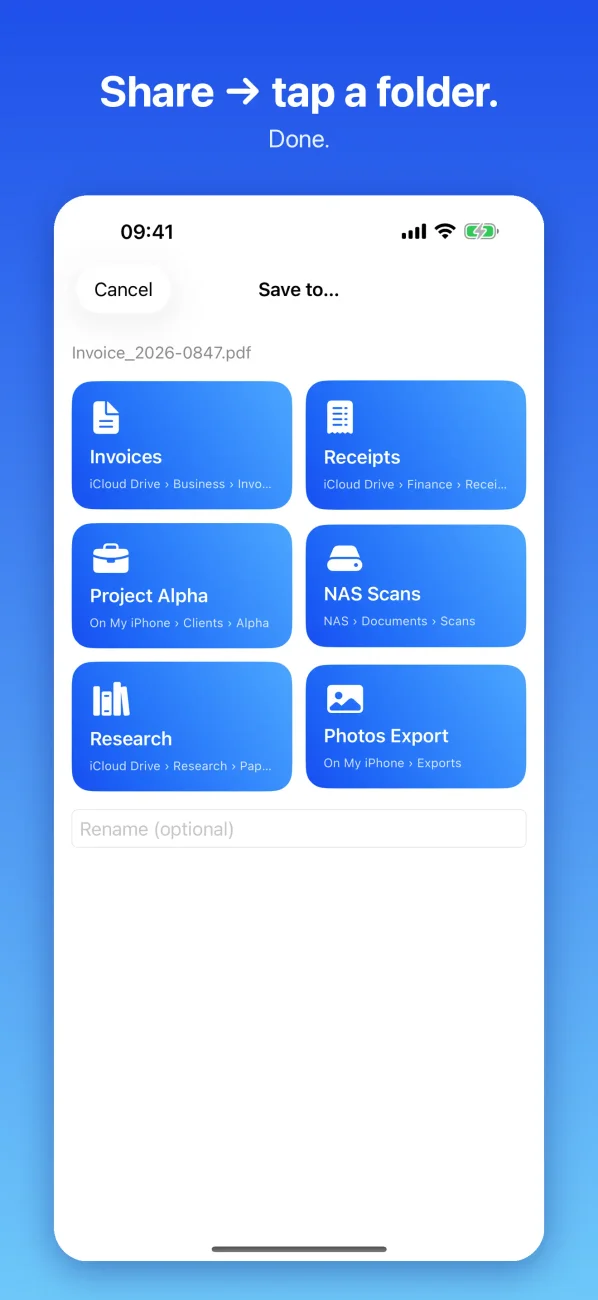
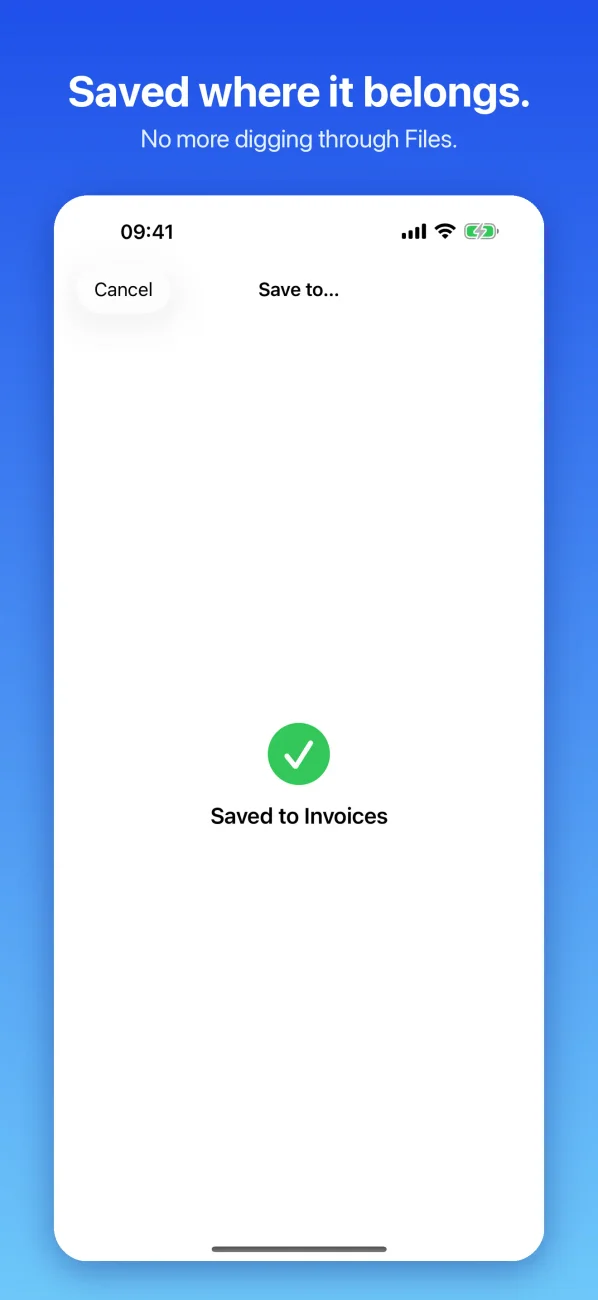
Share → DropRoute → Invoices. Done.
HOW IT WORKS
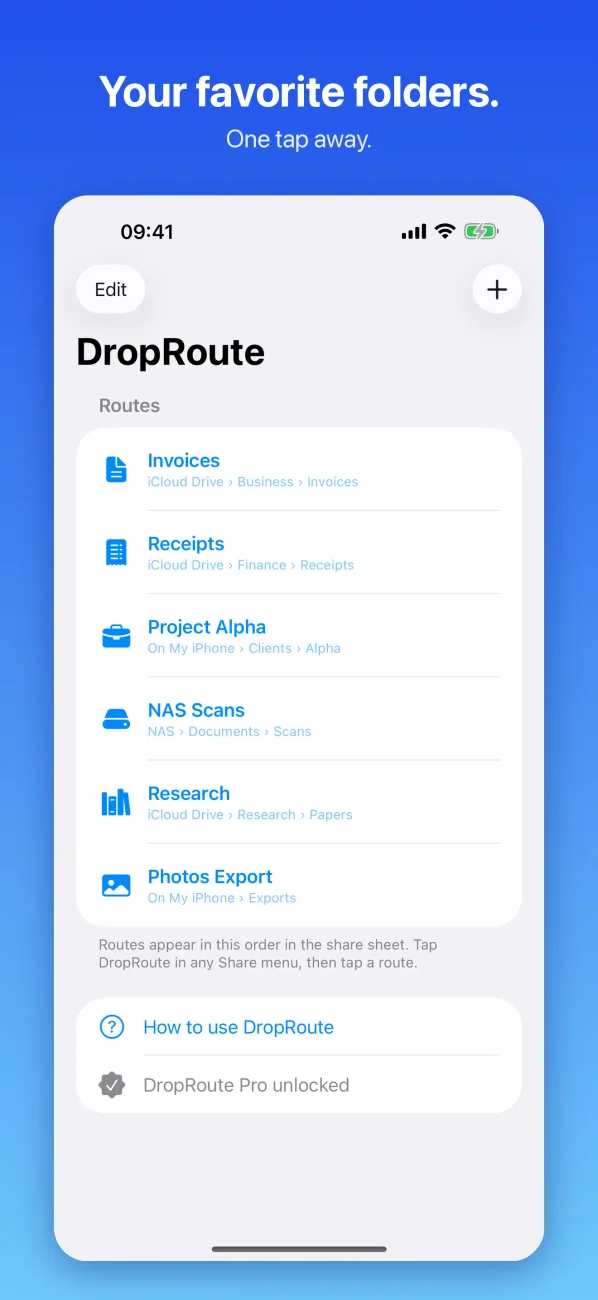
• Add the folders you save to most — Invoices, Receipts, a client project, your NAS scans.
• In any app, tap Share and choose DropRoute.
• Your folders appear as big buttons. Tap one and the file is saved there.
BUILT FOR REAL WORKFLOWS
• Works with On My iPhone/iPad, iCloud Drive and other Files locations
• Several files at once
• Never overwrites by accident — duplicates are kept as "Invoice 2.pdf"
• Folder moved or drive disconnected? DropRoute shows it and lets you repair the route with one tap
• Shortcuts action "Save Files to Route" for your automations
PRIVATE BY DESIGN
• No account, no sign-up
• Works completely offline
• Your files never leave your device through DropRoute
• No ads, no tracking, no analytics
FREE
• 2 routes
• Unlimited saves
• Original file names
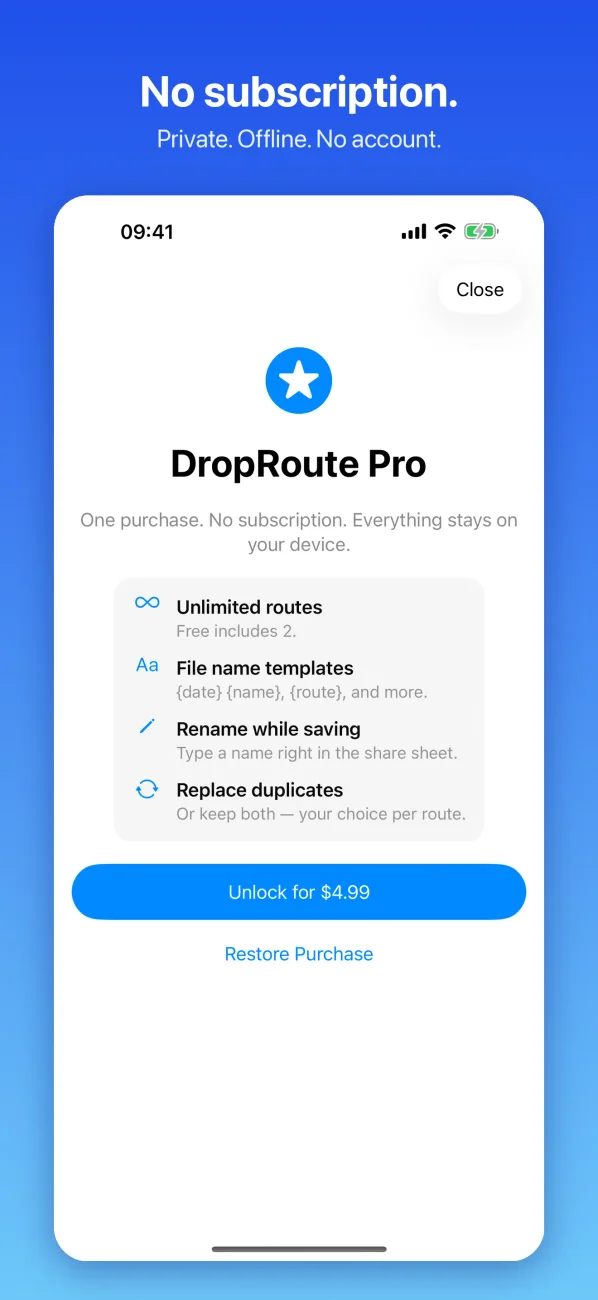
DROPROUTE PRO — ONE-TIME PURCHASE, NO SUBSCRIPTION
• Unlimited routes
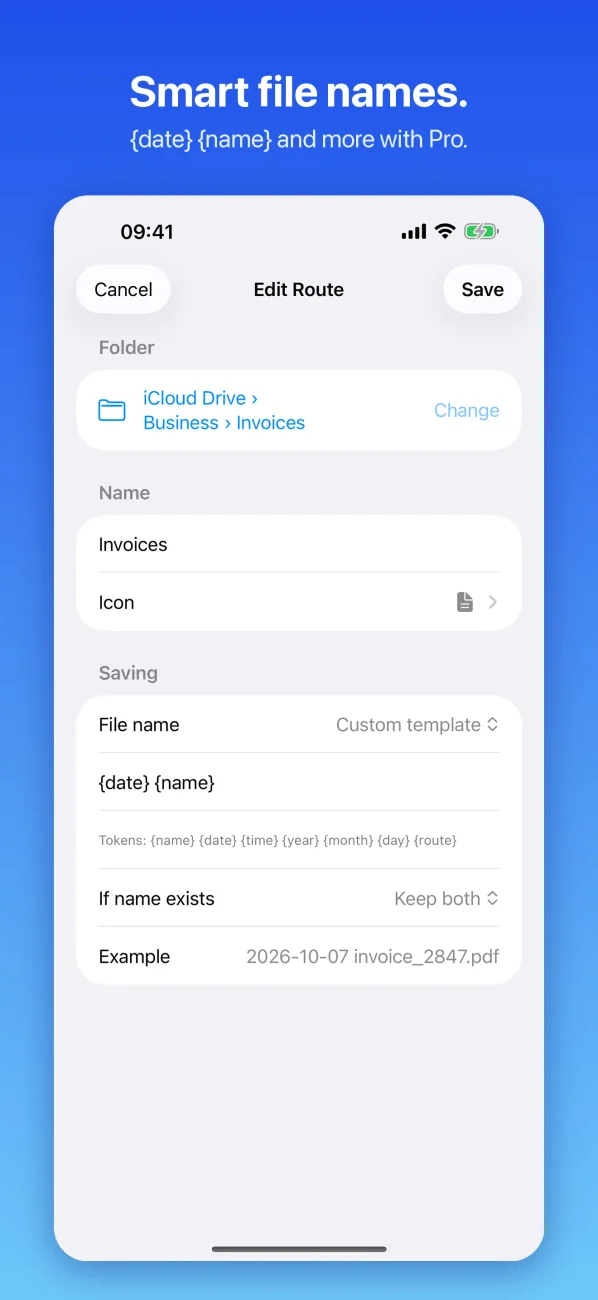
• File name templates: {date} {name}, {route}, {time} and more
• Rename right in the share sheet
• Choose per route: keep both or replace duplicates
DropRoute is not another file manager. It does one thing: get your file where it belongs, fast.
What’s new
Version 1.0.1 · Nov 2, 2026
• Now available in German
• Safer saving: files appear only once they're completely written, and Replace never touches folders
• The Shortcuts action keeps files that share the same name
• Clear message when only some files could be saved
• Readable folder locations
• Better VoiceOver and large-text support
• Share DropRoute and discover more apps
App privacy
What Christopher Koch declares on the App Store about how this app handles data.
-
Data not collected
The developer does not collect any data from this app.
Privacy practices may vary, for example with the features you use or your age.
Information
- Seller
- Christopher Koch
- Category
- Productivity
- Version
- 1.0.1
- Updated
- Nov 2, 2026
- Released
- Oct 16, 2026
- Size
- 4.9 MB
- Requires
- iOS 18.0 or later
- Age rating
- 4+
- Price
- Free
- In-app purchases
- Yes
- Languages
- English, German
- Copyright
- © 2026 Christopher Koch
You might also like
-
 Quis: Your Contacts on a MapCard Scanner & Personal CRM
-
 Note Fold: Structured NotesNested Folders & Rich Notes
-
 Binder: Document OrganizerPersonal Document Organizer
-
 Bookmarks - Read LaterSave links, url manager
-
 Barcode & LabelEnvelope Mailing Address Print
-
 Koofr VaultClient-side encrypted storage
-
 Story Planner for WritersOutline Novels & Screenplays
-
 Wallabag ReaderSelf-hosted read-it-later
-
 EZText - Text EditorProductivity
-
 Notezilla - Notes & RemindersSimple & nice little app :)