DSClock: Retro Clock Widget
Light & dark clock widgets
Designed for iPhone, iPad
Free
- Age rating4+
- CategoryUtilities
- DeveloperMiguel Piedrafita
- LanguagesEnglish
- Size6.5 MB
Links to the official App Store page
Download.org hosts no file of DSClock: Retro Clock Widget. The button opens its official App Store page, published by Miguel Piedrafita. Listing last checked on Nov 15, 2026.
Screenshots
About
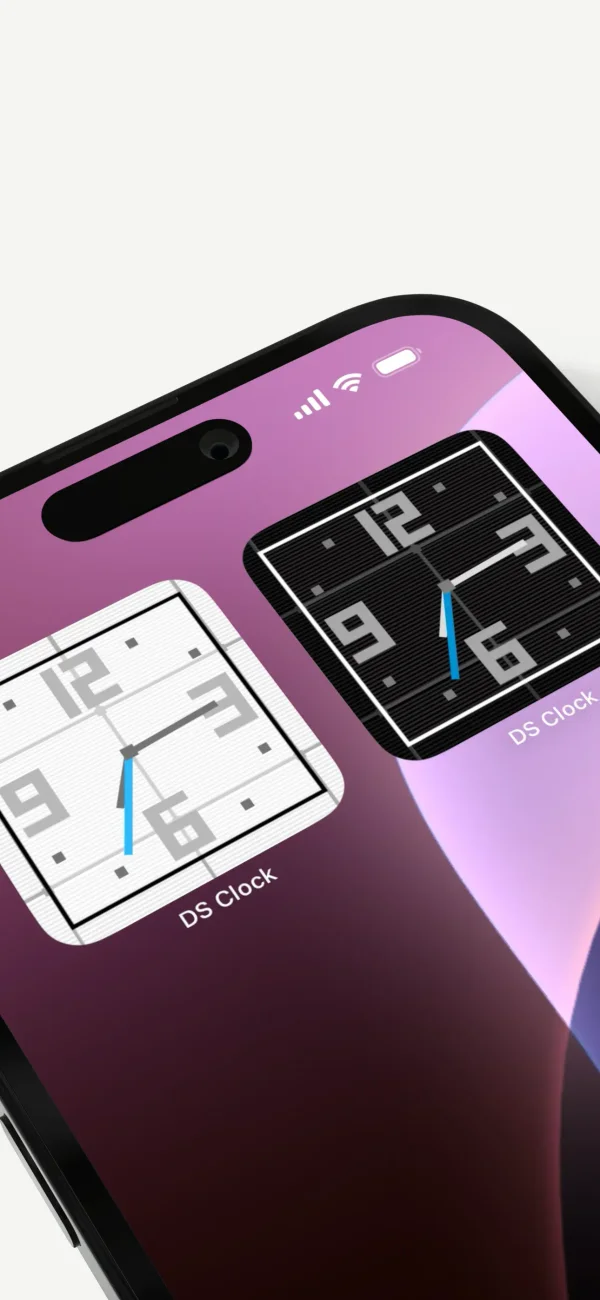
Bring a slice of handheld-era charm to iPhone.
Highlights
• Authentic DS-inspired dial design
• Separate light & dark widgets (S, M, L)
• Works on Home Screen, Lock Screen, StandBy
• Zero ads, zero data collection
• Tiny footprint, battery-friendly
Setup
Open DS Clock Widget once.
Long-press a screen → + → search “DS Clock”.
Pick light or dark, choose a size.
DS Clock Widget is an independent homage and is not affiliated with Nintendo.
What’s new
Version 1.3 · Jul 3, 2026
Polished the icon and intro screen. Have a great day!
App privacy
What Miguel Piedrafita declares on the App Store about how this app handles data.
-
Data not collected
The developer does not collect any data from this app.
Privacy practices may vary, for example with the features you use or your age.
Information
- Seller
- Miguel Piedrafita
- Category
- Utilities
- Version
- 1.3
- Updated
- Jul 3, 2026
- Released
- Jun 3, 2025
- Size
- 6.5 MB
- Requires
- iOS 17.6 or later
- Age rating
- 4+
- Price
- Free
- Languages
- English
- Copyright
- © Miguel Piedrafita & Ana Rueda 2025
You might also like
-
 Grail - Clock WidgetAnalog & Digital Watch Faces
-
 Clock Widget CreatorCustom Clock Widgets
-
 digital-analog clockUtilities
-
 World-Digital-ClockWorld Digital Clock Anytime
-
 Tinker - Watch Face StudioBuild the Perfect Watch Face
-
 StandBy Clock: Custom WidgetsFlip, Bedside, Countdown & GIF
-
 Clock Widget - Ultra HD TimeFlip Clock & Countdown Widgets
-
 Air Clock - Flip Clock WidgetDesk Time & Digital Display
-
 Digital Clock Widget · StandByLive Seconds, Weather, Bedside
-
 Screen Clock DigitalA huge Screen Digital Clock