
- Age rating4+
- CategoryUtilities
- DeveloperBogdan Bystritskii
- LanguagesEnglish
- Size14.4 MB
Links to the official App Store page
Download.org hosts no file of DSContainer. The button opens its official App Store page, published by Bogdan Bystritskii. Listing last checked on Nov 14, 2026.
Screenshots

About
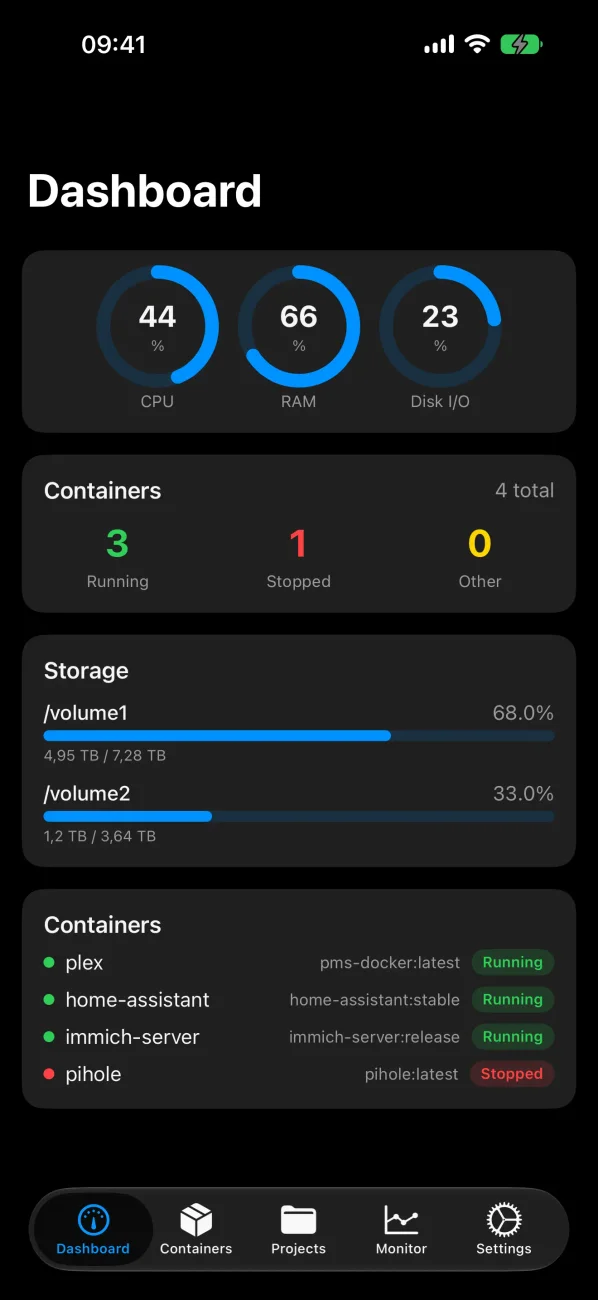
DSContainer is a native iOS control panel for the Container Manager package on your Synology NAS. Connect over the DSM WebAPI and manage your entire Docker setup without opening a browser.
DASHBOARD AT A GLANCE
• Running, stopped, and unhealthy containers in one view
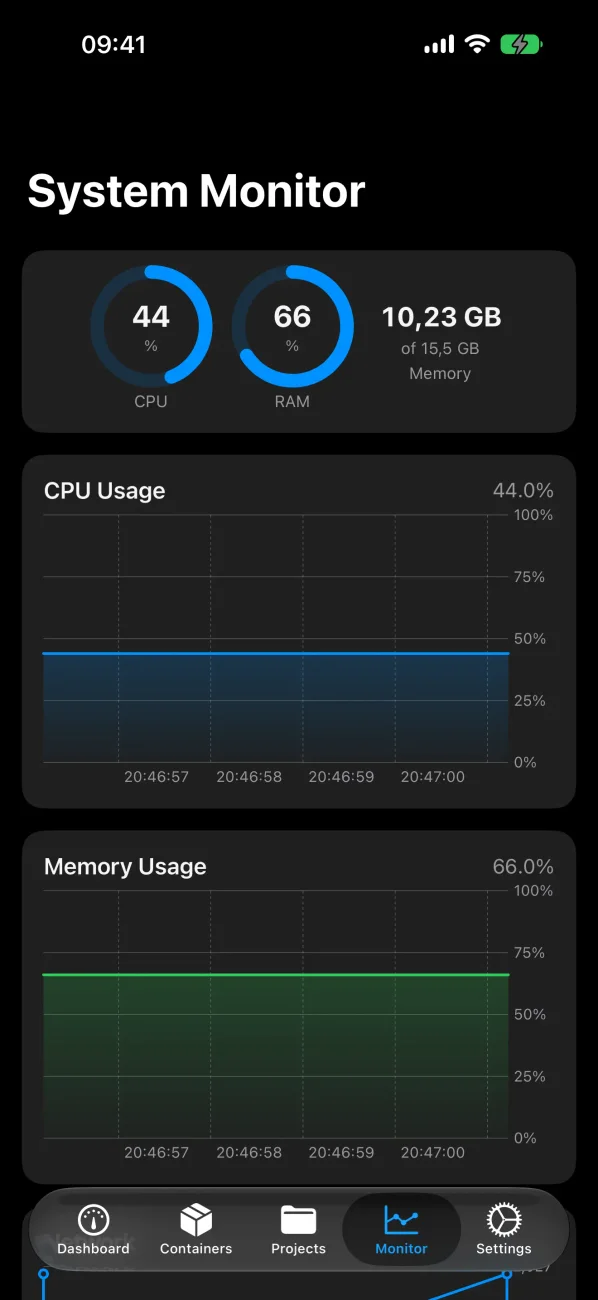
• Live CPU and memory utilization of your NAS
• Recent container activity
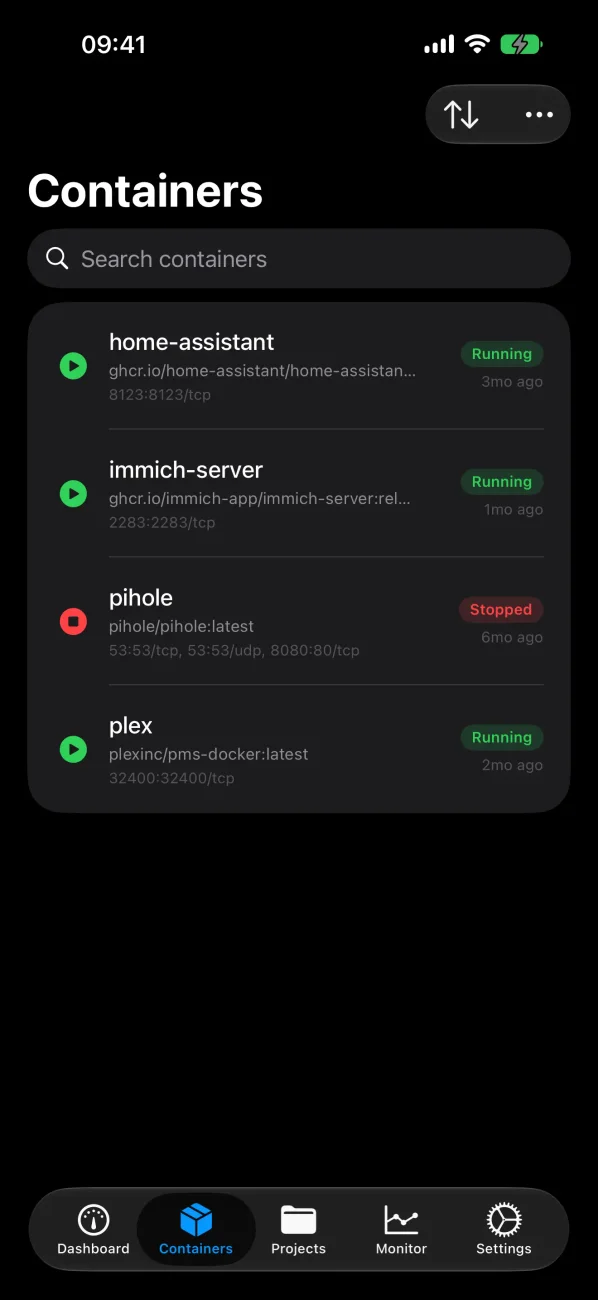
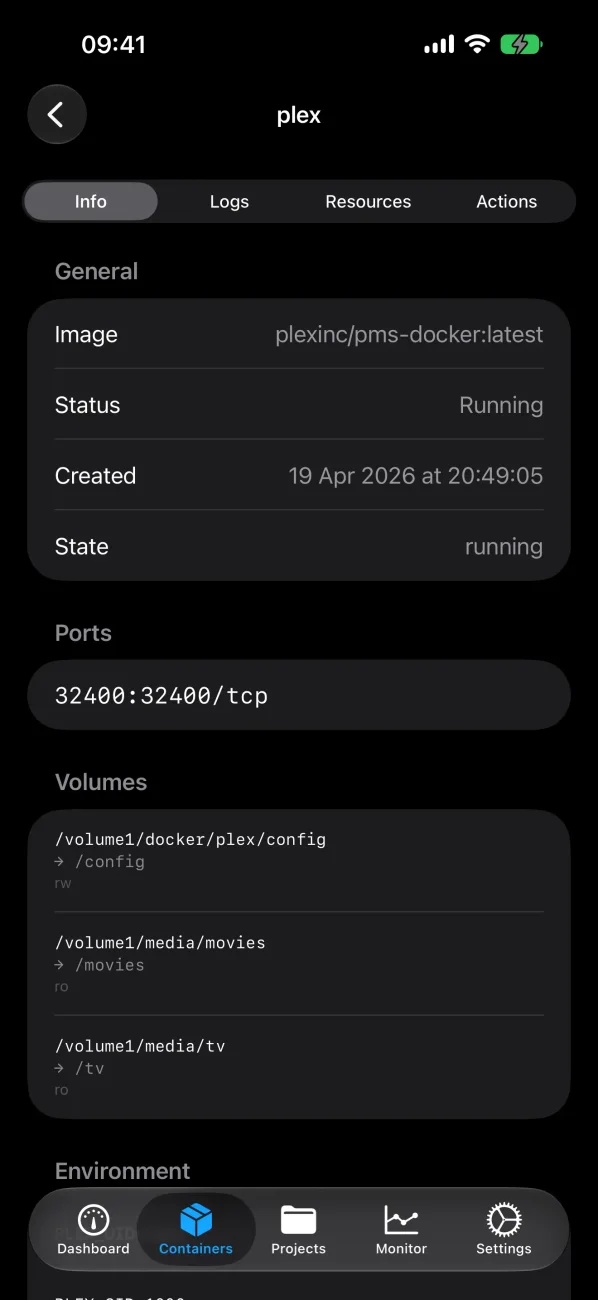
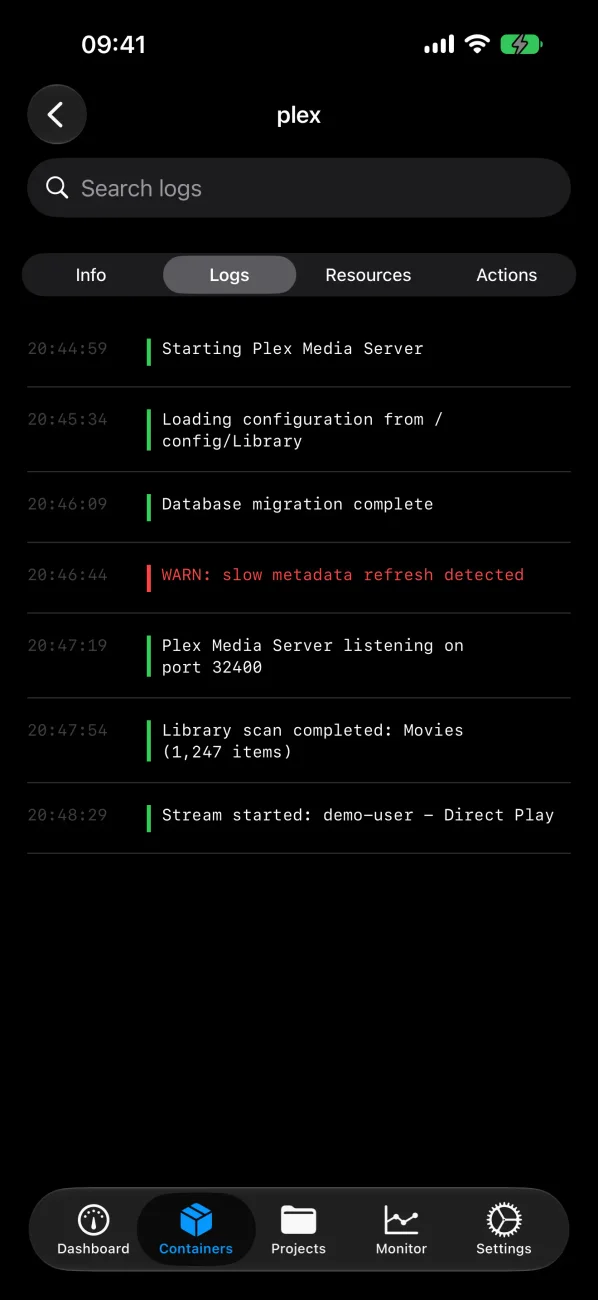
CONTAINERS
• Start, stop, and restart containers with one tap
• Live logs with search
• Per-container CPU and memory charts
• Detailed configuration: ports, volumes, environment
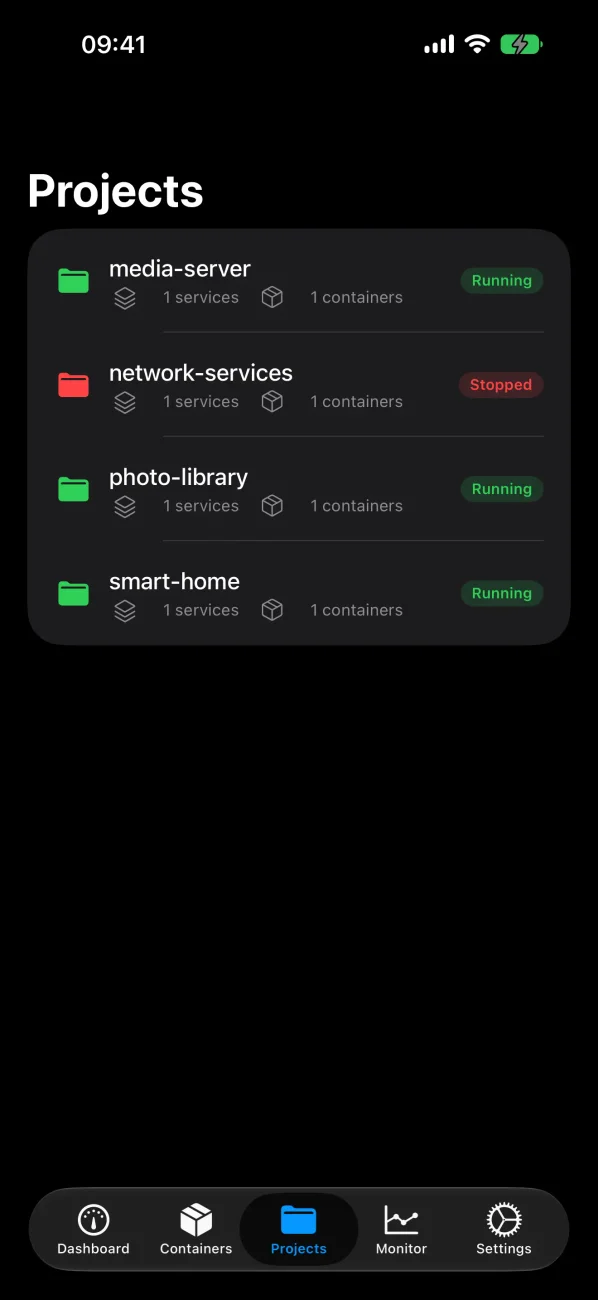
COMPOSE PROJECTS
• See every Compose project and its services
• Bring whole stacks up or down
SYSTEM MONITOR
• CPU, RAM, and volume utilization charts
• Storage overview for every volume
BUILT FOR TRUST
• Talks only to your NAS — no third-party servers, no analytics
• Credentials stored in the iOS Keychain
• Supports HTTPS and 2FA (OTP) sign-in
• Self-signed certificates supported
Try Demo Mode to explore the app with sample data — no NAS required.
Requires a Synology NAS running DSM with the Container Manager package installed. This app is an independent project and is not affiliated with or endorsed by Synology Inc. or Docker Inc.
What’s new
Version 1.1 · Nov 10, 2026
Home-screen widget
• New small and medium widgets show how many containers are running, NAS CPU and memory, and your running containers at a glance.
Sign in once
• After you enter a two-factor code, DSContainer asks DSM to trust this iPhone, so later sign-ins skip the code. You can revoke it any time in DSM under Personal › Security.
Easier connections
• Touch and hold a connection to edit or delete it.
• A clear message when iOS blocks Local Network access, instead of "The Internet connection appears to be offline".
Fixes and polish
• Memory usage in System Monitor no longer counts cache as used.
• Container details show the image name instead of a digest.
• Secret-looking environment variables are hidden until you tap them.
• A shorter dashboard with your running containers and a link to the full list.
• Status dots in the container list, a visible status filter, and cleaner charts.
• Better layout on wide and foldable screens.
App privacy
What Bogdan Bystritskii declares on the App Store about how this app handles data.
-
Data not collected
The developer does not collect any data from this app.
Privacy practices may vary, for example with the features you use or your age.
Information
- Seller
- Bogdan Bystritskii
- Category
- Utilities
- Version
- 1.1
- Updated
- Nov 10, 2026
- Released
- Aug 26, 2026
- Size
- 14.4 MB
- Requires
- iOS 26.0 or later
- Age rating
- 4+
- Price
- Free
- Languages
- English
- Copyright
- © 2026 Bogdan Bystritskii
You might also like
-
 SynoDockerSynology Docker in your pocket
-
 PulseNerdUtilities
-
 Home FloorplanYour Home, at a glance
-
 Seed TruckRemote Torrent Manager
-
 Fetcha: Download StationSynology NAS Torrent Remote
-
 My NAS ManagerNAS monitor & file manager
-
 EasyScan: OBD2 Car ScannerCheck Engine Codes Explained
-
 Monabo: Subscription TrackerBudget recurring bills & fees
-
 ContactidyHarmonize your contacts !
-
 Easy QRWalletUtilities