
My NAS Manager
NAS monitor & file manager
Designed for iPhone, iPad
Free · In-app purchases
- Age rating4+
- CategoryUtilities
- DeveloperHung Tien Pham
- LanguagesEnglish+ 14 more
- Size7.5 MB
Links to the official App Store page
Download.org hosts no file of My NAS Manager. The button opens its official App Store page, published by Hung Tien Pham. Listing last checked on Nov 23, 2026.
Screenshots


About
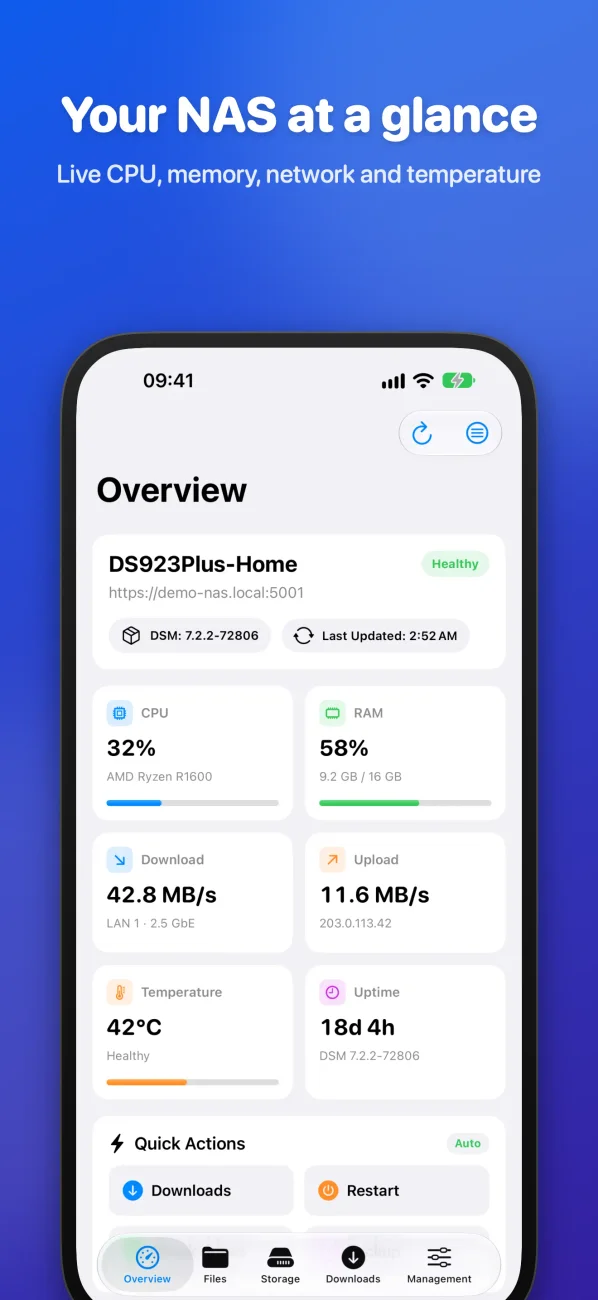
My NAS Manager puts your Synology NAS in your pocket. Check its health, work with your files and manage downloads from iPhone and iPad.
OVERVIEW
• Live CPU, memory, network and temperature with realtime charts
• Top processes, system information and recent activity
FILE STATION
• Browse shared folders and search the current folder
• Upload and download with progress, retry and cancel
• Rename, copy, move and delete one item or many
• Preview files and create share links
STORAGE
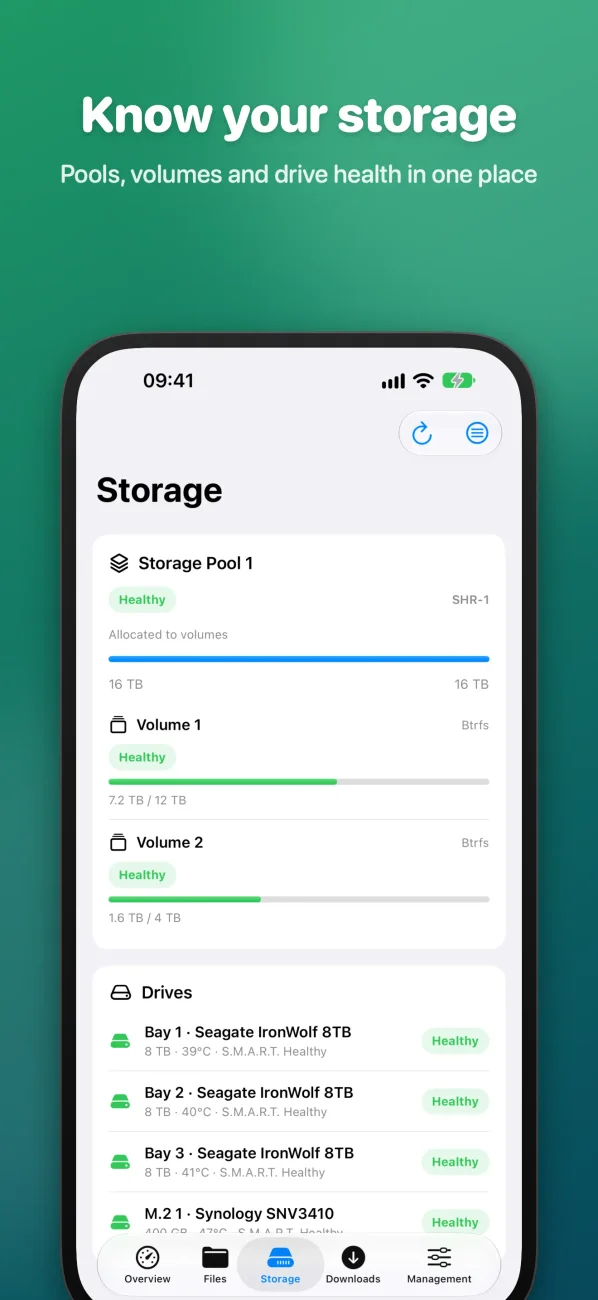
• Storage pools, volumes and drives with usage and health
• Drive temperature and S.M.A.R.T. status
DOWNLOAD STATION
• Add HTTP, FTP or magnet links
• Pause, resume, delete and filter tasks
MANAGEMENT
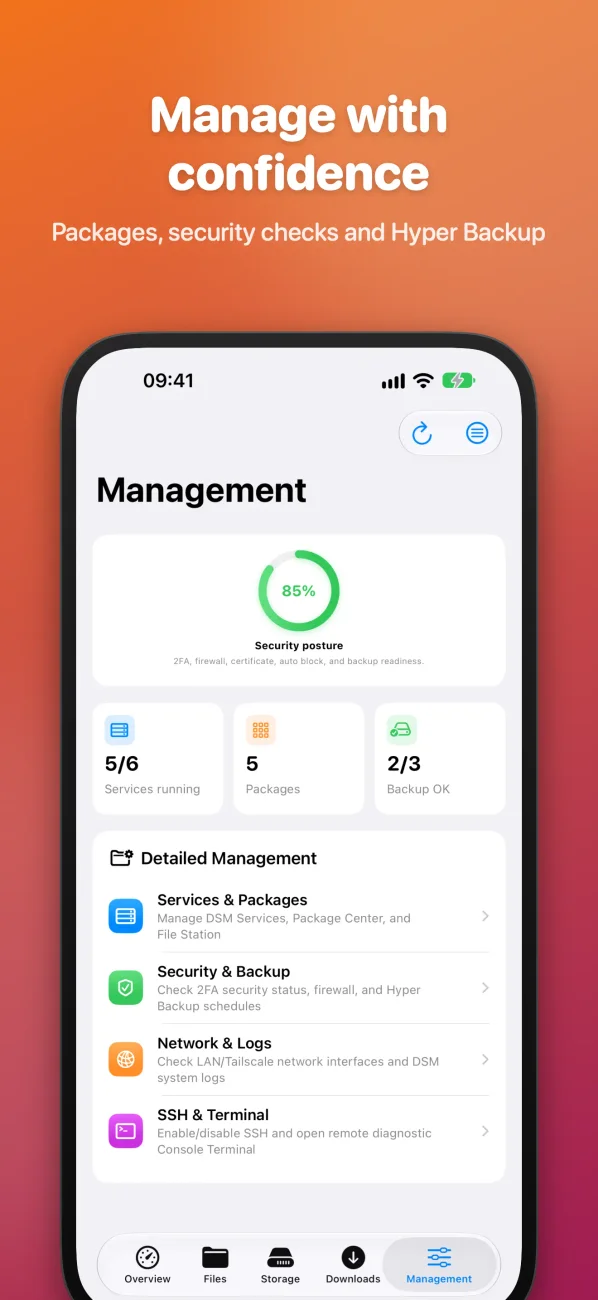
• Start or stop installed packages
• Security Advisor results, network interfaces and system logs
• Run Hyper Backup jobs and restart DSM
DESIGNED FOR IPHONE AND IPAD
• Sidebar layout, menu bar commands and keyboard shortcuts on iPad
• Dark Mode, Dynamic Type and 15 languages
PRIVATE BY DESIGN
The app connects only to the NAS you enter. No accounts, ads or tracking. Your session is kept in the iOS Keychain. Two-factor authentication and HTTPS are supported.
Available features depend on your DSM version, installed packages and account permissions. SSH settings require the one-time Lifetime purchase.
Synology and DSM are trademarks of Synology Inc. My NAS Manager is not affiliated with Synology.
What’s new
Version 1.1.0 · Nov 20, 2026
• Refreshed design with clearer cards, charts and management screens
• 8 new languages: Italian, Portuguese, Korean, Russian, Indonesian, Hindi, Arabic and Traditional Chinese
• File Station: select several items to rename, copy, move or delete
• Automatic two-factor prompt at sign-in
• Hyper Backup jobs and package start/stop
• iPad menu bar commands and keyboard shortcuts
• Faster refreshes and large folders, plus many fixes
App privacy
What Hung Tien Pham declares on the App Store about how this app handles data.
-
Data not collected
The developer does not collect any data from this app.
Privacy practices may vary, for example with the features you use or your age.
Information
- Seller
- Hung Tien Pham
- Category
- Utilities
- Version
- 1.1.0
- Updated
- Nov 20, 2026
- Released
- Jun 17, 2026
- Size
- 7.5 MB
- Requires
- iOS 17.0 or later
- Age rating
- 4+
- Price
- Free
- In-app purchases
- Yes
- Languages
- English, Arabic, French, German, Hindi, Indonesian, Italian, Japanese, Korean, Portuguese, Russian, Simplified Chinese + 3 more
- Copyright
- © 2026 Pham Hung Tien. All rights reserved.
You might also like
-
 GoosiBackblaze B2 client you need
-
 Video to GIF ExpertConvert videos to GIFs fast
-
 ClipCreeper for SafariWatch Social Videos in Safari
-
 KeepProof: Receipt OrganizerWarranty Tracker & Reminders
-
 Fonts - Cool Text KeyboardFonts & Emoji Keyboard
-
 LocalMind: Ollama & LM StudioPrivate AI, offline & online
-
 SnapFrame - On-device AIApple Vision camera coach
-
 dB Meter: Decibel SPL SpectrumNoise, Sound Level & RTA
-
 MeCode: QR Barcode ScannerGenerator, Photo & PDF Reader
-
 Flying Carpet File TransferUtilities