DueView: Stats for Reminders
Task habits, overdue & on-time
Designed for iPhone
In-app purchases
- Age rating4+
- CategoryProductivity
- DeveloperJudeWorks
- LanguagesEnglish
- Size4.0 MB
Links to the official App Store page
Download.org hosts no file of DueView: Stats for Reminders. The button opens its official App Store page, published by JudeWorks. Listing last checked on Nov 14, 2026.
Screenshots
About
Your reminders, scored.
See what you finish, what needs attention, and when you work best.
DueView turns the reminders you already keep in Apple Reminders into a clear picture of your progress. Explore your week without another list to maintain.
YOUR PROGRESS, AT A GLANCE
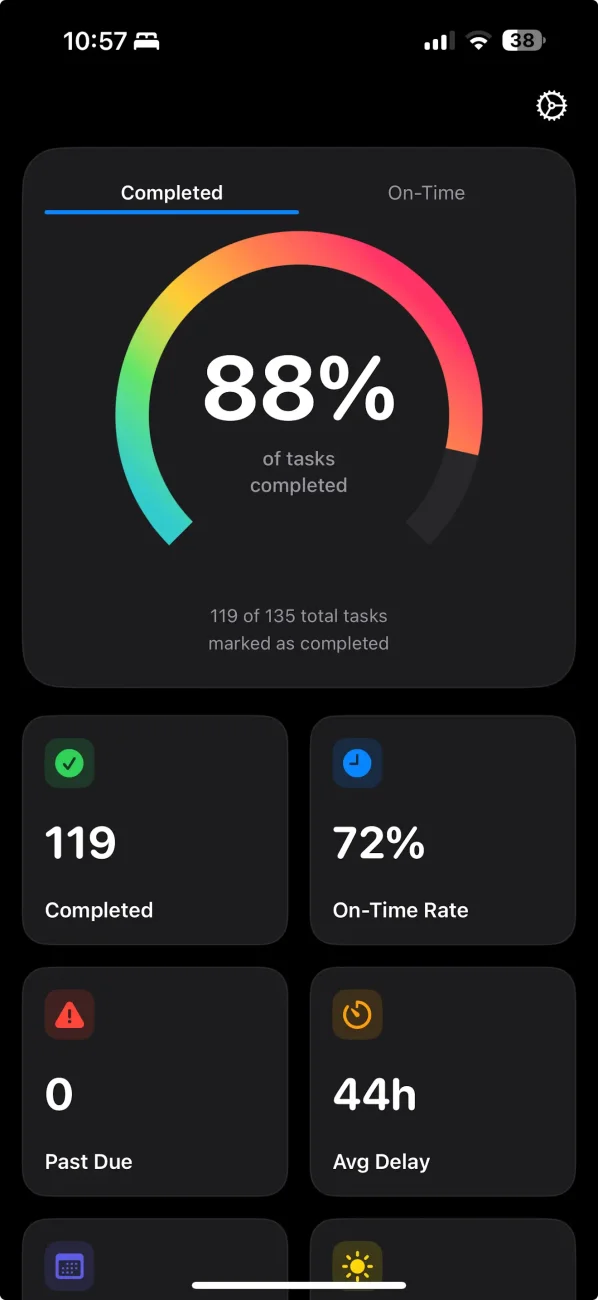
• Completion score — see how much of your selected work is complete.
• On-time rate — unfinished tasks count against your rate once their deadline and any grace period have passed.
• Past due — see what’s overdue and how long the oldest task has been waiting.
• Average delay — understand how late you tend to finish when you miss a deadline.
• Per-list breakdown — compare your lists and see where work is building up.
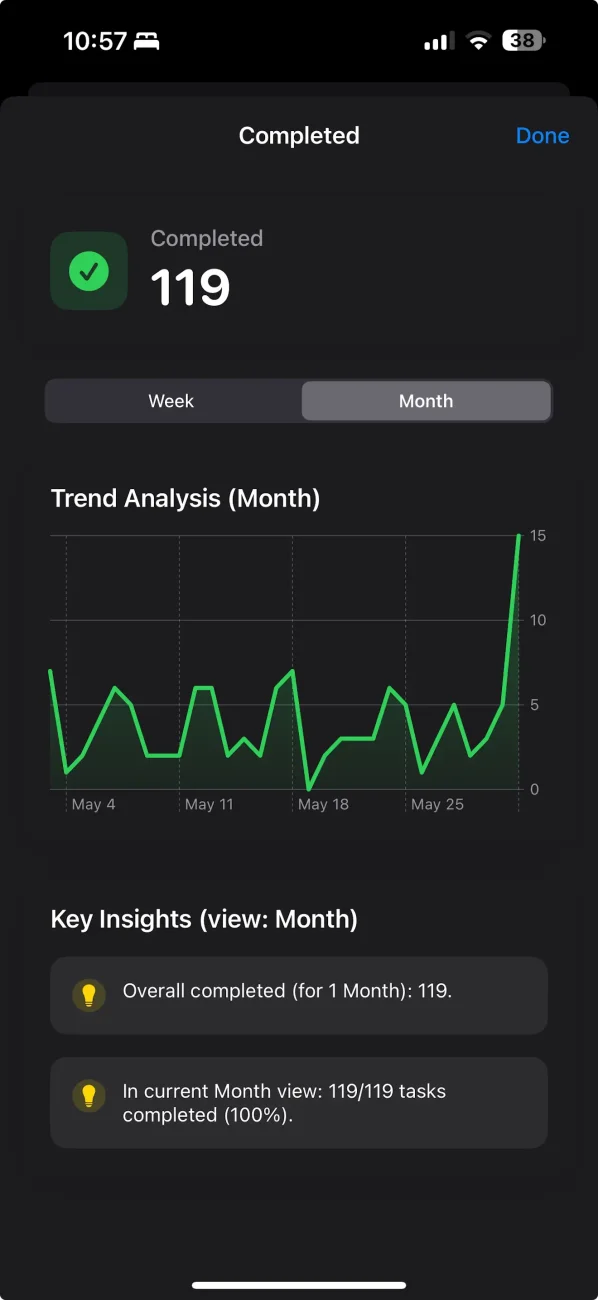
• Trends — compare matching periods to see how your progress is changing.
EXPLORE THE DETAILS
Tap a statistic to see the reminders behind it. Review overdue tasks oldest first, explore your completion history, and open Apple Reminders when you’re ready to take action.
Touch or drag across a chart to explore individual days and periods.
MAKE IT YOURS
Choose a look that feels right:
• Classic — a colorful gauge with light and dark appearances. Included free.
• Graphite — a precise dial on a dark background. Available with DueView Plus.
• Paper — bold numbers and a simple grid in black and white. Available with DueView Plus.
Your dashboard, widgets, and app icon change to match your selected theme.
KEEP YOUR WEEK IN VIEW
Home Screen and Lock Screen widgets put your score, recent progress, and today’s reminders within easy reach.
On iPhone Duo, wider layouts give your score, charts, and task details more room.
DUEVIEW PLUS
One purchase. No subscription.
Unlock:
• Graphite and Paper themes, with matching widgets and app icons
• Longer history: 1 month, 3 months, 1 year, or all time
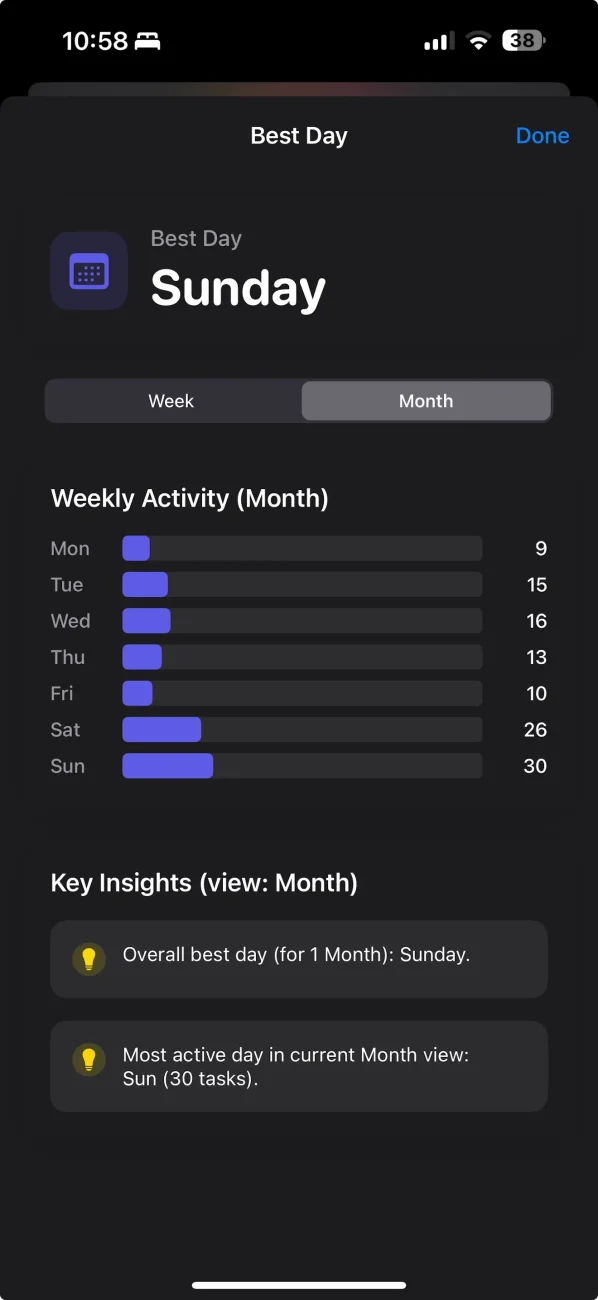
• Best Day: discover which weekday you finish the most
• Peak Hours: see when you get things done
• Custom grace periods: choose how late still counts as on time
CLEAR ABOUT WHAT COUNTS
Tasks without due dates can’t be judged for timeliness. Repeating reminders reflect their current occurrence rather than a complete history of every repetition.
DueView explains these limits on screen so you can understand what your numbers represent.
PRIVATE BY DESIGN
DueView processes your reminders on your device and never changes them. No account or sign-in is required.
WORKS WITH APPLE REMINDERS
Allow access to the reminders you already use and start exploring your progress. Keep managing your tasks in Apple Reminders — DueView gives you a clearer view of them.
What’s new
Version 1.4 · Oct 25, 2026
Get a clearer view of your week.
• A refreshed dashboard with more balanced charts and easier-to-read statistics.
• Adaptive layouts that make better use of iPhone Duo’s wider screen.
• Improved completion totals, history ranges and widget statistics.
• More consistent theme selection and Plus purchase status.
DueView still reads your reminders without changing them.
App privacy
What JudeWorks declares on the App Store about how this app handles data.
-
Data not collected
The developer does not collect any data from this app.
Privacy practices may vary, for example with the features you use or your age.
Information
- Seller
- JudeWorks LLC
- Category
- Productivity
- Version
- 1.4
- Updated
- Oct 25, 2026
- Released
- Jun 2, 2025
- Size
- 4.0 MB
- Requires
- iOS 18.0 or later
- Age rating
- 4+
- In-app purchases
- Yes
- Languages
- English
- Copyright
- © 2026 Judeworks LLC
You might also like
-
 Pulsive - Task & Habit TrackerTasks, Routines & Projects
-
 TaskFlow: To-Do & PlannerEisenhower Matrix, Focus Timer
-
 Giraffe: Keep What You KnowYour AI memory, organized
-
 TYT - Trace Your TimeTime is your greatest wealth
-
 ThulirNo subscription. No account
-
 Hello Time - Time TrackerProductivity
-
 Time-TraceHourly Time Tracking
-
 Be Like IkeUse the Eisenhower Matrix
-
 Ignite: AI Goal PlanningGoal Action Plan Assistant
-
 Tapcorder: AI Voice RecorderTranscribe Voice Memos & Notes