
- Age rating4+
- CategoryBooks
- Developer識途科技有限公司
- LanguagesEnglish
- Size24.8 MB
Links to the official App Store page
Download.org hosts no file of eBookly: ePub Reader. The button opens its official App Store page, published by 識途科技有限公司. Listing last checked on Nov 9, 2026.
Screenshots
About
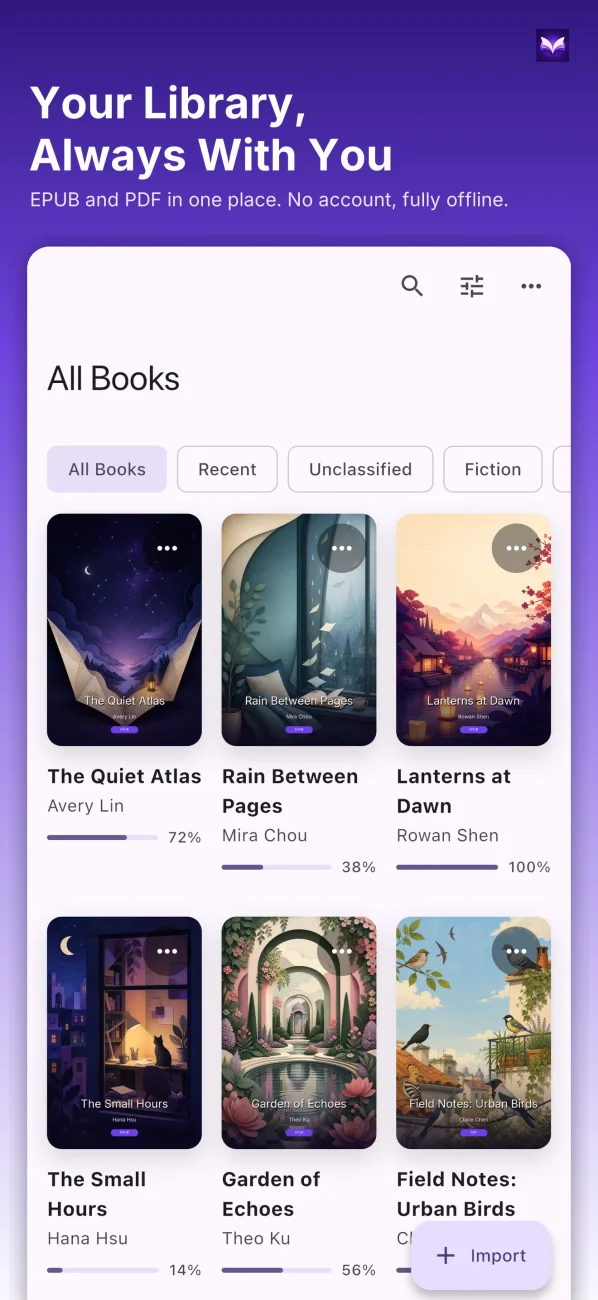
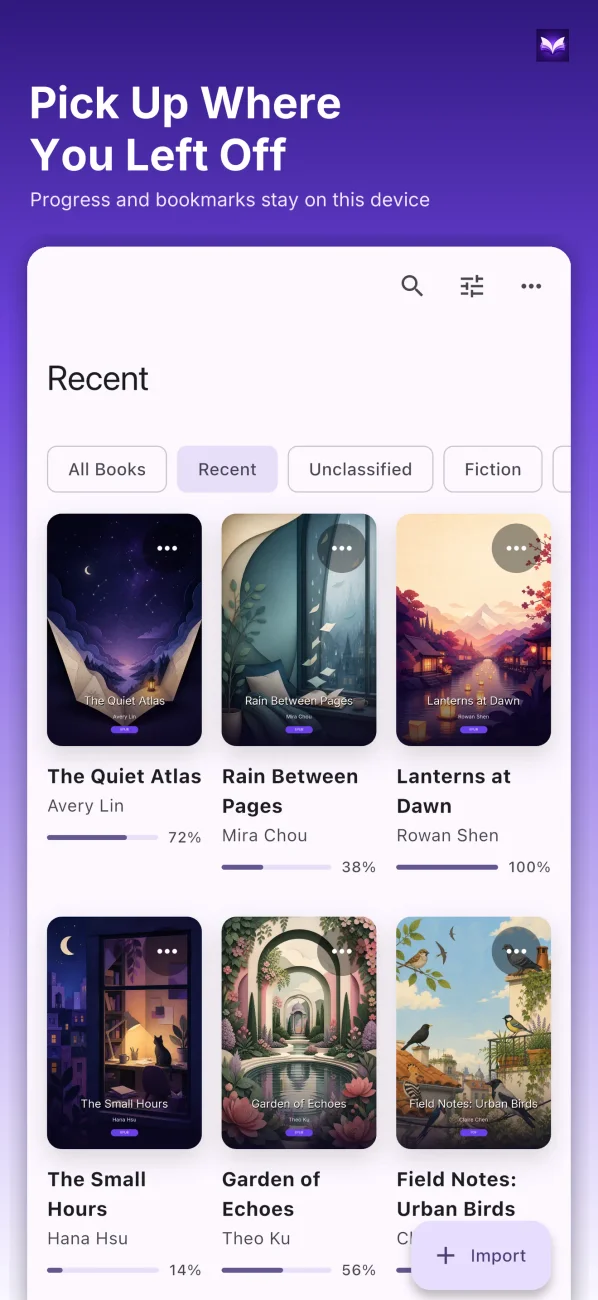
Turn your EPUB, PDF, and comic files into a private, offline library made for your device.
eBookly is clean, ad-free, and requires no account. Choose books from Files, drag and drop them, or import them through the share sheet. Reading does not require a connection to an eBookly server, and eBookly never sends your books to us.
Your private offline library
• Import EPUB and PDF files
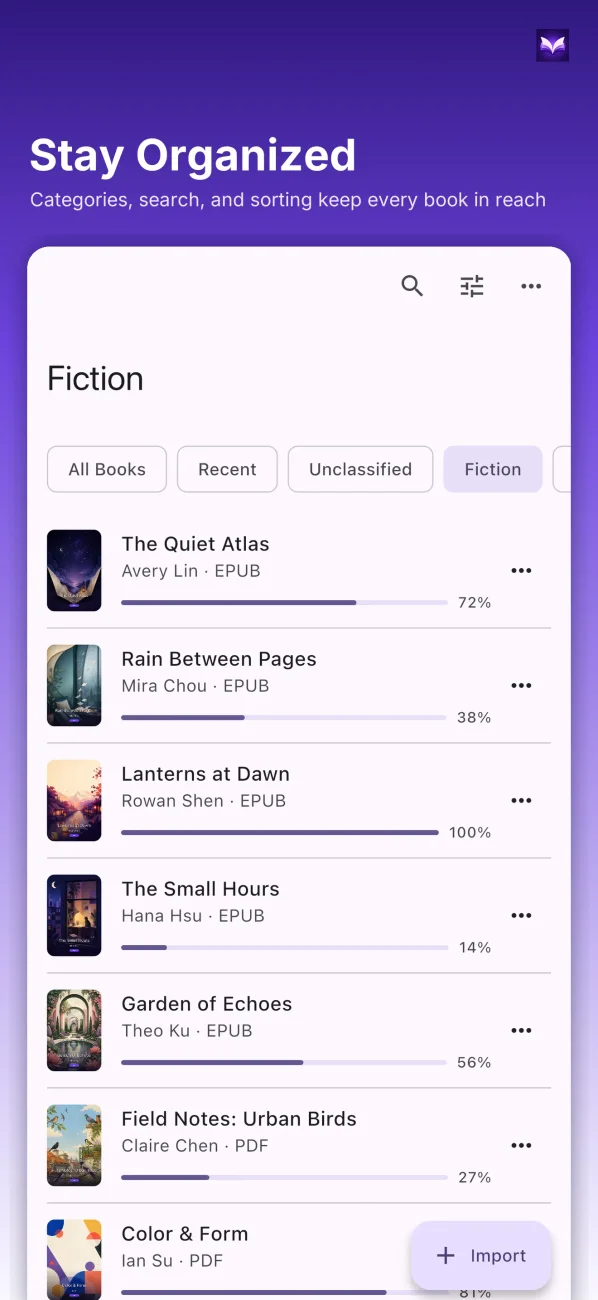
• Organize novels, reference documents, and comics into folders
• Search by title or author
• Sort by recent import, recent reading, title, or author
• Edit titles, authors, descriptions, and cover artwork
• Keep reading progress and bookmarks on your device
A comfortable EPUB reader
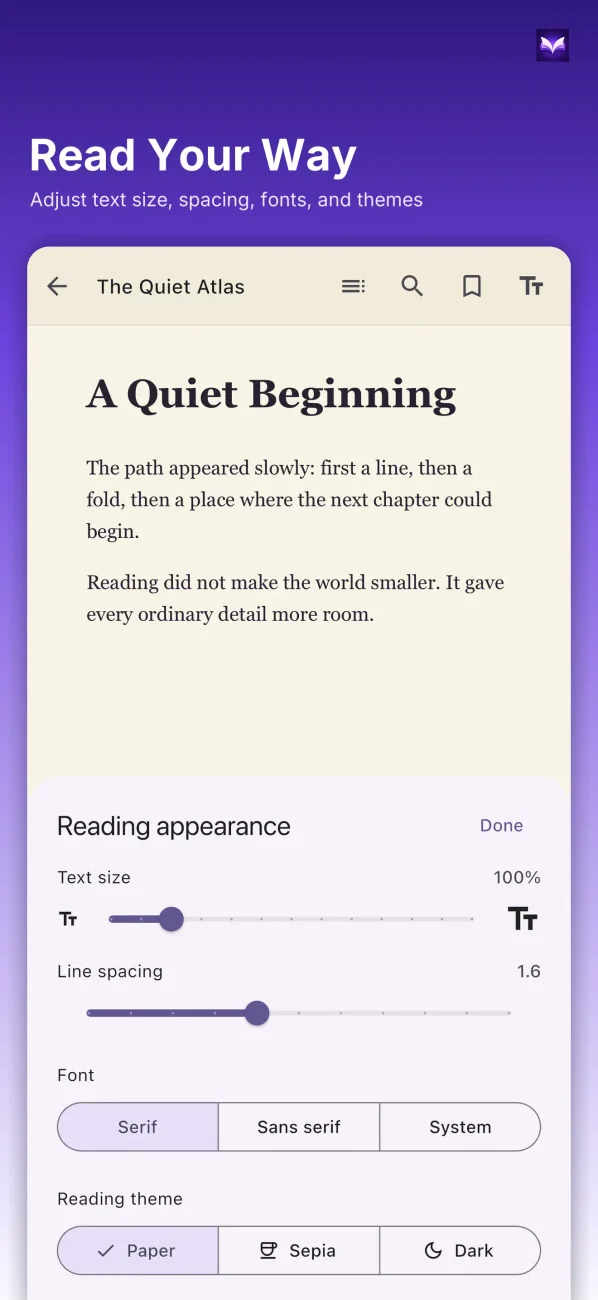
• Adjust text size, line spacing, and font family
• Choose paper, sepia, or dark reading themes
• Browse the table of contents and search book text
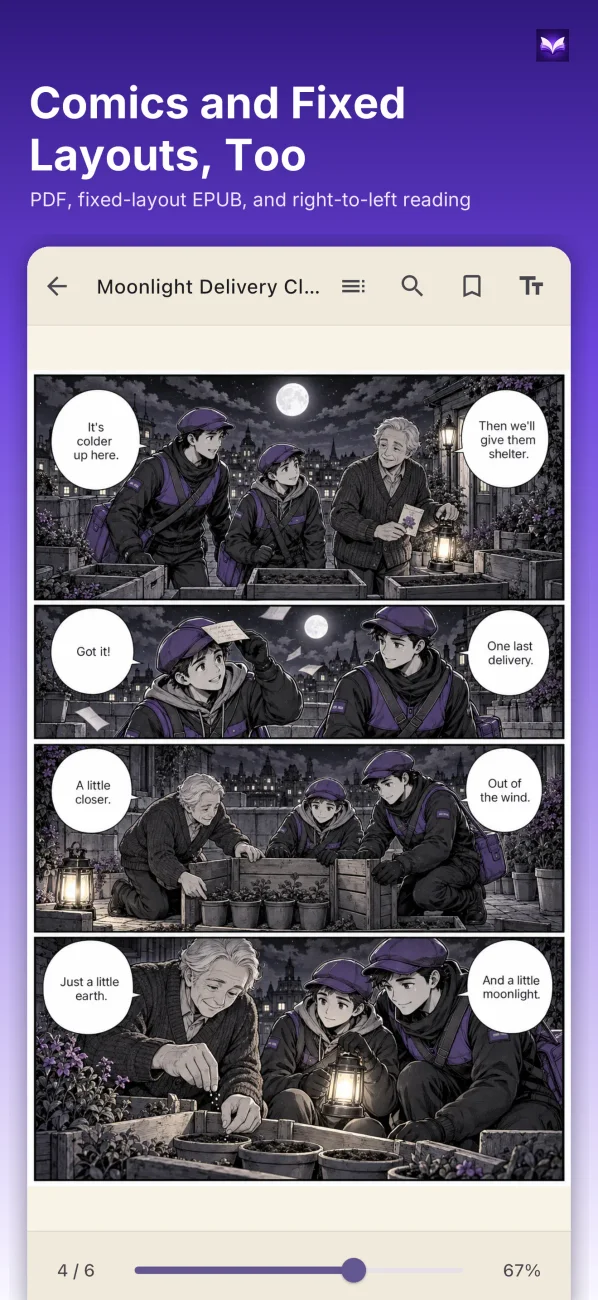
• Read fixed-layout EPUB and right-to-left publications
PDF and comics
• Read standard PDF documents directly
• Enjoy comics and illustrated content supplied as PDF or fixed-layout EPUB
• CBZ and CBR are not claimed as supported formats
Privacy by design
• No account
• No ads or in-app purchases
• No tracking
• No data collection and no eBookly app servers
What’s new
Version 1.2.0 · Nov 3, 2026
New page turn animations for comics and picture books
• Page curl: drag the corner of a page and it follows your finger like real paper, then turns over or falls back when you let go. Works with one page or two-page spreads, including right-to-left books.
• Slide: pages slide in from the side you tap or swipe.
• Choose Slide, Page curl, or None in Settings. Animations pause while you're zoomed in and when Reduce Motion is on.
Better zooming
• Pinch to zoom and drag from anywhere on the page, including near the edges.
• While zoomed in, taps and swipes no longer turn the page by accident. Pinch back out to keep reading.
• Zoom resets when you move to another page.
Faster page turns
• Nearby pages are prepared in advance, so turning pages feels instant.
App privacy
What 識途科技有限公司 declares on the App Store about how this app handles data.
-
Data not collected
The developer does not collect any data from this app.
Privacy practices may vary, for example with the features you use or your age.
Information
- Seller
- SHI TU TECHNOLOGY LIMITED
- Category
- Books
- Version
- 1.2.0
- Updated
- Nov 3, 2026
- Released
- Aug 27, 2026
- Size
- 24.8 MB
- Requires
- iOS 16.0 or later
- Age rating
- 4+
- Languages
- English
- Copyright
- © Shitu Tech Co., Ltd.
You might also like
-
 Textra - TXT & EPUB ReaderRead novels from your folders
-
 CozyReader - AI Text to SpeechOffline EPUB, Books & Notes
-
 Melo – Mood ReaderMood-aware EPUB reader
-
 Oratio: Offline Read AloudEPUB books in natural voices
-
 Shelfie: Audiobooks & EbooksYour Audiobookshelf library
-
 Hanbam: Manga & Novel ReaderComics, EPUB, TXT & PDF Books
-
 BookSpeak: EPUB to AudiobookNatural voices. Read along.
-
 Audissey: Web Audio ReaderListen to web novels aloud
-
 Dream Library: AI NovelsCustom Stories & Audiobooks
-
 Compendium AudiobooksListen and Read the Classics