
- 対象年齢4+
- カテゴリブック
- 開発元識途科技有限公司
- 言語英語
- サイズ24.8 MB
App Storeの公式ページにリンクしています
Download.orgはeBookly: ePub Readerのファイルを一切ホストしていません。ボタンを押すと、識途科技有限公司が公開しているApp Storeのアプリページが開きます。ページの最終確認:2026/11/9。
スクリーンショット
概要
開発元はこのテキストをお使いの言語で提供していません。
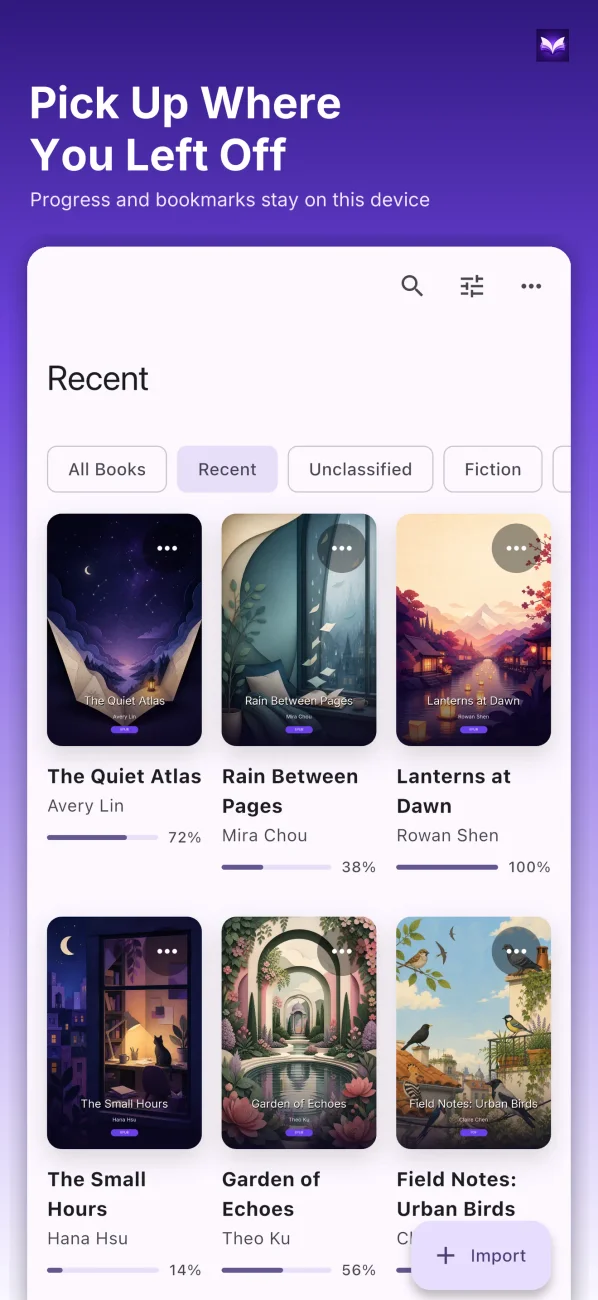
Turn your EPUB, PDF, and comic files into a private, offline library made for your device.
eBookly is clean, ad-free, and requires no account. Choose books from Files, drag and drop them, or import them through the share sheet. Reading does not require a connection to an eBookly server, and eBookly never sends your books to us.
Your private offline library
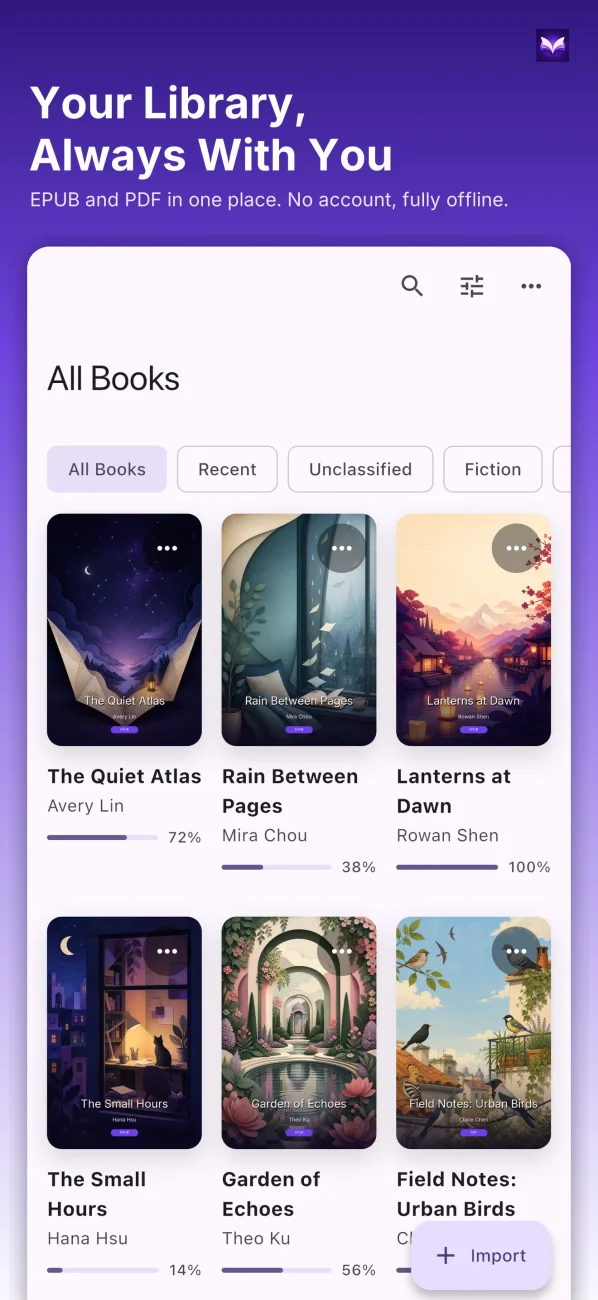
• Import EPUB and PDF files
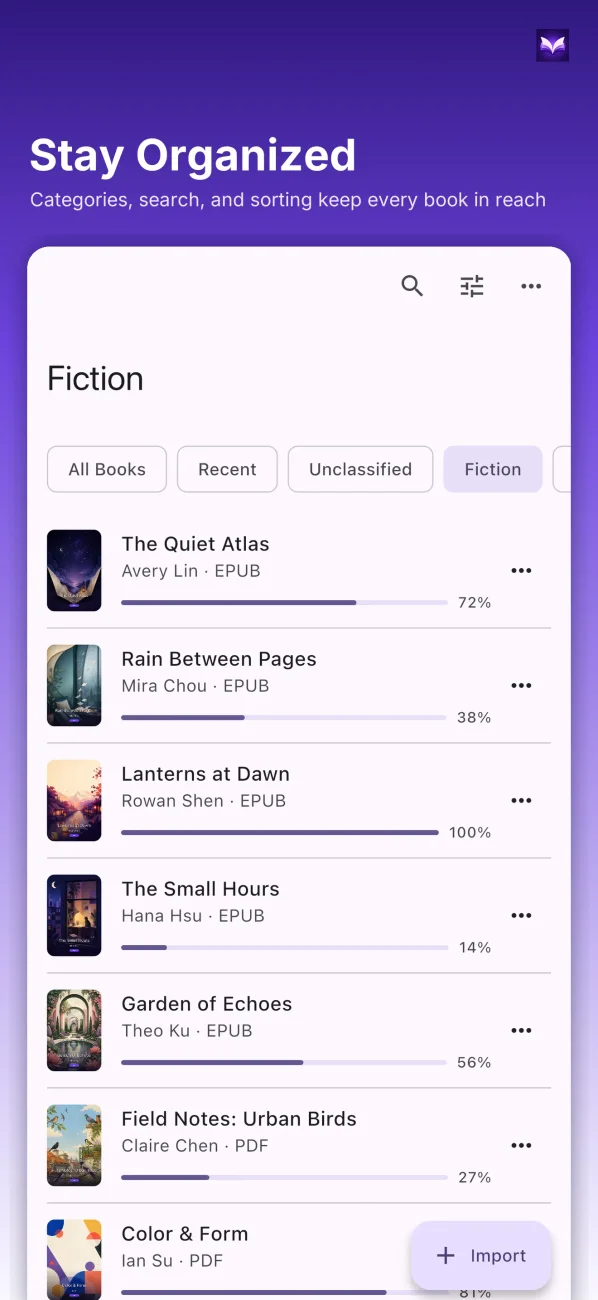
• Organize novels, reference documents, and comics into folders
• Search by title or author
• Sort by recent import, recent reading, title, or author
• Edit titles, authors, descriptions, and cover artwork
• Keep reading progress and bookmarks on your device
A comfortable EPUB reader
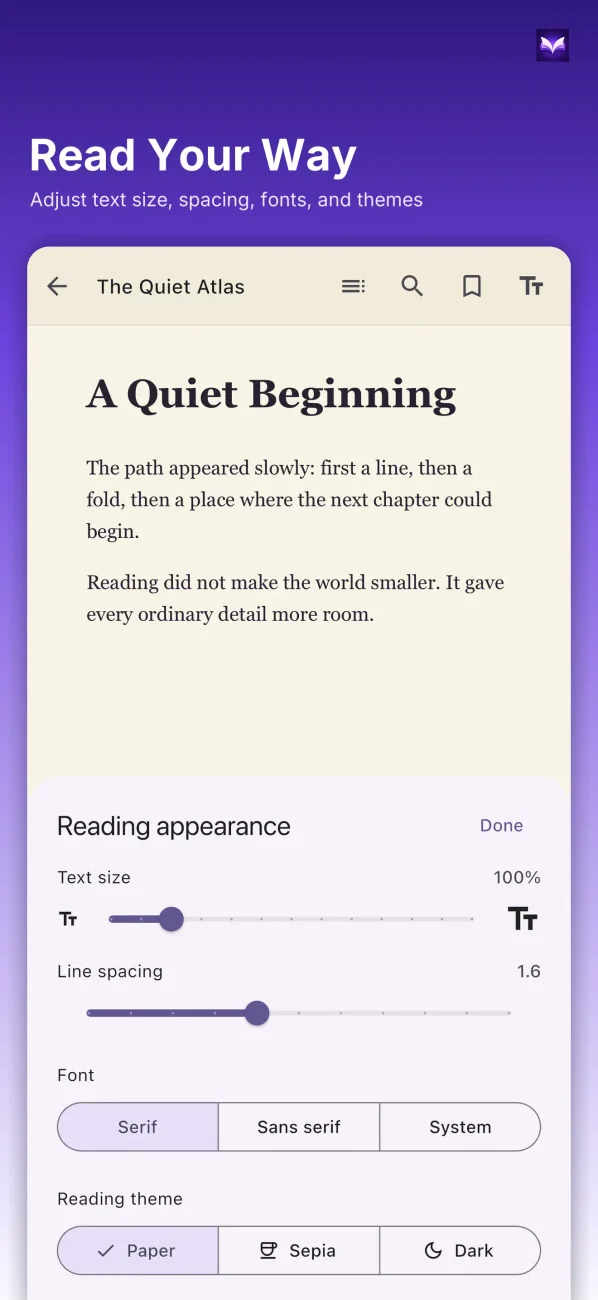
• Adjust text size, line spacing, and font family
• Choose paper, sepia, or dark reading themes
• Browse the table of contents and search book text
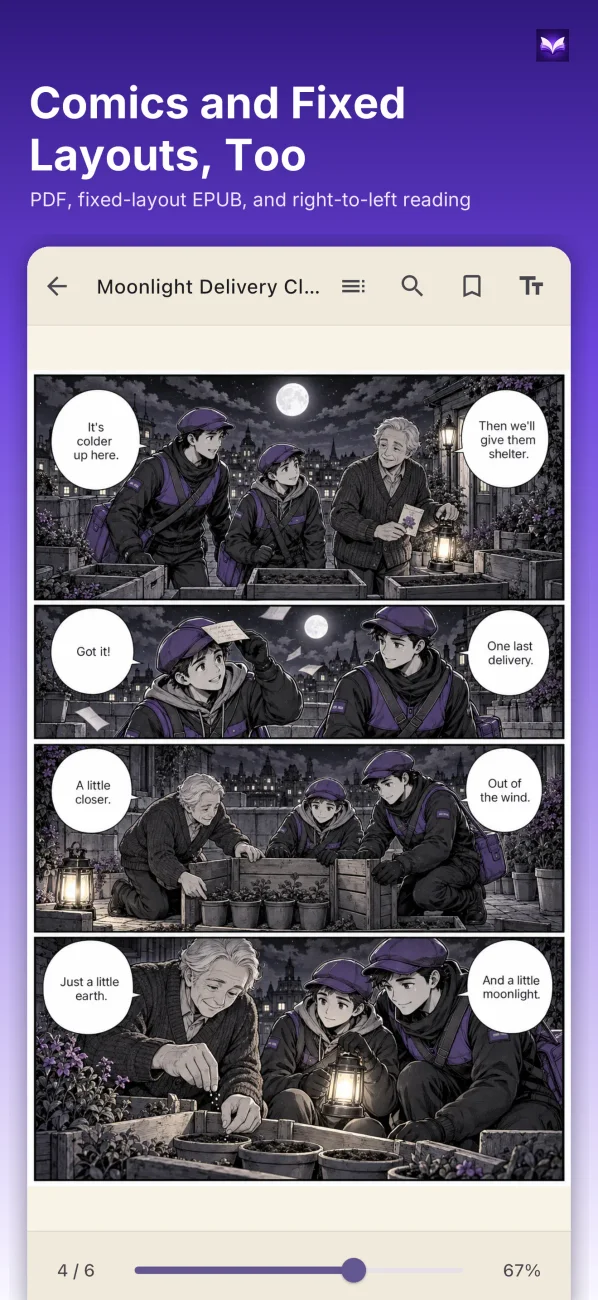
• Read fixed-layout EPUB and right-to-left publications
PDF and comics
• Read standard PDF documents directly
• Enjoy comics and illustrated content supplied as PDF or fixed-layout EPUB
• CBZ and CBR are not claimed as supported formats
Privacy by design
• No account
• No ads or in-app purchases
• No tracking
• No data collection and no eBookly app servers
新機能
バージョン 1.2.0 · 2026/11/3
New page turn animations for comics and picture books
• Page curl: drag the corner of a page and it follows your finger like real paper, then turns over or falls back when you let go. Works with one page or two-page spreads, including right-to-left books.
• Slide: pages slide in from the side you tap or swipe.
• Choose Slide, Page curl, or None in Settings. Animations pause while you're zoomed in and when Reduce Motion is on.
Better zooming
• Pinch to zoom and drag from anywhere on the page, including near the edges.
• While zoomed in, taps and swipes no longer turn the page by accident. Pinch back out to keep reading.
• Zoom resets when you move to another page.
Faster page turns
• Nearby pages are prepared in advance, so turning pages feels instant.
アプリのプライバシー
このアプリのデータの取り扱いについて、識途科技有限公司がApp Storeで申告している内容です。
-
データの収集なし
開発元はこのアプリからデータを収集しません。
プライバシーの取り扱いは、ご利用の機能やお客様の年齢などに応じて異なる場合があります。
情報
- 販売元
- SHI TU TECHNOLOGY LIMITED
- カテゴリ
- ブック
- バージョン
- 1.2.0
- 更新日
- 2026/11/3
- リリース
- 2026/8/27
- サイズ
- 24.8 MB
- 必要条件
- iOS 16.0以降
- 対象年齢
- 4+
- 価格
- 無料
- 言語
- 英語
- 著作権
- © Shitu Tech Co., Ltd.
こちらもおすすめ
-
 Textra - TXT・EPUBリーダーフォルダごと読める小説リーダー
-
 CozyReader - AI Text to Speechブック
-
 Melo – Mood Readerブック
-
 Oratio: Offline Read Aloudブック
-
 Shelfie: Audiobooks & Ebooksブック
-
 Hanbam: 漫画・小説・電子書籍リーダーTXT・EPUB・PDFや文書をひとつの本棚に
-
 BookSpeak: EPUB to Audiobookブック
-
 Audissey: Web Audio Readerブック
-
 Dream Library:AI小説自分だけの物語とオーディオブック
-
 Compendium Audiobooksブック