- Age rating4+
- CategoryUtilities
- DeveloperPeepSo, Inc.
- LanguagesEnglish
- Size50.6 MB
Links to the official App Store page
Download.org hosts no file of Elceedee. The button opens its official App Store page, published by PeepSo, Inc. Listing last checked on Nov 12, 2026.
Screenshots


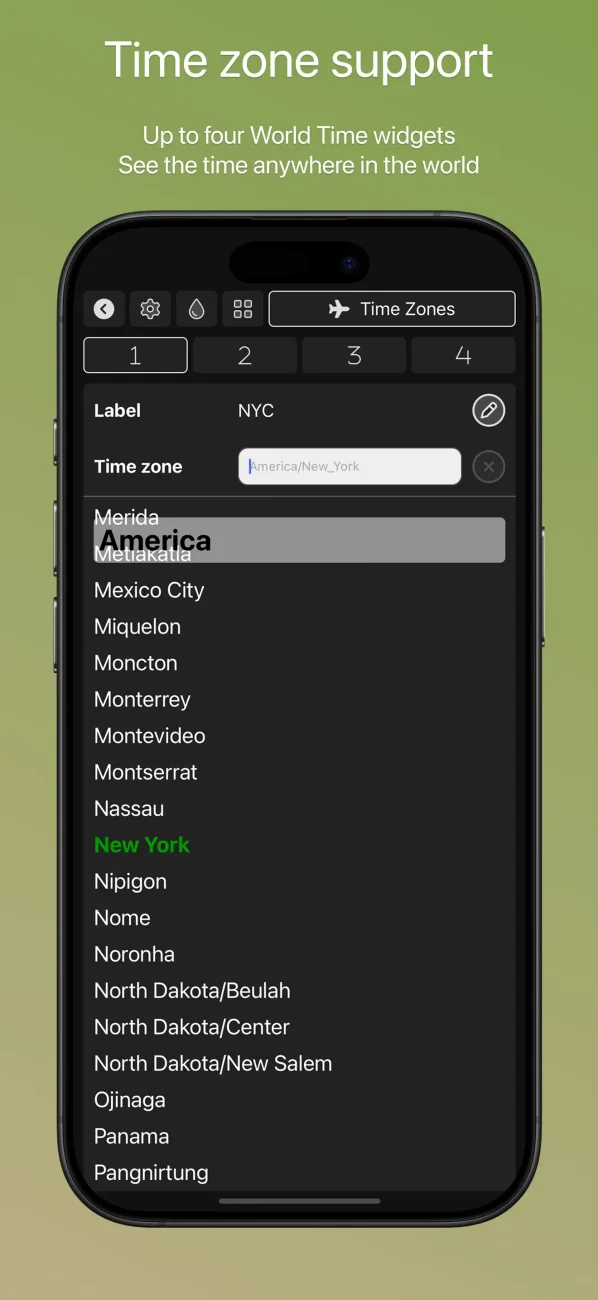
About
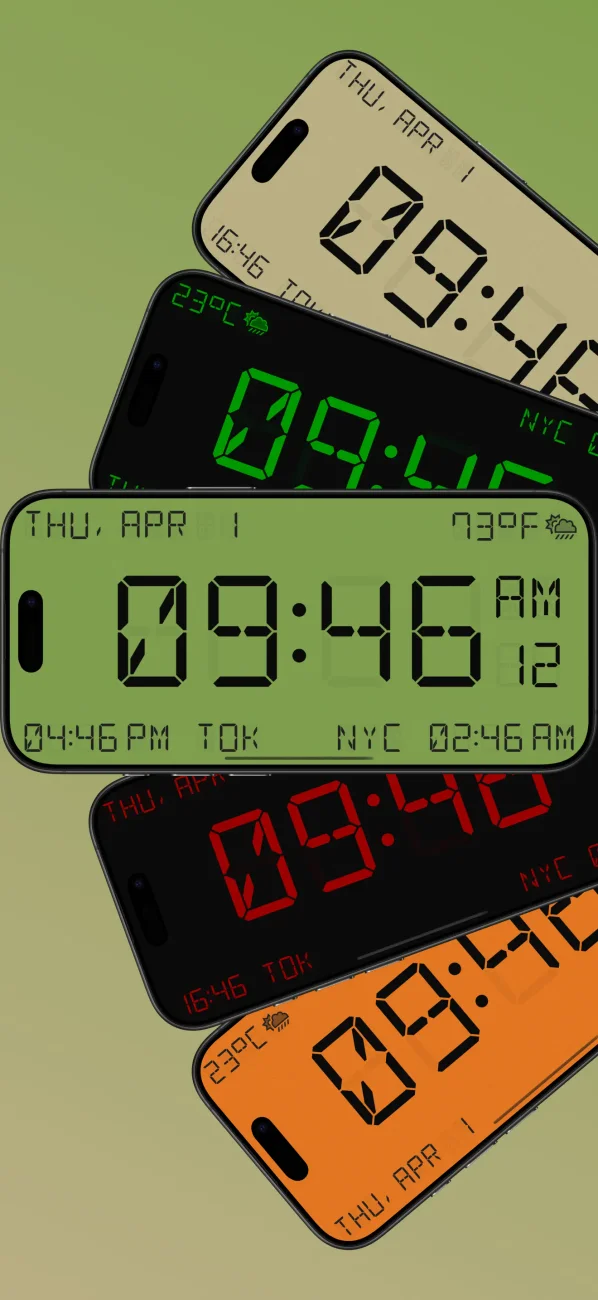
Elceedee is a stylish, retro-inspired LCD clock that brings time to life with bold, vibrant displays.
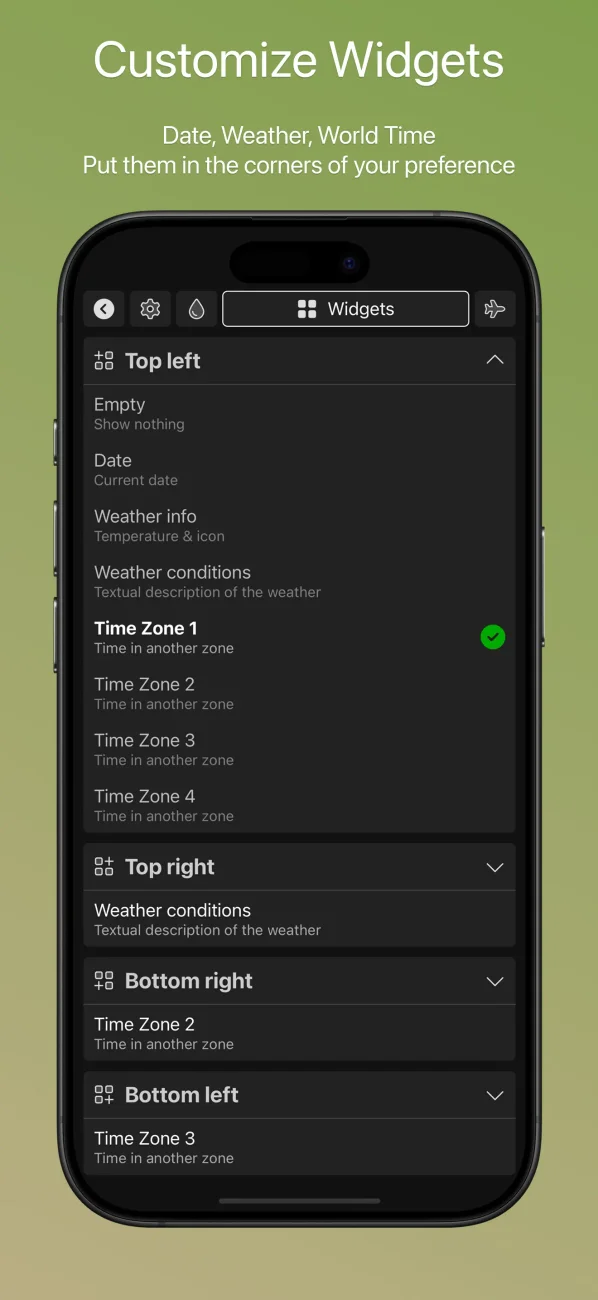
A giant central clock, with the corners yours to fill: the date, live local weather, or the time in up to four cities with your own labels.
Swipe between four styles, each customizable in any color, with adjustable brightness and a real LCD effect. Time, date and temperature follow your phone's settings, or set your own: 12- or 24-hour, Celsius or Fahrenheit.
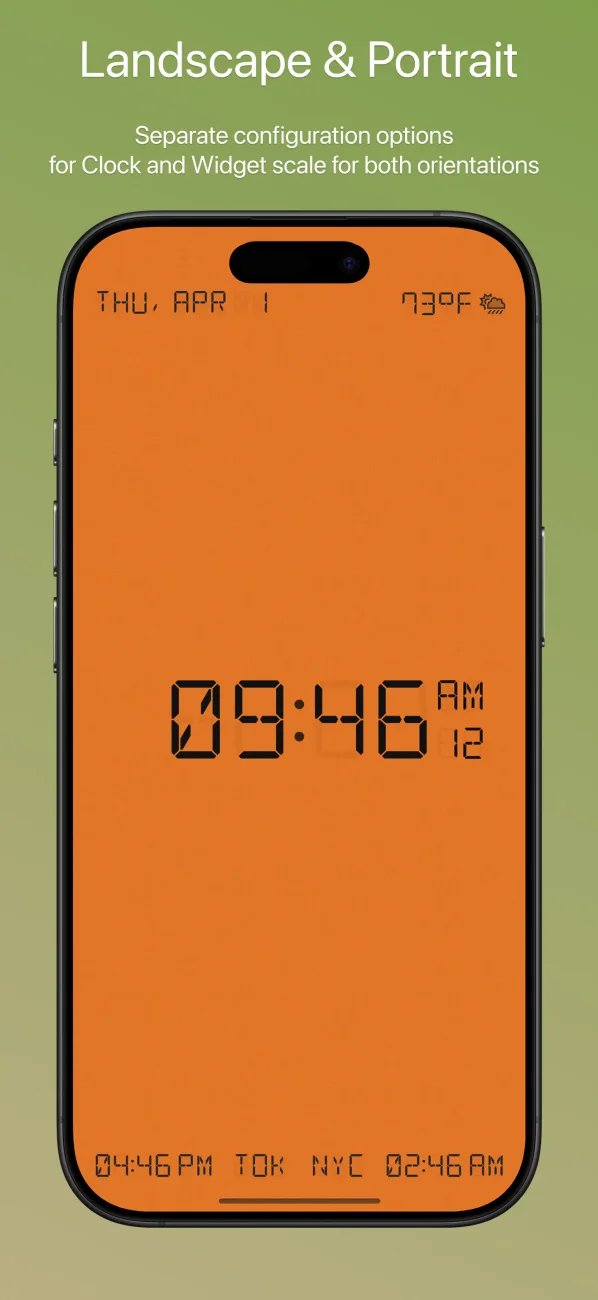
Auto-layout fits the clock to any screen, in portrait, landscape, on iPad and in split screen, and the screen stays on while Elceedee is open, so it makes a great bedside clock or sits perfectly on your desk.
Weather uses your own free OpenWeatherMap API key.
No ads, no in-app purchases, no nonsense!
What’s new
Version 3.0.0 · Oct 3, 2026
Introducing Elceedee 3, completely redesigned from the ground up!
Clock face:
- Four separate, customizable styles; swipe to change
- Auto-layout for every screen, device and orientation, with no more manual clock or complication scaling
- Full range of colors with a new color picker and brightness slider
- An LCD effect slider for the unlit segments
Settings:
- Redesigned and reorganized; settings open beside or under the clock, so you see every change live
- Time, date and temperature formats follow your phone, or set your own
- More options for the date complication
- Weekdays / months and weather support more languages
Accessibility:
- Respects Reduce Motion and Reduce Transparency
- Settings follow your system text size
- Haptic feedback, with an option to turn it off
- Option to show settings on the left when they open beside the clock
App privacy
What PeepSo, Inc. declares on the App Store about how this app handles data.
-
Data not linked to you
May be collected but is not linked to your identity.
- Location
Privacy practices may vary, for example with the features you use or your age.
Information
- Seller
- PeepSo, Inc.
- Category
- Utilities
- Version
- 3.0.0
- Updated
- Oct 3, 2026
- Released
- Mar 12, 2025
- Size
- 50.6 MB
- Requires
- iOS 16.4 or later
- Age rating
- 4+
- Price
- Free
- Languages
- English
- Copyright
- © PeepSo, Inc
You might also like
-
 Cyatal: Digital Clock & WidgetRetro Digital Clock & Widget
-
 My Table ClockYour phone is a desk clock
-
 SuanyiBasic, Scientific, Plus Calc
-
 The ArtclockUtilities
-
 SIMAGINUtilities
-
 Custom Clock WidgetDesign your own clock widgets
-
 Strange Clocks15 unusual clocks, decoded
-
 Lumitron: Fullscreen ClockNo Status Bar. No System UI
-
 toki — physics clockUtilities
-
 LCD-84 — Retro Watch & Calc80s LCD watch & calculator