Falcon File Manager
Videos, music, photos & zip
Designed for iPhone, iPad
Free · In-app purchases
- Age rating4+
- CategoryProductivity
- DeveloperPaul Rowland
- LanguagesEnglish+ 10 more
- Size202.1 MB
Links to the official App Store page
Download.org hosts no file of Falcon File Manager. The button opens its official App Store page, published by Paul Rowland. Listing last checked on Nov 23, 2026.
Screenshots

About
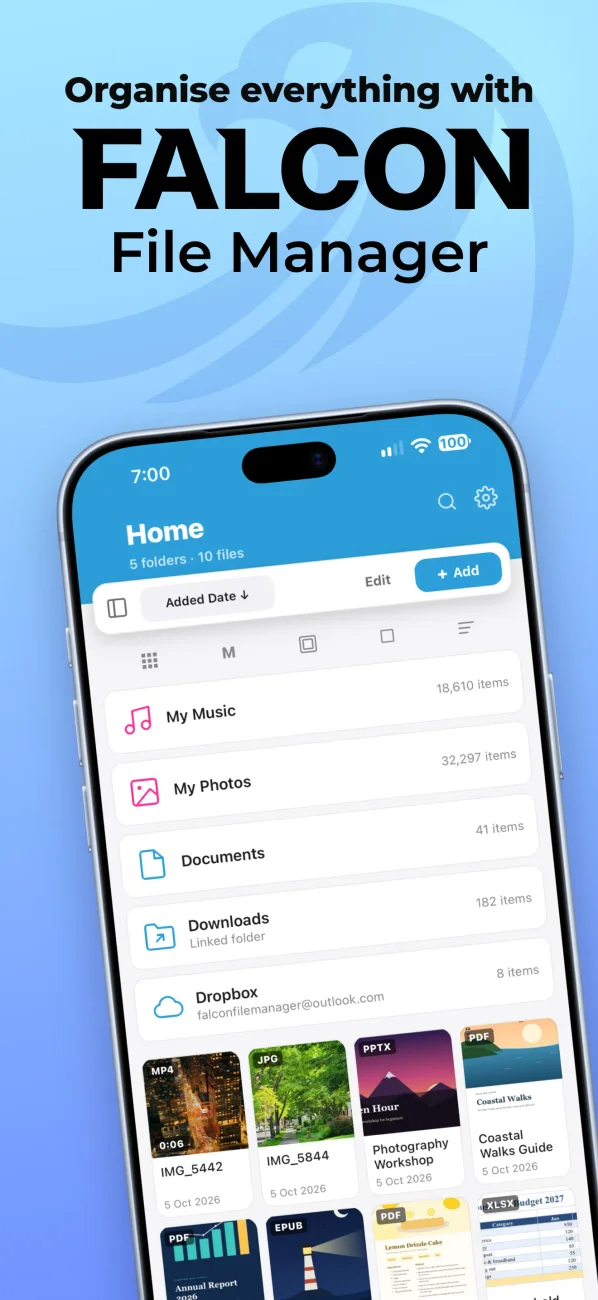
Falcon File Manager is a private home for your videos, music, photos, and files.
Bring in your media or connect your cloud storage, organise it your way, and play almost anything in one app.
ORGANISE EVERYTHING
Sort your library into folders with different icons, and choose from over 50 layout options. Mark last opened shows the last item you opened in each folder, so you can jump straight back in.
SEARCH, FAVOURITES AND TAGS
Search a folder or your whole library, filter by file type, mark favourites, and organise files with your own coloured tags.
VIDEO PLAYER
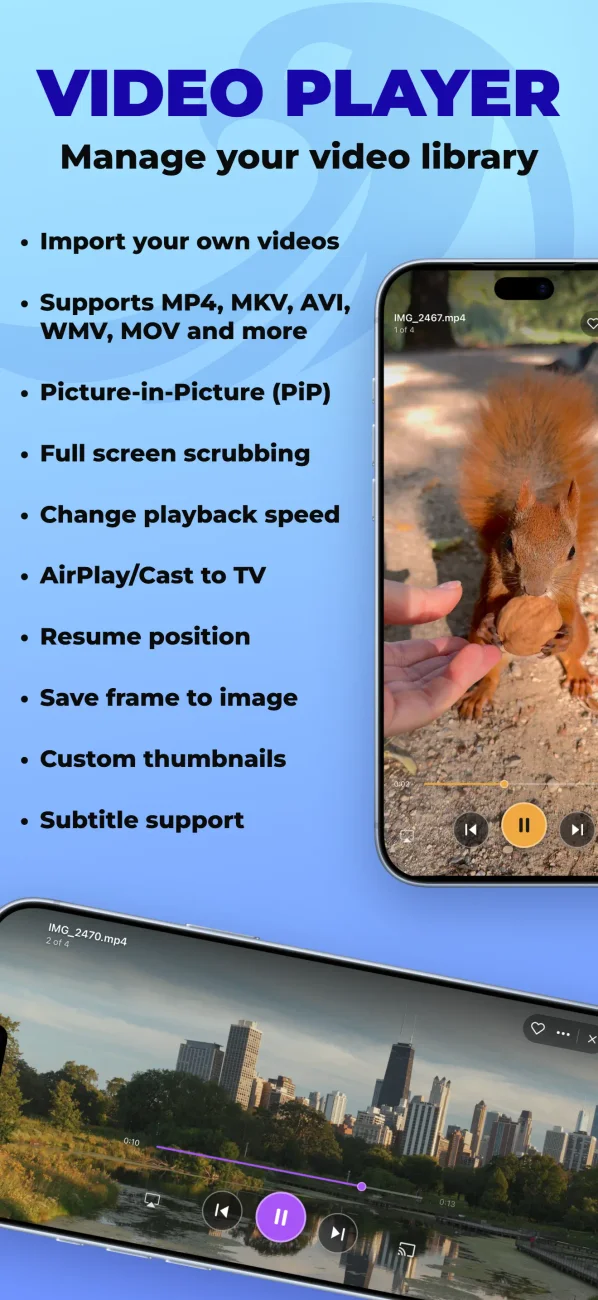
A powerful player for MP4, MOV, M4V, MKV, AVI, FLV, WMV, WebM, and TS. It plays HDR video, loads embedded and SRT subtitles, supports picture in picture, plays at 0.25x to 5x, and remembers where you left off. Bookmark places to jump back to.
MUSIC PLAYER
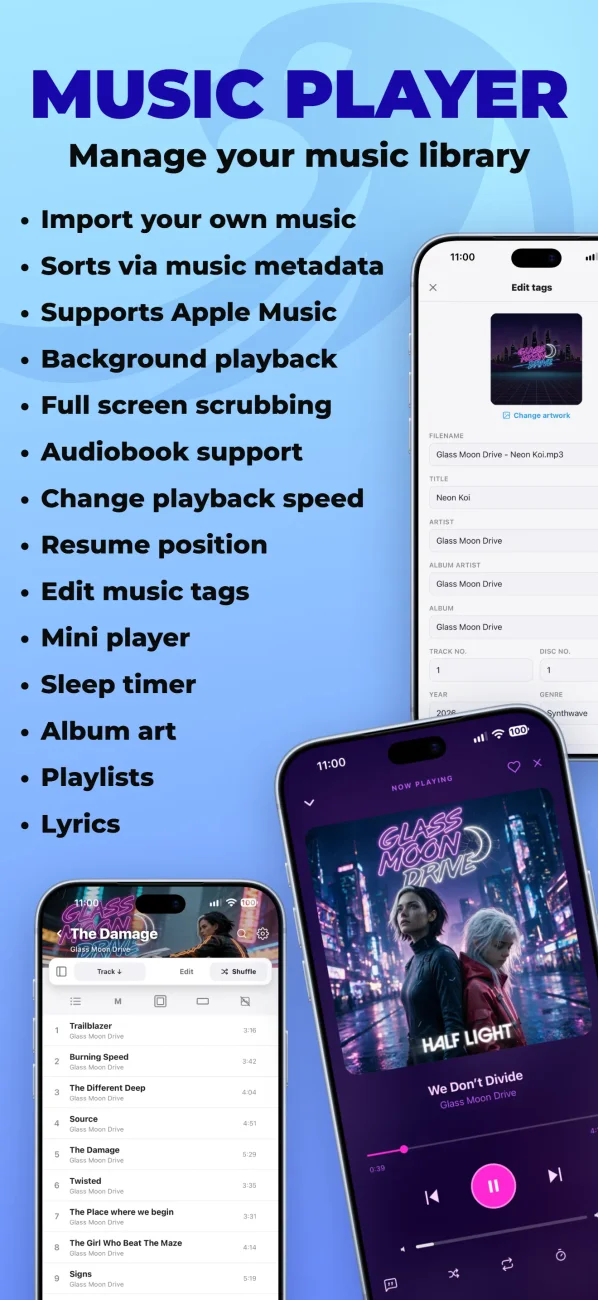
Play music and audiobooks in MP3, M4A, AAC, FLAC, WAV, and OGG. Build playlists, see album artwork, edit music tags, set a sleep timer, and keep playing in the background. Smart Resume picks long tracks back up where you stopped, ideal for audiobooks. Works with Apple Music and CarPlay.
PHOTOS AND LIVE PHOTOS
Supports JPG, PNG, HEIC, AVIF, DNG RAW, animated GIF, and WebP, including HDR photos. Live Photos play with sound, and you can browse your Apple Photos library in the app.
DOCUMENTS AND OTHER FILES
Open PDFs and ePub books, read and edit text and code files including TXT, Markdown, JSON, XML, YAML, HTML, CSS, and JavaScript, and preview Word, Excel, PowerPoint, and Pages documents. Scan documents and create text files on the spot. Falcon stores any file type, even ones it cannot open.
LINKED FOLDERS AND CLOUD
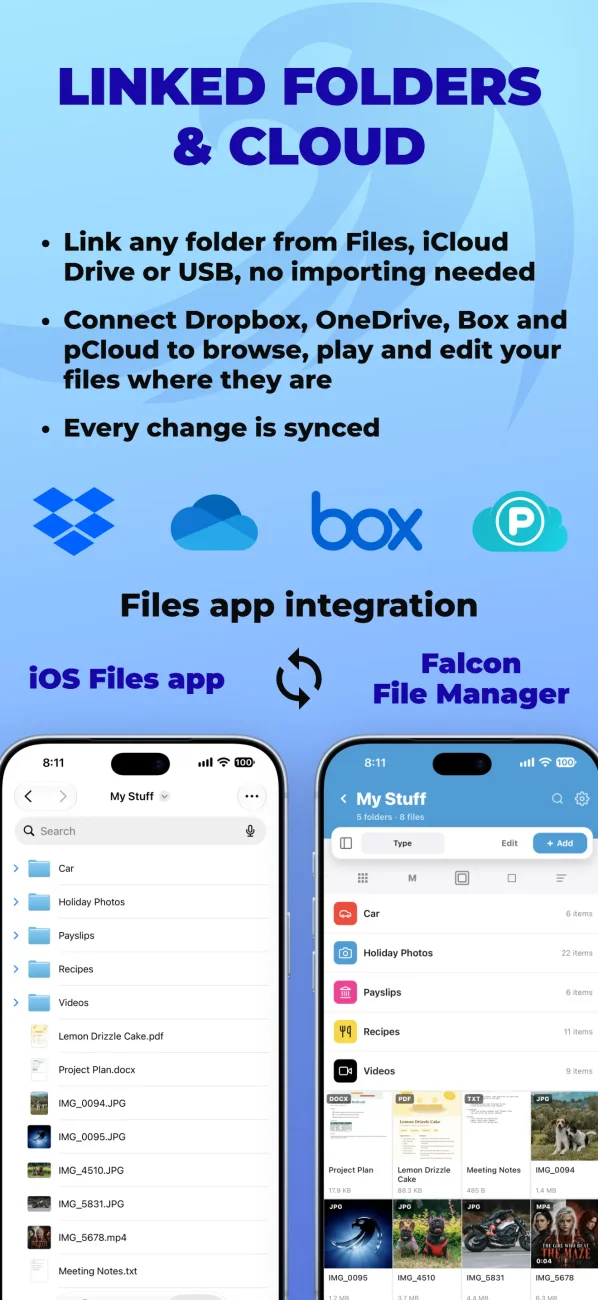
Link folders from the Files app, iCloud Drive, or a USB drive and work with them in place, with no need to import. Connect Dropbox, OneDrive, Box, and pCloud to browse, play and edit your files where they are, or open the shared folders on your computer or NAS, a WebDAV server, or S3-compatible storage.
BIGGER SCREENS
Made for iPad and iPhone Duo. Side by Side opens a photo, video, or document in one half of the screen while your folders stay open in the other.
PRIVATE
Your files stay on your device, with no account, no tracking, and nothing synced to our servers. Cloud accounts sign in on the service's own page, and your files travel directly between your device and that service. If you use iCloud Backup, your data is included in your own personal device backup, by your choice. Lock private folders with a PIN, Face ID, or Touch ID.
THEMES
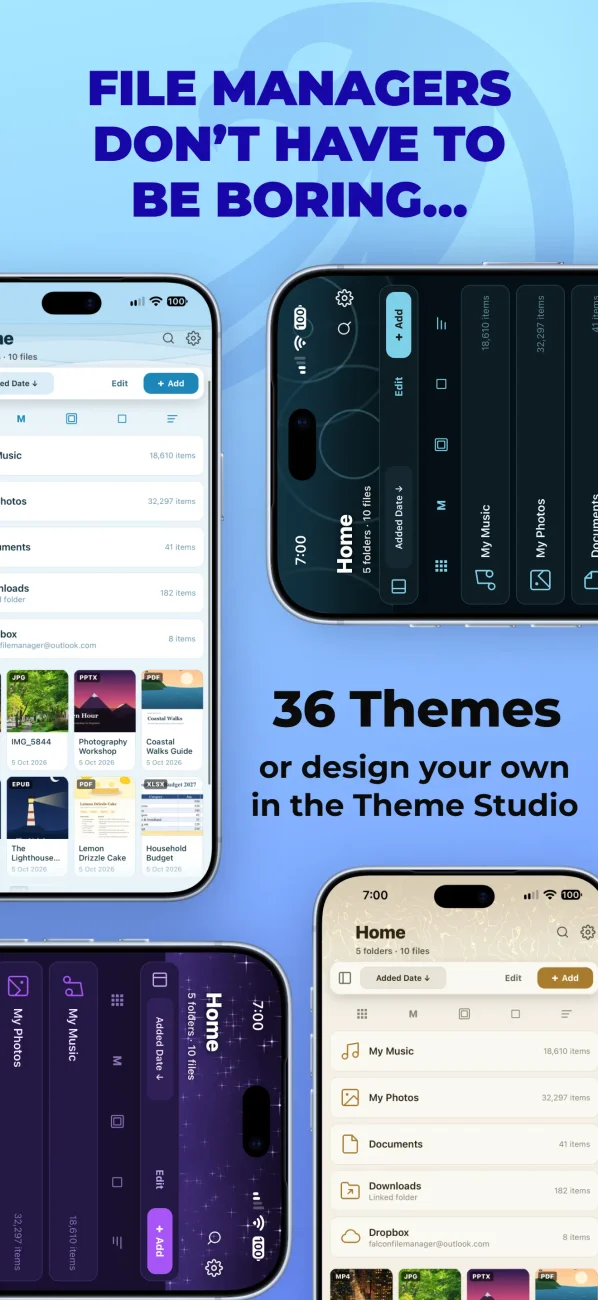
Choose from over 35 themes, each with light and dark variants, or design your own in Theme Studio. Give any folder its own header photo, and switch the app icon to match.
CAST TO YOUR TV
Send videos to the big screen with AirPlay, Screen Mirroring, Google Cast, and DLNA, with surround sound through your TV or home theatre. Music can play to AirPlay too.
FILE TRANSFER
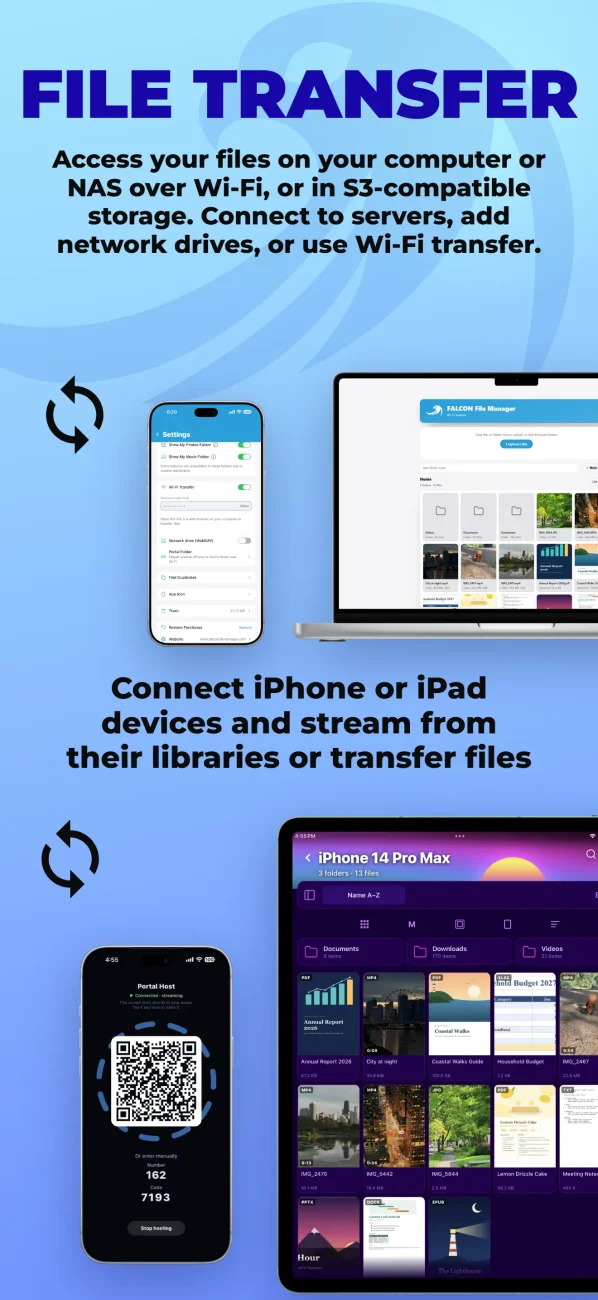
Wi-Fi Transfer: move files between your device and your computer through a web browser, with no cable or extra software.
Network drive: open your folders on a Mac or PC like any other drive, and browse, copy, rename and delete straight from Finder or File Explorer.
Portal Folder: stream or download files between iPhones and iPads over Wi-Fi.
ZIP AND ARCHIVES
Open ZIP, RAR, and 7z archives like a ready-made folder, with thumbnails, and play or view what’s inside without extracting anything. Extract just the files you need, including from password-protected and multi-part archives, and create password-protected zips with AES-256 encryption.
FIND DUPLICATES
Track down duplicate files across your library, including folders you have linked.
APPLE WATCH
Put music, audiobooks, photos, videos, and PDFs on your Apple Watch, or use it as a remote for the music on your iPhone.
What’s new
Version 1.8.1 · Nov 20, 2026
VIEWERS
- Customise the toolbar in the video player, music player, image viewer and document viewer: choose up to five buttons you want quick access to, from Customise Toolbar in each one’s menu.
- Play a video or stream straight from its web address, with Play a Link in the Add menu.
- Repeat this video can now be added to the video player’s toolbar.
- Brightness and volume can now be a screen edge tap in the video player. Choose it for any of the four tap zones in Settings > Video Playback.
- Added Select all to the text editor.
FOLDERS
- A new aspect option, Full, shows every thumbnail in its original shape. Useful for folders with mixed sizes.
CLOUD STORAGE
- Connect to S3-compatible storage. Amazon S3, Backblaze B2, Cloudflare R2, Wasabi, IDrive e2, DigitalOcean Spaces and Filebase have their own tiles that fill in the address for you, and Other S3 Storage takes any endpoint.
- Redesigned the Linked Folders & Cloud menu for easier navigation.
- Tap a connected service to see its accounts, sign out of one, or add another.
- WebDAV has its own tile now, for storage services and servers that give you a WebDAV address.
- A new iPhone or iPad tile finds your other iPhones and iPads on the same Wi-Fi with Network drive turned on, and adds a folder that stays for easy access whenever you need it.
LINKED FOLDERS
- Linked folders can now be sorted by Added Date, like your own folders.
ARCHIVES
- Open .tar, .gz, .bz2, .xz and .zst archives, and the tars inside them (.tar.gz, .tgz, .tar.bz2, .tar.xz, .tar.zst): extract them, or look inside like a folder.
FIXES AND POLISH
- Editing a song’s tags in a linked folder no longer changes its Created Date.
- When a file on a network drive is replaced by a different one with the same name, its thumbnail now updates.
- Added Markup / Edit, Delete, Set as header image, Music tags and Save current frame to cloud storage files, in every viewer.
- The Trash icon that appears at the top of your folders when Trash gets full can now be turned off, in Trash.
- Big music libraries are read far faster and more efficiently.
- When you zip iCloud Drive files that aren’t on your device yet, you now see them download first.
- Videos up to 1 GB inside an archive now show thumbnails. Each one is briefly unpacked to make its thumbnail, so bigger videos get theirs once you’ve played them. Password-protected archives never keep thumbnails: they’re made again each time you open one.
- Moving or copying to a USB drive that’s read-only on iPhone and iPad, such as one formatted for Windows, now says why it isn’t possible.
App privacy
What Paul Rowland declares on the App Store about how this app handles data.
-
Data not linked to you
May be collected but is not linked to your identity.
- Diagnostics
Privacy practices may vary, for example with the features you use or your age.
Information
- Seller
- Paul Rowland
- Category
- Productivity
- Version
- 1.8.1
- Updated
- Nov 20, 2026
- Released
- Sep 16, 2026
- Size
- 202.1 MB
- Requires
- iOS 16.4 or later
- Age rating
- 4+
- Price
- Free
- In-app purchases
- Yes
- Languages
- English, Dutch, French, German, Italian, Japanese, Korean, Portuguese, Simplified Chinese, Spanish, Traditional Chinese
- Copyright
- © 2026 Paul Rowland
You might also like
-
 Nodal: Private Offline AI ChatLocal LLM & voice cloning
-
 Modo: Notes, Calendar, WidgetMinimal Notes & Daily Planner
-
 Binly: Notes, Links & FilesPhotos, PDFs & iCloud Sync
-
 LocalGateKeys Password VaultOffline manager, 2FA, passkeys
-
 Prazo: Calendar & To-Do ListDaily planner & reminders
-
 WishNote: Notes & To-DoGoals, Notebooks & Reminders
-
 ETasks: To-Do List & AlarmsTask Planner, Reminders & Sync
-
 PaperDraftMinimalist journal & notes
-
 Stellata: Save Links & ReelsBookmark Manager & Moodboard
-
 copycopy: Copy & Paste HistoryPrivate Clipboard Manager