- Age rating4+
- CategoryProductivity
- DeveloperConnor Julian-Golding
- LanguagesEnglish
- Size743.0 KB
Links to the official App Store page
Download.org hosts no file of PaperDraft. The button opens its official App Store page, published by Connor Julian-Golding. Listing last checked on Nov 12, 2026.
Screenshots
About
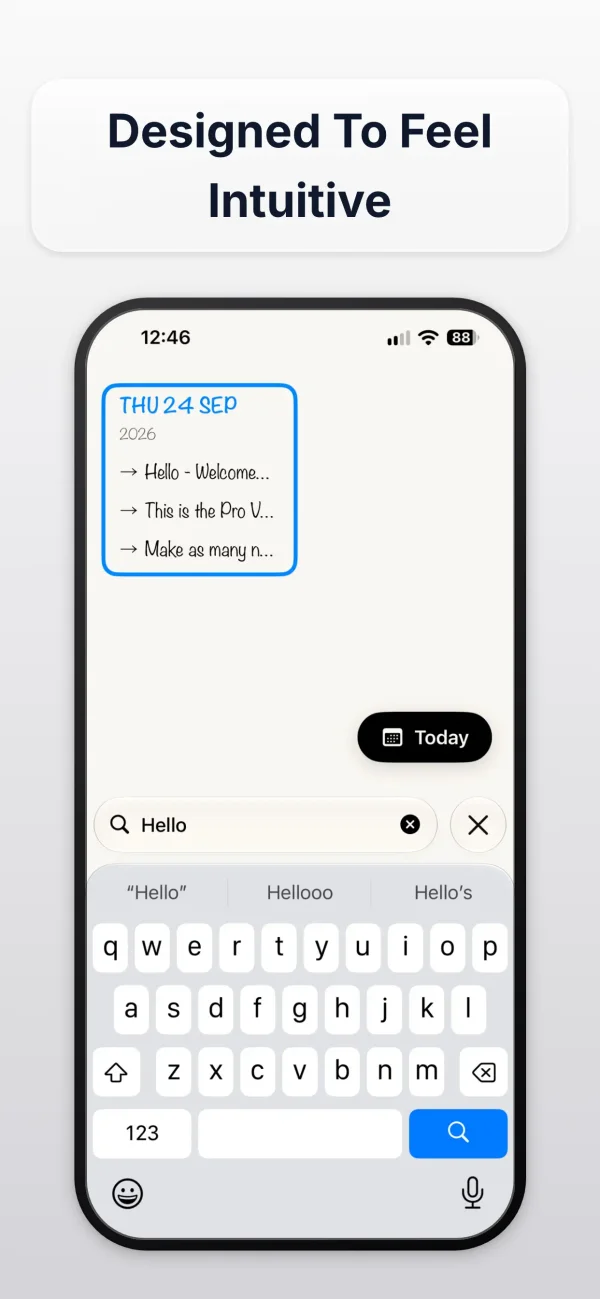
Replace the clutter of complex productivity apps with the elegant simplicity of PaperDraft. Designed to feel like a real notebook, PaperDraft is your dedicated space to jot down daily tasks, draft thoughts, and reflect on your timeline.
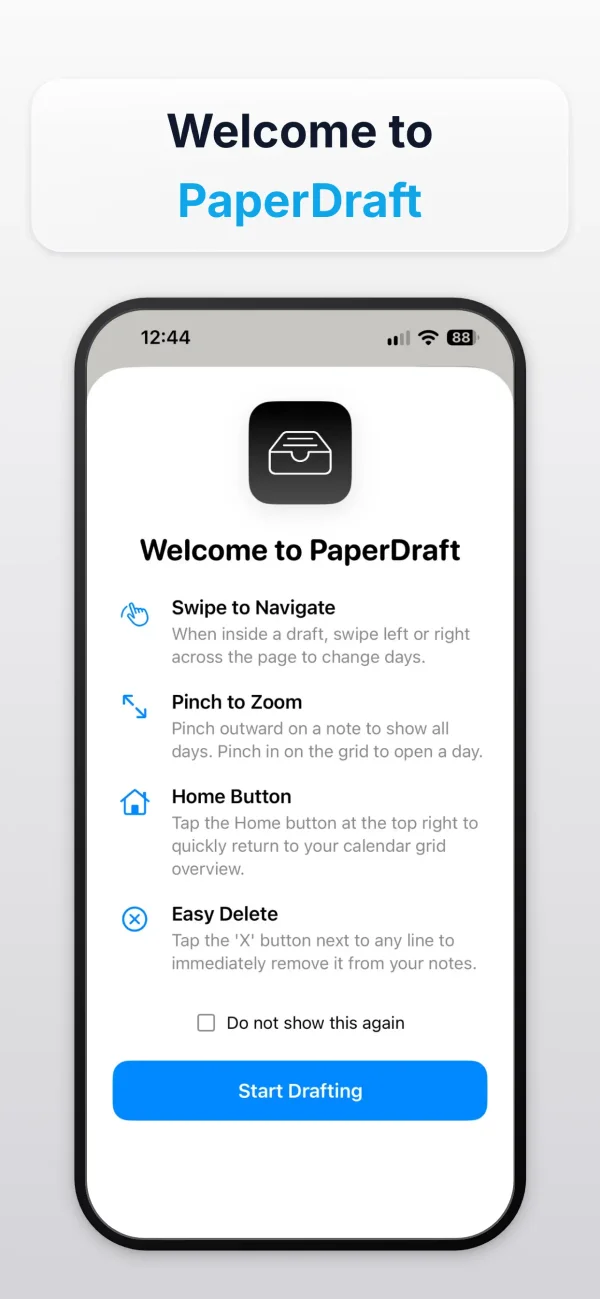
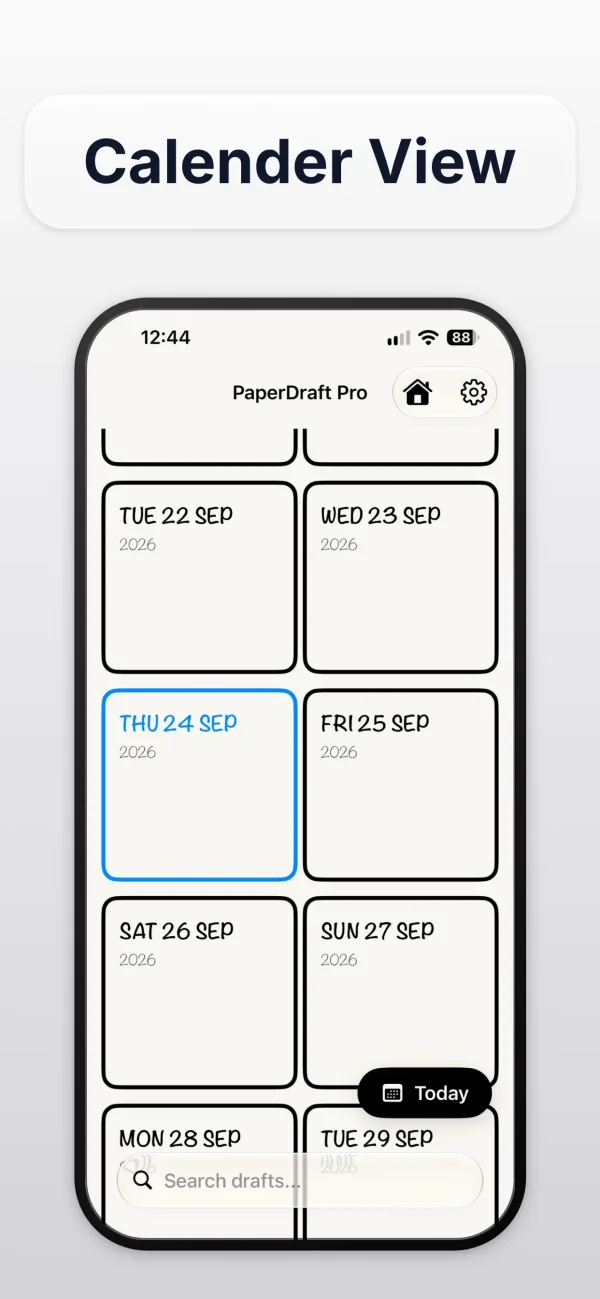
Whether you use it as a daily to-do list, a minimalist diary, or a rapid-logging journal, PaperDraft’s gesture-driven interface keeps you focused on your words. Simply swipe left or right to flip through your days, or pinch the screen to instantly zoom out to a beautiful calendar grid of your entire history.
CORE FEATURES:
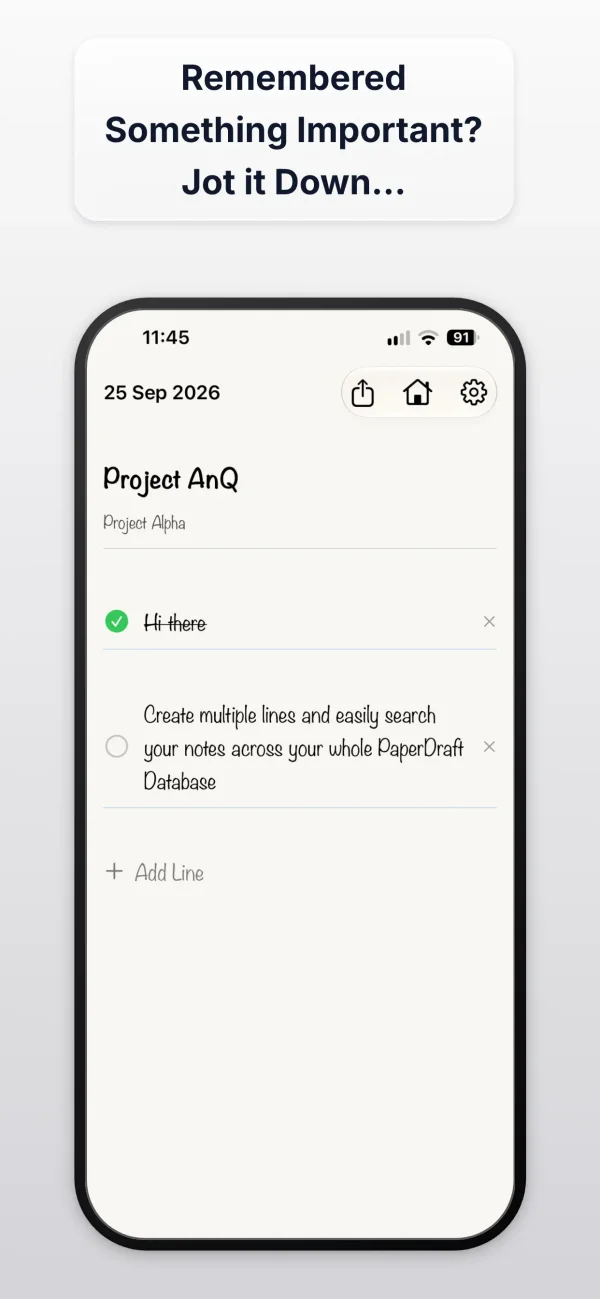
• Distraction-Free Drafting: A clean, lined-paper aesthetic that puts your thoughts first.
• Effortless Navigation: Swipe smoothly between days just like turning the pages of a notebook.
• Pinch-to-Zoom Grid: Pinch out on any draft to seamlessly transition into a grid overview of all your past and future notes.
• One-Tap Tasks: Tap the circle next to any line to instantly strike it through and mark it as complete.
• Frictionless Editing: Easily add new lines or tap the 'X' to instantly remove a thought from your draft.
---------------------------------------------
PAPERDRAFT PRO:
Upgrade once and keep it forever. Unlocking PaperDraft Pro gives you access to our complete suite of premium planning tools:
• Automatic iCloud Backups: Daily drafts now silently sync to a dedicated "PaperDraft" folder in iCloud Drive as proprietary .pdfe files. (Pro).
• Privacy Lock: Secure your personal journal using Face ID or Touch ID. (Pro).
• Premium Themes: Swap the classic paper for Dark Mode, Yellow Legal Pad, or Architect Blueprint themes. (Pro).
• Unlimited Search: Instantly locate specific tasks, memories, or notes across your entire timeline. (Pro).
• Text Export: Turn your daily drafts into beautifully formatted text logs to share, AirDrop, or save to your files. (Pro).
• Custom Ink Colours: Write in Fountain Blue, Correction Red, or Highlighter Green (Pro).
• Changeable Typography: Fancy something different? No problem, pick a font you love (Pro).
• Support the Developer!
What’s new
Version 1.3 · Sep 26, 2026
New in Version 1.3:
---------------------------
> Automatic iCloud Backups (Pro): Daily drafts now silently sync to a dedicated "PaperDraft" folder in iCloud Drive as proprietary .pdfe files.
> Multi-File Import/Restore (Pro): A new file importer in Settings allows users to select and restore multiple past .pdfe backups simultaneously, mapping them perfectly to their correct calendar dates.
> True Rich Text (.rtf) Export Fix: Re-engineered the Share Sheet engine to generate physical .rtf files.
> Dynamic Export Labels: The export menu now intelligently reads the calendar and updates to say "Export Today's Draft" or "Export [Specific Date]" depending on the page currently being viewed.
> Expanded Premium Typography (Pro): Added three new typography choices to the font engine: Monospaced, Modern Sans (Avenir), and Typewriter.
> Instant Theme Switching Fix: Applied a hard-refresh ID tie to the Settings view, completely fixing the bug where text would become unreadable (e.g., white text on a white background) when switching between dark and light themes.
App privacy
What Connor Julian-Golding declares on the App Store about how this app handles data.
-
Data not collected
The developer does not collect any data from this app.
Privacy practices may vary, for example with the features you use or your age.
Information
- Seller
- Connor Julian-Golding
- Category
- Productivity
- Version
- 1.3
- Updated
- Sep 26, 2026
- Released
- Sep 23, 2026
- Size
- 743.0 KB
- Requires
- iOS 17 or later
- Age rating
- 4+
- Price
- Free
- In-app purchases
- Yes
- Languages
- English
- Copyright
- © Connor Julian-Golding
You might also like
-
 DocOne ExpressPDF Scanner, Receipts & ID
-
 Screen Time Control - PausedApp Blocker: Focus Work Study
-
 PDFOneOrganize, fill and sign PDFs
-
 PutSpot: Home Item FinderPhotos, Voice Search, QR Tags
-
 Nodal: Private Offline AI ChatLocal LLM & voice cloning
-
 SuperShot: Long ScreenshotStitch Images, Annotate & Blur
-
 Falcon File ManagerVideos, music, photos & zip
-
 JottreMinimalistic handwriting
-
 ETasks: To-Do List & AlarmsTask Planner, Reminders & Sync
-
 Focus Tower: Study TimerPomodoro & Screen Time Blocker