
FeedbackKit - User Insights
Find Product-Market Fit Fast
Designed for iPhone, iPad, Mac
Free · In-app purchases
- Age rating12+
- CategoryDeveloper Tools
- DeveloperSwiftly Workspace
- LanguagesEnglish+ 10 more
- Size33.0 MB
Links to the official App Store page
Download.org hosts no file of FeedbackKit - User Insights. The button opens its official App Store page, published by Swiftly Workspace. Listing last checked on Nov 21, 2026.
Screenshots

About
Feedback Kit — Manage user feedback from anywhere.
Feedback Kit is the admin companion for teams running a Feedback Kit project. Triage user requests, ship the right features, and keep your community in the loop — all from your iPhone or iPad.
Manage your projects
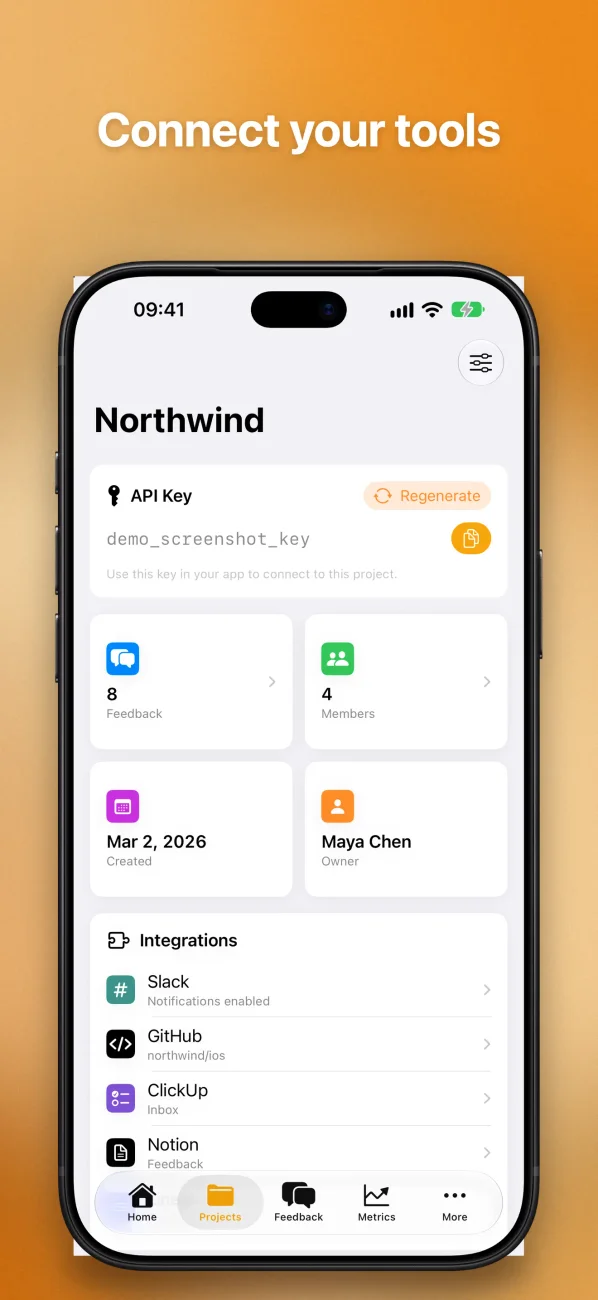
Create and switch between multiple feedback projects
Invite teammates and assign roles (Owner, Admin, Member, Viewer)
Regenerate API keys, archive projects, or transfer ownership when your team evolves
Work through feedback your way
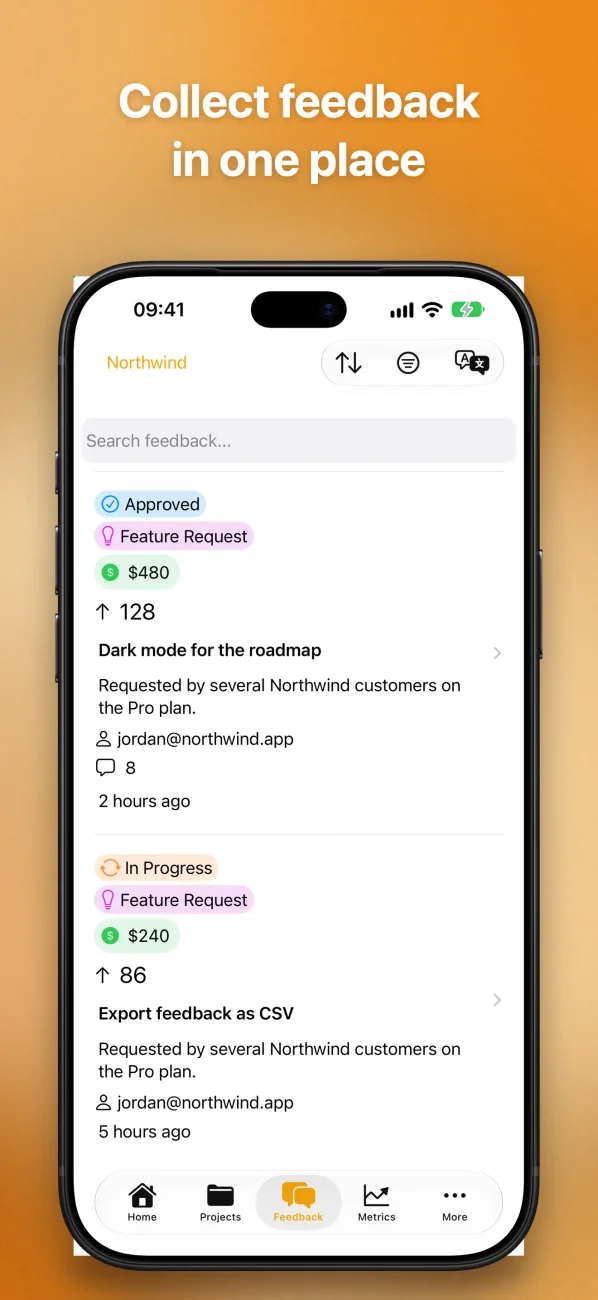
View feedback as a list or on a drag-friendly Kanban board
Sort and filter by status: Pending, Approved, In Progress, TestFlight, Completed, or Rejected
Merge duplicate submissions — votes and comments roll up automatically
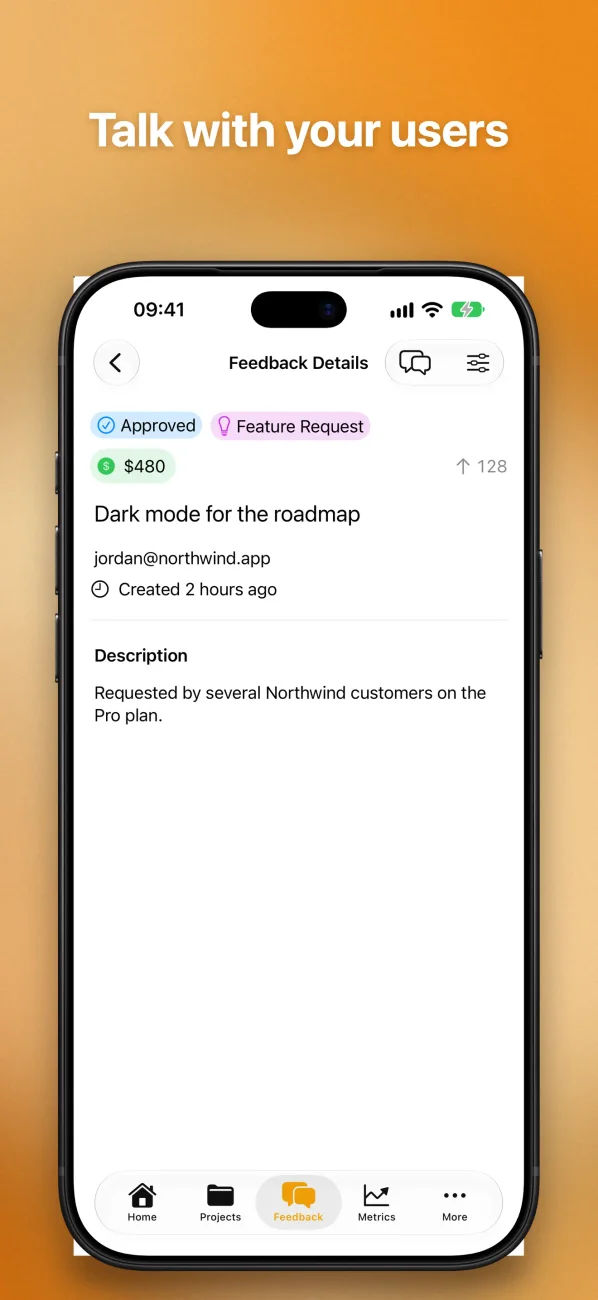
Reply to users directly from the app
Stay in the loop
Real-time push notifications for new feedback, votes, comments, and status changes
Per-project notification preferences so you only hear what matters
Deep-linking straight to the feedback item that needs attention
Dashboard & analytics
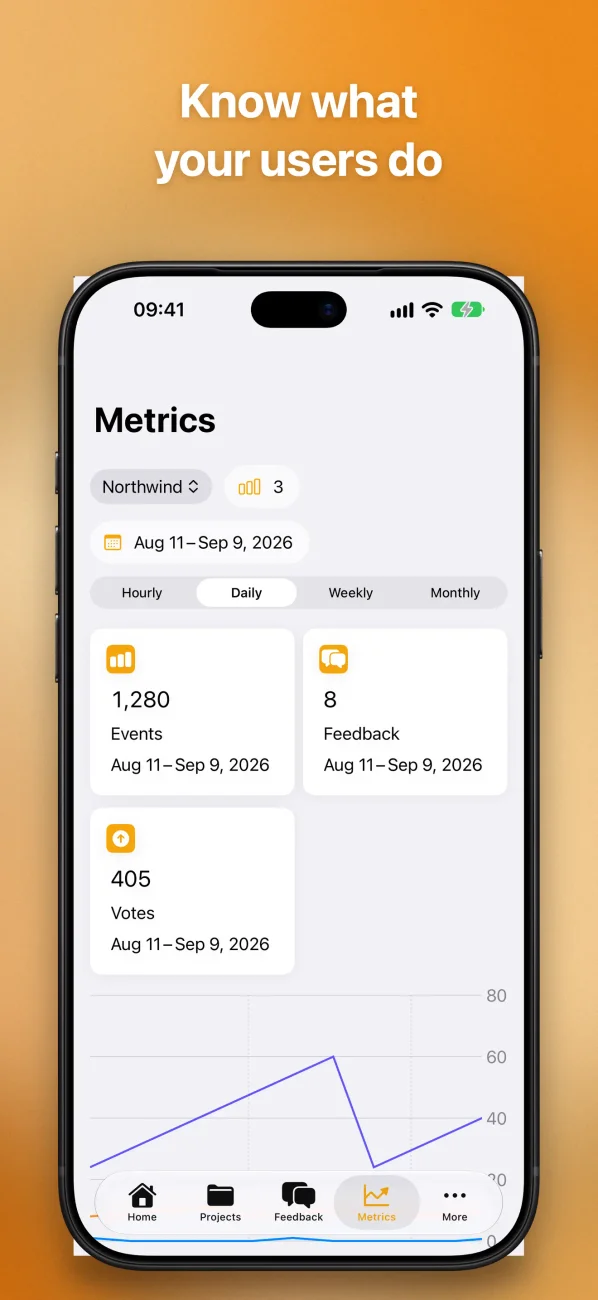
At-a-glance KPIs: active users, feedback volume, engagement trends
Project, member, and event views in List, Table, or Grid layouts
Connect your stack
Sync feedback with the tools you already use: Slack, GitHub, Notion, ClickUp, Linear, Monday.com, Trello, Airtable, Asana, and Basecamp. Two-way sync for status, comments, and links.
Subscription tiers
Free — 1 project, up to 10 feedback items
Pro — 2 projects, unlimited feedback, full integrations
Team — Unlimited projects, team management, voter-notification emails
Subscriptions purchased on iOS are recognized on macOS and the web thanks to unified cross-platform billing.
Terms of Use: https://www.apple.com/legal/internet-services/itunes/dev/stdeula/
Privacy Policy: https://www.getfeedbackkit.com/privacy
What’s new
Version 2.0.2 · Nov 8, 2026
• Deleting a project now asks you to type its name, so it can't happen by accident.
• Clearer account deletion: projects you share must be transferred or deleted first.
• Report and Block are in the long-press menu and the feedback toolbar, and the contact link is at the end of the list.
• Metrics charts use the app's accent colour.
• Better contrast and VoiceOver support on Mac.
• Votes are no longer sent twice by a quick double tap.
• Fixes for integration sync badges and permissions.
App privacy
What Swiftly Workspace declares on the App Store about how this app handles data.
-
Data not linked to you
May be collected but is not linked to your identity.
- Contact info
- Identifiers
- Usage data
Privacy practices may vary, for example with the features you use or your age.
Information
- Seller
- Swiftly Workspace
- Category
- Developer Tools
- Version
- 2.0.2
- Updated
- Nov 8, 2026
- Released
- Feb 21, 2026
- Size
- 33.0 MB
- Requires
- iOS 26.1 or later
- Age rating
- 12+
- Price
- Free
- In-app purchases
- Yes
- Languages
- English, Arabic, French, German, Italian, Japanese, Korean, Portuguese, Russian, Simplified Chinese, Spanish
- Copyright
- © 2026 Swiftly-Workspace
You might also like
-
 MetalGraphBuild Metal shaders visually
-
 Strata - Icon GeneratorDeveloper Tools
-
 ComponentsKit: develop fasterA library with UI elements
-
 SymboleroExplore & Customize SF Symbols
-
 ASO - App Keywords OtimizationKeywords tracker to apps
-
 PoseKit: Quick 3D MockupScreenshots in seconds
-
 Symbols FinderFull SF Symbols Viewer
-
 RevenueCat Notification ClientDashboard, NO passwords needed
-
 Moshi: herdr/tmux on SSH/MOSHAgent terminal for Codex CLI
-
 CursorAI coding agent for big ideas