
MetalGraph
Build Metal shaders visually
Designed for iPad, Mac
Free · In-app purchases
- Age rating4+
- CategoryDeveloper Tools
- DeveloperDigital Toys LLC
- LanguagesEnglish
- Size7.2 MB
Links to the official App Store page
Download.org hosts no file of MetalGraph. The button opens its official App Store page, published by Digital Toys LLC. Listing last checked on Nov 17, 2026.
Screenshots

About
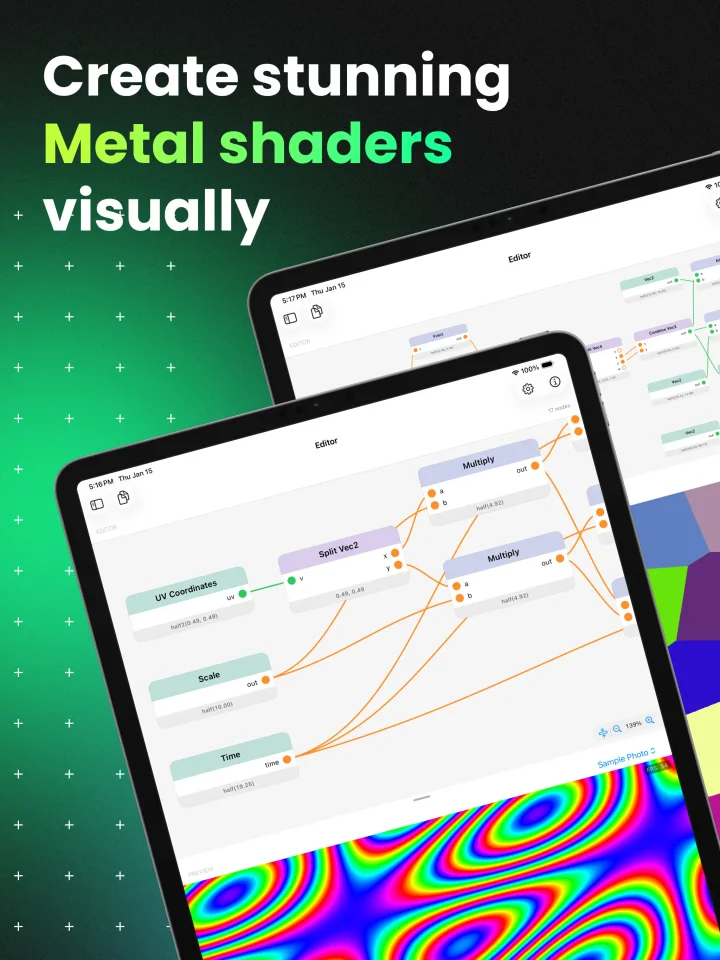
MetalGraph is a visual node-based editor for creating Metal shaders on iPad and Mac. Design stunning visual effects, learn GPU programming concepts, and export production-ready code—all without writing a single line of shader code.
VISUAL SHADER CREATION
• Drag-and-drop node editor with 50+ nodes
• Real-time preview shows your shader instantly
• Connect nodes to build complex effects
• Animated preview with time-based effects
LEARN BY DOING
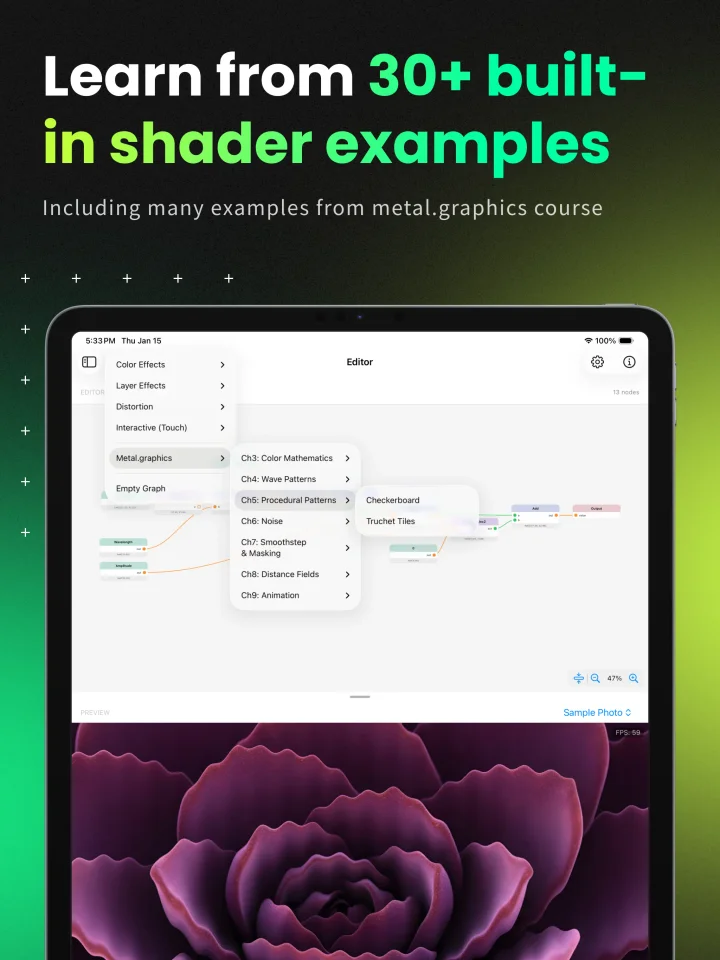
• 30+ built-in examples covering:
- Color effects (gradients, plasma, voronoi)
- Layer effects (glass, chromatic aberration)
- Distortion (waves, ripples)
- Interactive touch effects
• Perfect companion for metal.graphics course
PRODUCTION-READY EXPORT
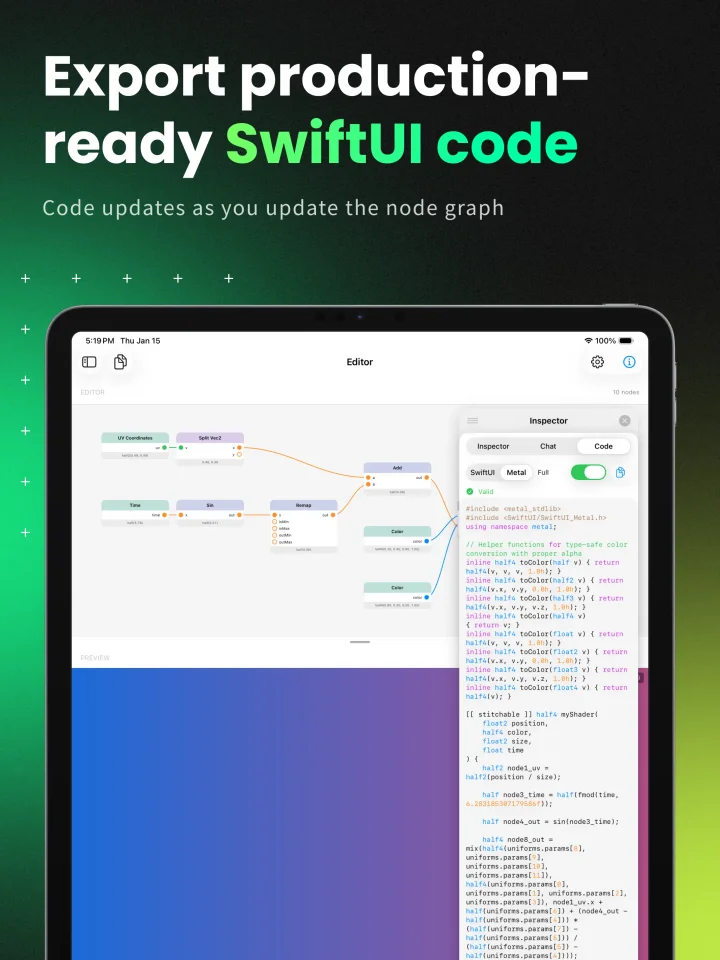
• Generate complete Metal Shading Language code
• SwiftUI-ready .colorEffect and .layerEffect variants
• Copy code directly into your Xcode project
• Syntax-highlighted code display
AI ASSISTANT
• Ask questions about shader techniques
• Get help building complex effects
• Claude and OpenAI integration
ADVANCED FEATURES
• Create reusable custom nodes
• For loops for iterative computations
• Touch-responsive interactive effects
• Multi-window support on iPad
Whether you're learning Metal shaders, prototyping visual effects, or building production graphics—MetalGraph makes GPU programming accessible and fun.
---
From the creator of metal.graphics.
Terms of Use: https://metal.graphics/terms
What’s new
Version 1.10.0 · Apr 25, 2026
- Drop a wire end in empty space to open a searchable picker that creates and connects a new node in one motion.
- Drag a node from the sidebar onto the canvas to place it where you drop.
- Drag a wire from any input port (not just outputs) to start a connection.
- Fix tap target on "Get MetalGraph Pro" and "Redeem Code" buttons in License settings — the full row is now clickable.
App privacy
What Digital Toys LLC declares on the App Store about how this app handles data.
-
Data not linked to you
May be collected but is not linked to your identity.
- Identifiers
- Usage data
- Diagnostics
Privacy practices may vary, for example with the features you use or your age.
Information
- Seller
- Digital Toys LLC
- Category
- Developer Tools
- Version
- 1.10.0
- Updated
- Apr 25, 2026
- Released
- Jan 22, 2026
- Size
- 7.2 MB
- Requires
- iOS 18.0 or later
- Age rating
- 4+
- Price
- Free
- In-app purchases
- Yes
- Languages
- English
- Copyright
- © Digital Toys LLC
You might also like
-
 ShaderManiaCreate and share metal shaders
-
 Flutter editorA simple flutter compiler
-
 FeedbackKit - User InsightsFind Product-Market Fit Fast
-
 Shader PlaygroundReal-Time Metal Shader Editor
-
 Noesis A.I.On-Device AI Engineering Suite
-
 Core Image LaboDeveloper Tools
-
 CodeShowcaseCode samples and images
-
 Buildio - Bitrise clientMultiaccount Bitrise client
-
 Protato: 3D Mockup GeneratorApp Screenshots & 3D Animation
-
 Shaderly - GLSL Shader EditorSKShader Generative Art