Ferrite Recording Studio
Pro Podcasting & Journalism
Designed for iPhone, iPad
Free · In-app purchases
- Age rating4+
- CategoryMusic
- DeveloperWooji Juice Ltd
- LanguagesEnglish+ 4 more
- Size29.5 MB
Links to the official App Store page
Download.org hosts no file of Ferrite Recording Studio. The button opens its official App Store page, published by Wooji Juice Ltd. Listing last checked on Nov 21, 2026.
Screenshots
About
Ferrite is the award-winning app you need for creating podcasts, radio journalism, or other professional voice production work — lectures, speeches, voice-overs and more.
It combines the ease-of-use of a “voice memo” audio recorder, with a versatile multi-track editing studio. Powerful tools like effects and automation are available when you need them. With time-saving features and a UI designed to get out of your way, people around the world are switching to Ferrite.
— Streamlined Recording —
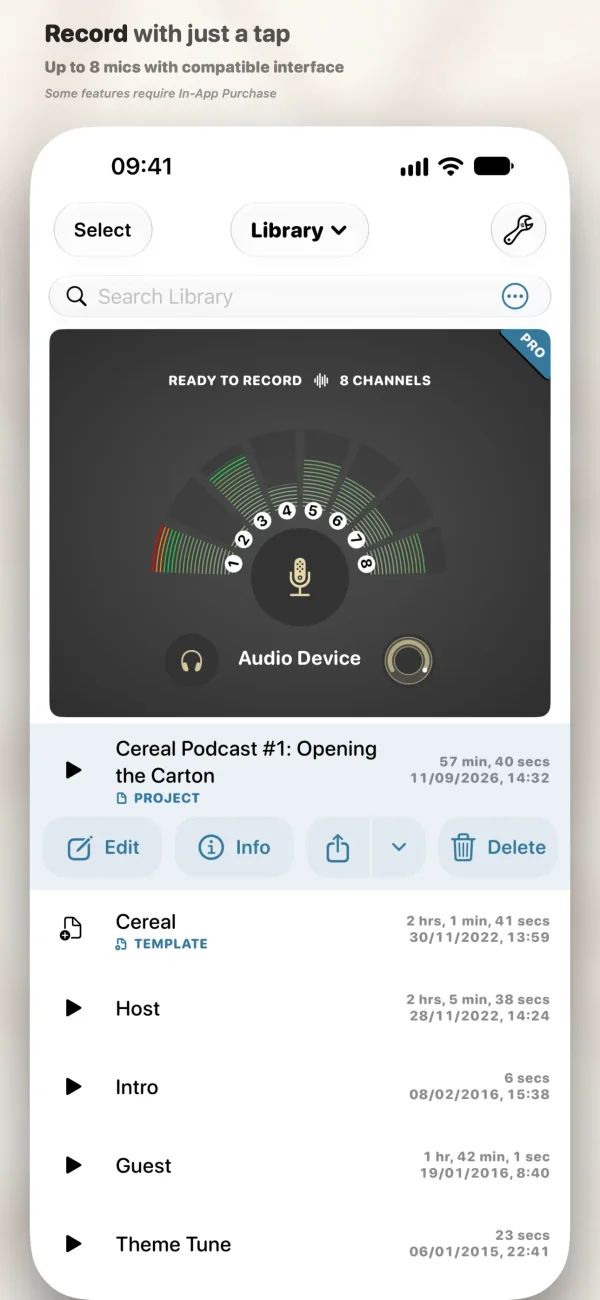
Open Ferrite and with just one tap you’re recording. No fuss, and it won't break a sweat even with hours-long sessions. Just make sure your device has enough free space!
Recording an interview and you want to highlight a few quotes? Have to take out some inappropriate language? Or just fluffed a sentence and need to fix it? Bookmark moments during your recording and they’ll be flagged up during edits, so you can jump right to them.
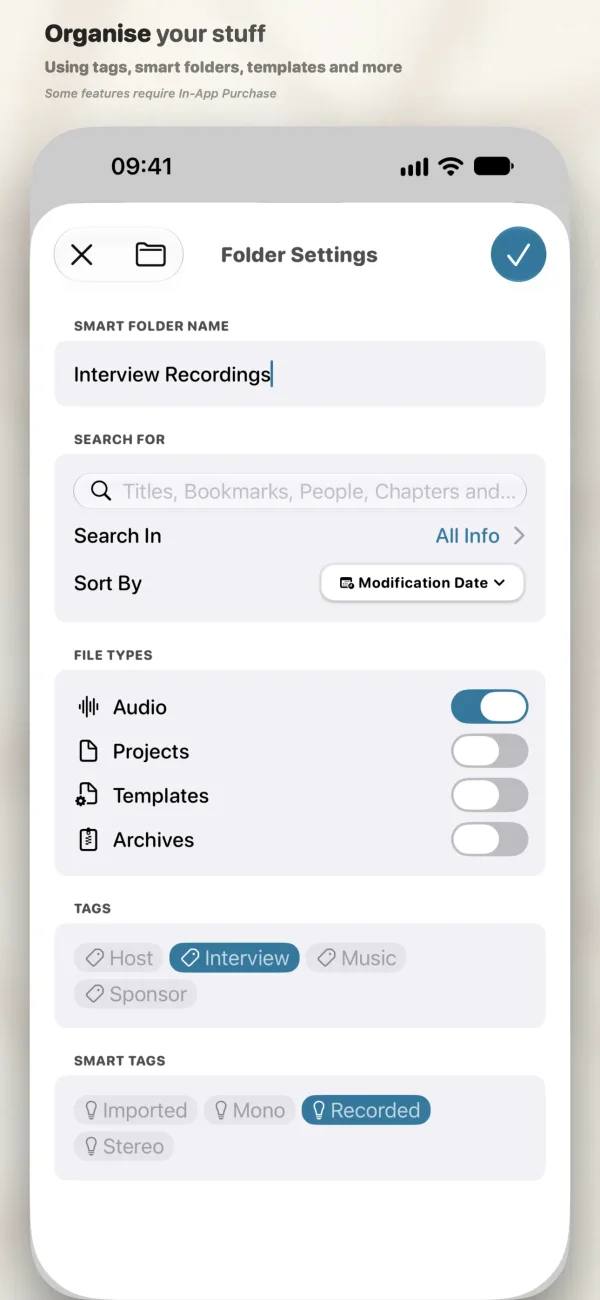
Monitor levels with live recording meters, or listen through headphones. Tag your audio to find it quickly later. And of course you can import audio from your Music Library, iCloud, and other services such as Dropbox.
Please note: the free version has limited duration for recording & editing projects. Upgrade to Pro and you can edit projects up to 24 hours long!
— Editing is a Snip —
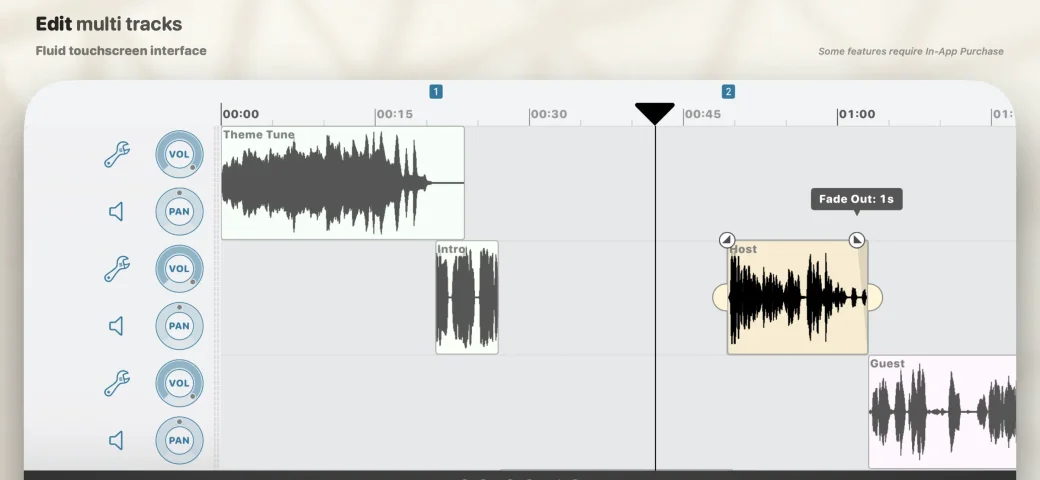
Ferrite features full multi-track editing, from quick cuts, to producing a complete podcast or broadcast package. Zoom out to see hours at a glance, or zoom in all the way down to individual samples.
Take a single clip, or a bunch, and arrange them in an editing project: move, crop, slice, fade in and out, or crossfade between clips just by overlapping them. You have full control over each track’s volume and panning, and can Mute or Solo as needed.
And best of all, you needn’t fear trying out changes: Ferrite has great Undo/Redo — even if you quit the app and come back a month later, you can still undo all the way back to the moment you created your project!
— Advanced Features —
Need more? Ferrite also includes:
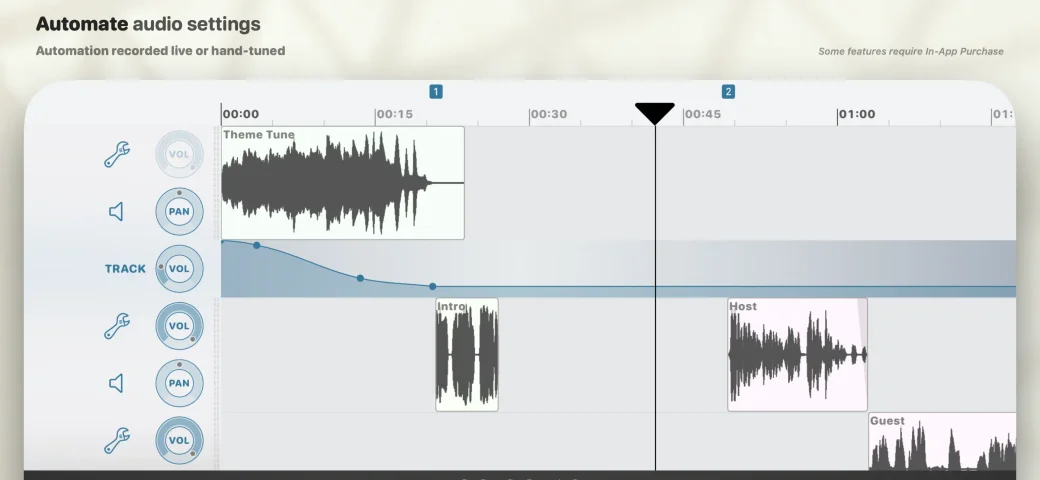
• Automatic ducking: set tracks to “duck under” others (e.g. ducking music behind voiceovers).
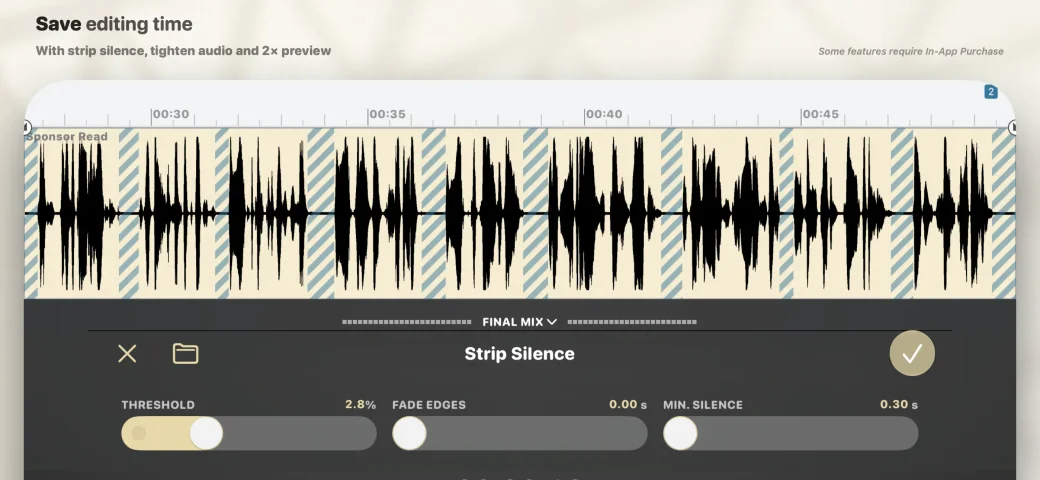
• Strip Silence: Carves away all the silent sections from a recording, making it easy to edit the remaining audio.
• (iPad only) Split View and Slide Over support: Use Ferrite side-by-side with other apps. Recording a narration? Open another app with your script and place Ferrite down the side of the screen. Or open the User Guide in Safari on one side while you learn Ferrite on the other.
With a single In-App Purchase, you can unlock many additional tools, including:
• Preview at up to 2× speed
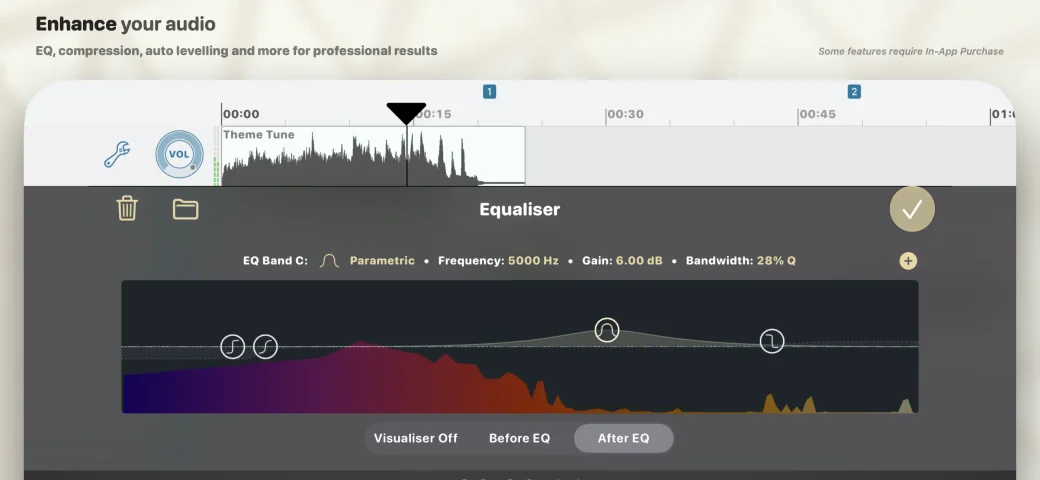
• Prepare your audio for production with Noise Reduction and Auto Levelling.
• Add professional effects to your tracks such as EQ, Noise Gate and Dynamic Range Compression, for projects that sound clean and engaging.
• Automate volume, panning and effects settings so they vary over time, both on individual tracks and the final mix.
• Tighten Audio can automatically take out awkward pauses and gaps.
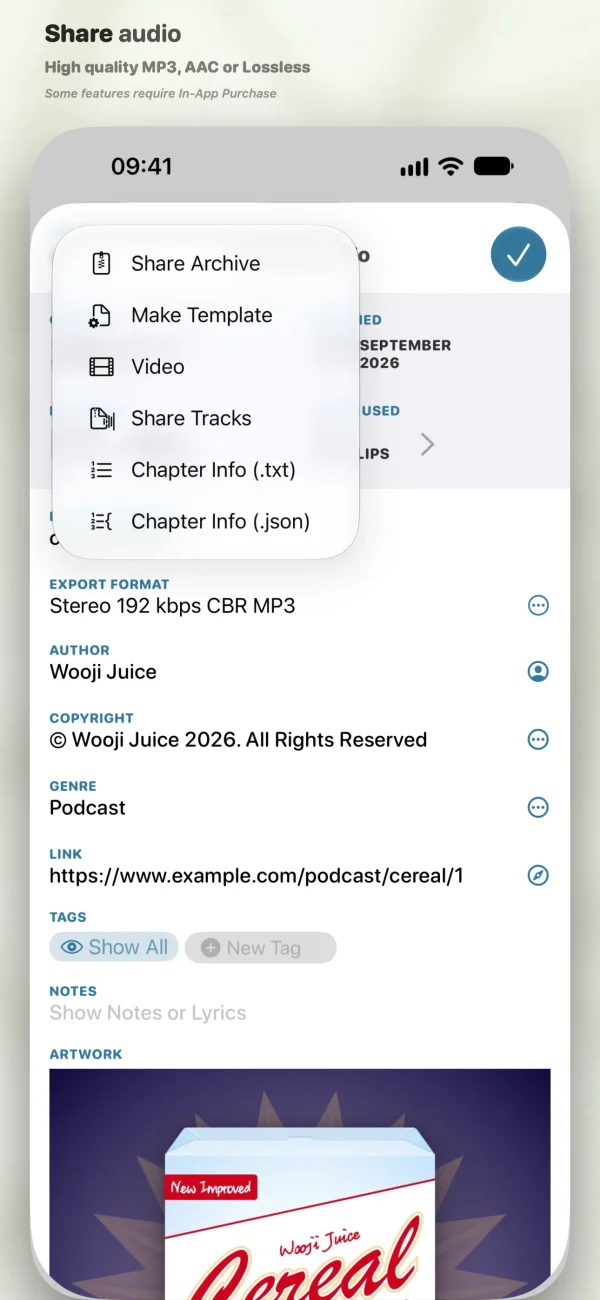
• Producing a podcast or series? Create a template to get each new episode off to a flying start.
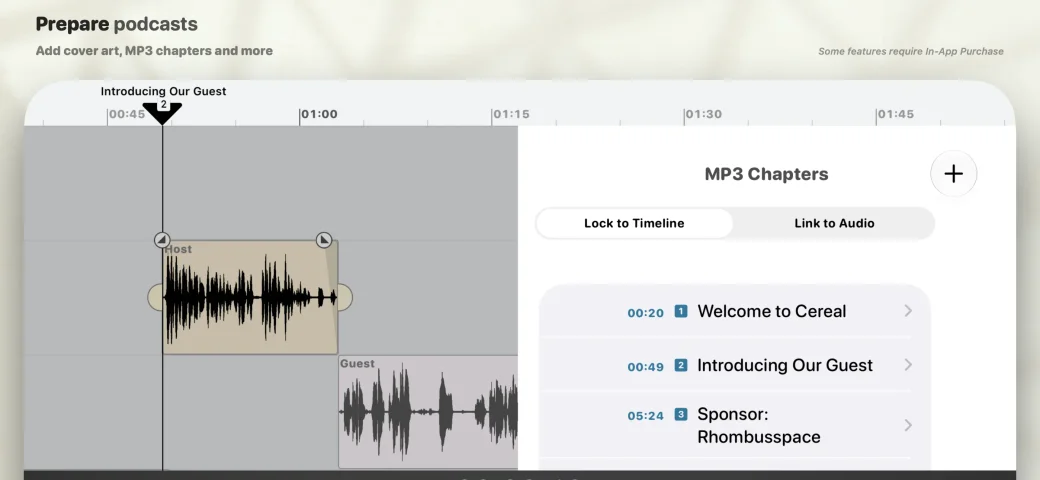
• Add cover art, chapters and more.
• Found the perfect settings for an effect or tool? Save them as a Preset for re-use in other projects.
• Audio Unit Extensions: if you have other apps installed that provide effects as Audio Unit Extensions, they’ll show up in Ferrite, where you can add them to tracks or projects.
• Advanced search, smart folders, and template folders.
What’s new
Version 3.3.2 · Nov 21, 2026
• Various performance, user-experience and reliability improvements
App privacy
What Wooji Juice Ltd declares on the App Store about how this app handles data.
-
Data not collected
The developer does not collect any data from this app.
Privacy practices may vary, for example with the features you use or your age.
Information
- Seller
- Wooji Juice Ltd
- Category
- Music
- Version
- 3.3.2
- Updated
- Nov 21, 2026
- Released
- Nov 5, 2015
- Size
- 29.5 MB
- Requires
- iOS 26.6 or later
- Age rating
- 4+
- Price
- Free
- In-app purchases
- Yes
- Languages
- English, French, German, Italian, Spanish
- Copyright
- © 2015-2026 Wooji Juice
You might also like
-
 Studio for PodcastAll-in-One Podcasts Creator
-
 EZAudioCut - Audio Editor LiteFilter Recorder, AudioCuter,易剪
-
 Music Mastering: AudioMasterAudio Editor, Recording Studio
-
 TwistedWave Voice RecorderRecord, Edit, Trim Audio
-
 MOTIV AudioHigh-definition recording
-
 Microphone Live-Voice RecorderAuto vocal tune, podcast mic
-
 SoundLab - Audio Editoraudacity, mixer, music studio.
-
 Cubasis LE 3Mobile Music Creation System
-
 Audio Editor - Music editorreverb, equalizer, song maker
-
 Audio Editor : Audiolabreverb, equalizer, song maker