
FiaMind AI Mind Mapping
Visual Brainstorm & Whiteboard
Designed for iPhone, iPad, iPod touch
Free · In-app purchases
- Age rating4+
- CategoryProductivity
- DeveloperXiamen Infinite Fly Technology Co., Ltd.
- LanguagesEnglish+ 7 more
- Size102.5 MB
Links to the official App Store page
Download.org hosts no file of FiaMind AI Mind Mapping. The button opens its official App Store page, published by Xiamen Infinite Fly Technology Co., Ltd. Listing last checked on Nov 26, 2026.
Screenshots
About
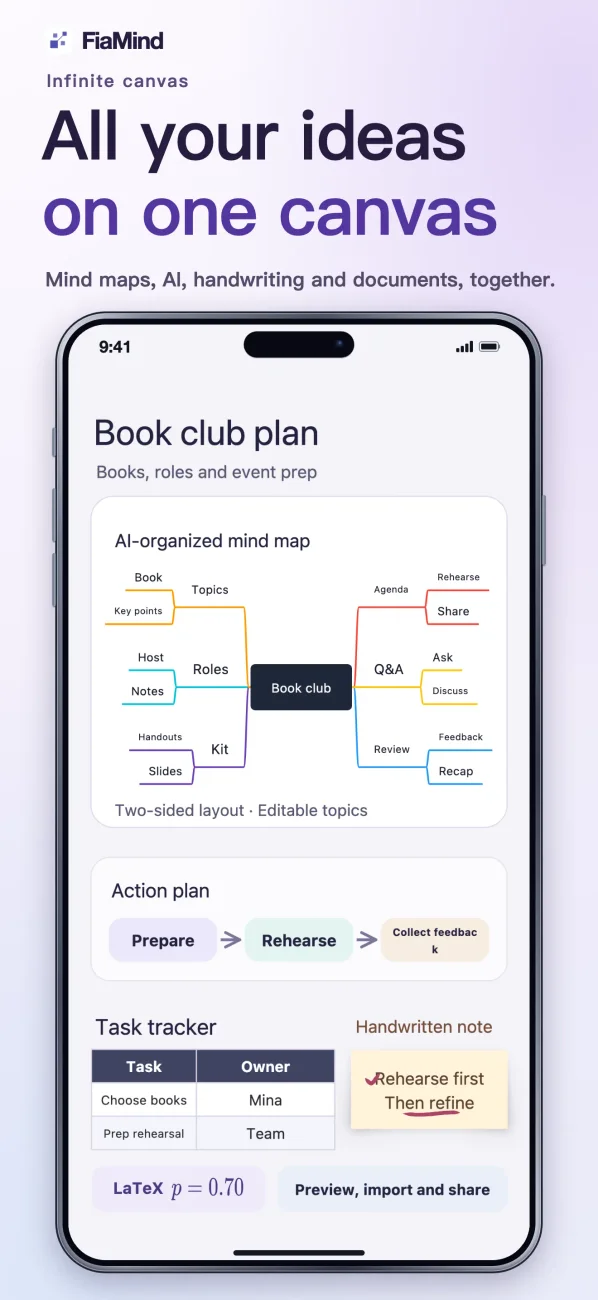
FiaMind brings AI mind mapping, diagrams and notes together on one canvas. On iPad and iPhone, organize information, connect ideas and keep developing your thinking.
MIND MAPPING FIRST
Mind maps, AI, flowcharts, pen, tables, formulas and containers. Bring them together.
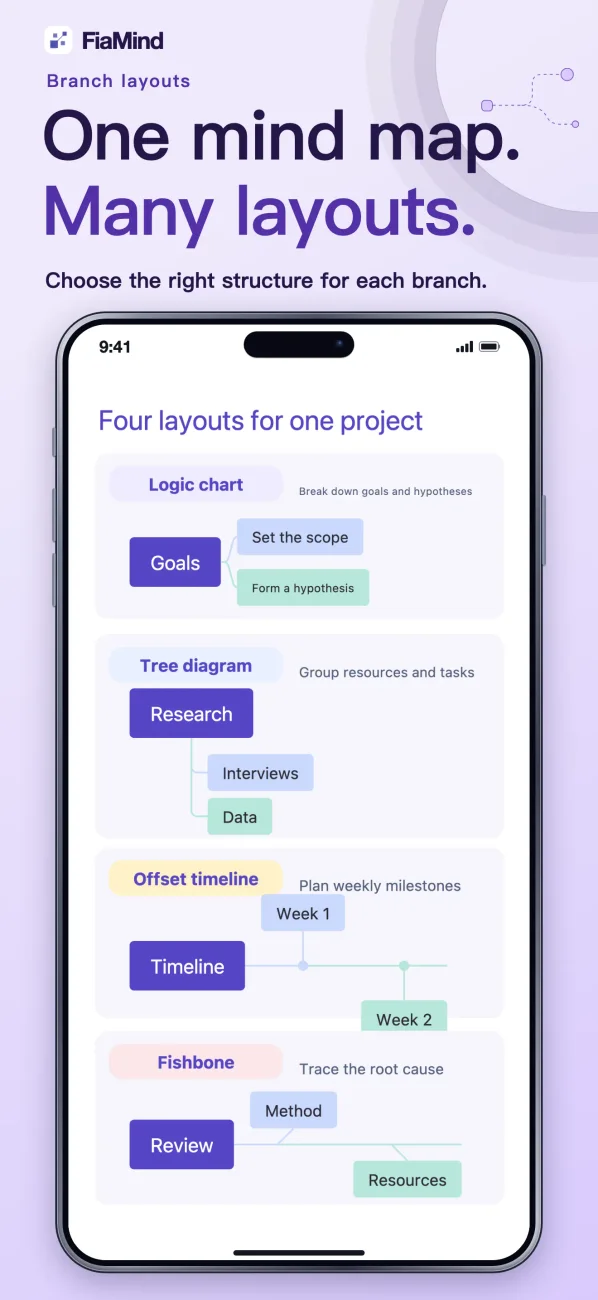
MIND MAPS
Logic charts, trees, timelines and fishbones. Choose a structure for each branch.
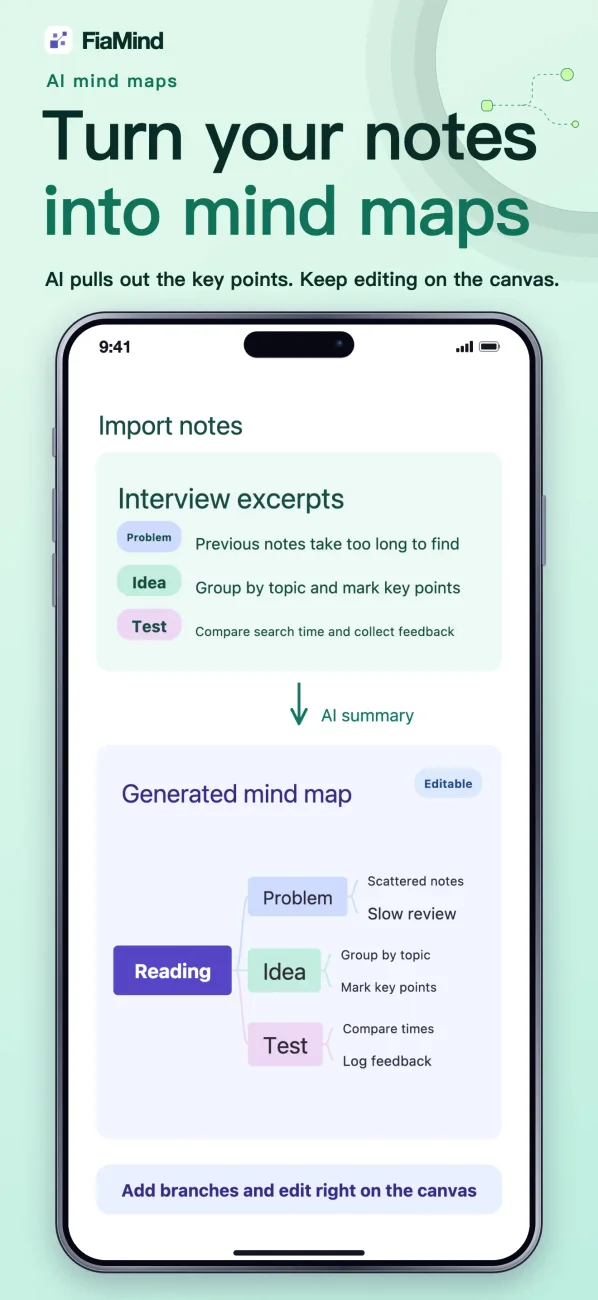
AI STRUCTURING
Organize key ideas from text and documents. Keep editing and exploring after AI generates your map.
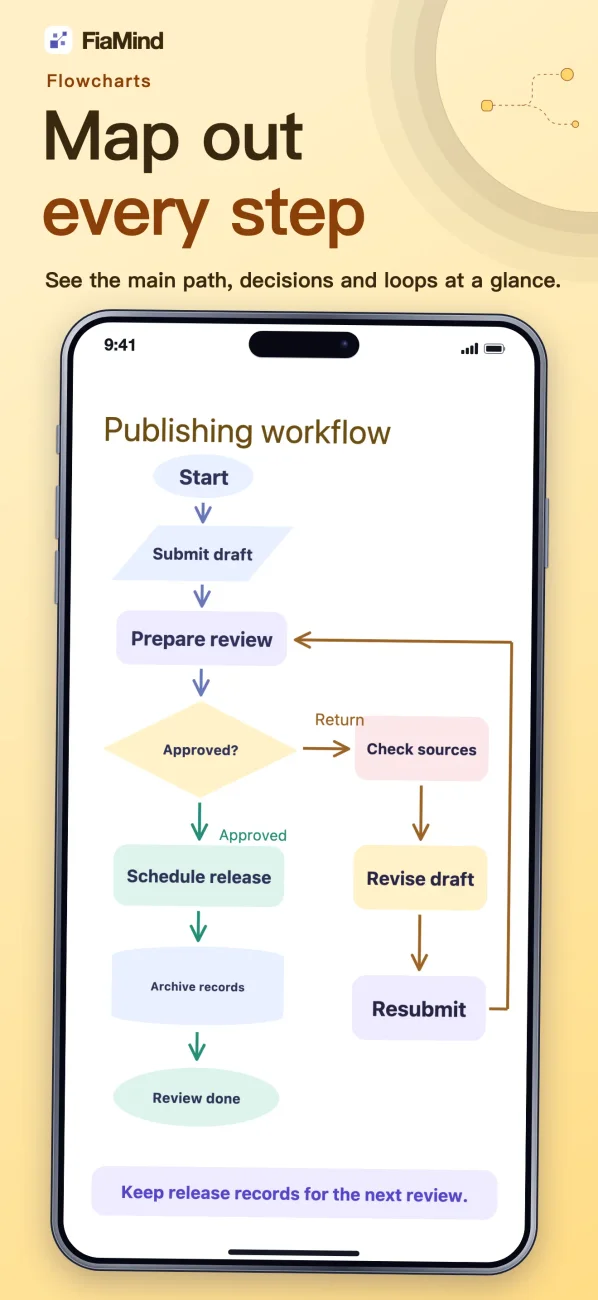
FLOWCHARTS
Shapes and connectors for branches, loops and processes. Turn ideas into action.
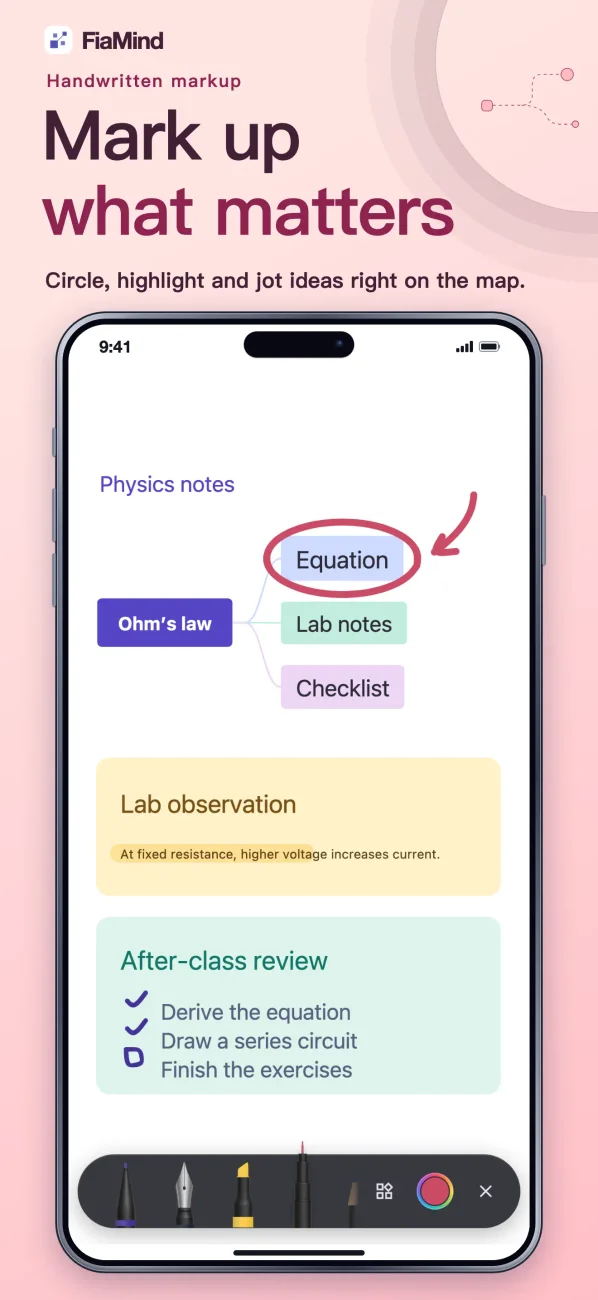
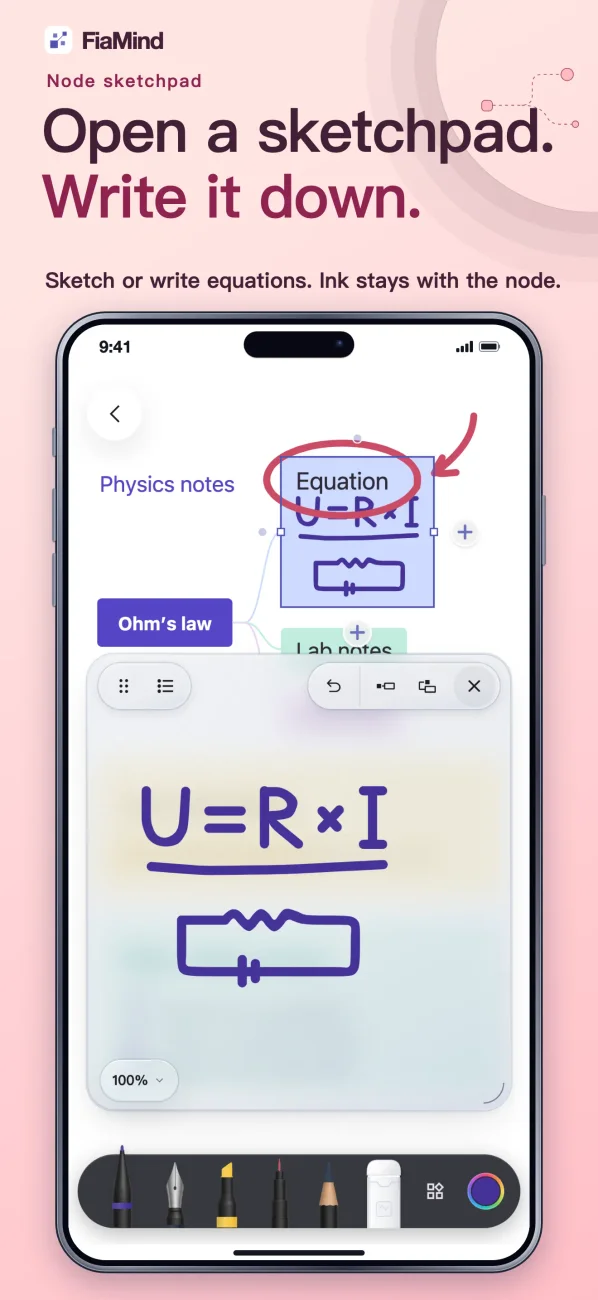
PEN AND HIGHLIGHT
Circles, arrows, freehand marks and highlights. Add your own expression to the map.
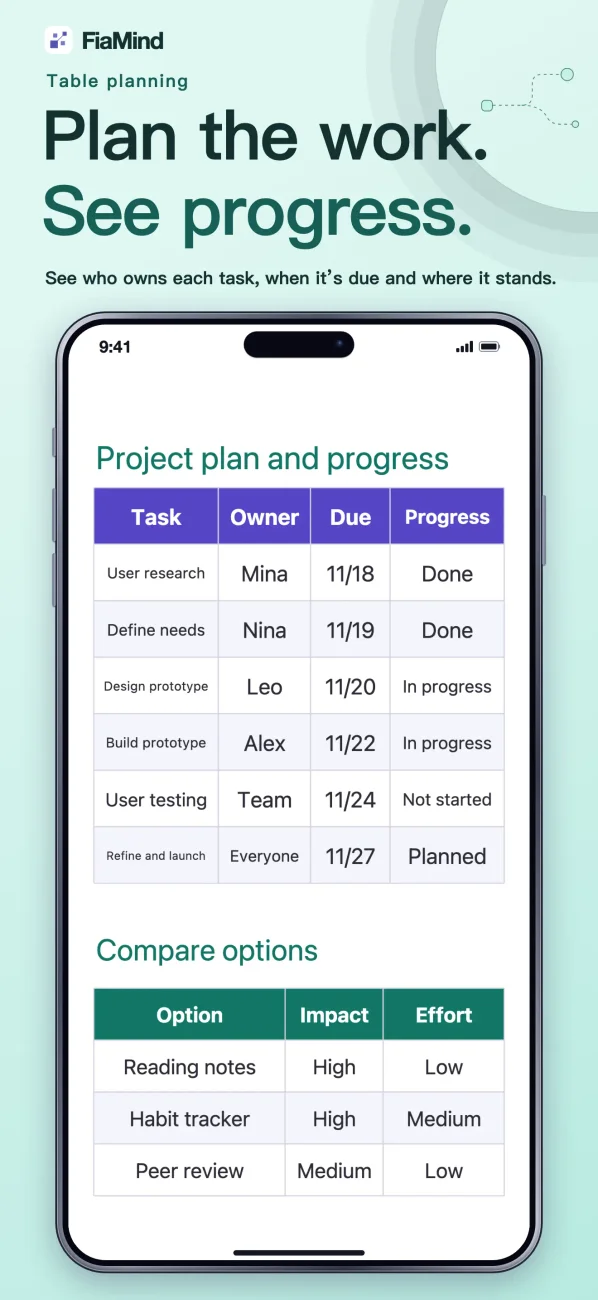
PLAN AND COMPARE
Owners, priorities, deadlines and progress. Plan and compare on the same canvas.
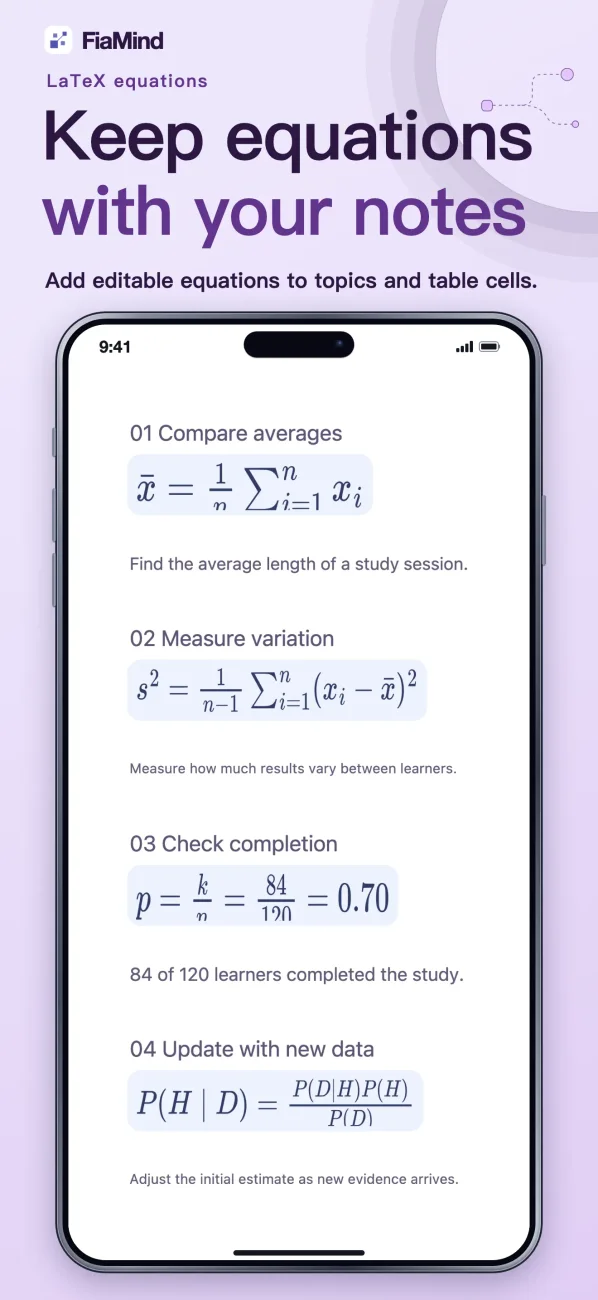
DATA AND LaTeX
Averages, variation and completion. Add editable formulas to topics and table cells.
CONTAINERS
Group research, processes and progress. See the whole picture across your canvas.
STRUCTURE LIBRARY
Logic charts, trees, org charts, brace maps, timelines and more. Nine ways to organize.
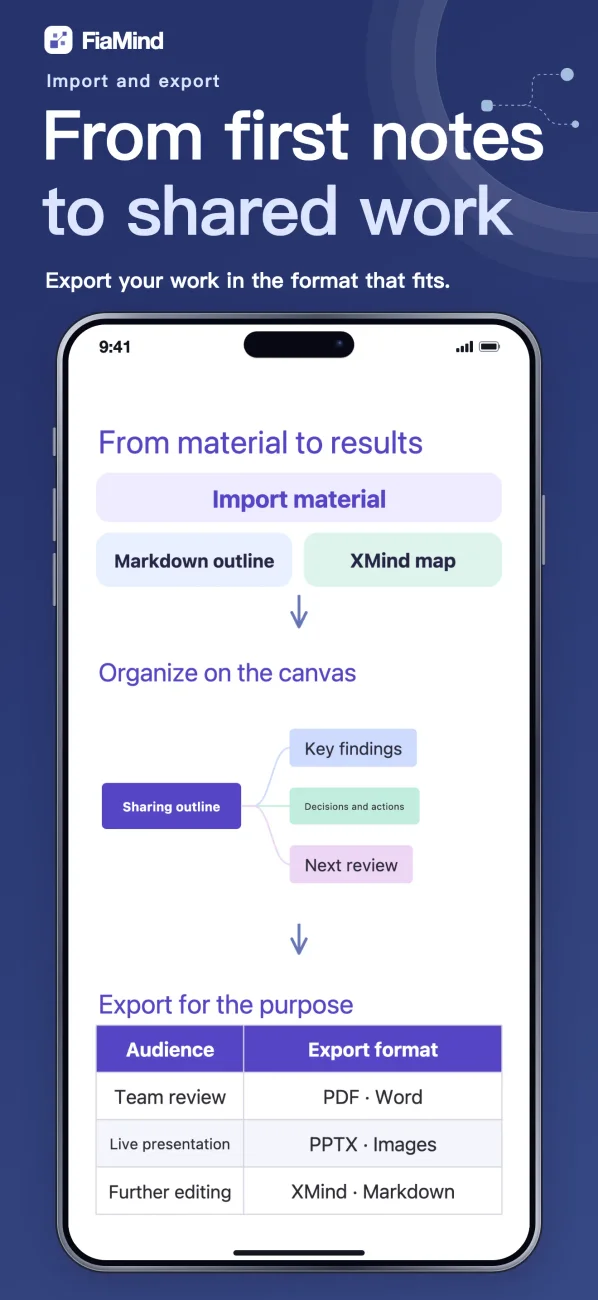
IMPORT TO SHARE
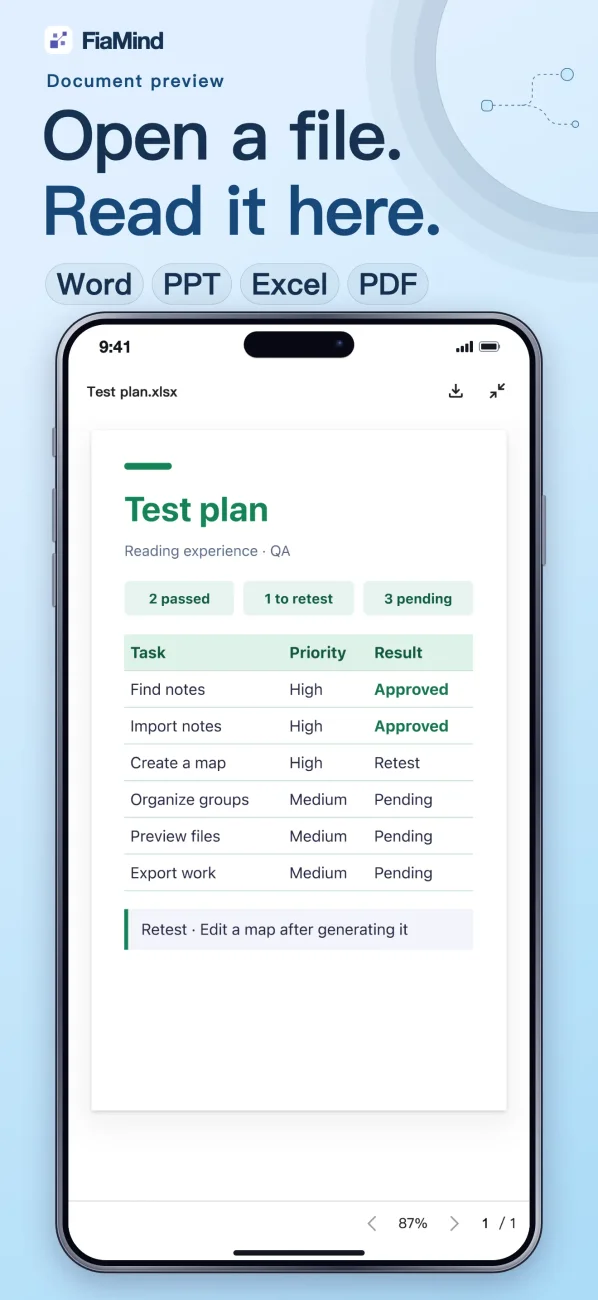
Images, PDF, Markdown, Word, PPTX, XMind and more. Choose the format that fits.
AI usage and some advanced features may require AI points, a membership or an in-app purchase. Sign-in, cloud sync, AI generation and purchase verification require an internet connection.
What’s new
Version 1.0.7 · Nov 25, 2026
• iPad zooming is smoother, with less flicker when zooming out. Floating toolbar icons appear together more reliably.
• On iPad, drag across text with Apple Pencil and lift it to open the edit menu. Drag either selection handle to adjust the range, or tap the text to keep typing.
• On iPhone, adding a topic keeps the keyboard open and selects the default text so you can replace it right away. When using Chinese Pinyin, the current topic keeps the text you confirm before you move on to the new topic.
• You can change the watermark, margins, and size while the export preview loads or if it fails to load. Your settings take effect when the preview is ready.
App privacy
What Xiamen Infinite Fly Technology Co., Ltd. declares on the App Store about how this app handles data.
-
Data linked to you
May be collected and linked to your identity.
- Purchases
- Contact info
- User content
- Search history
- Identifiers
- Usage data
- Diagnostics
- Other data
Privacy practices may vary, for example with the features you use or your age.
Information
- Seller
- Xiamen Infinite Fly Technology Co., Ltd.
- Category
- Productivity
- Version
- 1.0.7
- Updated
- Nov 25, 2026
- Released
- Aug 25, 2026
- Size
- 102.5 MB
- Requires
- iOS 15.0 or later
- Age rating
- 4+
- Price
- Free
- In-app purchases
- Yes
- Languages
- English, French, German, Japanese, Korean, Russian, Simplified Chinese, Spanish
- Copyright
- © 2026 Xiamen Infinite Fly Technology Co., Ltd.
You might also like
-
 MindFly: MindMap & Study NotesSimple Brainstorming, Cloze
-
 Mindhive Mindmaps & FlashcardsHandwritten Notes & Whiteboard
-
 MindMap - Mind Mapping ToolsMind Maps, Files & Transfer
-
 MindPulse - AI Mind MapPlan, Brainstorm & Organize
-
 MindLogic: AI Workflow EngineLogic Maps & AI Workflows
-
 触点笔记Productivity
-
 YouNotes: MapMind & Note & PDFBoard, PDF, Colla,顶,Gaga,Note
-
 TouchMind-handwritten mind mapBrainstorm,Organize idea
-
 LionoteText & Handwriting Note-Taking
-
 今知错题本:批量拍照录题,思维导图笔记复习高效整理工具Productivity