
- Age rating4+
- CategoryNavigation
- DeveloperBrice Rosenzweig
- LanguagesEnglish
- Size16.8 MB
Links to the official App Store page
Download.org hosts no file of FlightLogStats. The button opens its official App Store page, published by Brice Rosenzweig. Listing last checked on Nov 15, 2026.
Screenshots
About
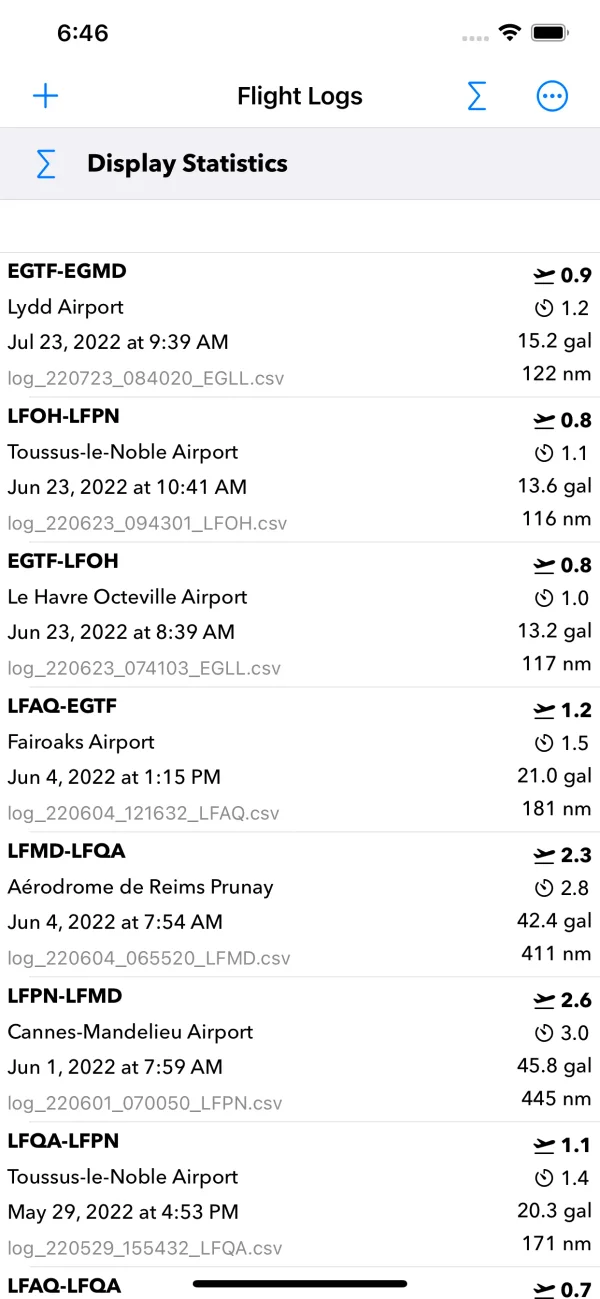
This app is intended to simplify the workflow of synchronising garmin G1000 and perspective flight log from the cockpit to different devices.
It also helps do a quick review from your ipad of the file before you get to a computer or network and uploaded to different online services for analysis.
# Intended Usage and Workflow
- Using a USB SD Card reader, plugin the SD Card containing the logs to your iPad or device and from the list of flight logs on the app press the plus button, navigate to the simcard from the file selection page. The app should discover automatically the log files on the sim card and import them into the app and your iCloud drive. It may take a bit of file to process the files if your simcard contains many logs. After the first use only new log files will be discovered and imported, you do not need to individually select the missing file, the app will find what it is missing.
Once the files have been imported, you can
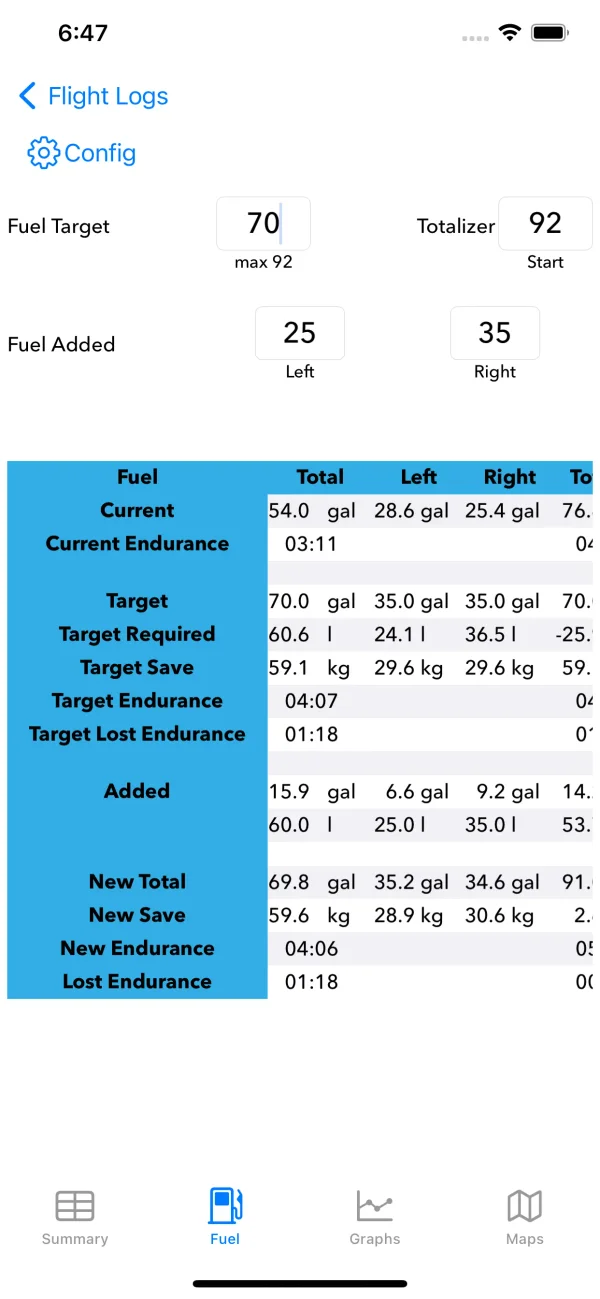
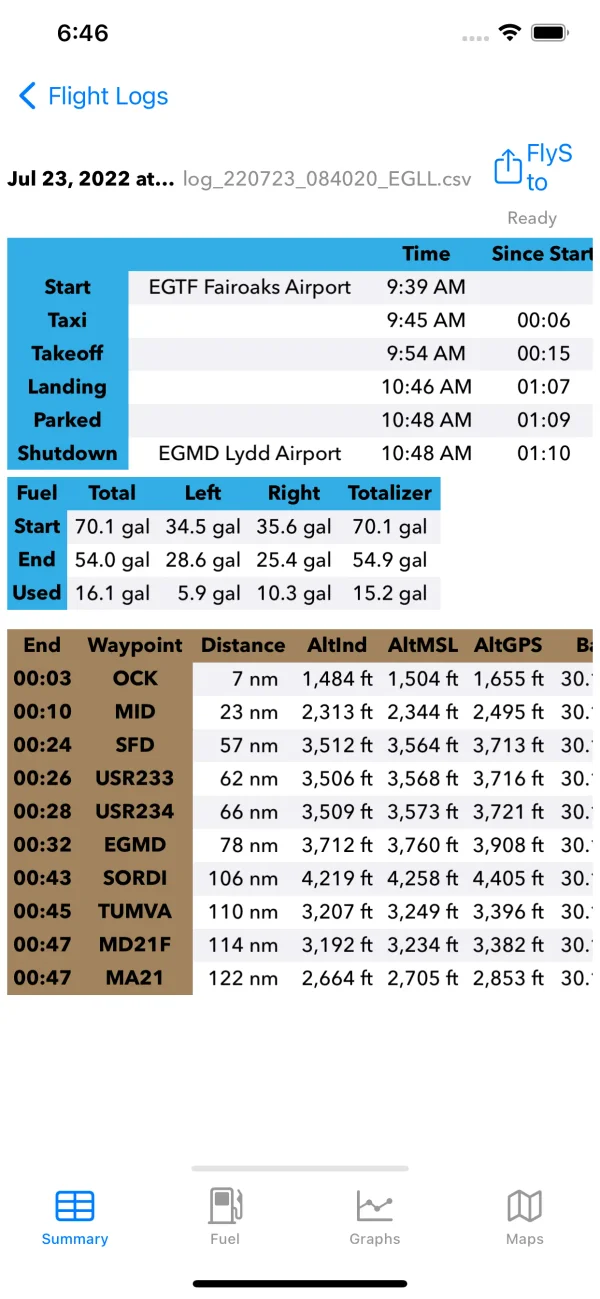
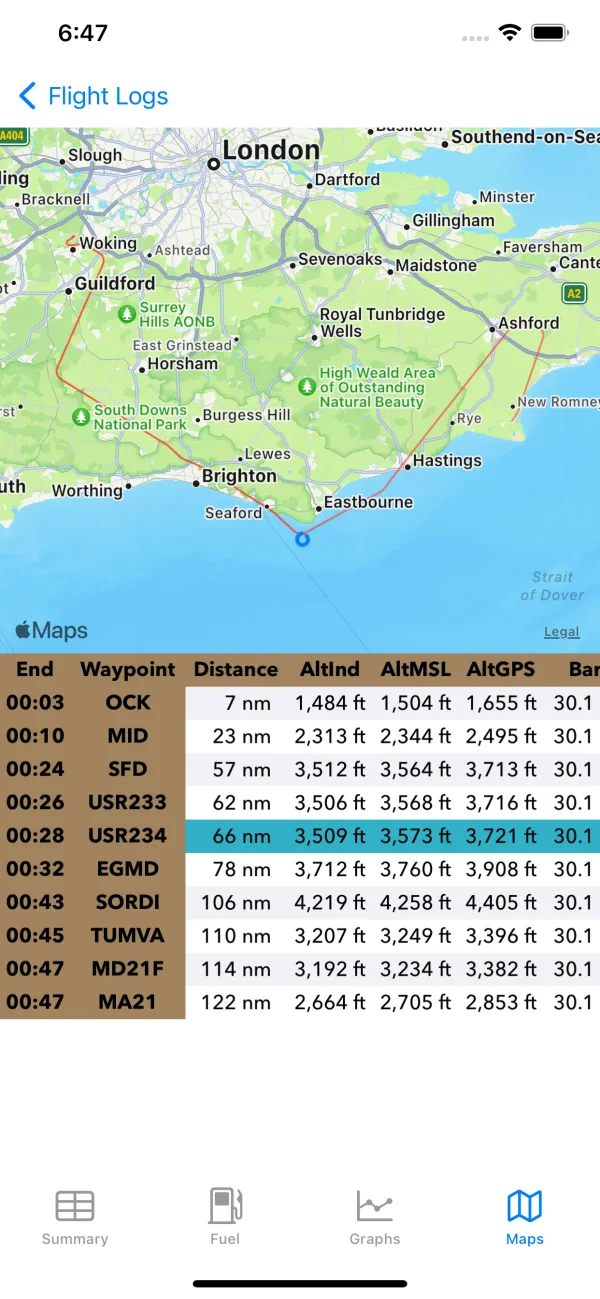
- review the information on a specific file, which can give you quick access to timings or fuel used while still in the cockpit
- review some statistics over time, the app will group flight and summarize trips away from base.
- the files will be synchronised on your iCloud Drive, so you can access them from other devices seeemlessly, for example after importing from your ipad, you can review the files et export them from your macos computer if you installed the macos version of the app. If you start the app on another device with the iCloud Drive synchronised the flights will be also available to browse from the app.
- upload a file to FlySto.net. Note this app is independent of FlySto, but only provide connectivity to their upload API to simplify workflow.
You can check the support website for example of uses.
# Limitation
This is a first version of the app, it is open source, and if people find it useful, some of these limitations will be worked on.
This has only been tested with garmin log from from garmin perspective plus device.
This currently only process information from one device/plane.
The app is open source, submit issues on github if you have find a problem, please be tolerant on your reviews as this is free and just an attempt to help.
# Disclaimer
This app and its information should not be used for primary decision making related to flight planning and all estimations should be independently validated.
What’s new
Version 3.0 · Jan 2, 2024
Bug fix for importing large number of files
App privacy
What Brice Rosenzweig declares on the App Store about how this app handles data.
-
Data not collected
The developer does not collect any data from this app.
Privacy practices may vary, for example with the features you use or your age.
Information
- Seller
- Brice Rosenzweig
- Category
- Navigation
- Version
- 3.0
- Updated
- Jan 2, 2024
- Released
- Oct 21, 2022
- Size
- 16.8 MB
- Requires
- iOS 16.0 or later
- Age rating
- 4+
- Price
- Free
- Languages
- English
- Copyright
- © Brice Rosenzweig
You might also like
-
 E6B Flight Computer - FoxtroMETAR & TAF Decoder for Pilots
-
 RampMeetMeet pilots at your airport
-
 GA CustomsU.S. AOE hours & fees
-
 ZanZan TravelAll-in-One Utility Travel App
-
 Stride NavigationIndoor Navigation Platform
-
 EFBTravel
-
 ROTAIR FlightLogPilot Logbook & Flight Hours
-
 Fly VirgaView & submit aviation PIREPs!
-
 Pilot-BrieferMETAR TAF weather briefing
-
 360° Virtual Tours Platform360TR