FlipTick: Time Block Planner
Daily Schedule, To-Do & Focus
Designed for iPhone, iPad, iPod touch
Free · In-app purchases
- Age rating4+
- CategoryProductivity
- DeveloperJabbar Ahmad
- LanguagesEnglish+ 14 more
- Size75.5 MB
Links to the official App Store page
Download.org hosts no file of FlipTick: Time Block Planner. The button opens its official App Store page, published by Jabbar Ahmad. Listing last checked on Nov 24, 2026.
Screenshots



About
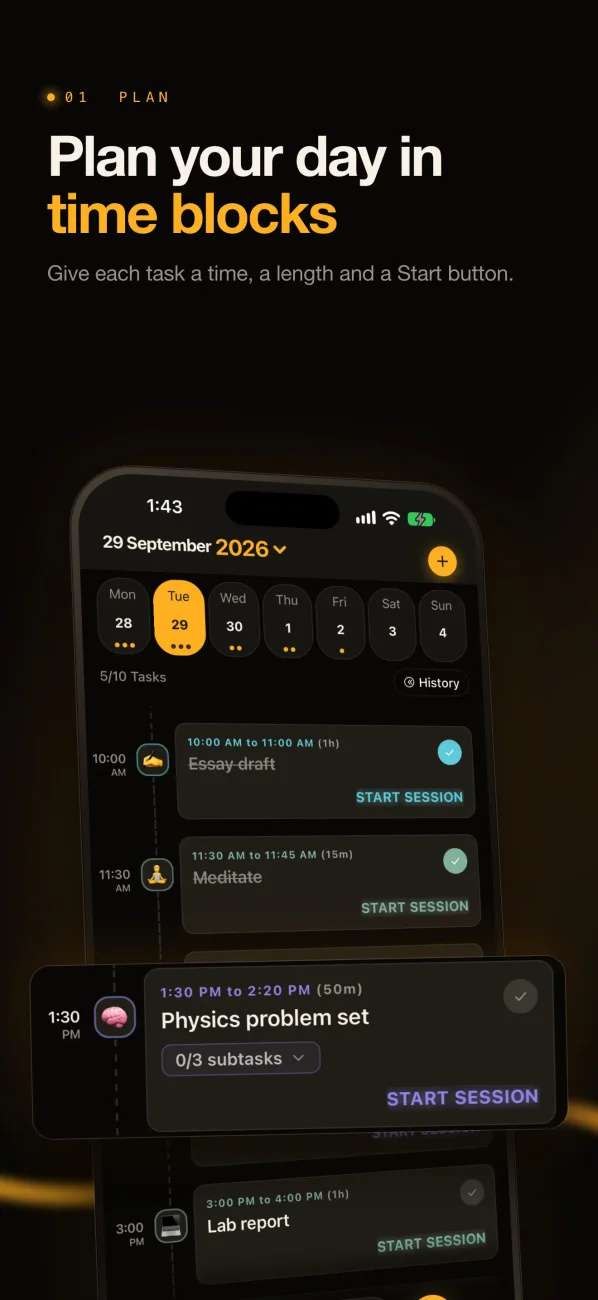
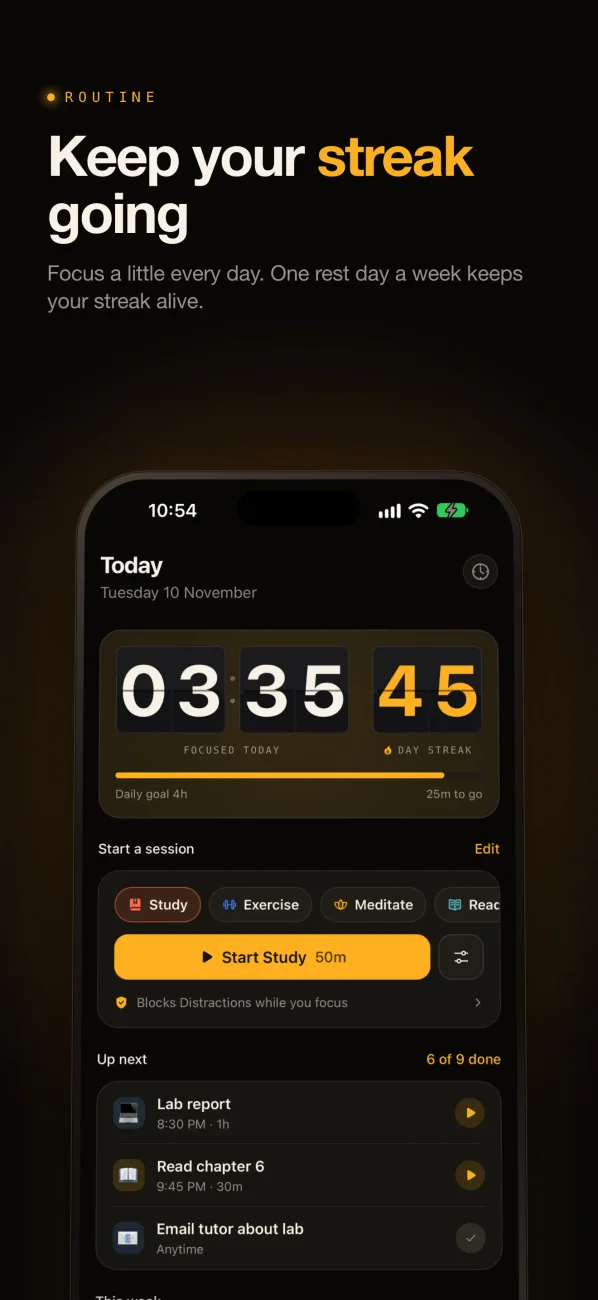
FlipTick is a day planner and focus timer in one. Plan your day in time blocks, import your calendar and reminders, or type your plans and let on-device AI sort them. Then tap Start and work through each block on a big flip clock while distracting apps stay locked.
PLAN YOUR DAY IN TIME BLOCKS
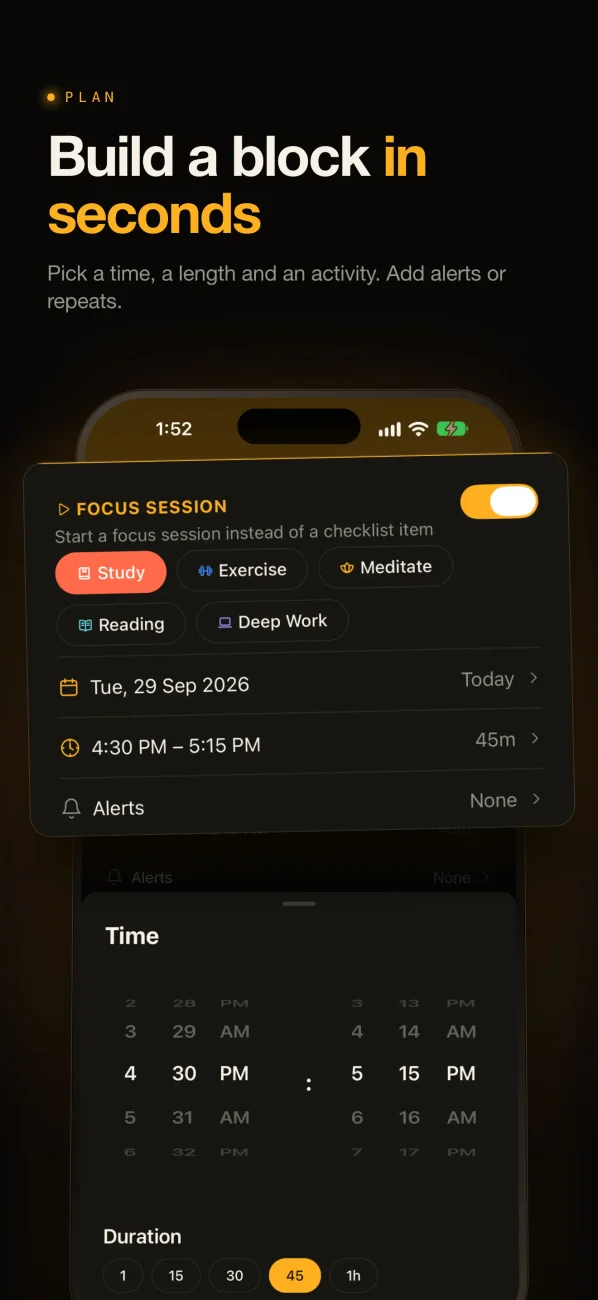
• Give every task a time, a length and a Start button
• Add subtasks, notes, alerts and repeats (Pro)
• Finish a focus block and it ticks itself off in your plan
• Keep your streak going as finished tasks fill in your calendar, day after day
PLAN WITH AI AND YOUR CALENDAR
• Type your plans in your own words, like "gym at 7pm, study for 2 hours, call Mom", and FlipTick turns them into tasks with times or starts a focus session
• Runs privately on iPhone and iPad with Apple Intelligence
• Import events and reminders from the Calendar and Reminders apps, so classes, meetings and to-dos sit in one plan
A FOCUS TIMER YOU CAN SEE FROM ANYWHERE
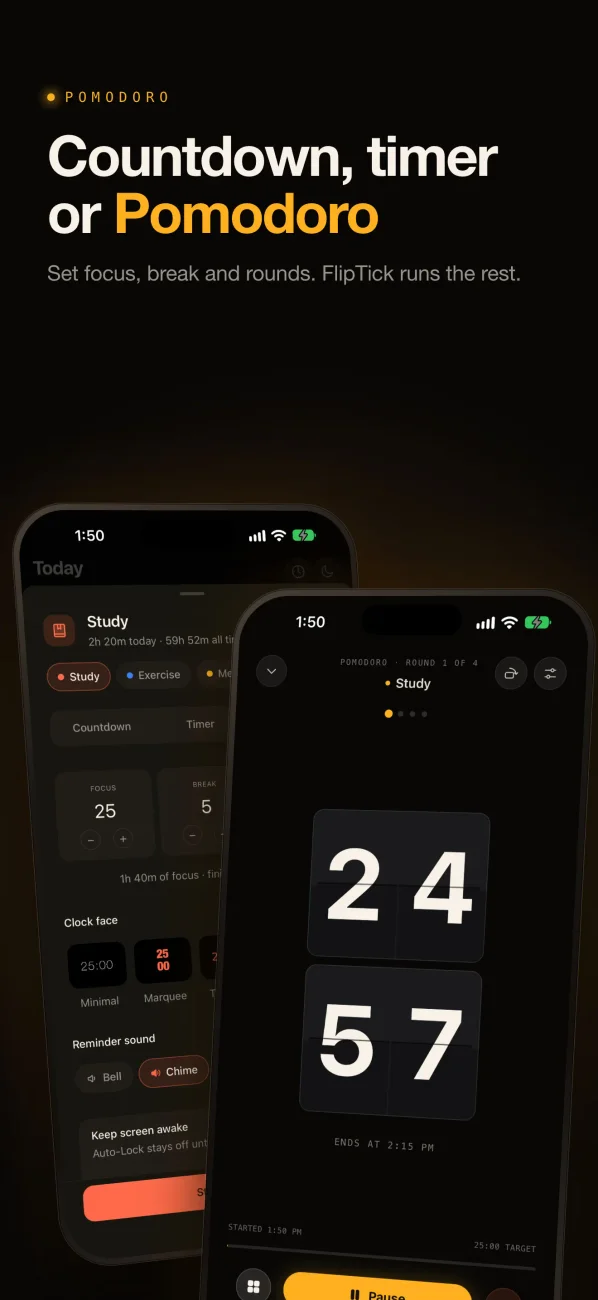
• Full-screen flip clock digits that flip in real time, not a tiny number in the corner
• Countdown, stopwatch or Pomodoro: set focus and break rounds and FlipTick switches between them for you
• Brightness control, auto-dim and an optional glow keep it easy on your eyes and your battery
BLOCK DISTRACTING APPS WHILE YOU FOCUS
• Pick the apps, categories and websites that pull you away, just once
• They lock when a session starts and open again the moment it ends
• Open one mid-session and a calm "Stay with it" screen shows your time left
• Built on Apple's Screen Time, so your list stays private. Every list and Strict mode are free. Needs iOS 16 or later
SEE WHERE YOUR HOURS GO
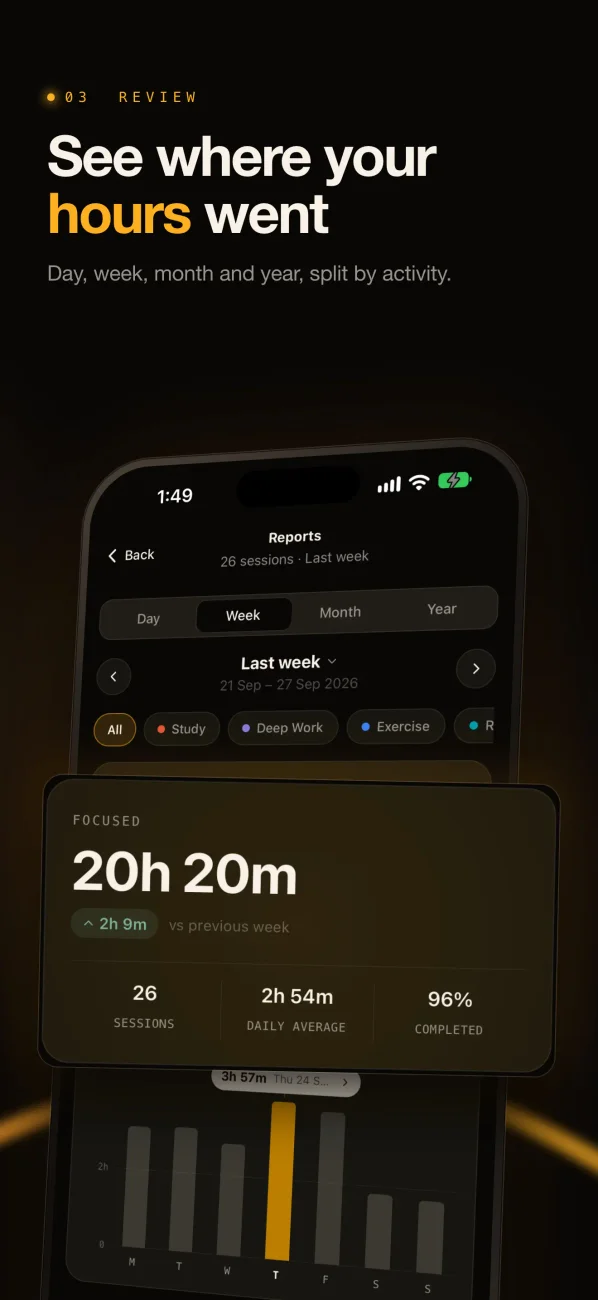
• Day and week reports, plus month and year with Pro, split by activity
• Your peak focus hours, plus average and longest sessions
• A daily focus goal, with your progress always in view
• Track Study, Deep Work, Reading, Exercise and Meditation, or add your own activities
STAY ON TRACK OUTSIDE THE APP
• Live Activities on the Lock Screen and in the Dynamic Island
• A floating timer (Picture in Picture) that stays on top of other apps while a session runs
• 10 Home Screen widgets with Pro, including a flip clock, calendars and world clocks
ON YOUR APPLE WATCH AND ACROSS YOUR DEVICES
• FlipTick for Apple Watch: start, pause and end sessions from your wrist and tick off today's tasks
• iCloud sync keeps tasks, focus history and settings the same on your iPhone and iPad, with no account
A DESK CLOCK WORTH LOOKING AT
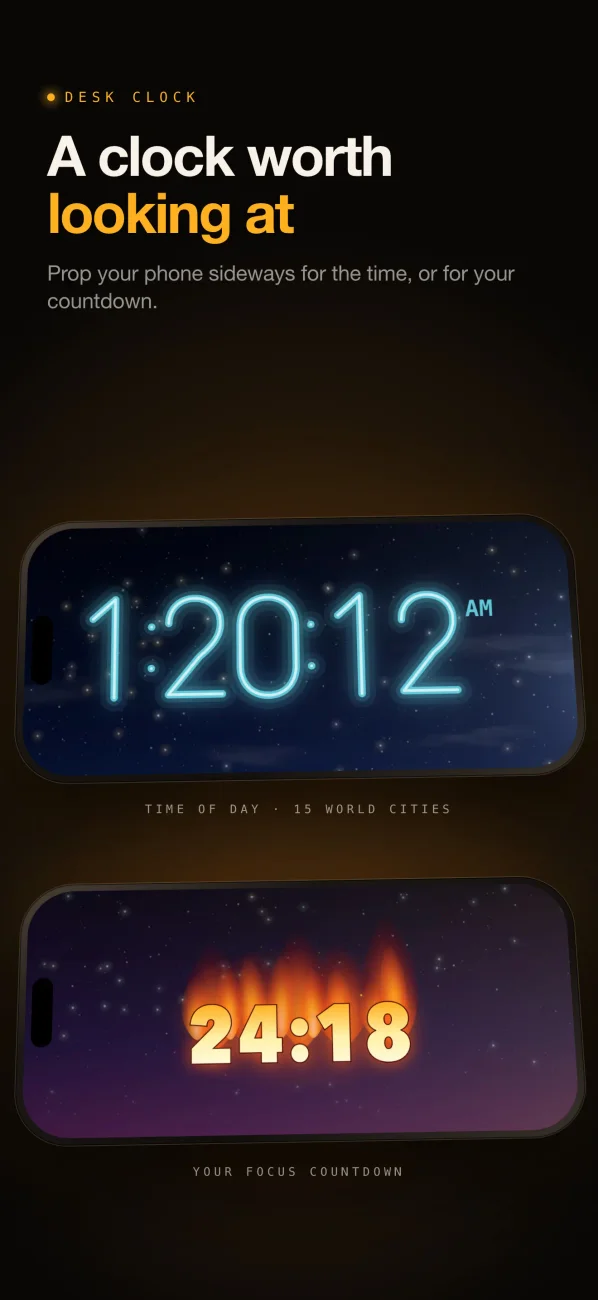
• Use FlipTick as a desk or bedside clock between sessions
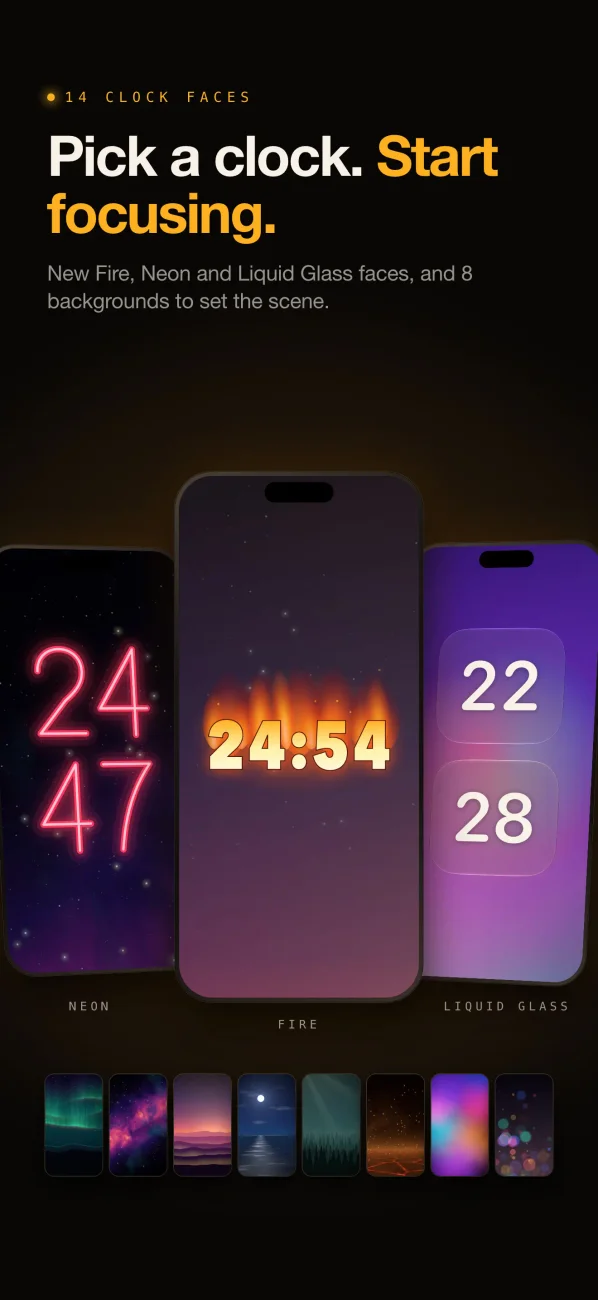
• 20 clock faces, from Flip, Neon and Liquid Glass to Candle and Hourglass, 8 backgrounds, 7 flip finishes and your own colors
• Ambient sounds for focus: rain, brown noise, campfire, sea, thunder, morning, a pendulum, a pocket watch and a ticking clock
MADE FOR THE WAY YOU WORK
FlipTick is built for students preparing for exams, writers, developers, designers and anyone who does their best work in focused sprints. And a big, always-visible clock makes a simple visual timer for anyone with ADHD or anyone who loses track of time.
FREE TO START, PRO WHEN YOU WANT MORE
FlipTick is free, with no account: unlimited focus sessions, five clock faces to start and a new one every two focus days, the full planner with subtasks, app blocking and Live Activities, all supported by short ads. FlipTick Pro removes the ads and adds every clock face, repeating tasks and Home Screen widgets, plus your month and year history and reports. Subscribe, or pay once and keep Pro forever.
FlipTick speaks 15 languages.
FlipTick Pro is an optional auto-renewing subscription. Payment is charged to your Apple Account when you confirm the purchase. It renews automatically unless you cancel at least 24 hours before the end of the current period. You can manage or cancel it in your Apple Account settings. FlipTick Pro Lifetime is a one-time purchase and doesn't renew.
Terms of Use: https://fliptick.riservo.tech/terms
Privacy Policy: https://fliptick.riservo.tech/privacy
What’s new
Version 2.8 · Nov 22, 2026
What's new in FlipTick:
• Plan with AI: type your plans in your own words, like "gym at 7pm, study for 2 hours, call Mom", and FlipTick turns them into tasks or starts a focus session. Find it on Today. It runs privately on devices with Apple Intelligence.
• Five clock faces from day one: Flip, Minimal, Precision, Ring and Candle.
• Blocked apps now stay blocked through Pomodoro breaks until your last round ends. You can change this in Settings.
• A new Pro screen that shows what's free and what Pro adds.
• Design polish and fixes.
Enjoying FlipTick? A rating on the App Store helps other people find it.
App privacy
What Jabbar Ahmad declares on the App Store about how this app handles data.
-
Data used to track you
May be used to track you across apps and websites owned by other companies.
- Usage data
-
Data not linked to you
May be collected but is not linked to your identity.
- Identifiers
Privacy practices may vary, for example with the features you use or your age.
Information
- Seller
- Jabbar Ahmad
- Category
- Productivity
- Version
- 2.8
- Updated
- Nov 22, 2026
- Released
- Sep 14, 2026
- Size
- 75.5 MB
- Requires
- iOS 15.1 or later
- Age rating
- 4+
- Price
- Free
- In-app purchases
- Yes
- Languages
- English, Dutch, French, German, Hindi, Indonesian, Italian, Japanese, Korean, Polish, Portuguese, Russian + 3 more
- Copyright
- © 2026@FlipTick-focus-timer
You might also like
-
 Flip Clock: Focus Timer WidgetPomodoro, Alarm & Standby Mode
-
 Pomoducko: Pomodoro TimerFocus & Study
-
 Focus Timer Desk ClockPomodoro, White Noise & Study
-
 Flipclock-Focus timer trackerFlip clock & focus timer
-
 Lofimi: Study Timer & FocusExam Countdown & 1-Tap Widgets
-
 Nubby: Simple WidgetsTurn notes into widgets
-
 Pomodoro Focus Timer: Zen BearConcentration for work & study
-
 Habit Blocks: Daily TrackerRoutines, streaks & widgets
-
 Ambient Focus - FocusFluxPomodoro Timer & Study Sounds
-
 Cheers7Cheers Solutions